# D2 Documentation
> D2 is a modern DSL that turns text to diagrams.
This file contains all documentation content in a single document following the llmstxt.org standard.
## D2 Tour
**D2** is a diagram scripting language that turns text to diagrams. It stands for
**Declarative Diagramming**. Declarative, as in, you describe what you want diagrammed, it
generates the image.
For example, download the CLI, create a file named `input.d2`, copy paste the following,
run this command, and you get the image below.
```sh
d2 --theme=300 --dark-theme=200 -l elk --pad 0 ./input.d2
```
[terminal theme (SVG)](https://d2lang.com/img/generated/terminal-theme.svg2)
```d2
vars: {
d2-config: {
layout-engine: elk
# Terminal theme code
theme-id: 300
}
}
network: {
cell tower: {
satellites: {
shape: stored_data
style.multiple: true
}
transmitter
satellites -> transmitter: send
satellites -> transmitter: send
satellites -> transmitter: send
}
online portal: {
ui: {shape: hexagon}
}
data processor: {
storage: {
shape: cylinder
style.multiple: true
}
}
cell tower.transmitter -> data processor.storage: phone logs
}
user: {
shape: person
width: 130
}
user -> network.cell tower: make call
user -> network.online portal.ui: access {
style.stroke-dash: 3
}
api server -> network.online portal.ui: display
api server -> logs: persist
logs: {shape: page; style.multiple: true}
network.data processor -> api server
```
### Using the CLI watch mode
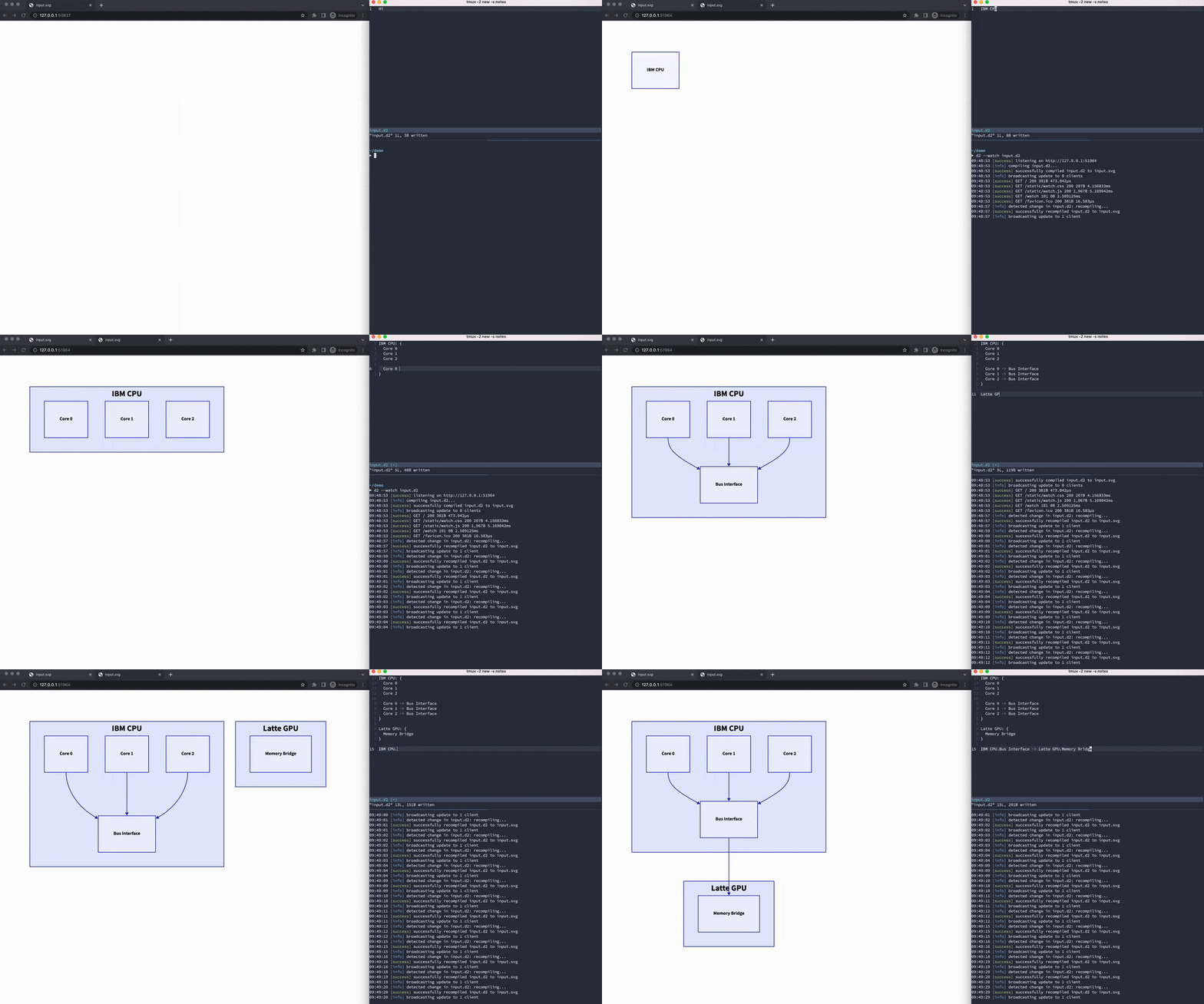
You can finish this tour in about 5-10 minutes, and at the end, there's a cheat sheet you
can download and refer to. If you want just the bare essentials, [Getting Started](https://d2lang.com/tour/hello-world/) takes
~2 mins.
:::info
The source code for D2 is hosted here:
[https://github.com/d2lang/d2](https://github.com/d2lang/d2).
The source code for these docs are here:
[https://github.com/d2lang/d2-docs](https://github.com/d2lang/d2-docs).
:::
:::info
For each D2 snippet, you can hover over it to open directly in the Playground and tinker.
There's some exceptions like snippets that use imports.
:::
---
## Hello World
```d2
x -> y: hello world
```
[hello world (SVG)](https://d2lang.com/img/generated/hello-world.svg2)
This declares a connection between two shapes, `x` and `y`, with the label, `hello world`.
---
## Animation
:::warning
Animation is in alpha and may change. If you have feedback, [open a GitHub issue](https://github.com/d2lang/d2/issues/new).
:::
Use [`style.animated`](https://d2lang.com/tour/style.md#animated) to animate a shape or connection on a single board.
To show a sequence, use `animate-interval` to play [boards](https://d2lang.com/tour/composition.md) in order.
Set `animate-duration` to control how long a transition takes. [Steps](https://d2lang.com/tour/steps.md)
can animate styles, variables, and grids. Pencil shading and text decorations
also animate between consecutive [layers](https://d2lang.com/tour/layers.md) and [scenarios](https://d2lang.com/tour/scenarios.md).
The default duration is `0`, so boards change instantly.
This example is an animated SVG you can embed in a GitHub README.

View D2 source
```d2
vars: {
# Stops outside 0% to 100% move the pulse off the connection.
v0: -22%
v1: -15%
v2: -7%
v3: 0%
l0: -112%
l1: -98%
m0: -109%
m1: -95%
g0: -133%
g1: -119%
warm: -215%
c: "FB6"
f: "FB6"
d2-config: {
animate-interval: 140ms
animate-duration: 2100ms
theme-id: 200
theme-overrides: {B1: "#73B2AF"; B4: "#234959"; B6: "#203F50"; N1: "#E9F5EC"}
pad: 24
data: {dagre-nodesep: 16}
}
}
# Transparent cells reserve grid slots.
classes.t: {width: 50; height: 29; style: {font-size: 14}}
classes.z: {width: 50; height: 29; style.opacity: 0}
classes.p: {width: 158; height: 46; style: {fill: "linear-gradient(to right,#166A61 ${warm},#193B4C ${warm})"; border-radius: 7; stroke-width: 1; bold: false}}
# Put both colors at the same stop to give the pulse a sharp edge.
classes.v: {style: {stroke: "linear-gradient(to right,#345 ${v0},#${c} ${v0},#${c} ${v1},#345 ${v1},#345 ${v2},#${c} ${v2},#${c} ${v3},#345 ${v3})"; stroke-width: 6}}
classes.l: {style: {stroke: "linear-gradient(to right,#345 ${l0},#${c} ${l0},#${c} ${l1},#345 ${l1})"; stroke-width: 6}}
classes.m: {style: {stroke: "linear-gradient(to right,#345 ${m0},#${f} ${m0},#${f} ${m1},#345 ${m1})"; stroke-width: 6}}
classes.g: {style: {stroke: "linear-gradient(to right,#345 ${g0},#${c} ${g0},#${c} ${g1},#345 ${g1})"; stroke-width: 6}}
h: "How 1,200 GETs become one origin read" {near: top-center; shape: text; style: {bold: true; font-size: 26; font-color: "#E9F5EC"}}
direction: right
style.fill: "#122C3A"
v: "1,200 viewers\n200 per edge\n300 MiB total" {width: 154; height: 88}
shield: "Shield cache\nIn-flight requests" {
width: 206
height: 124
grid-rows: 2
grid-columns: 3
grid-gap: 6
style.font-size: 16
label.near: top-center
# A suspended cell keeps its place in declaration order.
IAD: IAD {class: t; style: {fill: "#FB6"; font-color: "#223744"}}
IAD: suspend
_slot: "" {class: z}
}
o: "Image origin\n/cover.avif\n1 × 256 KiB" {style.stroke: "#CA985E"; shape: cylinder; width: 150; height: 123}
NRT: "NRT / Tokyo" {class: p}
FRA: "FRA / Frankfurt" {class: p}
LHR: "LHR / London" {class: p}
IAD: "IAD / Ashburn" {class: p}
ORD: "ORD / Chicago" {class: p}
SFO: "SFO / San Francisco" {class: p}
v -- NRT: {class: v}
NRT -- shield: {class: m}
v -- FRA: {class: v}
FRA -- shield: {class: m}
v -- LHR: {class: v}
LHR -- shield: {class: m}
v -- IAD: {class: v}
IAD -- shield: {class: l}
v -- ORD: {class: v}
ORD -- shield: {class: m}
v -- SFO: {class: v}
SFO -- shield: {class: m}
shield -- o: {class: g}
steps: {
leader: {
shield.IAD: unsuspend
shield._y: "" {class: z}
shield._z: "" {class: z}
vars: {
v0: 420%
v1: 425%
v2: 432%
v3: 437%
l0: 288%
l1: 302%
m0: 76%
m1: 90%
g0: 112%
g1: 126%
}
}
join: {
shield._slot: null
shield._y: null
shield._z: null
shield.ORD: ORD {class: t}
shield.FRA: FRA {class: t}
shield.SFO: SFO {class: t}
shield.LHR: LHR {class: t}
shield.NRT: NRT {class: t}
vars: {
g0: -14%
g1: 0%
m0: 212%
m1: 226%
l0: 102%
l1: 116%
c: "6EC"
}
}
deliver: {
shield.IAD: null
shield.ORD: null
shield.FRA: null
shield.SFO: null
shield.LHR: null
shield.NRT: null
vars: {
warm: 210%
f: "6EC"
m0: -199%
m1: -185%
l0: -199%
l1: -185%
v0: -22%
v1: -15%
v2: -7%
v3: 0%
}
}
}
```
### Configuration
```d2-incomplete
vars: {
d2-config: {
animate-interval: 1s
animate-duration: 400ms
}
}
```
The 1-second interval includes the transition. Each animated step spends 400 ms
changing and holds its final state for the remaining 600 ms.
Export to SVG or GIF. The CLI accepts durations in milliseconds.
```sh
d2 input.d2 output.svg
d2 --animate-duration=300 input.d2 output.gif
```
### Animate styles
The following properties animate when their values change in a step.
#### Opacity
A shape and its connection fade together.
```d2
vars: {
d2-config: {
animate-interval: 1200ms
animate-duration: 900ms
}
}
gateway: Gateway
old: API v1
new: API v2
gateway -> old: in flight
gateway -> new: new requests
old.style.opacity: 1
(gateway -> old)[0].style.opacity: 1
steps: {
drained: {
old.style.opacity: 0.2
(gateway -> old)[0].style.opacity: 0.2
}
}
```
#### Fill
A shape changes from amber to green before its label changes.
```d2
vars: {
d2-config: {
animate-interval: 1s
animate-duration: 800ms
}
}
registry: Container registry {
image: "Image v42\nSignature check" {
width: 164
style.fill: moccasin
}
}
steps: {
verify: {
registry.image.style.fill: palegreen
}
approved: {
registry.image.label: "Image v42\nSignature verified"
}
}
```
Set `style.fill` on the board to animate its background color.
The board background changes from green to amber.
```d2
vars: {
d2-config: {
animate-interval: 1s
animate-duration: 800ms
}
}
grid-rows: 1
grid-gap: 14
style.fill: honeydew
api: "Catalog API\nRead/write" {shape: text; width: 118; height: 60}
sync: "Import job\nRunning" {shape: text; width: 118; height: 60}
steps: {
maintenance-notice: {style.fill: moccasin}
freeze-writes: {
api: "Catalog API\nRead only"
sync: "Import job\nPaused"
}
}
```
#### Pencil shading
In sketch mode, changing a shape’s solid fill shades it in with pencil strokes.
Changing the fill to `transparent` erases it.
A standby volume’s block ranges are shaded in as they are restored from a snapshot.
```d2
vars: {d2-config: {sketch: true; pad: 12; animate-duration: 650ms; animate-interval: 830ms}}
direction: right
style.fill: transparent
classes: {
range: {
width: 85
height: 43
style: {fill: "#F6F6EC"; stroke: "#4B6353"; stroke-width: 1; font-color: "#183B2A"; font-size: 15; bold: true}
}
}
snapshot: S3 snapshot {
shape: cylinder
width: 110
height: 87
style: {fill: "#EEE7D9"; stroke: "#5C5247"; stroke-width: 2; font-size: 15; font-color: "#403A32"}
}
standby: Standby volume {
grid-columns: 2
grid-gap: 6
style: {fill: "#F7F5EB"; stroke: "#4C5548"; stroke-width: 2; font-color: "#283B2F"; font-size: 19; bold: true}
r0: 0–1 GiB {class: range}
r1: 1–2 GiB {class: range}
r2: 2–3 GiB {class: range}
r3: 3–4 GiB {class: range}
}
snapshot -> standby: restore {style: {stroke: "#53695B"; stroke-width: 2; font-color: "#435348"; font-size: 15}}
steps: {
copy-range-0: {standby.r0.style.fill: "#95BCA2"}
copy-range-1: {standby.r1.style.fill: "#95BCA2"}
copy-range-2: {standby.r2.style.fill: "#95BCA2"}
copy-range-3: {standby.r3.style.fill: "#95BCA2"}
}
```
#### Stroke
Set `style.stroke` to animate the outline of a shape or the color of a connection.
Two connections exchange stroke colors.
```d2
vars: {
d2-config: {
animate-interval: 1s
animate-duration: 600ms
}
}
router: Payment router
a: Acquirer A
b: Acquirer B
router -> a: preferred {style.stroke: teal; style.stroke-width: 4}
router -> b: fallback {style.stroke: silver; style.stroke-width: 4}
steps: {
failover: {
(router -> a)[0].style.stroke: silver
(router -> b)[0].style.stroke: teal
}
primary-healthy: {
(router -> a)[0].style.stroke: teal
(router -> b)[0].style.stroke: silver
}
}
```
#### Font color
One label changes from gray to red.
```d2
vars: {
d2-config: {
animate-interval: 1s
animate-duration: 800ms
}
}
delivery: "POST /webhooks/orders" {
created: "order.created" {shape: text}
paid: "order.paid" {shape: text; style.font-color: darkslategray}
grid-columns: 1
vertical-gap: 8
}
steps: {
retries-exhausted: {
delivery.paid.style.font-color: firebrick
}
}
```
#### Text decorations
Keep the same object ID and label text. Set `style.underline` on a shape or
connection to draw an underline, or wrap a Markdown span in `~~` to draw a
strikethrough. Removing the decoration retracts the line. Both work in regular
and sketch mode.
The v1 webhook endpoint is crossed out as the v2 endpoint is underlined. Both marks retract on rollback.
```d2
vars: {
d2-config: {
animate-interval: 450ms
animate-duration: 900ms
}
}
direction: right
sender: Webhook dispatcher {
style: {fill: "#f2f5f5"; stroke: "#556774"; font-color: "#263941"}
}
v1: |md
POST /v1/events
| {
shape: rectangle
width: 160
height: 54
style: {fill: "#fbf0ea"; stroke: "#996956"; font-color: "#794436"}
}
v2: POST /v2/events {
width: 160
height: 54
style: {
fill: "#e6f2eb"
stroke: "#386953"
font-color: "#24553e"
}
}
sender -> v1: {style.stroke: "#62747a"}
sender -> v2: {style.stroke: "#62747a"}
steps: {
retire-v1: {
v1: |md
~~POST /v1/events~~
|
v2.style.underline: true
}
soak: {v2.style.underline: true}
rollback: {
v1: |md
POST /v1/events
|
v2.style.underline: false
}
}
```
#### Stroke width
One connection thickens as the other thins.
```d2
vars: {
d2-config: {
animate-interval: 1200ms
animate-duration: 900ms
}
}
router: Read router
east: East replica
west: West replica
router -> east: {style.stroke-width: 8}
router -> west: {style.stroke-width: 2}
steps: {
shift-west: {
(router -> east)[0].style.stroke-width: 2
(router -> west)[0].style.stroke-width: 8
}
shift-east: {
(router -> east)[0].style.stroke-width: 8
(router -> west)[0].style.stroke-width: 2
}
}
```
#### Stroke dash
A dashed connection becomes solid.
```d2
vars: {
d2-config: {
animate-interval: 1200ms
animate-duration: 900ms
}
}
primary: Orders DB
local: Local replica
remote: New EU replica
primary -> local
primary -> remote: {style.stroke-dash: 6}
steps: {
enable-eu-replication: {
(primary -> remote)[0].style.stroke-dash: 0
}
}
```
#### Border radius
A square upload stays fixed while its matching profile avatar rounds into a circle.
```d2
vars: {
d2-config: {
animate-interval: 800ms
animate-duration: 480ms
}
}
grid-rows: 2
grid-columns: 2
horizontal-gap: 80
vertical-gap: 8
classes.caption: {width: 88; height: 22; style: {fill: transparent; stroke-width: 0; font-size: 15; bold: false}}
classes.tile: {
width: 88
height: 88
style: {
fill: "linear-gradient(135deg, #225b65 63%, #84cdb8 63%, #84cdb8 74%, #3c7778 74%)"
stroke-width: 0
font-color: white
font-size: 29
bold: true
border-radius: 0
}
}
upload: AK {class: tile}
avatar: AK {class: tile}
source-label: Upload {class: caption}
output-label: Profile avatar {class: caption}
upload -> avatar: crop {style: {font-size: 14; stroke: "#526974"}}
steps: {
apply-mask: {avatar.style.border-radius: 44}
}
```
#### Font size
A numeric label grows while a second label stays the same size.
```d2
vars: {
p95: 120
d2-config: {
animate-interval: 1200ms
animate-duration: 900ms
}
}
checkout: Checkout p95 {
budget: Budget · 250 ms {shape: text}
reading: "${p95} ms" {
width: 150
height: 58
style.font-size: 16
}
grid-columns: 1
vertical-gap: 10
}
steps: {
over-budget: {
vars: {p95: 680}
checkout.reading.style.font-size: 30
}
}
```
#### Width
A horizontal bar doubles in width.
```d2
vars: {
latency: 100
d2-config: {
animate-interval: 1200ms
animate-duration: 900ms
}
}
direction: right
budget: GET /cart · 200 ms budget {
width: 220
height: 40
style.stroke-dash: 2
}
query: "SQL · ${latency} ms" {
width: 110
height: 40
}
steps: {
cold-read: {
vars: {latency: 200}
query.width: 220
}
}
```
#### Height
A queue grows taller as its label counts up.
```d2
vars: {
jobs: 200
d2-config: {
animate-interval: 1200ms
animate-duration: 900ms
}
}
campaign: Campaign
queue: "${jobs} queued" {
width: 126
height: 44
}
mailer: Mailer
campaign -> queue: 20 jobs/s
queue -> mailer: 10 jobs/s
steps: {
after-20s: {
vars: {jobs: 400}
queue.height: 88
}
}
```
### Change a gradient
Animate a gradient by changing its color stops or angle between steps.
#### Fill a progress bar
A sharp color boundary advances across a bar.
```d2
vars: {
d2-config: {
animate-interval: 1s
animate-duration: 800ms
}
}
direction: right
catalog: Catalog {shape: cylinder; width: 86; height: 85}
index: "Index backfill\n8 partitions" {
width: 155
style.fill: "linear-gradient(to right, mediumaquamarine 25%, whitesmoke 25%)"
}
catalog -> index
steps: {
next-checkpoint: {
index.style.fill: "linear-gradient(to right, mediumaquamarine 75%, whitesmoke 75%)"
}
}
```
#### Fade one end of a fill
Build log entries show through an overlay and fade toward the bottom of the log viewer.
```d2
vars: {
d2-config: {
layout-engine: tala
animate-interval: 850ms
animate-duration: 500ms
}
}
viewport: "" {
left: 0
top: 0
width: 292
height: 164
style: {fill: "#142734"; stroke-width: 0}
}
title: Build log {shape: text; left: 14; top: 10; style: {font-color: "#91ddc8"; bold: true}}
classes.line: {
shape: text
left: 14
style: {font: mono; font-size: 14; font-color: "#e2edf3"}
}
compile: "09:41:02 Compile sources" {class: line; top: 38}
test: "09:41:03 Run unit tests" {class: line; top: 58}
bundle: "09:41:04 Bundle assets" {class: line; top: 78}
write: "09:41:05 Write manifest" {class: line; top: 98}
upload: "09:41:06 Upload artifacts" {class: line; top: 118}
overflow: "" {
left: 0
top: 97
width: 292
height: 67
style: {
stroke-width: 0
fill: "linear-gradient(to bottom, #142734 0%, #142734 65%)"
}
}
follow: "↓ Jump to latest" {shape: text; left: 14; top: 143; style: {font-color: "#91ddc8"; font-size: 13}}
steps: {
append-output: {
overflow.style.fill: "linear-gradient(to bottom, transparent 0%, #142734 65%)"
}
}
```
#### Expand a radial gradient
A wider search radius includes a second log embedding while a third stays outside.
```d2
vars: {
d2-config: {
layout-engine: tala
animate-interval: 1s
animate-duration: 640ms
}
radius: 26%
}
index: "Log embeddings · L2 range query" {
left: 0
top: 0
width: 256
height: 256
label.near: outside-top-center
style: {
font-size: 16
bold: true
fill: "radial-gradient(circle, #a9ded5 ${radius}, #f3f6f8 ${radius})"
stroke: "#a5b7bd"
stroke-width: 1
border-radius: 8
}
}
classes.point: {
shape: circle
width: 9
height: 9
label.near: outside-right-center
style: {fill: "#325766"; stroke-width: 0; font-size: 14; bold: false}
}
query: "OOM query" {
class: point
shape: diamond
left: 121
top: 121
width: 14
height: 14
label.near: outside-bottom-center
style: {fill: "#083b4f"; bold: true}
}
heap: "Heap limit" {class: point; left: 142; top: 107}
allocation: "Allocation failed" {class: point; left: 51; top: 177}
auth: "Invalid token" {class: point; left: 213; top: 18; label.near: outside-left-center}
steps: {
widen: {vars: {radius: 76%}}
}
```
#### Rotate a gradient
A highlight travels around a loading ring beside the status “Restoring snapshot”.
```d2
vars: {
d2-config: {animate-interval: 1ms; animate-duration: 1200ms}
angle: 0
}
restore: "" {
grid-rows: 1
grid-gap: 14
style: {fill: white; stroke: "#c5d3da"; stroke-width: 1; border-radius: 10}
spinner: "" {
shape: circle
width: 48
height: 48
style: {
fill: transparent
stroke-width: 6
stroke: "linear-gradient(${angle}deg, #d7e5e7 0%, #97cbca 45%, #00776e 85%)"
}
}
status: "" {
grid-columns: 1
grid-gap: 2
style: {fill: transparent; stroke-width: 0}
action: Restoring snapshot {shape: text; style: {font-size: 18; bold: true; font-color: "#183544"}}
database: orders-db {shape: text; style: {font: mono; font-size: 14; font-color: "#4c6472"}}
}
}
steps: {turn: {vars: {angle: -360}}}
```
#### Send a pulse along a connection
A narrow band of color travels along a connection and through its arrowhead.
```d2
vars: {
d2-config: {
animate-interval: 250ms
animate-duration: 1200ms
}
tail: -20%
head: 0%
}
direction: right
api: Order API
cache: "Redis\norder:481"
db: Postgres
api -> cache: {
style.stroke-width: 6
style.stroke: "linear-gradient(to right, #466477 ${tail}, orange ${tail}, orange ${head}, #466477 ${head})"
}
api -> db: on miss
steps: {
read-order-481: {vars: {tail: 100%; head: 120%}}
}
```
### Animate with variables
Use the same [variable](https://d2lang.com/tour/vars.md) in several places to animate them together.
```d2
vars: {
d2-config: {
animate-interval: 800ms
animate-duration: 4s
}
charge: 65%
}
tracker: Pallet tracker
battery: "Dashboard · ${charge}" {
width: 230
height: 64
style.fill: "linear-gradient(to right, #82d6a7 ${charge}, #eff5f1 ${charge})"
}
tracker -> battery: MQTT · battery_pct
steps: {
drain: {vars: {charge: 15%}}
}
```

#### Count in a label
A label counts down in whole numbers.
```d2
vars: {
d2-config: {
animate-interval: 1s
animate-duration: 640ms
}
lag: 120
}
orders: "Orders topic" {shape: queue}
billing: "Billing consumer\nRecords behind: ${lag}" {width: 186}
orders -> billing: replay
steps: {
catch-up: {vars: {lag: 0}}
}
```
#### Share a color
Two shapes change from red to green together.
```d2
vars: {
d2-config: {
animate-interval: 1s
animate-duration: 640ms
}
tls: lightcoral
}
cert: "Wildcard certificate\n*.shop.test"
api: "api.shop.test" {style.fill: ${tls}}
pay: "pay.shop.test" {style.fill: ${tls}}
cert -> api
cert -> pay
steps: {
renew: {
vars: {tls: palegreen}
}
}
```
#### Move a pinned shape
With [TALA](https://d2lang.com/tour/positions.md#top-and-left), bind `left` or `top` to a numeric
variable and change the variable in a step. Setting the coordinate directly
in the step moves the shape immediately.
A pinned shape slides horizontally between two positions.
```d2
vars: {
d2-config: {
layout-engine: tala
animate-interval: 1s
animate-duration: 640ms
}
x: 22
}
first: "WAL segment 7" {left: 0; top: 0; width: 140; height: 52}
next: "WAL segment 8" {left: 152; top: 0; width: 140; height: 52}
cursor: "▲\nReplica cursor" {
shape: text
left: ${x}
top: 58
}
steps: {
replay-next-segment: {vars: {x: 174}}
}
```
### Grid animations
When a grid changes, D2 matches cells by ID. Cells that keep their IDs can move
to new slots. New cells grow into place, and removed cells shrink away.
#### Reorder cells
A grid fills in [declaration order](https://d2lang.com/tour/grid-diagrams.md#dominant-direction).
To move a cell later in that order, remove it with `null` and redeclare the
same ID in the same step.
Grid cells slide into new slots as one cell leaves and two enter.
```d2
vars: {d2-config: {animate-duration: 900ms; animate-interval: 1200ms; pad: 8}}
style.fill: transparent
grid-rows: 2
grid-columns: 3
grid-gap: 12
classes: {
job: {width: 145; height: 60; style: {fill: "#ECF0F7"; stroke: "#A4B0C1"; stroke-width: 1; border-radius: 7; font-size: 16; font-color: "#344253"}}
critical: {style: {fill: "#374E78"; stroke: "#374E78"; font-color: white; bold: true}}
incoming: {style: {fill: "#D9E9FF"; stroke: "#80A9C9"; font-color: "#214C64"}}
}
blob: "Blob index\nrestore #18" {class: job}
audit: "Audit log\nrestore #21" {class: job}
ledger: "Ledger\nrestore #24" {class: [job; critical]}
catalog: "Catalog\nrestore #26" {class: job}
images: "Image cache\nrestore #28" {class: job}
steps: {
reprioritize: {
# Clear and redeclare existing IDs to change their order.
blob: null
audit: null
catalog: null
images: null
audit: "Audit log\nrestore #21" {class: job}
catalog: "Catalog\nrestore #26" {class: job}
images: "Image cache\nrestore #28" {class: job}
search: "Search index\nrestore #31" {class: [job; incoming]}
thumb: "Thumbnails\nrestore #32" {class: [job; incoming]}
}
}
```
#### Add or remove a row or column
Insert or remove a complete row or column in a filled grid. Keep the other
cells in the same relative order. The row or column grows or shrinks as a group.
A column opens between two existing columns. A second column shrinks away.
```d2
vars: {d2-config: {animate-duration: 900ms; animate-interval: 1200ms; pad: 8}}
style.fill: transparent
grid-rows: 4
grid-columns: 3
horizontal-gap: 10
vertical-gap: 9
classes: {
axis: {width: 96; height: 46; style: {fill: "#E8EDF0"; stroke-width: 0; border-radius: 7; font-size: 16; font-color: "#253A43"; bold: true}}
runtime: {width: 142; height: 38; style: {fill: "#233C43"; stroke-width: 0; border-radius: 7; font-size: 17; font-color: white; bold: true}}
job: {width: 142; height: 46; style: {fill: "#F1F5F5"; stroke: "#A5B8BB"; stroke-width: 1; border-radius: 7; font-size: 16; font-color: "#344A50"}}
newRuntime: {style: {fill: "#176E64"; font-color: white}}
newJob: {style: {fill: "#D1F1E4"; stroke: "#55A391"; font-color: "#0B5347"}}
}
runner: Runner {class: axis; height: 38}
runtime22: Node 22 {class: runtime}
runtime26: Node 26 {class: runtime}
linux: Linux {class: axis}
linux22: glibc build {class: job}
linux26: glibc build {class: job}
mac: macOS {class: axis}
mac22: arm64 build {class: job}
mac26: arm64 build {class: job}
win: Windows {class: axis}
win22: MSVC build {class: job}
win26: MSVC build {class: job}
steps: {
add-runtime: {
grid-columns: 4
# Redeclare the same cell IDs in the new column order.
runtime26: null
linux: null
linux22: null
linux26: null
mac: null
mac22: null
mac26: null
win: null
win22: null
win26: null
runtime24: Node 24 {class: [runtime; newRuntime]}
runtime26: Node 26 {class: runtime}
linux: Linux {class: axis}
linux22: glibc build {class: job}
linux24: glibc build {class: [job; newJob]}
linux26: glibc build {class: job}
mac: macOS {class: axis}
mac22: arm64 build {class: job}
mac24: arm64 build {class: [job; newJob]}
mac26: arm64 build {class: job}
win: Windows {class: axis}
win22: MSVC build {class: job}
win24: MSVC build {class: [job; newJob]}
win26: MSVC build {class: job}
}
retire-node-22: {
grid-rows: 4
grid-columns: 3
runtime22: null
linux22: null
mac22: null
win22: null
}
}
```
#### Replace a cell in place
In a grid with at least two cells, replace one plain rectangle with a new ID
in the same slot. Keep its size and style, and leave its neighbors in place.
Use centered, single-line labels. The label rolls inside the outline.
Equal-length monospace labels can keep a shared prefix in place.
The end of a label rolls to a new value inside a fixed cell.
```d2
vars: {d2-config: {animate-duration: 900ms; animate-interval: 1200ms; pad: 8}}
style.fill: transparent
grid-rows: 1
grid-columns: 4
grid-gap: 34
classes: {
head: {width: 124; height: 35; style: {fill: "#293D4B"; stroke-width: 0; border-radius: 7; font-size: 15; font-color: white; bold: true}}
lane: {width: 124; height: 59; style: {fill: "#E8EEF1"; stroke-width: 0; border-radius: 7; font-size: 16; font-color: "#334854"; bold: true}}
input: {width: 139; height: 59; style: {fill: "#F1F5F7"; stroke: "#A4B5C0"; stroke-width: 1; border-radius: 7; font: mono; font-size: 16; font-color: "#334C5C"}}
worker: {width: 122; height: 59; style: {fill: "#ECF2F6"; stroke: "#96ABBC"; stroke-width: 1; border-radius: 7; font: mono; font-size: 16; font-color: "#2E495C"}}
active: {style: {fill: "#D5E9F9"; stroke: "#5183A8"; stroke-width: 2; font-color: "#19486A"; bold: true}}
view: {width: 250; height: 59; style: {fill: "#E3F0E9"; stroke: "#89AA99"; stroke-width: 1; border-radius: 7; font-size: 16; font-color: "#305441"; bold: true}}
offset: {width: 100; height: 48; style: {fill: "#F5FAF7"; stroke: "#94B8A4"; stroke-width: 1; border-radius: 5; font-size: 14; font-color: "#315743"}}
flow: {style: {stroke: "#5E7787"; stroke-width: 2}}
}
classes.column: {
label: ""
grid-rows: 3
grid-columns: 1
horizontal-gap: 0
vertical-gap: 13
style: {fill: transparent; stroke-width: 0}
}
tasks: {
class: column
taskH: Projector {class: head}
payments: Payments {class: lane}
refunds: Refunds {class: lane}
}
inputs: {
class: column
inputH: Input partition {class: head; width: 139}
payments0: payments-0 {class: input}
refunds0: refunds-0 {class: input}
}
workers: {
class: column
workerH: Worker process {class: head; width: 122}
worker11: worker-11 {class: worker}
worker23: worker-23 {class: [worker; active]}
}
views: {
class: column
viewH: Ledger view {class: head; width: 250}
posted: Posted ledger {class: view}
refundLedger: Refund ledger {class: view}
}
inputs.payments0 -> workers.worker11: {class: flow}
workers.worker11 -> views.posted: {class: flow}
inputs.refunds0 -> workers.worker23: {class: flow}
workers.worker23 -> views.refundLedger: {class: flow}
steps: {
replace: {
workers.worker23: null
workers.worker37: worker-37 {class: [worker; active]}
inputs.refunds0 -> workers.worker37: {class: flow}
workers.worker37 -> views.refundLedger: {class: flow}
}
inspect: {
views.refundLedger: {
height: 122
grid-rows: 1
grid-columns: 2
grid-gap: 9
committed: "Applied offset\n18,240" {class: offset}
resume: "Resume at\n18,241" {class: offset}
}
}
}
```
#### Expand or collapse a cell
Keep a rectangular cell's ID and give it a larger nested grid. Each child
appears when it fits. To collapse the cell, remove its children and restore
its original dimensions.
A cell expands to reveal a nested grid, then folds closed.
```d2
vars: {d2-config: {animate-duration: 900ms; animate-interval: 1200ms; pad: 8}}
style.fill: transparent
grid-rows: 3
grid-columns: 1
grid-gap: 10
classes: {
mirror: {width: 402; height: 48; style: {fill: "#EDF3F3"; stroke: "#A4B8B6"; stroke-width: 1; border-radius: 8; font-size: 17; font-color: "#2A4644"; bold: true}}
disk: {width: 146; height: 50; style: {fill: "#DCECE7"; stroke: "#85ADA1"; stroke-width: 1; border-radius: 7; font: mono; font-size: 16; font-color: "#29463C"}}
replacing: {style: {fill: "#B5E0CD"; stroke: "#4D9076"; stroke-width: 2; font-color: "#174F38"; bold: true}}
}
mirrorA: "Mirror A · WAL" {class: mirror}
mirrorB: "Mirror B · data" {class: mirror; style: {fill: "#E1F0EA"; stroke: "#7CA790"; font-color: "#285742"}}
mirrorC: "Mirror C · archives" {class: mirror}
steps: {
inspect: {
mirrorB: {
height: 121
grid-rows: 1
grid-columns: 2
grid-gap: 12
nvme02: nvme-02 {class: disk}
nvme05: nvme-05 {class: [disk; replacing]}
}
}
exchange: {
mirrorB.nvme05: null
mirrorB.nvme07: nvme-07 {class: [disk; replacing]}
}
close: {
mirrorB.nvme02: null
mirrorB.nvme07: null
mirrorB.grid-rows: null
mirrorB.grid-columns: null
mirrorB.grid-gap: null
mirrorB.height: 48
}
}
```
### Animated steps
You can use [steps](https://d2lang.com/tour/steps.md) to build up a diagram and walk your audience through a sequence.
[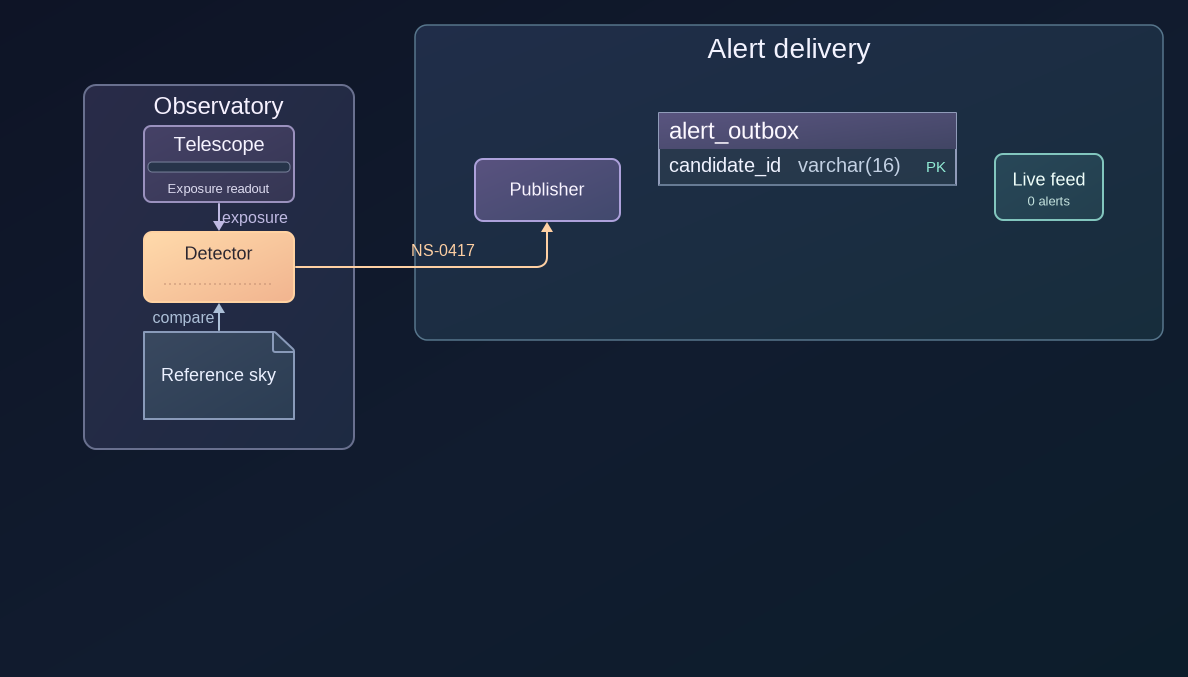](https://d2lang.com/img/animation/night-signal.svg)
View base D2 source
```d2
# Night Signal · one exposure, one alert
vars: {
d2-config: {
layout-engine: tala
theme-id: 200
theme-overrides: {N1: "#F5F4FF"}
animate-interval: 1800ms
animate-duration: 480ms
pad: 24
}
}
style.fill: "#101B2D"
station: "" {
top: 0
left: 0
style: {fill: transparent; stroke-width: 0}
observatory: Observatory {
grid-columns: 1
vertical-gap: 30
style.fill: "#252B45"
camera: Telescope {
grid-columns: 1
grid-gap: 4
style.fill: "#446"
readout: Exposure readout {
width: 142
height: 10
label.near: outside-bottom-center
style: {
fill: "linear-gradient(to right, #B2A4FF, #79E4D1 0%, #27344A 0%)"
border-radius: 4
}
}
}
worker: Detector {
width: 142
height: 70
style: {fill: "#FCA"; font-color: "#323"}
}
sky: Reference sky {shape: page; style.fill: "#345"}
camera -> worker: exposure
sky -> worker: compare
}
}
# Place the services over their future sequence lanes. Reserve space for the receipt row.
delivery: Alert delivery {
top: 0
left: 391
height: 315
style.fill: "#234"
publisher: Publisher {
top: 74
left: 0
width: 145
height: 62
style.fill: "#557"
}
ledger: alert_outbox {
top: 28
left: 184
shape: sql_table
style: {fill: "#557"; stroke: "#234"; font-color: "#FFF"}
candidate_id: varchar(16) {constraint: primary_key}
}
feed: Live feed {
top: 69
left: 520
style.fill: "#245"
}
}
station.observatory.worker -> delivery.publisher: NS-0417
steps: {
acquire: {
station.observatory.camera.readout.style.fill: "linear-gradient(to right, #B2A4FF, #79E4D1 100%, #27344A 100%)"
}
record: {delivery.ledger.receipt_id: uuid}
unfold: {
station.top: null
station.left: null
delivery.top: null
delivery.left: null
grid-columns: 2
horizontal-gap: 48
delivery: {
height: null
publisher.top: null
publisher.left: null
ledger.top: null
ledger.left: null
feed.top: null
feed.left: null
shape: sequence_diagram
# Begin the write immediately. Reveal the remaining messages on these same lanes.
publisher -> ledger: Insert if absent
ledger -> feed: Publish NS-0417 {style.opacity: 0}
publisher -> ledger: Retry NS-0417 {style: {opacity: 0; stroke: "#FB9"}}
ledger -> publisher: Saved receipt {style: {opacity: 0; stroke-dash: 4}}
}
}
publish: {delivery: {(ledger -> feed)[0].style.opacity: 1}}
retry: {delivery: {(publisher -> ledger)[1].style.opacity: 1}}
receipt: {delivery: {(ledger -> publisher)[0].style.opacity: 1}}
}
```
---
## D2 Oracle
D2 has an API built on top of its AST for **programmatically creating diagrams in Go**.
This package is `d2/d2oracle`.
D2 has [comprehensive test coverage](https://github.com/d2lang/d2/blob/master/d2oracle/edit_test.go) of these functions. If there's any confusion from the docs, there's almost certainly a test that answers your question. (We're also happy to help, just file a GitHub issue!)
:::info No mutations
All functions in `d2oracle` are pure: they do not mutate the original graph, they return a new one. If you are chaining calls, don't forget to use the resulting graph from the previous call.
:::
### Create
Create a shape or connection.
```go
func Create(g *d2graph.Graph, boardPath []string, key string) (newG *d2graph.Graph, newKey string, _ error)
```
**Parameters**:
- `g`: D2 graph
- `boardPath`: Path of the board to modify. Only applicable to multi-board diagrams;
otherwise, pass in `nil`.
- `key`: The ID of the shape or connection being created
**Return**:
- `newG`: The modified D2 graph
- `newKey`: The actual ID of the created shape or connection created
Everything specified in the given `key` will be created. So
for example, if you create a connection between 2 shapes that don't exist, they will be
created in the same call. If you specify a nested object, it will create the parent
containers if they do not exist.
```go
// This call creates 6 shapes and 1 connection
d2oracle.Create(g, nil, "a.b.c -> x.y.z")
```
If you call `Create` twice with the same shape ID, you will get an
error. If you call it twice with the same edge ID, you will create another edge.
`newKey` is the ID of the object created. This doesn't always match the input key.
For shapes, there may be an ID collision. `Create` appends a counter in this case.
```go
// newKey = "a"
g, newKey, _ = d2oracle.Create(g, nil, "a")
// newKey = "a 2"
_, newKey, _ = d2oracle.Create(g, nil, "a")
```
Connection IDs include the index.
```go
// newKey = "(a -> b[0])"
g, newKey, _ = d2oracle.Create(g, nil, "a -> b")
// newKey = "(a -> b[1])"
_, newKey, _ = d2oracle.Create(g, nil, "a -> b")
```
If you have a multi-board diagram like so:
```d2-incomplete
x
layers: {
y: {}
}
```
```go
// This creates a shape "a" at the root
g, _ = d2oracle.Create(g, nil, "a")
// This creates a shape "a" at layer "y"
g, _ = d2oracle.Create(g, []string{"y"}, "a")
```
### Set
Set an attribute on a shape or connection.
```go
func Set(g *d2graph.Graph, boardPath []string, key string, tag, value *string) (newG *d2graph.Graph, _ error)
```
**Parameters**:
- `g`: D2 graph
- `boardPath`: Path of the board to modify. Only applicable to multi-board diagrams;
otherwise, pass in `nil`.
- `key`: The identifier for the attribute
- `tag`: The language tag. This is only non-nil when text values are set that can be
different languages, e.g. a code snippet value.
- `value`: Value being set
**Return**:
- `newG`: The modified D2 graph
The shape or connection that `Set` is modifying must exist.
```go
g, _, _ := d2oracle.Create(g, "a")
g, _ = d2oracle.Set(g, "a.style.fill", nil, "red")
```
If the attribute is already set, it is overwritten.
```go
// D2 graph: "a.style.fill: red"
g, _ = d2oracle.Set(g, "a.style.fill", nil, "red")
// D2 graph: "a.style.fill: blue"
g, _ = d2oracle.Set(g, "a.style.fill", nil, "blue")
```
Connections are targeted with an index.
```go
// Set the label of the first connection created
g, _ = d2oracle.Set(g, "(a -> b)[0].style.label", nil, "uno")
// Set the label of the second connection created
g, _ = d2oracle.Set(g, "(a -> b)[1].style.label", nil, "dos")
```
To unset an attribute, just pass `nil`.
```go
g, _ = d2oracle.Set(g, "a.style.fill", nil, nil)
g, _ = d2oracle.Set(g, "(a -> b)[0].style.label", nil, nil)
```
If you do not pass an attribute and just give the ID of a shape or connection, it will set
that object's primary value (usually label).
```go
// Sets `a`'s label to be Markdown text
g, _ = d2oracle.Set(g, "a", "md", "# I am A")
```
### Delete
Delete a shape or connection.
```go
func Delete(g *d2graph.Graph, boardPath []string, key string) (newG *d2graph.Graph, _ error)
```
**Parameters**:
- `g`: D2 graph
- `boardPath`: Path of the board to modify. Only applicable to multi-board diagrams;
otherwise, pass in `nil`.
- `key`: The identifier for the shape or connection
**Return**:
- `newG`: The modified D2 graph
If you specify a container with children, those children will be deleted too.
```go
g, _, _ := d2oracle.Create(g, "a.b")
// `a.b` will also be deleted
g, _ = d2oracle.Delete(g, "a")
```
### Rename
Rename the ID of a shape or connection.
:::info
Note that the ID != label. If you want to change the label, use `Set`.
:::
```go
func Rename(g *d2graph.Graph, boardPath []string, key, newName string) (newG *d2graph.Graph, err error)
```
**Parameters**:
- `g`: D2 graph
- `boardPath`: Path of the board to modify. Only applicable to multi-board diagrams;
otherwise, pass in `nil`.
- `key`: The current identifier for the shape or connection
- `newName`: The new identifier for the shape or connection
**Return**:
- `newG`: The modified D2 graph
Rename will rename all references of the given key.
```go
g, _, _ := d2oracle.Create(g, "a.b -> a.c")
// New D2: `z.b -> z.c`
g, _ = d2oracle.Rename(g, "a", "z)
```
### Move
Move a given shape or connection to a different container.
```go
func Move(g *d2graph.Graph, boardPath []string, key, newKey string) (newG *d2graph.Graph, err error)
```
:::info
If you give two keys of the same scope (e.g. "a" to "b"), it's the same as `Rename`.
:::
**Parameters**:
- `g`: D2 graph
- `boardPath`: Path of the board to modify. Only applicable to multi-board diagrams;
otherwise, pass in `nil`.
- `key`: The current identifier for the shape or connection
- `newKey`: The new identifier for the shape or connection
**Return**:
- `newG`: The modified D2 graph
You can move things out of containers, into container, or across containers
```go
g, _, _ := d2oracle.Create(g, "a.b.c -> x.y.z")
// Move c out of b into a
g, _ = d2oracle.Move(g, "a.b.c", "a.c")
// Move c back into b
g, _ = d2oracle.Move(g, "a.c", "a.b.c")
// Move c into x.y.z
g, _ = d2oracle.Move(g, "a.b.c", "x.y.z.c")
```
### ID Deltas
For calls which can affect more than one ID, there is an API for getting a map of every single ID change.
This can be hard to keep track of; for example, if you move a container with many
descendants, the ID of all those descendants have changed, as well as all the connections
that reference anything within the container.
When would you use this? If you are keeping state of D2 objects somewhere else other than
the graph, e.g. in your own storage or writing back to somewhere, these calls should be
used to keep track of all programmatic changes.
Delta methods:
- MoveIDDeltas
- DeleteIDDeltas
- RenameIDDeltas
Each of these have the same input parameters as their counterparts, and return a string to
string map of ID changes.
Given this input D2 script:
```d2
x
y
x -> z
```
`deltas, err := MoveIDDeltas(g, nil, "x", "y.x")`
`deltas`:
```json
{
"(x -> z)[0]": "(y.x -> z)[0]",
"x": "y.x"
}
```
---
## Autoformat
Running `d2 file.d2` reads the diagram source and writes `file.svg`.
### Running the formatter {#running-formatter}
Suppose `file.d2` contains the following diagram.
```d2
aws_s3: AWS S3 California{
Monitoring ---------->California
}
```
Run `d2 fmt file.d2` to rewrite the source with standard spacing and arrow syntax.
```d2
aws_s3: AWS S3 California {
Monitoring -> California
}
```
Some editor extensions can also run the formatter when you save a file.
---
## Cheat Sheet
Click the preview to download the PDF.
[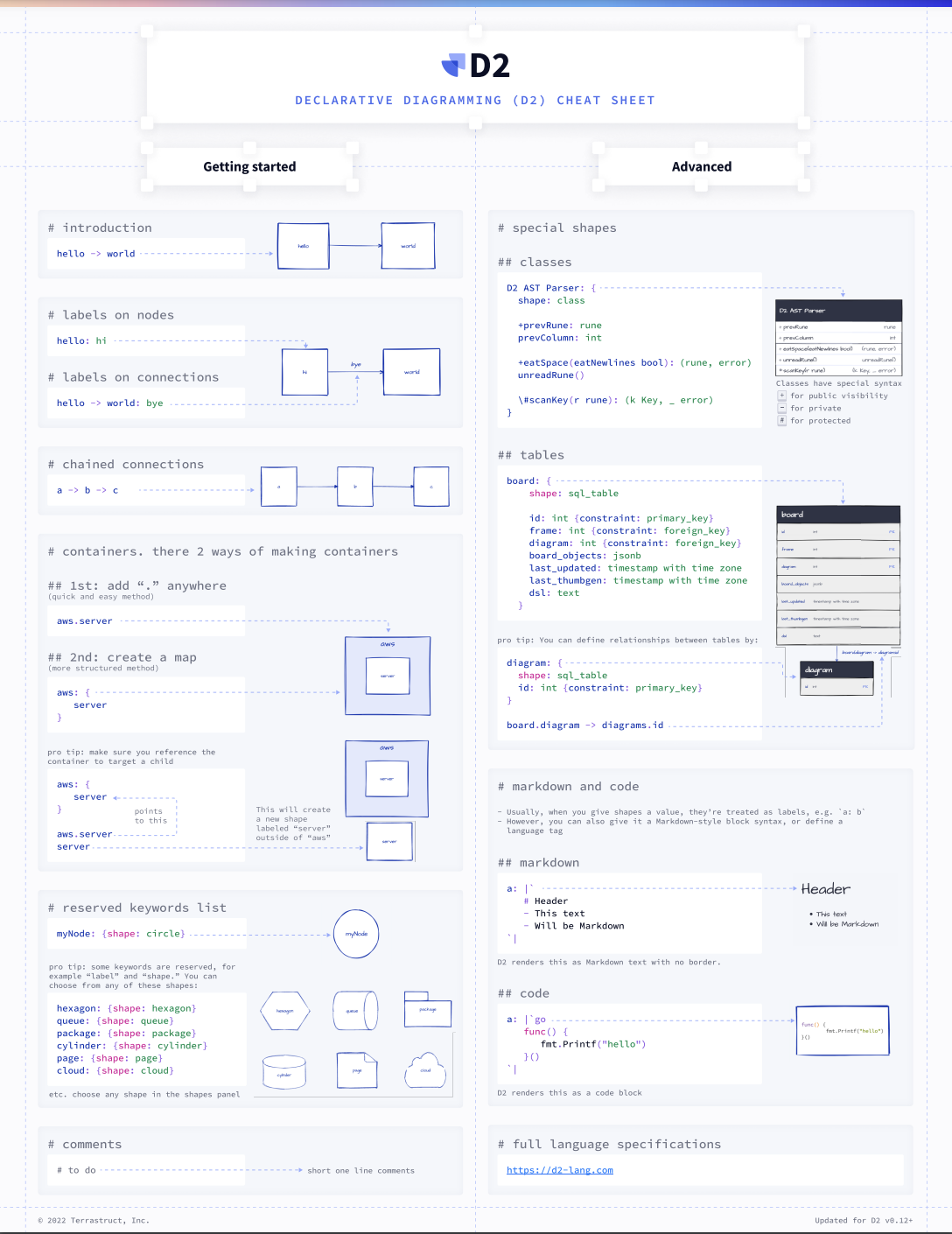](https://d2lang.com/documents/d2_cheat_sheet.pdf)
For the exact syntax behind these examples, explore the [D2 grammar](https://d2lang.com/tour/grammar.md).
---
## Classes
Classes let you aggregate attributes and reuse them.
```d2
direction: right
classes: {
load balancer: {
label: load\nbalancer
width: 100
height: 200
style: {
stroke-width: 0
fill: "#44C7B1"
shadow: true
border-radius: 5
}
}
unhealthy: {
style: {
fill: "#FE7070"
stroke: "#F69E03"
}
}
}
web traffic -> web lb
web lb.class: load balancer
web lb -> api1
web lb -> api2
web lb -> api3
api2.class: unhealthy
api1 -> cache lb
api3 -> cache lb
cache lb.class: load balancer
```
[style classes 1 (SVG)](https://d2lang.com/img/generated/style-classes-1.svg2)
### Connection classes
As a reminder of D2 syntax, you can apply classes to connections both at the initial
declaration as well as afterwards.
On initial declaration:
```d2
a -> b: {class: something}
```
Targeting:
```d2
a -> b
# ...
(a -> b)[0].class: something
```
### Overriding classes
If your object defines an attribute that the class also has defined, the object's
attribute overrides the class attribute.
```d2
classes: {
unhealthy: {
style.fill: red
}
}
x.class: unhealthy
x.style.fill: orange
```
[style classes 2 (SVG)](https://d2lang.com/img/generated/style-classes-2.svg2)
### Multiple classes
You may use arrays for the value as well to apply multiple classes.
```d2
classes: {
d2: {
label: ""
icon: https://play.d2lang.com/assets/icons/d2-logo.svg
}
sphere: {
shape: circle
style.stroke-width: 0
}
}
logo.class: [d2; sphere]
```
[multiple classes (SVG)](https://d2lang.com/img/generated/multiple-classes.svg2)
#### Order matters
When multiple classes are given, they are applied left-to-right.
```d2
classes: {
uno: {
label: 1
}
dos: {
label: 2
}
}
x.class: [uno; dos]
y.class: [dos; uno]
```
[ordered classes (SVG)](https://d2lang.com/img/generated/ordered-classes.svg2)
### Advanced: Using classes as tags
If you want to post-process D2 diagrams, you can also use classes to arbitrarily tag
objects. Any `class` you apply is written into the SVG element as a `class` attribute. So
for example, you can then apply custom CSS like `.stuff { ... }` (or use Javascript for
onclick handlers and such) on a web page that D2 SVG is embedded in.
---
## Comments
D2 has line comments and block comments.
### Line comments
Line comments begin with a hash.
They can be added as their own line
```d2
# Comments start with a hash character and continue until the next newline or EOF.
x -> y
```
Or at the end of a line
```d2
x -> y # I am at the end
```
### Block comments
Block comments begin and end with three double quotes:
```d2
x -> y
"""
This is a
block comment
"""
y -> z
```
---
## Getting help & community
- We have a Discord channel here, [https://discord.gg/NF6X8K4eDq](https://discord.gg/NF6X8K4eDq). If you have a
question or need help, you'll find responses quickest through this channel.
- Have a proposal, running into a bug, or anything else you want to discuss with the team
and community? D2 uses [GitHub Issues](https://github.com/d2lang/d2) to track all
TODOs, and [GitHub Discussions](https://github.com/d2lang/d2/discussions) for
feature requests and ideas.
- If you have a private enquiry, please email us: hi@d2lang.com.
---
## Export formats
Since a diagram composed of multiple boards can't be represented as a single image, the
export options are different.
- Multiple SVGs
- The default output writes multiple SVG files to your output path.
- They are nicely organized on the file system, with appropriate directories and file
names.
- Internal board links are rewritten to point to those file paths, so they work if you
open the SVG and just click on it.
- Single animated SVG
- Set `animate-interval` in `vars.d2-config` to play the boards in a loop,
or pass `--animate-interval=1200` on the CLI for a 1.2-second interval.
Set `animate-duration` to animate changes between steps. See [Animation](https://d2lang.com/tour/animation.md).
- Single animated GIF
- Use a `.gif` output filename to export the animation as a GIF.
- PDF
- PDF can be multiple pages, so this medium is suitable for multi-board diagrams.
Each board is simply another page, and objects can be linked to those pages.
- This is the most suitable medium for layers currently.
- PowerPoint
- Specify the output as `.pptx` to get a PowerPoint presentation.
- Works on Google Slides, for easy web sharing of multi-board diagrams.
---
## Intro to Composition
:::info
This section's documentation is incomplete. We'll be adding more to this section soon.
:::
D2 has built-in mechanisms for you to compose multiple boards into one diagram.
For example, this is a composition of 2 boards, exported as an animated SVG:
[animated (SVG)](https://d2lang.com/img/generated/animated.svg2)
The way to define another board in a D2 diagram is to use 1 of 3 keywords. Each of these
declare boards with different inheritance rules.
| Keyword | Inheritance |
|-----------|---------------------------------------------------|
| `layers` | Boards which do not inherit. They are a new base. |
| `scenarios` | Boards which inherit from the base layer. |
| `steps` | Boards which inherit from the previous step. |
Each one serves different use cases. The example above is achieved by defining a Scenario
(the scenario of when we have to deploy a hotfix).
Thus far, all D2 diagrams we've encountered are single-board diagrams, the root board.
```d2-incomplete
# Root board
x -> y
```
Composition in D2 is when you use one of those keywords to declare another board.
```d2-incomplete
# Root board
x -> y
layers: {
# Board named "numbers" that does not inherit anything from root
numbers: {
1 -> 2
}
}
```
So now we have two boards: root and `numbers`. They cannot be visible at the same time of
course, so exports have to accommodate these more dynamic diagrams, such as the animated
SVG you see above.
Composition is one of D2's most powerful features, as you'll see from the use cases in this
section.
---
## Connections
Connections define relationships between shapes.
### Basics
Hyphens/arrows in between shapes define a connection.
```d2
Write Replica Canada <-> Write Replica Australia
Read Replica <- Master
Write Replica -> Master
Read Replica 1 -- Read Replica 2
```
If you reference an undeclared shape in a connection, it's created (as shown in the [hello
world](https://d2lang.com/tour/hello-world.md) example).
:::info
There are 4 valid ways to define a connection:
- `--`
- `->`
- `<-`
- `<->`
:::
#### Connection labels
```d2
Read Replica 1 -- Read Replica 2: Kept in sync
```
#### Connections must reference a shape's key, not its label.
```d2
be: Backend
fe: Frontend
# This would create new shapes
Backend -> Frontend
# This would define a connection over existing labels
be -> fe
```
### Example
```d2
Write Replica Canada <-> Write Replica Australia
Read Replica <- Master
x -- y
super long shape id here -> super long shape id even longer here
```
[connections 1 (SVG)](https://d2lang.com/img/generated/connections-1.svg2)
### Repeated connections
Repeated connections do not override existing connections. They declare new ones.
```d2
Database -> S3: backup
Database -> S3
Database -> S3: backup
```
[connections 2 (SVG)](https://d2lang.com/img/generated/connections-2.svg2)
### Connection chaining
For readability, it may look more natural to define multiple connection in a single line.
```d2
# The label applies to each connection in the chain.
High Mem Instance -> EC2 <- High CPU Instance: Hosted By
```
[connections 3 (SVG)](https://d2lang.com/img/generated/connections-3.svg2)
### Cycles are okay
```d2
Stage One -> Stage Two -> Stage Three -> Stage Four
Stage Four -> Stage One: repeat
```
[connections 4 (SVG)](https://d2lang.com/img/generated/connections-4.svg2)
### Arrowheads
To override the default arrowhead shape or give a label next to arrowheads, define a special shape on connections named `source-arrowhead` and/or `target-arrowhead`.
```d2
a: The best way to avoid responsibility is to say, "I've got responsibilities"
b: Whether weary or unweary, O man, do not rest
c: I still maintain the point that designing a monolithic kernel in 1991 is a
a -> b: To err is human, to moo bovine {
source-arrowhead: 1
target-arrowhead: * {
shape: diamond
}
}
b <-> c: "Reality is just a crutch for people who can't handle science fiction" {
source-arrowhead.label: 1
target-arrowhead: * {
shape: diamond
style.filled: true
}
}
d: A black cat crossing your path signifies that the animal is going somewhere
d -> a -> c
```
[connections 5 (SVG)](https://d2lang.com/img/generated/connections-5.svg2)
:::info Arrowhead options
- `triangle` (default)
- Can be further styled as `style.filled: false`.
- `arrow` (like triangle but pointier)
- `diamond`
- Can be further styled as `style.filled: true`.
- `circle`
- Can be further styled as `style.filled: true`.
- `box`
- Can be further styled as `style.filled: true`.
- `cf-one`, `cf-one-required` (cf stands for crows foot)
- `cf-many`, `cf-many-required`
- `cross`
:::
:::info
It's recommended the arrowhead labels be kept short. They do not go through
autolayout for optimal positioning like regular labels do, so long arrowhead labels are
more likely to collide with surrounding objects.
:::
:::caution
If the connection does not have an endpoint, arrowheads won't do anything.
For example, the following will do nothing, because there is no source arrowhead.
```d2
x -> y: {
source-arrowhead.shape: diamond
}
```
:::
### Referencing connections
You can reference a connection by specifying the original ID followed by its index.
```d2
x -> y: hi
x -> y: hello
(x -> y)[0].style.stroke: red
(x -> y)[1].style.stroke: blue
```
[connections reference (SVG)](https://d2lang.com/img/generated/connections-reference.svg2)
---
## Containers
```d2
server
# Declares a shape inside of another shape
server.process
# Can declare the container and child in same line
im a parent.im a child
# Since connections can also declare keys, this works too
apartment.Bedroom.Bathroom -> office.Spare Room.Bathroom: Portal
```
[containers 1 (SVG)](https://d2lang.com/img/generated/containers-1.svg2)
### Nested syntax
You can avoid repeating containers by creating nested maps.
```d2
clouds: {
aws: {
load_balancer -> api
api -> db
}
gcloud: {
auth -> db
}
gcloud -> aws
}
```
[containers 2 (SVG)](https://d2lang.com/img/generated/containers-2.svg2)
### Container labels
There are two ways define container labels.
#### 1. Shorthand container labels
```d2-incomplete
gcloud: Google Cloud {
...
}
```
#### 2. Reserved keyword `label`
```d2-incomplete
gcloud: {
label: Google Cloud
...
}
```
### Example
```d2
clouds: {
aws: AWS {
load_balancer -> api
api -> db
}
gcloud: Google Cloud {
auth -> db
}
gcloud -> aws
}
users -> clouds.aws.load_balancer
users -> clouds.gcloud.auth
ci.deploys -> clouds
```
[containers 3 (SVG)](https://d2lang.com/img/generated/containers-3.svg2)
### Reference parent
Sometimes you want to reference something outside of the container from within. The
underscore (`_`) refers to parent.
```d2
christmas: {
presents
}
birthdays: {
presents
_.christmas.presents -> presents: regift
_.christmas.style.fill: "#ACE1AF"
}
```
[containers underscore (SVG)](https://d2lang.com/img/generated/containers-underscore.svg2)
---
## Dagre
**[🔗 Gallery](/examples/dagre)**
Dagre is D2's default layout engine.
### Reference
[https://github.com/dagrejs/dagre](https://github.com/dagrejs/dagre)
### Spacing
On D2's development branch (`master`), you can set Dagre spacing in
`vars.d2-config.data`. These source options are available in D2 v0.10.0 and later.
```d2
vars: {
d2-config: {
data: {
dagre-nodesep: 120
dagre-edgesep: 40
}
}
}
gateway -> api
gateway -> worker
```
`dagre-nodesep` controls the spacing between nodes in the same rank (default 60
pixels). `dagre-edgesep` controls the spacing between edges (default 20 pixels).
Both take nonnegative whole numbers. Each value in the diagram takes precedence
over its corresponding CLI flag, `--dagre-nodesep` or `--dagre-edgesep`.
### Pros
- Very fast.
- Battle tested (thanks to MermaidJS, which exclusively uses Dagre for its flowcharts).
- Generally good results.
- Theory behind algorithms are the papers that power Graphviz.
- Renders hierarchical layouts well.
### Cons
- Unmaintained. Development stopped in 2018.
- Makes some inexplicable edge routing decisions occasionally
([https://github.com/dagrejs/dagre/issues/256](https://github.com/dagrejs/dagre/issues/256)).
- Layout algorithm is strictly hierarchical, even if underlying diagram is not
hierarchical.
- Container child to another container (or another container child) is not natively
supported by dagre. D2 has added a shim to make it work, but there's some core algorithm
considerations that are missed due to the shim.
- Multi-segment edge routes are curved, instead of orthogonal. Can result in unaesthetic
squiggly lines.
---
## Design decisions
The following are design decisions that guide the development of D2. We've tried our best
to avoid the mistakes of the past and take inspiration from the most successful modern
programming and configuration languages.
Design decisions inherently mean tradeoffs, some of which you may disagree with. But, if
you're a programmer, D2 is built for you, and we believe you'll find the sum of these
decisions to be a language that makes you feels at home.
These will inevitably evolve as the language continues to evolve.
### Readability > prototyping speed
Both readability and prototyping speed are important, but when a decision is one or the
other, D2 usually favors readability.
Most of the time, it's not either/or. Good programming language features usually result in
higher vectors in both directions. D2's syntax is light and designed such that autofmt
always gets it right for you, consistent across projects.
Hopefully you'll find a good balance between ease of use, prototyping speed, and
readability, in that order. What D2 specifically avoids is terse, compact syntax that
inhibits all three.
For example, here's two ways to define a cylinder.
D2:
```d2
A: Christmas {shape: cylinder}
```
Mermaid:
```
A[(Christmas)]
```
D2's is a little less compact but a lot more readable. It's also more writeable, by which
I mean you don't forget that a cylinder is called a cylinder, but it's easy to forget that
`[(x)]` is a cylinder.
### Warnings > errors
D2 will compile whenever possible. For example, say you apply a class that doesn't exist,
or add a style that has no effect on a particular shape. If the user error is one that D2
can ignore, it will compile successfully and, at most, warn. There's nothing more annoying
than commenting out some code while debugging, and getting a stop-the-world error message
that you have an unused variable.
### Good defaults
Default, zero-customization D2 should produce good diagrams. That requires being
opinionated on what a good default should be. For example, D2 ships with a default theme.
Instead of keeping things open-ended with monochrome shapes, pleasant colors are the
default.
### Optimized for desktops and servers
D2 has a robust CLI with a built-in watch mode, maintained `man` page, and allows reading
from stdin and writing to stdout. Images and fonts are by default embedded into the
diagram so that exported diagrams are standalone -- they'll look the same everywhere. D2
supports a wide variety of formats like PPT and GIF. It allows imports, such that you can
modularize your diagram into multiple files. There's a language API to programmatically
edit and write D2.
D2 also runs in browsers and Node.js through
[D2.js](https://github.com/d2lang/d2/tree/master/d2js/js#readme), a JavaScript library
powered by WebAssembly.
### Singular use case: documenting software
D2 is focused on being useful to software engineers for documenting software. We are not a
general-purpose visualization tool. Other languages may support mind maps, Gantt charts,
Sankey, venn diagrams, and have the capability to draw a map of the United States. D2 does
none of those and will not support these.
In D2, these are considered bloat. Stretching a language thin across such a large surface
area of different diagram types essentially splits it into N different mini-DSLs within a
DSL. Syntax can hardly evolve when it has to support N completely different diagram types.
And it's counter to the original purpose of a DSL which is to make a subset task more
convenient.
### Design the system, not the diagram
The purpose of D2 is to describe the system you're documenting. The language should make a
clear separation between design of the system and design of the diagram.
Consider what it takes to customize styles in a Graphviz diagram:
```
digraph "Linux_kernel_diagram" {
fontname="Helvetica,Arial,sans-serif"
node [fontname="Helvetica,Arial,sans-serif"]
edge [fontname="Helvetica,Arial,sans-serif"]
graph [
newrank = true,
nodesep = 0.3,
ranksep = 0.2,
overlap = true,
splines = false,
]
node [
fixedsize = false,
fontsize = 24,
height = 1,
shape = box,
style = "filled,setlinewidth(5)",
width = 2.2
]
edge [
arrowhead = none,
arrowsize = 0.5,
labelfontname = "Ubuntu",
weight = 10,
style = "filled,setlinewidth(5)"
]
```
Imagine if you couldn't separate HTML and CSS and it all had to be inlined.
Of course, good aesthetics are essential to good documentation. D2 certainly prioritizes
aesthetics, but it must be decoupled with the content.
D2 is the only language that allows you to define just nodes and edges, and import all the
styles in a separate file, and swap out that file for different aesthetics.
### Whiteboard-fit
While "graph" and "diagram" are often interchangeable terms, for D2's purposes, a diagram
is a simplified representation that can fit on a large whiteboard. After a certain number
of nodes and edges, e.g. 1000 nodes, the representation becomes more like a graph from
graph theory than a software architecture diagram. Their use case is less understanding
each individual shape and connection and more seeing the general patterns. D2 is not
designed for this use case. There are much better tools for that.
---
## Dimensions
You can specify the `width` and `height` of most shapes.
:::info
These keywords can be set on containers when using TALA or ELK. TALA may increase the
dimensions to fit the children.
:::
```d2
direction: right
small jerry: "" {
shape: image
icon: https://static.wikia.nocookie.net/tomandjerry/images/4/46/JerryJumbo3-1-.jpg
width: 200
height: 200
}
med jerry: "" {
shape: image
icon: https://static.wikia.nocookie.net/tomandjerry/images/4/46/JerryJumbo3-1-.jpg
width: 300
height: 300
}
big jerry: "" {
shape: image
icon: https://static.wikia.nocookie.net/tomandjerry/images/4/46/JerryJumbo3-1-.jpg
width: 500
height: 400
}
big jerry -> med jerry -> small jerry
```
[dimensions (SVG)](https://d2lang.com/img/generated/dimensions.svg2)
---
## Editor Support
D2 maintains extensions for VS Code and Vim.
- **VS Code** — Install [d2lang](https://marketplace.visualstudio.com/items?itemName=d2lang.d2lang)
for syntax highlighting, formatting, and diagram previews. See the [VS Code guide](/tour/vscode/).
- **Vim** — Install the [D2 plugin](/tour/vim/) for syntax highlighting and automatic indentation.
---
## ELK
**[🔗 Gallery](/examples/elk)**
ELK is a mature layout engine, actively maintained by an academic research group at
[Christian Albrechts University in
Kiel](https://www.rtsys.informatik.uni-kiel.de/en/team).
:::note
This page was generated by AI. D2 rendered the diagrams from the linked source files.
:::
### Reference
[https://www.eclipse.org/elk/reference.html](https://www.eclipse.org/elk/reference.html)
### Algorithms
Set `layout-engine` to `elk` to use ELK. The default algorithm, `layered`, arranges
shapes in layers. To choose another algorithm, set `elk-algorithm` in
`vars.d2-config.data`. The other diagram-wide options go in the same map. From the
command line, add `--` to the option name. A value in the diagram takes precedence
over the flag. Values are case-insensitive. Run `d2 layout elk` to see the flags
your version supports.
| Option | Default | What it controls |
| --- | --- | --- |
| [`elk-algorithm`](#choose-an-algorithm) | `layered` | The algorithm that arranges the diagram. |
| [`elk-forceModel`](#choose-a-force-model) | `fruchterman_reingold` | How attraction and repulsion place shapes. |
| [`elk-forceRepulsion`](#adjust-repulsion) | `5` | How strongly unconnected shapes repel each other in the eades model. |
| [`elk-stressDesiredEdgeLength`](#set-the-target-edge-length) | `100` | Target distance between the centers of connected shapes in stress layout. |
| [`elk-mrtreeSearchOrder`](#choose-a-spanning-tree) | `dfs` | Which paths determine the levels in Mr. Tree. |
| [`elk-mrtreeWeighting`](#order-sibling-branches) | `model_order` | The order of branches within a tree level. |
| [`elk-radialRadius`](#space-the-rings) | `0` | Initial spacing between rings in a radial tree. |
| [`elk-radialWedgeCriteria`](#divide-the-circle-between-branches) | `node_size` | Each branch's share of the circle. |
| [`elk-radialCompactor`](#bring-radial-branches-closer) | `none` | How closely rings or branches pack around the root. |
#### Choose an algorithm
These five layouts use the same tree. [Layered](#layered-layout-options) groups
shapes into columns. [Force](#force-layout) balances attraction and repulsion.
[Stress](#stress-layout) places shapes according to their distance through the
graph. [Mr. Tree](#mr-tree-layout) organizes parents and children into levels.
[Radial](#radial-layout) expects a directed tree and arranges its levels in rings.
Each comparison on this page changes one option and shows the diagrams at the same scale.
layered (default) — Site, App and API sit in three columns with right-angle connections.
```d2
vars: {
d2-config: {
layout-engine: elk
}
}
direction: right
Site -> App
Site -> Docs
App -> API
App -> UI
```
force — App sits left of Site, with API above and Docs below the rest of the network.
```d2
vars: {
d2-config: {
layout-engine: elk
data: {elk-algorithm: force}
}
}
direction: right
Site -> App
Site -> Docs
App -> API
App -> UI
```
stress — Site and App sit near the middle of a chain from Docs at the bottom to API at the top.
```d2
vars: {
d2-config: {
layout-engine: elk
data: {elk-algorithm: stress}
}
}
direction: right
Site -> App
Site -> Docs
App -> API
App -> UI
```
mrtree — Site forms the leftmost level. App and Docs share the next level, followed closely by API and UI.
```d2
vars: {
d2-config: {
layout-engine: elk
data: {elk-algorithm: mrtree}
}
}
direction: right
Site -> App
Site -> Docs
App -> API
App -> UI
```
radial — Site sits at the center. App and Docs occupy the first ring, with API and UI farther out.
```d2
vars: {
d2-config: {
layout-engine: elk
data: {elk-algorithm: radial}
}
}
direction: right
Site -> App
Site -> Docs
App -> API
App -> UI
```
To select an algorithm and set its options for one render, run
```shell
d2 --layout=elk --elk-algorithm=stress --elk-stressDesiredEdgeLength=200 input.d2 output.svg
```
### Layered layout options
Use these options with `elk-algorithm: layered`, the default. Set
`elk-layer-constraint` directly on the shape you want to position.
| Option | Default | What it controls |
| --- | --- | --- |
| [`elk-mergeEdges`](#merge-connections) | `false` | Shared entry and exit points. |
| [`elk-edgeRouting`](#choose-how-connections-bend) | `orthogonal` | Right-angle or diagonal segments. |
| [`elk-feedbackEdges`](#route-a-cycle) | `false` | The path an edge takes back through a cycle. |
| [`elk-wrappingStrategy`](#wrap-a-long-pipeline) | `off` | Where a pipeline can wrap onto another row. |
| [`elk-forceNodeModelOrder`](#keep-shapes-in-declaration-order) | `false` | The order of top-level shapes within a layer. |
| [`elk-nodeNode`](#separate-shapes-in-the-same-layer) | `20` | Gap between shapes in the same layer. |
| [`elk-edgeNode`](#move-a-passing-edge-away-from-a-shape) | `40` | Clearance between a shape and an edge passing through its layer. |
| [`elk-edgeEdge`](#separate-edges-in-the-same-layer) | `10` | Gap between edges passing through the same layer. |
| [`elk-nodeNodeBetweenLayers`](#separate-shapes-in-adjacent-layers) | `70` | Gap between shapes in adjacent layers. |
| [`elk-edgeNodeBetweenLayers`](#move-bends-away-from-adjacent-shapes) | `40` | Clearance between a bend and the shapes in adjacent layers. |
| [`elk-edgeEdgeBetweenLayers`](#separate-edges-between-layers) | `50` | Gap between parallel edge segments between layers. |
| [`elk-padding`](#add-space-inside-a-container) | 50 on each side | Space inside a container’s border. |
| [`elk-nodeSelfLoop`](#move-a-self-loop-away-from-its-shape) | `50` | Gap between a shape and its self-loop. |
| [`elk-layer-constraint`](#place-a-shape-in-the-first-or-last-layer) | `none` | The layer assigned to one shape. |
#### Routing and order
##### Merge connections
With `elk-mergeEdges` set to `true`, the connections to `Orders`, `Billing` and `Events`
leave `Gateway` at one point and then branch. Incoming connections can also share an
entry point. Connections to specific SQL table columns stay attached to their columns.
false (default) — Three arrows leave Gateway at three different points.
```d2
vars: {
d2-config: {
layout-engine: elk
}
}
direction: right
Gateway -> Orders
Gateway -> Billing
Gateway -> Events
```
true — Three arrows leave Gateway at one point and branch toward Orders, Billing and Events.
```d2
vars: {
d2-config: {
layout-engine: elk
data: {
elk-mergeEdges: true
}
}
}
direction: right
Gateway -> Orders
Gateway -> Billing
Gateway -> Events
```
To enable merging for a single render, leave `elk-mergeEdges` out of the source and run
```shell
d2 --layout=elk --elk-mergeEdges gateway.d2 gateway.svg
```
##### Choose how connections bend
The routes from `Router` to `East` and `West` turn at right angles with
`elk-edgeRouting` set to `orthogonal`. Switch to `polyline` and the two routes run
diagonally. The connection to `Local` is straight in both diagrams.
orthogonal (default) — The upper and lower arrows from Router bend twice on the way to East and West.
```d2
vars: {
d2-config: {
layout-engine: elk
}
}
direction: right
Router -> East
Router -> Local
Router -> West
```
polyline — Straight diagonal arrows fan out from Router to East and West.
```d2
vars: {
d2-config: {
layout-engine: elk
data: {elk-edgeRouting: polyline}
}
}
direction: right
Router -> East
Router -> Local
Router -> West
```
##### Route a cycle
Follow the arrow from `Write` back to `Read`. By default it leaves the left side of
`Write`. With `elk-feedbackEdges` enabled, it leaves the right side, goes around the
whole row and enters `Read` from the left.
false (default) — The return arrow starts on the left of Write and enters the right of Read.
```d2
vars: {
d2-config: {
layout-engine: elk
}
}
direction: right
Read -> Parse -> Write -> Read
```
true — Read, Parse and Write line up. The return arrow loops around the row from its far right to its far left.
```d2
vars: {
d2-config: {
layout-engine: elk
data: {elk-feedbackEdges: true}
}
}
direction: right
Read -> Parse -> Write -> Read
```
##### Wrap a long pipeline
With `elk-wrappingStrategy` set to `off`, the pipeline runs from `Fetch` to `Ship` in
one row. `single_edge` can wrap between layers joined by a single edge. Here it wraps
after `Pack`. `multi_edge` can also wrap where several edges cross between layers.
Here it wraps before `Pack`, where both `Build` and `Test` connect to it.
off (default) — All six pipeline stages progress left to right, with a shortcut from Build to Pack.
```d2
vars: {
d2-config: {
layout-engine: elk
}
}
direction: right
Fetch -> Build -> Test -> Pack -> Sign -> Ship
Build -> Pack
```
single_edge — The top row ends at Pack. Sign and Ship occupy a second row.
```d2
vars: {
d2-config: {
layout-engine: elk
data: {elk-wrappingStrategy: single_edge}
}
}
direction: right
Fetch -> Build -> Test -> Pack -> Sign -> Ship
Build -> Pack
```
multi_edge — The top row ends at Test. Both Test and Build connect to Pack on the second row, followed by Sign and Ship.
```d2
vars: {
d2-config: {
layout-engine: elk
data: {elk-wrappingStrategy: multi_edge}
}
}
direction: right
Fetch -> Build -> Test -> Pack -> Sign -> Ship
Build -> Pack
```
##### Keep shapes in declaration order
The source declares `One` before `Two`. By default, ELK puts `Two` above `One` to
avoid a crossing. Set `elk-forceNodeModelOrder` to `true` to keep the declared order
within each layer of top-level shapes. The lines from `Alpha` and `Beta` now cross.
false (default) — Two sits above One, so the lines from Alpha to Two and Beta to One do not cross.
```d2
vars: {
d2-config: {
layout-engine: elk
}
}
direction: right
Start
Alpha
Beta
One
Two
End
Start -> Alpha
Start -> Beta
Alpha -> Two
Beta -> One
One -> End
Two -> End
```
true — One sits above Two. The two connections cross between the middle columns.
```d2
vars: {
d2-config: {
layout-engine: elk
data: {elk-forceNodeModelOrder: true}
}
}
direction: right
Start
Alpha
Beta
One
Two
End
Start -> Alpha
Start -> Beta
Alpha -> Two
Beta -> One
One -> End
Two -> End
```
#### Spacing and padding
In a left-to-right diagram, shapes in the same layer form a vertical column. Spacing
values are minimum distances in pixels. Labels and routing can require more room.
##### Separate shapes in the same layer
The three destinations of `Queue` share a column. Increasing `elk-nodeNode` from
`20` to `100` increases the vertical gap between neighboring boxes from 20 to 100 pixels.
20 px (default) — Fast, Normal and Batch are stacked with 20 pixels between boxes.
```d2
vars: {
d2-config: {
layout-engine: elk
}
}
direction: right
Queue -> Fast
Queue -> Normal
Queue -> Batch
```
100 px — The same three boxes are stacked with 100 pixels between them.
```d2
vars: {
d2-config: {
layout-engine: elk
data: {elk-nodeNode: 100}
}
}
direction: right
Queue -> Fast
Queue -> Normal
Queue -> Batch
```
##### Move a passing edge away from a shape
The direct edge from `Start` to `Ship` bypasses `Check` and `Pack`. Increasing
`elk-edgeNode` moves that route farther below the two boxes.
40 px (default) — The direct route from Start to Ship passes 40 pixels below Check and Pack.
```d2
vars: {
d2-config: {
layout-engine: elk
}
}
direction: right
Start -> Check -> Pack -> Ship
Start -> Ship
```
100 px — The same route passes 100 pixels below Check and Pack.
```d2
vars: {
d2-config: {
layout-engine: elk
data: {elk-edgeNode: 100}
}
}
direction: right
Start -> Check -> Pack -> Ship
Start -> Ship
```
##### Separate edges in the same layer
Two edges run directly from `Input` to `Save`, passing under `Check`. With
`elk-edgeEdge` set to `80`, the lower edge bends away so the two routes have more space
between them as they pass through the middle layer.
10 px (default) — Two straight parallel arrows pass below Check, from Input to Save.
```d2
vars: {
d2-config: {
layout-engine: elk
}
}
direction: right
Input -> Check -> Save
Input -> Save
Input -> Save
```
80 px — The upper arrow stays straight. The lower arrow bends farther down beneath Check.
```d2
vars: {
d2-config: {
layout-engine: elk
data: {elk-edgeEdge: 80}
}
}
direction: right
Input -> Check -> Save
Input -> Save
Input -> Save
```
##### Separate shapes in adjacent layers
Each stage in `Read -> Build -> Ship` occupies its own layer. Increasing
`elk-nodeNodeBetweenLayers` from `70` to `180` adds 110 pixels between each pair of
boxes along the direction of the pipeline.
70 px (default) — Read, Build and Ship sit in a row with 70 pixels between consecutive boxes.
```d2
vars: {
d2-config: {
layout-engine: elk
}
}
direction: right
Read -> Build -> Ship
```
180 px — The same boxes are 180 pixels apart and the two arrows are longer.
```d2
vars: {
d2-config: {
layout-engine: elk
data: {elk-nodeNodeBetweenLayers: 180}
}
}
direction: right
Read -> Build -> Ship
```
##### Move bends away from adjacent shapes
The two edges turn between the source column and `Store`. Increasing
`elk-edgeNodeBetweenLayers` gives those vertical segments more space on both sides.
`Store` moves farther right to make room.
40 px (default) — The arrows from Queue and Batch bend in the gap before Store.
```d2
vars: {
d2-config: {
layout-engine: elk
}
}
direction: right
Queue -> Store
Batch -> Store
```
100 px — The bends sit farther from both the source boxes and Store.
```d2
vars: {
d2-config: {
layout-engine: elk
data: {elk-edgeNodeBetweenLayers: 100}
}
}
direction: right
Queue -> Store
Batch -> Store
```
##### Separate edges between layers
Each of `API`, `Web` and `Job` connects to both destinations. Increasing
`elk-edgeEdgeBetweenLayers` spreads out the vertical segments in the gap before
`East` and `West`.
50 px (default) — The six arrows turn along closely spaced vertical lines between the two columns.
```d2
vars: {
d2-config: {
layout-engine: elk
}
}
direction: right
API -> East
API -> West
Web -> East
Web -> West
Job -> East
Job -> West
```
125 px — The vertical parts of the arrows are spaced farther apart, widening the gap between columns.
```d2
vars: {
d2-config: {
layout-engine: elk
data: {elk-edgeEdgeBetweenLayers: 125}
}
}
direction: right
API -> East
API -> West
Web -> East
Web -> West
Job -> East
Job -> West
```
##### Add space inside a container
Set the four sides of `elk-padding` with a string. Changing `left` and `right` from
`50` to `110` adds 60 pixels at each end of `Read -> Write`, making the `Worker` container
120 pixels wider.
50 px on each side (default) — The Worker container has 50 pixels of space around Read and Write.
```d2
vars: {
d2-config: {
layout-engine: elk
}
}
direction: right
Worker: {
Read -> Write
}
```
110 px left and right — The left and right margins inside Worker grow to 110 pixels. The top and bottom margins are still 50 pixels.
```d2
vars: {
d2-config: {
layout-engine: elk
data: {elk-padding: "[top=50,left=110,bottom=50,right=110]"}
}
}
direction: right
Worker: {
Read -> Write
}
```
##### Move a self-loop away from its shape
The `retry` edge leaves `Worker` and returns to it. Increase `elk-nodeSelfLoop` from
`50` to `120` to move the top of the loop and its label farther above the box.
50 px (default) — A short loop labeled retry sits immediately above Worker.
```d2
vars: {
d2-config: {
layout-engine: elk
}
}
direction: right
Worker -> Worker: retry
```
120 px — The retry loop rises 70 pixels farther above Worker.
```d2
vars: {
d2-config: {
layout-engine: elk
data: {elk-nodeSelfLoop: 120}
}
}
direction: right
Worker -> Worker: retry
```
#### Shape placement
##### Place a shape in the first or last layer
Set `elk-layer-constraint` on the shape itself. With `none`, the default, ELK places
`Audit` alongside `Build`. With `direction: right`, `first` puts `Audit` in the
leftmost layer, so the arrow from `Start` points back to it. `last` moves `Audit`
into the rightmost layer alongside `Ship`.
none (default) — Audit sits in the second column alongside Build, one step to the right of Start.
```d2
vars: {
d2-config: {
layout-engine: elk
}
}
direction: right
Start -> Build -> Test -> Ship
Start -> Audit
```
first — Audit sits to the left of Start, with the arrow from Start pointing left to Audit.
```d2
vars: {
d2-config: {
layout-engine: elk
}
}
direction: right
Start -> Build -> Test -> Ship
Start -> Audit
Audit.elk-layer-constraint: first
```
last — Audit sits below Ship in the rightmost column, with a long arrow from Start.
```d2
vars: {
d2-config: {
layout-engine: elk
}
}
direction: right
Start -> Build -> Test -> Ship
Start -> Audit
Audit.elk-layer-constraint: last
```
### Force layout
#### Choose a force model
`elk-forceModel` selects how each pair of shapes attracts or repels. With
`fruchterman_reingold`, the default, the example stretches vertically from
`Store` to `Cache`. With `eades`, it spreads out horizontally and brings
`Cache` closer to `Web`.
fruchterman_reingold (default) — Cache hangs well below Web, with API and Store toward the top of the drawing.
```d2
vars: {
d2-config: {
layout-engine: elk
data: {elk-algorithm: force}
}
}
direction: right
Web -> API
Job -> API
API -> Store
Job -> Store
Web -> Cache
```
eades — Web, API and Job spread across a shorter, wider drawing. Cache is closer to Web.
```d2
vars: {
d2-config: {
layout-engine: elk
data: {
elk-algorithm: force
elk-forceModel: eades
}
}
}
direction: right
Web -> API
Job -> API
API -> Store
Job -> Store
Web -> Cache
```
#### Adjust repulsion
`elk-forceRepulsion` sets the strength of repulsion between shapes without a
direct connection in the `eades` model. Here `Parse` and `Send` are two
connections apart. Raising repulsion from `5` to `500` moves their centers
from about 370 to 440 pixels apart and changes the bend in the chain.
5 (default) — The chain runs left to right from Get to Send, with Parse near the top.
```d2
vars: {
d2-config: {
layout-engine: elk
data: {
elk-algorithm: force
elk-forceModel: eades
}
}
}
direction: right
Get -> Parse -> Save -> Send
```
500 — Get begins above and to the right of Parse. Send ends farther away from Parse.
```d2
vars: {
d2-config: {
layout-engine: elk
data: {
elk-algorithm: force
elk-forceModel: eades
elk-forceRepulsion: 500
}
}
}
direction: right
Get -> Parse -> Save -> Send
```
### Stress layout
#### Set the target edge length
`elk-stressDesiredEdgeLength` sets the target distance in pixels between the
centers of directly connected shapes. Use a positive number. Changing `100` to
`200` roughly doubles the distance from `Client` to `API` and from `API` to
`Store`. The boxes keep their size, so the visible arrows grow longer.
100 (default) — Client, API and Store form a short chain with about 100 pixels between neighboring centers.
```d2
vars: {
d2-config: {
layout-engine: elk
data: {elk-algorithm: stress}
}
}
direction: right
Client -> API -> Store
```
200 — The same three boxes form a longer chain with about 200 pixels between neighboring centers.
```d2
vars: {
d2-config: {
layout-engine: elk
data: {
elk-algorithm: stress
elk-stressDesiredEdgeLength: 200
}
}
}
direction: right
Client -> API -> Store
```
### Mr. Tree layout
Mr. Tree leaves 20 pixels between shapes (`elk-nodeNode`) and uses 3 pixels of
edge clearance (`elk-edgeNode`) by default.
#### Choose a spanning tree
When a shape is reachable by several paths, `elk-mrtreeSearchOrder` decides
how to build the tree that assigns levels. Depth-first search (`dfs`) follows
`Root -> API -> Cache -> Store`, placing `Store` three levels out. Breadth-first
search (`bfs`) finds the direct edge `Root -> Store` and places `Store` in the
first level after `Root`. Both drawings use 40 pixels between shapes and 10 pixels
of edge clearance so you can follow the shortcut.
dfs (default) — Store is three levels from Root, at the far end of the chain through API and Cache.
```d2
vars: {
d2-config: {
layout-engine: elk
data: {
elk-algorithm: mrtree
elk-nodeNode: 40
elk-edgeNode: 10
}
}
}
direction: right
Root -> API -> Cache -> Store
Root -> Store
Root -> Web
```
bfs — Store sits one level from Root, between API and Web. The arrow from Cache loops above API and points back into Store.
```d2
vars: {
d2-config: {
layout-engine: elk
data: {
elk-algorithm: mrtree
elk-nodeNode: 40
elk-edgeNode: 10
elk-mrtreeSearchOrder: bfs
}
}
}
direction: right
Root -> API -> Cache -> Store
Root -> Store
Root -> Web
```
#### Order sibling branches
`elk-mrtreeWeighting` controls sibling order. `model_order` follows declaration
order. `descendants` uses the total number of shapes in each subtree, so the long
`Deep` branch moves to the top. `fan` uses the largest number of descendants
on any single level, so `Wide`, with three children side by side, moves to the top.
model_order (default) — The three branches read Small, Deep and Wide from top to bottom.
```d2
vars: {
d2-config: {
layout-engine: elk
data: {elk-algorithm: mrtree}
}
}
direction: right
Root -> Small
Root -> Deep
Root -> Wide
Deep -> One -> Two -> Three -> Four
Wide -> A
Wide -> B
Wide -> C
```
descendants — Deep comes first with its chain of four descendants, followed by Wide, then Small.
```d2
vars: {
d2-config: {
layout-engine: elk
data: {
elk-algorithm: mrtree
elk-mrtreeWeighting: descendants
}
}
}
direction: right
Root -> Small
Root -> Deep
Root -> Wide
Deep -> One -> Two -> Three -> Four
Wide -> A
Wide -> B
Wide -> C
```
fan — Wide comes first with three children on one level, followed by Deep, then Small.
```d2
vars: {
d2-config: {
layout-engine: elk
data: {
elk-algorithm: mrtree
elk-mrtreeWeighting: fan
}
}
}
direction: right
Root -> Small
Root -> Deep
Root -> Wide
Deep -> One -> Two -> Three -> Four
Wide -> A
Wide -> B
Wide -> C
```
### Radial layout
#### Space the rings
`elk-radialRadius` sets the initial distance in pixels between tree levels.
The default, `0`, derives that distance from the largest shape. ELK can expand
a ring to keep shapes clear of each other. Set `220` to give the three children
of `Hub` a wider ring.
0 (default) — Read, Save and Send form a tight ring around Hub.
```d2
vars: {
d2-config: {
layout-engine: elk
data: {elk-algorithm: radial}
}
}
direction: right
Hub -> Read
Hub -> Save
Hub -> Send
```
220 — Read, Save and Send keep the same angles on a wider ring around Hub.
```d2
vars: {
d2-config: {
layout-engine: elk
data: {
elk-algorithm: radial
elk-radialRadius: 220
}
}
}
direction: right
Hub -> Read
Hub -> Save
Hub -> Send
```
#### Divide the circle between branches
`elk-radialWedgeCriteria` controls how much angular space each branch receives.
`node_size` takes shape dimensions into account, including the wide `Archive`
box. `leaf_number` counts leaves. The `Live` branch has two of the four leaves,
so it gets half of the circle.
node_size (default) — Live sits above and left of Hub. Web is below Live and App is above it, farther right.
```d2
vars: {
d2-config: {
layout-engine: elk
data: {elk-algorithm: radial}
}
}
direction: right
Hub -> Archive
Hub -> Live
Hub -> Logs
Archive.width: 160
Live -> Web
Live -> App
```
leaf_number — The branch with two leaves occupies the left half of the circle. Web and App line up vertically.
```d2
vars: {
d2-config: {
layout-engine: elk
data: {
elk-algorithm: radial
elk-radialWedgeCriteria: leaf_number
}
}
}
direction: right
Hub -> Archive
Hub -> Live
Hub -> Logs
Archive.width: 160
Live -> Web
Live -> App
```
#### Bring radial branches closer
`elk-radialCompactor` controls how radial layout uses spare space. `none`
keeps the original rings. `radial_compaction` pulls each ring inward as a unit.
`wedge_compaction` lets branches move inward independently. In this tree the
branch ending at `Four` can move closer to `Hub` than the branch ending at `Two`.
none (default) — Two and Four lie on the outer ring, well below and above Hub.
```d2
vars: {
d2-config: {
layout-engine: elk
data: {elk-algorithm: radial}
}
}
direction: right
Hub -> Big
Hub -> Mid
Hub -> Small
Big -> One
Big -> Two
Big -> Three
Mid -> Four
```
radial_compaction — The outer ring moves inward together, bringing Two and Four closer to Hub.
```d2
vars: {
d2-config: {
layout-engine: elk
data: {
elk-algorithm: radial
elk-radialCompactor: radial_compaction
}
}
}
direction: right
Hub -> Big
Hub -> Mid
Hub -> Small
Big -> One
Big -> Two
Big -> Three
Mid -> Four
```
wedge_compaction — Four moves closer to Hub than Two does because its branch can contract farther.
```d2
vars: {
d2-config: {
layout-engine: elk
data: {
elk-algorithm: radial
elk-radialCompactor: wedge_compaction
}
}
}
direction: right
Hub -> Big
Hub -> Mid
Hub -> Small
Big -> One
Big -> Two
Big -> Three
Mid -> Four
```
---
## A diagramming dev tool
D2 is designed towards a single goal: **turn diagramming into a pleasant experience for
engineers**. Plenty of tools can claim to do that for simple diagrams, but you stop having
a good time as soon as you get to even slightly complex diagrams — the ones that most need
to exist.
Why is that? Because most diagramming tools today are design tools, not dev tools. They
give you a blank canvas and a drag-and-drop toolbar like you'd see on Figma or Photoshop,
and treat their intended workflow as a design process. Engineers are not visual designers,
and the lack of ability to spatially architect a system should not block the creation of
valuable documentation. Every drag and drop shouldn’t require planning, and updates
shouldn’t be a frustrating exercise in moving things around and resizing to make room for
the new piece. Declarative Diagramming removes that friction.
Before Hashicorp introduced Terraform to let engineers write infrastructure as text, they
were clicking around AWS and Google Cloud consoles to configure their infrastructure.
Nowadays, that's just unprofessional. Where's the review process, the rollback steps, the
history and version control? It's hard to believe that the future of visual documentation
in companies around the world will predominantly be made with drag-and-drop design tools.
---
## Exports
On the CLI, you may export `.d2` into
* [SVG](#svg)
* [PNG](#png)
* [PDF](#pdf)
* [PPTX](#pptx)
* [GIF](#gif)
* [ASCII](#ascii)
* [Stdout](#stdout)
### SVG
```shell
d2 in.d2 out.svg
```
SVG is the default export format on the CLI. If you don't specify an output, the export
file will be the input name as an SVG file.
For example, `d2 in.d2` will produce a file named `in.svg`.
The resulting SVG has CSS injected into it. You can open it in your browser or embed it
onto a webpage. Different SVG viewers may handle CSS and fonts differently.
On the CLI, if you pass in `-`
- for the input, it reads D2 from stdin
- for the output, it writes SVG to stdout by default
:::info Technical details on SVG exports This information might be useful if you're
planning on doing post-processing on the SVG exports.
**Element IDs**: All shape elements get CSS classes with base64-encoded IDs for safe CSS
targeting. For example, a shape with ID `my-shape` gets class `bXktc2hhcGU` (base64
encoding of "my-shape").
**Unique identifiers**: Each diagram gets a deterministic hash prefix (e.g.,
`d2-1234567890`) used for clip paths, gradients, and other SVG elements to prevent
conflicts when multiple diagrams are on the same page.
:::
### PNG
```shell
d2 in.d2 out.png
```
PNG exports have no external dependencies. D2 renders them directly, unlike Mermaid,
which uses a headless browser like Chromium to render diagrams and take screenshots.
### PDF
```shell
d2 in.d2 out.pdf
```
PDF exports are the result of taking PNG exports and placing them on PDF pages, along with
headers and fonts.
PDF is _more_ interactive than PNG, but _less_ interactive than SVG.
For example, `animate` keyword won't show up in PDF exports like they would in SVG.
But `link`s can still be clickable in PDFs.
### PPTX
```shell
d2 in.d2 out.pptx
```
Similar to PDF exports. This export format is useful for giving presentations when used
with composition (e.g. diagram with multiple Layers, Scenarios, Steps).
### GIF
```shell
d2 in.d2 out.gif
```
This export format is useful for giving presentations when used with short compositions.
For example, show two Scenarios, show a couple of steps. Something that the audience can
digest in a loop that lasts a couple of seconds without needing to flip through it
manually.
### ASCII
:::warning Beta
ASCII outputs are new as of 0.7.1. They are to be considered in beta, and many diagrams
may not render correctly.
:::
ASCII exports render diagrams as text-based art, perfect for documentation, terminals, and environments where graphical formats aren't suitable. D2 automatically detects the `.txt` file extension and renders in ASCII format.
```shell
d2 in.d2 out.txt
```
#### Character sets
D2 supports two ASCII character modes:
##### Extended mode (default)
Uses Unicode box-drawing characters for cleaner output:
```shell
d2 in.d2 out.txt
```
```
┌───────┐ ┌───────┐
│ Hello │──────▶│ World │
└───────┘ └───────┘
```
##### Standard mode
Uses basic ASCII characters for maximum compatibility:
```shell
d2 --ascii-mode standard in.d2 out.txt
```
```
+-------+ +-------+
| Hello |------>| World |
+-------+ +-------+
```
#### Notes
- Renders only with ELK and TALA, due to curved lines not rendering well in ASCII. If
Dagre (or unspecified) is chosen, it will render in ELK.
- Some shapes are supported, like Person, but some shapes are hard to represent cleanly in
ASCII. It's best to avoid using these shapes when the output is ASCII, but if it can't
be avoided, in these cases, an icon on the top-left corner represents what the shape is
meant to be.
- Many styles are moot in ASCII, such as shadow or multiple or animated. It's best to keep
it as simple box and arrow type diagrams.
### Stdout
D2 accepts `-` in place of the input and/or output arguments. SVG is the default format
for stdout.
For example, this writes a D2 script of `x -> y` and outputs it to a file `example.svg`.
```shell
echo "x -> y" | d2 - - > example.svg
```
To use a different format, pass `--stdout-format`:
```shell
echo "x -> y" | d2 --stdout-format=png - - > example.png
```
Supported formats are `svg`, `png`, `pdf`, `pptx`, `gif`, and `ascii` (`txt` also works).
---
## Overview
### Official
Officially developed and maintained by the creators of D2.
- [d2lang for VS Code](/tour/vscode/)
- [Vim plugin](/tour/vim/)
- [Obsidian plugin](/tour/obsidian/)
- [MCP server](/tour/mcp/)
### Community
Community developed plugins and extensions. Have one you'd like to share? Please open an
issue and we're happy to include your's!
- Tree-sitter grammar: [https://git.pleshevski.ru/pleshevskiy/tree-sitter-d2](https://git.pleshevski.ru/pleshevskiy/tree-sitter-d2)
- Tree-sitter grammar 2: [https://github.com/ravsii/tree-sitter-d2](https://github.com/ravsii/tree-sitter-d2)
- Emacs major mode: [https://github.com/andorsk/d2-mode](https://github.com/andorsk/d2-mode)
- Goldmark extension: [https://github.com/FurqanSoftware/goldmark-d2](https://github.com/FurqanSoftware/goldmark-d2)
- Telegram bot: [https://github.com/meinside/telegram-d2-bot](https://github.com/meinside/telegram-d2-bot)
- Postgres importer: [https://github.com/zekenie/d2-erd-from-postgres](https://github.com/zekenie/d2-erd-from-postgres)
- Structurizr to D2 exporter: [https://github.com/goto1134/structurizr-d2-exporter](https://github.com/goto1134/structurizr-d2-exporter)
- MdBook preprocessor: [https://github.com/danieleades/mdbook-d2](https://github.com/danieleades/mdbook-d2)
- Org-mode support: [https://github.com/xcapaldi/ob-d2](https://github.com/xcapaldi/ob-d2)
- ROS2 D2 Exporter: [https://github.com/Greenroom-Robotics/ros-d2](https://github.com/Greenroom-Robotics/ros-d2)
- Python D2 diagram builder: [https://github.com/MrBlenny/py-d2](https://github.com/MrBlenny/py-d2)
- Python D2 diagram builder, a maintained fork of py-d2: [https://github.com/h0rv/d2-python](https://github.com/h0rv/d2-python)
- Clojure D2 transpiler: [https://github.com/judepayne/dictim](https://github.com/judepayne/dictim)
- JavaScript D2 diagram builder: [https://github.com/Kreshnik/d2lang-js](https://github.com/Kreshnik/d2lang-js)
- CIL (C#, Visual Basic, F#, C++ CLR) to D2: [https://github.com/HugoVG/AppDiagram](https://github.com/HugoVG/AppDiagram)
- D2 Snippets (for text editors): [https://github.com/Paracelsus-Rose/D2-Language-Code-Snippets](https://github.com/Paracelsus-Rose/D2-Language-Code-Snippets)
- MongoDB to D2: [https://github.com/novuhq/mongo-to-D2](https://github.com/novuhq/mongo-to-D2)
- Pandoc filter: [https://github.com/ram02z/d2-filter](https://github.com/ram02z/d2-filter)
- MySQL to D2: [https://github.com/JDOsborne1/db_to_d2](https://github.com/JDOsborne1/db_to_d2)
- Remark D2 code blocks into images: [https://github.com/mech-a/remark-d2](https://github.com/mech-a/remark-d2)
- D2 image service: [https://github.com/Watt3r/d2-live](https://github.com/Watt3r/d2-live)
- MkDocs plugin: [https://github.com/landmaj/mkdocs-d2-plugin](https://github.com/landmaj/mkdocs-d2-plugin)
- C# & dotnet SDK: [https://github.com/Stephanvs/d2lang-cs](https://github.com/Stephanvs/d2lang-cs)
- Zed extension: [https://github.com/gabeidx/zed-d2](https://github.com/gabeidx/zed-d2)
- Hexo blog extension: [https://github.com/leverimmy/hexo-d2](https://github.com/leverimmy/hexo-d2)
---
## Frequently asked questions (FAQ)
* [General](#general)
+ [How does this compare to Mermaid, Graphviz, PlantUML?](#how-does-this-compare-to-mermaid-graphviz-plantuml)
+ [Is this designed for small diagrams or complex ones?](#is-this-designed-for-small-diagrams-or-complex-ones)
+ [Does the D2 CLI collect telemetry?](#does-the-d2-cli-collect-telemetry)
+ [Does D2 need a browser to run?](#does-d2-need-a-browser-to-run)
+ [Can D2 run on a browser?](#can-d2-run-on-a-browser)
+ [Can I use D2 online?](#can-i-use-d2-online)
* [Layouts](#layouts)
+ [Can an object be part of more than 1 container?](#can-an-object-be-part-of-more-than-1-container)
+ [Can I specify ports?](#can-i-specify-ports)
* [Exports](#exports)
+ [No interactivity in SVG export](#no-interactivity-in-svg-export)
### General
#### How does this compare to Mermaid, Graphviz, PlantUML?
We've created a website with detailed comparisons:
[https://text-to-diagram.com](https://text-to-diagram.com). It is a community effort where
anyone can add examples or request changes or compare features. The maintainers of Mermaid
have contributed to it.
#### Is this designed for small diagrams or complex ones?
Both. The syntax is kept minimal and unstructured to make small diagrams with as little
lines as possible. At the same time, the language includes IDE features like an
autoformatter, error messages, and comments to maintain large diagrams.
However, it is not designed for "big data". We do not test D2 on thousands of nodes.
#### Does the D2 CLI collect telemetry?
No, D2 does not use an internet connection after installation, except to check for version
updates from GitHub periodically.
#### Does D2 need a browser to run?
No, D2 can run entirely server-side.
#### Can D2 run on a browser?
Yes, with WebAssembly. D2 runs on [https://play.d2lang.com](https://play.d2lang.com) this
way. To include D2 in your own browser projects, install D2.js:
```shell
npm install @d2lang/d2
```
For the nightly build, run `npm install @d2lang/d2@nightly`. It updates on days when
D2.js or its WebAssembly engine changes.
See the [D2.js docs](https://github.com/d2lang/d2/tree/master/d2js/js#readme) for
instructions and examples.
#### Can I use D2 online?
[https://play.d2lang.com](https://play.d2lang.com)
### Layouts
#### Can an object be part of more than 1 container?
...e.g., an item in the middle of a venn diagram.
Not currently and not in the near future. See
[discussion](https://github.com/d2lang/d2/discussions/328) for more.
#### Can I specify ports?
Not currently, but in the near future. See
[discussion](https://github.com/d2lang/d2/discussions/605) for more.
### Exports
#### No interactivity in SVG export
SVG exports can have some interactive elements when using links and tooltips. However,
interactivity in SVG can be disabled depending on environment. There are several ways to
include SVGs on a web page.
tldr; when it's treated as an image, the interactivity is lost.
Embedding Method | Link Clickable
Inline SVG (<svg>) | Yes
<img> tag | No
<object> tag | Yes
<iframe> tag | Yes
CSS background image | No
<embed> tag | Yes
---
## Fonts
D2 uses 4 font families:
- [Source Sans Pro](https://fonts.google.com/specimen/Source+Sans+Pro) for the majority of
text, including labels, Markdown, etc.
- [Source Code Pro](https://fonts.google.com/specimen/Source+Code+Pro) for code blocks and
text in Class shape.
- A blend of [Architect's Daughter](https://fonts.google.com/specimen/Architects+Daughter)
and [Fuzzy Bubbles](https://fonts.google.com/specimen/Fuzzy+Bubbles) for `sketch` mode
text.
Currently on the CLI, you can customize fonts by replacing Source Sans Pro with your own
TTF files through the following flags:
- `--font-regular`
- `--font-italic`
- `--font-bold`
- `--font-semibold`
These should point to a `.ttf` file, for example:
```shell
d2 --font-regular=./helvetica-regular.ttf input.d2
```
It's advisable to supply either none or all of the fonts, for consistency. If you supply
one but not all of the fonts, it will fall back to Source Sans Pro for the missing styles.
For example, if you give a `--font-regular`, `--font-bold`, and `--font-semibold`, then the
italic will remain as Source Sans Pro Italic.
### Mono fonts
If you'd like to customize the mono fonts:
- `--font-mono`
- `--font-mono-italic`
- `--font-mono-bold`
- `--font-mono-semibold`
### Sketch font
In sketch mode, if you supply a font, it will replace the default hand-drawn font family
instead of Source Sans Pro.
---
## Roadmap
:::info TLDR
[https://github.com/d2lang/d2/issues?q=is%3Aopen+is%3Aissue+label%3Afeature](https://github.com/d2lang/d2/issues?q=is%3Aopen+is%3Aissue+label%3Afeature)
:::
D2's long-term goal is to significantly reduce the amount of time and effort it takes to
create and maintain high-quality diagrams for every software team. This is a large,
ambitious undertaking that will take many (more) years to get right, and won't ever truly
be "done". It's important to focus on what's most impactful towards increasing its
utility, in more use cases, especially in these early stages. The top priorities today:
1. Expand coverage of layouts it can handle.
1. Minimize the effort required for aesthetically pleasing diagrams.
1. Support integration with popular developer tools.
For each of these, there are survey questions that are used to measure progress.
### Layouts
In some instances, you need a diagram to match the exact image in your head. These
workflows will always require a design tool, with a drag-and-drop GUI. In other cases, you
don't care about exact match, or you can't even picture the end result. The requirements
for these types of diagrams are more relaxed -- it only needs to satisfy a set of
constraints. These are the types of diagrams that an algorithm can get right --
"automatable". The vast majority of software engineering diagrams are automatable.
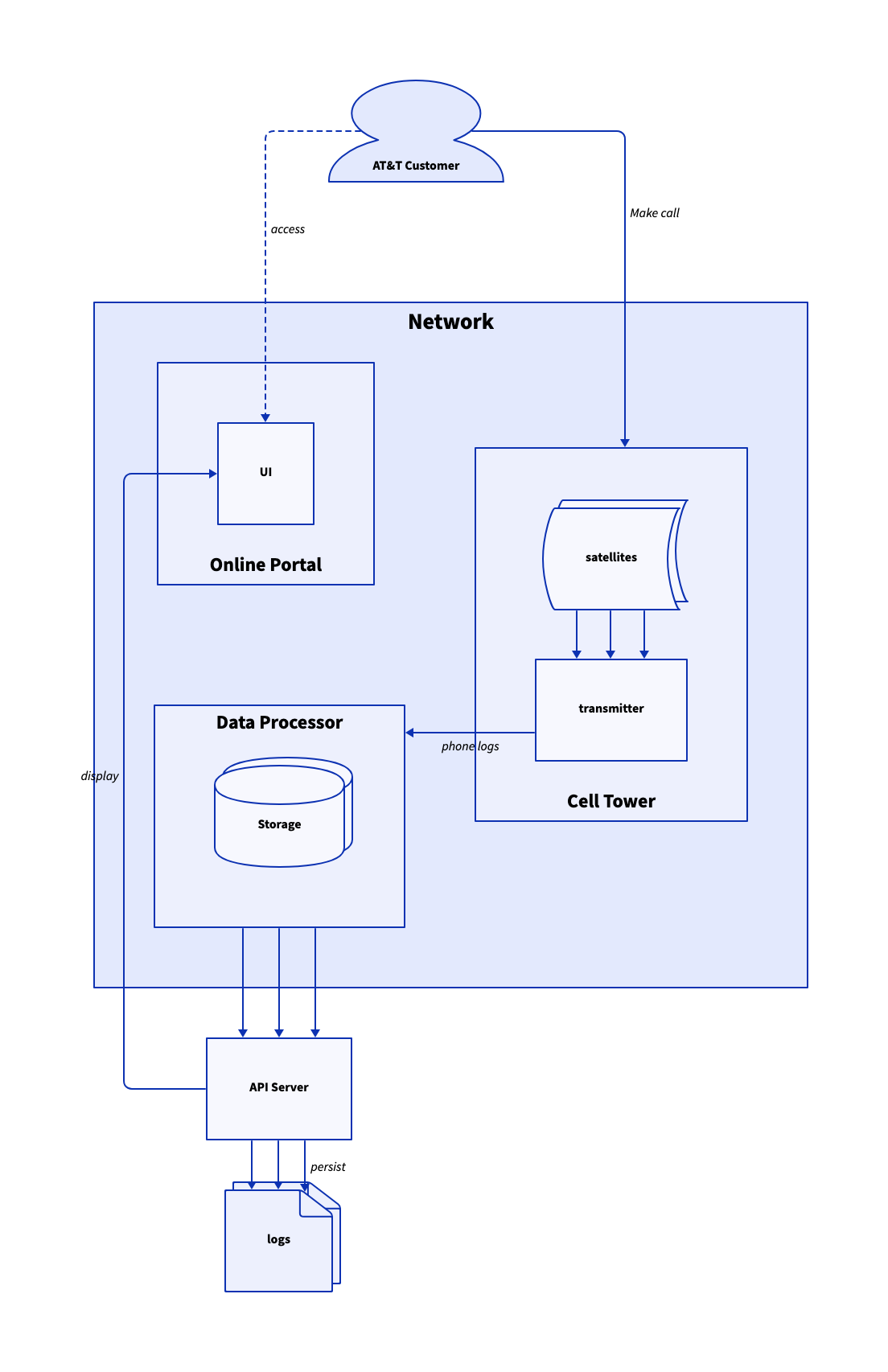
Not automatable. Precise placements,
unique shapes.
Automatable. You could show these
relationships in 100 different ways that look good.
Currently, D2 can handle a subset of automatable diagrams well, and increasing coverage is
a priority. The primary lever, of course, is layout engines. These are the algorithms that
take shapes, labels, icons, connections and hints as input, and lay it out in such a way
that is "legible".
There are two components to diagram legibility.
1. Visual legibility. Minimal noise, clean, aligned, no unnecessary connection crossings,
etc. There is no obvious improvement to be made, like swapping two shapes such that
they're both closer to their respective neighbors.
2. Semantic legibility. If your coworker were to draw the same model, would the model be
more understandable to you even if it were visually messier?
Visual legibility is what algorithms are good at, and they should always outperform
humans. The gap increases as diagrams get larger -- it's impossible for me and you to
eyeball 20 swaps that end up reducing overall edge distance by 4 pixels.
Semantic legibility is the bigger challenge. Most layout engines stick to a simple "type"
of diagram, like hierarchical. But how often do you want your software architecture to be
hierarchical? Rarely, and laying it out that way changes the semantics.
#### How success is measured
- Visual: Can you spot any obvious improvements to be made?
- Semantic: Turing test -- can you tell the layout was the work of an algorithm vs your
coworker?
D2 uses Dagre by default. Though it is among the best open-source layout engines (used by
MermaidJS, perhaps the most popular text-to-diagram tool currently), it still leaves much
to be desired. Dagre is unfortunately unmaintained, and only produces hierarchical
layouts. Even if it were to be revived, the research papers it's based off of will not
evolve out of hierarchical layouts. It also doesn't support containers, which is a
non-starter for software architecture diagrams (D2 has shimmed support for it [2]).
#### Plan
1. Integrate with special-purpose layout engines which are "solved". For example, there's
no improvements to be made to a sequence diagram layout engine. Likewise for a git-commit
timeline, or radial layouts, among others.
1. We are developing a new general-purpose layout engine from scratch [3], testing
exclusively on software architecture diagrams. It can support multiple sub-types in one
diagram, e.g. part of the diagram is a tree, but not all of it has to be. It handles
containers and clusters very well, moves labels and icons to avoid collisions, and much
more.
### Aesthetics
Documentation is only useful if it's consumed, and beautiful diagrams are consumed far
more than ugly ones. For algorithm-generated diagrams to be a suitable replacement to
hand-made, it must be at least as aesthetic. To be consistently preferable to hand-made
ones [4], it must be aesthetic out of the box. Customization should then be graduated
levels of how much effort you want to expend. Least effort: choose from pre-made themes
designed by professional designers. More effort: make and edit your own themes. Most
effort: custom-style everything. Most engineers are satisfied at the first and second
levels, but D2 must have good support for granular customization.
#### How success is measured
- If you're making a diagram for a large audience (e.g. a blog, company all-hands), would
you use D2 to make it?
One deciding factor is the time it takes to get to a presentable diagram. Presentable
doesn't mean full of vibrant colors and shadows and design fluff. It does mean consistent
colors that increase clarity, on-brand palette of company colors, distinct shapes and
arrows -- properties that make a professional diagram you'd be proud of presenting.
Another consideration is how customizable the aesthetics are, and how much effort that
customization takes. I wish the bar here could be that customizing via text can get better
than the GUI, but I don't believe this to be a possible outcome. If you want a slightly
different shade of green, are you going to edit the hex code by typing it? Or would you
rather point and click from a gradient. If you want to change the style of 3 objects
you're looking at, you can text-search for the names of each of those 3 objects and change
them individually. But most of us would rather use the superior input device for precision
targeting -- a mouse.
While getting the customization experience to be GUI-level is merely aspirational, D2 can
aim to be at least as good as an existing, battle-tested text-based styling language: CSS.
#### Plan
1. Continue building language features to make customization easier. D2 supports
[glob targeting](/tour/globs) (e.g. `x.*.style.fill: red` to make every child of a container
red) and [classes](/tour/classes) (define styles once, reuse as classes). Its catalog of
shape and connection types needs to expand.
1. Continue investing in themes. Theming is how engineers make beautiful diagrams without
designing. D2 needs to extend what themes can latch onto. Not just colors, but fonts,
background styles (dotted, grids, colors), every aspect of the diagram. They should be
able to target granularly, e.g. for cylinder shapes 2 container-levels deep, use these
styles. And, there should be easy ways to create and modify themes.
1. Curate a set of high-quality, consistent icons to bundle with D2.
### Developer Tooling
The better support a dev tool has for existing workflows and familiar tools, the more
useful it is. D2 has official [Vim](/tour/vim/) and [VS Code](/tour/vscode/)
extensions. Features within the language
exist solely for bettering editor environments, such as autoformat and being able to parse
broken syntax and output multiple, human-readable error messages.
To further support composability, D2 has a built-in API for manipulating the AST at a
high-level (more intelligent than just CRUD on AST nodes). This lets anyone build up and
edit a diagram programmatically. The goal isn't to enable a specific use case, but rather
unforeseen ones for the infinite workflows out there.
#### How success is measured
- Does writing and reading D2 in your environment feel "complete"?
- Is it flexible and extendible enough to be used in unforeseen ways?
Completeness: I could not tell you any improvement to Vim's Go plugin if you asked me to
name one [5]. It feels complete. However, there are plenty of plugins/extensions I've used
which felt lacking, e.g. the syntax highlighting only identified some basic tokens and
stopped there.
Extensibility: A hallmark of a good developer tool is when its modularity enables
unplanned usage.
#### Plan
1. Continue improving editor integrations. The VS Code extension already supports
diagram previews, formatting, and refactoring with the D2 language server.
1. Build out imports/exports. D2 exports to [SVG, PNG, PDF, PPTX, GIF, and ASCII](/tour/exports).
It should have a transpiler to import other popular text-to-diagram languages. It
should take in CSVs of schemas to make ERDs.
1. Build a configurable linter.
### Your feedback
If you have any suggestions or feedback, we'd love to hear from you! Please open an issue
on [Github](https://github.com/d2lang/d2).
### Notes
[0] Many other domains are also majority capturable by algorithms, like trees for HR
diagrams. Other domains like biology, the majority of diagrams are custom-drawn.
[1] Some diagrams will always require manual labor. For example, if you want to have a
translucent blueprint of an airplane and overlay shapes and lines on specific parts. Good
GUI diagram-makers will always be necessary.
[2] MermaidJS seems to have implemented support for containers as well, but it's not
widely released and their live editor still won't allow it.
[3] [TALA](/tour/tala) is open-source and bundled with D2 as of v0.9.0.
[4] If you still miss the hand-drawn aesthetic, D2 has just the thing:
https://github.com/d2lang/d2/pull/492
[5] Actually, gopls single-handedly brings my machine back to 2005 speeds with how much
CPU it consumes. Not the fault of vim-go though!
---
## Globs
:::note Etymology
> The glob command, short for global, originates in the earliest versions of Bell Labs' Unix... to expand wildcard characters in unquoted arguments ...
[https://en.wikipedia.org/wiki/Glob_(programming)](https://en.wikipedia.org/wiki/Glob_(programming))
:::
Globs are a powerful language feature to make global changes in one line.
```d2
iphone 10
iphone 11 mini
iphone 11 pro
iphone 12 mini
*.height: 300
*.width: 140
*mini.height: 200
*pro.height: 400
```
[globs intro (SVG)](https://d2lang.com/img/generated/globs-intro.svg2)
### Globs apply backwards and forwards
In the following example, the instructions are as follows:
1. Create a shape `a`.
2. Apply a glob rule. This immediately applies to existing shapes, i.e., `a`.
3. Create a shape `b`. Existing glob rules are re-evaluated, and applied if they meet the
criteria. This does, so it applies to `b`.
4. Same with `c`.
```d2
a
* -> y
b
c
```
[globs lazy (SVG)](https://d2lang.com/img/generated/globs-lazy.svg2)
### Globs are case insensitive
```d2
diddy kong
Donkey Kong
*kong.style.fill: brown
```
[globs casing (SVG)](https://d2lang.com/img/generated/globs-casing.svg2)
### Globs can appear multiple times
```d2
teacher
thriller
thrifter
t*h*r.shape: person
```
[globs multiple (SVG)](https://d2lang.com/img/generated/globs-multiple.svg2)
### Glob connections
You can use globs to create connections.
```d2
vars: {
d2-config: {
layout-engine: elk
}
}
Spiderman 1
Spiderman 2
Spiderman 3
* -> *: 👉
```
[globs connections (SVG)](https://d2lang.com/img/generated/globs-connections.svg2)
:::info
Notice how self-connections were omitted. While not entirely consistent with what you may
expect from globs, we feel it is more pragmatic for this to be the behavior.
:::
You can also use globs to target modifying existing connections.
```d2
lady 1
lady 2
barbie
lady 1 -> barbie: hi barbie
lady 2 -> barbie: hi barbie
(lady* -> barbie)[*].style.stroke: pink
```
[globs indexed connections (SVG)](https://d2lang.com/img/generated/globs-indexed-connections.svg2)
### Scoped globs
Notice that in the below example, globs only apply to the scope they are specified in.
```d2
foods: {
pizzas: {
cheese
sausage
pineapple
*.shape: circle
}
humans: {
john
james
*.shape: person
}
humans.* -> pizzas.pineapple: eats
}
```
[globs scope (SVG)](https://d2lang.com/img/generated/globs-scope.svg2)
### Recursive globs
`**` means target recursively.
```d2
a: {
b: {
c
}
}
**.style.border-radius: 7
```
[globs recursive (SVG)](https://d2lang.com/img/generated/globs-recursive.svg2)
```d2
zone-A: {
machine A
machine B: {
submachine A
submachine B
}
}
zone-A.** -> load balancer
```
[globs recursive 2 (SVG)](https://d2lang.com/img/generated/globs-recursive-2.svg2)
:::info
Notice how `machine B` was not captured. Similar to the exception with `* -> *` omitting
self-connections, recursive globs in connections also make an exception for practical
diagramming: it only applies to non-container (AKA leaf) shapes.
:::
### Filters
Use `&` to filter what globs target. You may use any reserved keyword to filter on.
```d2
bravo team.shape: person
charlie team.shape: person
command center.shape: cloud
hq.shape: rectangle
*: {
&shape: person
style.multiple: true
}
```
[globs filter (SVG)](https://d2lang.com/img/generated/globs-filter.svg2)
#### Property filters
Aside from reserved keywords, there are special property filters for more specific
targeting.
- `connected: true|false`
- `leaf: true|false`
```d2
**: {
&connected: true
style.fill: yellow
}
**: {
&leaf: true
style.stroke: red
}
container: {
a -> b
}
c
```
[globs filter 3 (SVG)](https://d2lang.com/img/generated/globs-filter-3.svg2)
#### Filters on array values
If the filtered attribute has an array value, the filter will match if it matches any
element of the array.
```d2
the-little-cannon: {
class: [server; deployed]
}
dino: {
class: [internal; deployed]
}
catapult: {
class: [server]
}
*: {
&class: server
style.multiple: true
}
```
[globs filter 2 (SVG)](https://d2lang.com/img/generated/globs-filter-2.svg2)
#### Globs as filter values
Globs can also appear in the value of a filter. `*` by itself as a value for a filter
means the key must be specified.
```d2
*: {
&link: *
style.fill: red
}
x.link: https://google.com
y
```
[globs filter glob value (SVG)](https://d2lang.com/img/generated/globs-filter-glob-value.svg2)
#### AND filter
Adding multiple lines of filters counts as an AND.
```d2
*: {
&shape: person
&connected: true
style.fill: red
}
(** -> **)[*]: {
&src: a
&dst: c
style.stroke: yellow
}
a -> b
a.shape: person
a -> c
```
[globs filter and (SVG)](https://d2lang.com/img/generated/globs-filter-and.svg2)
#### Connection endpoint filters
Connections can be filtered by properties on their source and destination shapes.
```d2
a: {
shape: circle
style: {
fill: blue
opacity: 0.8
}
}
b: {
shape: rectangle
style: {
fill: red
opacity: 0.5
}
}
c: {
shape: diamond
style.fill: green
style.opacity: 0.8
}
(* -> *)[*]: {
&src.style.fill: blue
style.stroke-dash: 3
}
(* -> *)[*]: {
&dst.style.opacity: 0.8
style.stroke: cyan
}
(* -> *)[*]: {
&src.shape: rectangle
&dst.style.fill: green
style.stroke-width: 5
}
a -> b
b -> c
a -> c
```
Endpoint filters also work with IDs, e.g. `&src: b`.
:::info
Endpoint IDs are absolute. For example, `a.c` instead of just `c`, even if the glob is
declared within `a`.
:::
### Inverse filters
Use `!&` to inverse-filter what globs target.
```d2
bravo team.shape: person
charlie team.shape: person
command center.shape: cloud
hq.shape: rectangle
*: {
!&shape: person
style.multiple: true
}
```
[globs inverse filter (SVG)](https://d2lang.com/img/generated/globs-inverse-filter.svg2)
### Nested globs
You can nest globs, combining the features above.
```d2
conversation 1: {
shape: sequence_diagram
alice -> bob: hi
bob -> alice: hi
}
conversation 2: {
shape: sequence_diagram
alice -> bob: hello again
alice -> bob: hello?
bob -> alice: hello
}
# Recursively target all shapes...
**: {
# ... that are sequence diagrams
&shape: sequence_diagram
# Then recursively set all shapes in them to person
**: {shape: person}
}
```
[globs nested (SVG)](https://d2lang.com/img/generated/globs-nested.svg2)
### Global globs
Triple globs apply globally to the whole diagram. The difference between a double glob and
a triple glob is that a triple glob will apply to nested `layers` (see the section on
[composition](/tour/composition/) for more on `layers`), as well as persist across imports.
```d2
***.style.fill: yellow
**.shape: circle
*.style.multiple: true
x: {
y
}
layers: {
next: {
a
}
}
```
[triple glob (PDF)](https://d2lang.com/img/generated/triple-glob.pdf)
:::info Imports
If you import a file, the globs declared inside it are usually not carried over. Triple
globs are the exception -- since they are global, importing a file with triple glob will
carry that glob as well.
:::
### Changing defaults
One common use case of globs is to change the default styling of a theme.
```d2
# Add to the top of your diagram
***.style.fill: lightblue
(*** -> ***)[*]: {
style.stroke: red
}
x -> y
```
[defaults (SVG)](https://d2lang.com/img/generated/defaults.svg2)
---
## Grammar
:::note
This grammar is subject to change before D2 1.0.
:::
### Rule Atlas
#### File
A D2 file is a map. Write its entries directly at the top level.
```d2
api.v1: API
db
api.v1 -> db: reads
```
#### Map
Braces enclose a map of child objects, properties, connections, and comments.
```d2
service: {
api
db
api -> db
}
```
#### MapBody
A map contains zero or more entries separated by newlines, semicolons, or line comments.
```d2
api; db; api -> db
```
#### Array
Square brackets hold values in order. A semicolon or newline separates adjacent items.
```d2
colors: [red; green; blue]
```
#### Padding
Whitespace, comments, and extra semicolons can appear before an entry.
#### Boundary
A newline, semicolon, or line comment separates adjacent entries.
```d2
api; db # Two entries
```
#### spaces
Zero or more whitespace characters on the same line.
#### MapEntry
A map entry declares a key, describes a connection, or spreads an import or substitution.
```d2
api -> db: reads
```
#### ArrayEntry
An array item holds a value or spreads an import or substitution.
```d2
colors: [red; ...${more}]
```
#### Filter
An ampersand adds a condition to a glob. Use !& to negate it.
```d2
api1: preview
api2: stable
api*: { &label: pre*; style.fill: blue }
```
#### EntryKey
The subject of an entry is a key path, a chain of connections, or a grouped connection.
```d2
(api -> db)[0].style.stroke: blue
```
#### keyPath
Dots separate key segments. Quote or escape a dot to keep it in the name.
```d2
api.v1."read.me"
```
#### Assignment
A key can take a map directly. A colon introduces a value, and a scalar can have a map of properties on the same line.
```d2
api: Public API { shape: cloud }
```
#### Value
A value can be a scalar, a map, an array, or an import.
```d2
theme: @palette.colors
```
#### Scalar
An unquoted scalar can be text, a number, a boolean, null, suspend, or unsuspend. Quotes keep it a string.
```d2
enabled: "true"
```
#### EdgeChain
An arrow connects each pair of successive endpoints. Here, both connections share the endpoint api.
```d2
client -> api -> db
```
#### EdgeGroup
Parentheses group a connection so you can select an index, a property, or both.
```d2
(api -> db)[0].style.stroke: blue
```
#### EdgeTargets
A chain has a destination and can continue with more arrows and destinations.
```d2
a -> b -> c -> d
```
#### EdgeIndex
An index counts matching connections from zero. An asterisk selects all matches.
```d2
(api -> db)[*].style.stroke: blue
```
#### FirstArrow
The first arrow in an ungrouped chain starts with a hyphen or a less-than sign.
```d2
client <- api
```
#### Arrow
An arrow inside a group or after the first link in a chain. Common forms are --, ->, <-, and <->.
```d2
client -> api <-> db
```
#### ArrowTail
Hyphens extend an arrow’s shaft. A greater-than sign or asterisk can mark its end.
```d2
api ---> db
```
#### EdgeContinuation
A backslash continues the shaft of an arrow onto the next line.
```d2
api --\
> db
```
#### Spread
Three dots directly before an import or substitution expand its contents into the surrounding map or array.
```d2
...@theme
```
#### Import
An at sign introduces a file path. Further key segments select a value from that file.
```d2
colors: @../theme.d2.colors
```
#### substitution
A dollar sign and braces insert a variable by key path into an unquoted or double-quoted value.
```d2
label: "Hello ${user.name}"
```
#### sourceChar
One Unicode scalar value from the decoded source file.
#### nonLF
Any Unicode scalar value except a line feed.
#### newline
A line feed (U+000A) separates lines. A CRLF pair contains one line feed.
#### horizontalSpace
Any Unicode whitespace character except line feed, including a space, tab, or carriage return.
#### decimalDigit
One ASCII digit from 0 to 9.
```d2
(api -> db)[2]
```
#### lineComment
A hash begins a comment that runs to the end of the line.
```d2
api -> db # reads
```
#### blockComment
At the start of an entry, three double quotes open a comment. The next triple closes it.
```d2
""" Notes about this diagram """
api
```
#### nonQuote
Any Unicode scalar value except a double quote.
#### keyString
One key segment can be bare text, a single-quoted or double-quoted string, or a block string.
```d2
"api.v1": Service
```
#### valueString
A scalar can be written as bare text, a single-quoted or double-quoted string, or a block string.
```d2
api: serves v1.0
```
#### unquotedKey
Spaces inside a bare key stay in the name. An unescaped dot separates segments, and an unescaped star marks a wildcard.
```d2
edge service.v1
```
#### keyStart
The first character, escape, or line continuation of a bare key.
#### keyUnit
A character, escape, or line continuation inside a bare key. An interior quote can be literal.
#### unquotedValue
Dots, colons, and arrows are literal in a bare value. A dollar sign starts a substitution, and a star can match labels in a filter.
```d2
caption: pre*
api*: { &label: pre*; style.fill: blue }
```
#### valueStart
The first part of a bare value can be a character, substitution, escape, or line continuation.
#### valueUnit
One more part of a bare value. A star can act as a wildcard in a filter.
#### commonBareChar
Characters shared by the interiors of bare keys and values, including spaces and quotes.
#### commonBareStart
Characters that can start both a bare key and a bare value.
#### nonASCIINonSpace
Any non-ASCII Unicode scalar value except whitespace.
#### escape
A backslash escapes the next character. An escaped dot stays in the same key segment.
```d2
api\.v1: Service
```
#### continuedLine
In bare text, a backslash immediately followed by a line feed removes the break and the next line’s indentation.
```d2
api: first \
second
```
#### singleQuotedString
Single quotes keep dollar signs and backslashes literal, except for a backslash before a line feed. Double an apostrophe to write one.
```d2
owner: 'Ada''s ${service}'
```
#### singleChar
Any Unicode scalar value except an apostrophe or a line feed.
#### doubleQuotedKey
Double quotes keep punctuation in one key segment. Dollar signs and braces stay literal.
```d2
"api.v1": Service
```
#### doubleQuotedValue
Double quotes preserve spaces and allow escapes and substitutions.
```d2
api: "Hello ${name}"
```
#### doubleChar
An ordinary character inside double quotes. Quotes, backslashes, dollar signs, and line feeds have separate rules.
#### blockString
A pipe opens a block of literal text. An optional fence sets its closing delimiter, and a tag identifies the content.
```d2
code: |||ts
const value = a || b
|||
```
#### fenceChar
A fence character can follow the opening pipe. Whitespace, letters, decimal digits, and underscores end the fence.
#### nonASCIIFenceChar
Any non-ASCII Unicode scalar value except whitespace, letters, and decimal digits.
#### blockTag
A tag identifies the contents of a block and ends at the first whitespace character.
```d2
label: |md
**Public API**
|
```
#### tagStart
A block tag starts with a Unicode letter, a decimal digit, or an underscore.
#### nonASCIITagStart
Any non-ASCII Unicode letter or decimal digit.
#### tagChar
After the first character, a block tag accepts any non-whitespace character.
### Full grammar
In Extended Backus–Naur Form (EBNF), read `|` as *or*, `[ ]` as *optional*, and `{ }` as *zero or more*.
#### structure.ebnf
```ebnf
// A file is an implicit map. Braces delimit nested maps.
File = MapBody .
Map = "{" MapBody "}" .
MapBody = Padding [ MapEntry spaces { Boundary Padding MapEntry spaces } [ Boundary Padding ] ] .
Array = "[" Padding [ ArrayEntry spaces { Boundary Padding ArrayEntry spaces } [ Boundary Padding ] ] "]" .
// A line comment includes the remainder of its line. A block comment can
// precede an entry without a separator. After an entry it needs a boundary.
Padding = { horizontalSpace | newline | ";" | lineComment | blockComment } .
Boundary = newline | ";" | lineComment .
spaces = { horizontalSpace } .
MapEntry = Spread | [ Filter spaces ] EntryKey [ spaces Assignment ] .
ArrayEntry = Spread | Value .
Filter = "&" | "!&" .
EntryKey = keyPath | EdgeChain | [ keyPath spaces "." spaces ] EdgeGroup .
keyPath = keyString { spaces "." spaces keyString } .
Assignment = Map | ":" spaces ( Scalar [ spaces Map ] | Map | Array | Import ) .
Value = Scalar | Map | Array | Import .
Scalar = valueString .
// Inside an EdgeGroup, ")" ends an unquoted endpoint when followed, after any
// horizontal space, by LF, end of input, or one of ";#{}[]:.".
EdgeChain = keyPath spaces FirstArrow EdgeTargets .
EdgeGroup = "(" spaces keyPath spaces Arrow EdgeTargets spaces ")"
[ spaces "[" spaces EdgeIndex spaces "]" ] [ spaces "." spaces keyPath ] .
EdgeTargets = spaces keyPath { spaces Arrow spaces keyPath } .
// Numeric indices must fit the reference implementation's nonnegative int range.
EdgeIndex = "*" | decimalDigit { decimalDigit } .
FirstArrow = "<" ArrowTail | "-" { EdgeContinuation } ( "-" ArrowTail | ">" | "*" ) .
Arrow = FirstArrow | "*" ArrowTail .
// Consume the full shaft before reading the destination mark or key.
ArrowTail = { "-" | EdgeContinuation } [ ">" | "*" ] .
EdgeContinuation = "\\" spaces newline spaces .
// At entry start, "...@" and "...$" introduce a spread.
Spread = "..." ( Import | substitution ) .
// Consume the longest run of dots and slashes after "@" before reading keyPath.
Import = "@" { "." | "/" } spaces keyPath .
substitution = "$" spaces "{" spaces keyPath spaces "}" .
```
#### lexical.ebnf
```ebnf
// Productions match decoded Unicode scalar values. Whitespace is explicit.
sourceChar = "\u0000" … "\uD7FF" | "\uE000" … "\U0010FFFF" .
nonLF = "\u0000" … "\t" | "\v" … "\uD7FF" | "\uE000" … "\U0010FFFF" .
newline = "\n" .
horizontalSpace = "\t" | "\v" … "\r" | " " | "\u0085" | "\u00A0" | "\u1680"
| "\u2000" … "\u200A" | "\u2028" | "\u2029" | "\u202F"
| "\u205F" | "\u3000" .
decimalDigit = "0" … "9" .
// Consume line comments through the last character before LF or EOF.
lineComment = "#" { nonLF } .
// At entry start, three quotes begin a block comment. The next triple closes it.
blockComment = "\"\"\"" { [ "\"" [ "\"" ] ] nonQuote } "\"\"\"" .
nonQuote = "\u0000" … "!" | "#" … "\uD7FF" | "\uE000" … "\U0010FFFF" .
keyString = singleQuotedString | doubleQuotedKey | blockString | unquotedKey .
valueString = singleQuotedString | doubleQuotedValue | blockString | unquotedValue .
// Scan the longest bare string, trimming trailing whitespace from its final text
// segment. It must yield text or a substitution. An unescaped "--", "->" or "-*"
// ends a bare key before the hyphen. A decoded bare key cannot start with "@".
unquotedKey = keyStart { keyUnit } .
keyStart = commonBareStart | "$" | "*" | "-" | escape | continuedLine .
keyUnit = commonBareChar | "$" | "*" | "-" | escape | continuedLine .
// The raw prefix "...@" is reserved for a spread and cannot start a bare value.
unquotedValue = valueStart { valueUnit } .
valueStart = commonBareStart | "(" | "&" | "*" | "-" | "." | ":" | "<" | ">"
| substitution | escape | continuedLine .
valueUnit = commonBareChar | "&" | "*" | "-" | "." | ":" | "<" | ">"
| substitution | escape | continuedLine .
// Space, quotes, "(", "@", and "|" may occur within a bare string. At the
// beginning they either introduce another construct or depend on key/value mode.
commonBareChar = commonBareStart | horizontalSpace | "\"" | "'" | "(" | "@" | "|" .
commonBareStart = "\u0000" … "\b" | "\u000E" … "\u001F" | "!" | "%" | ")"
| "+" … "," | "/" … "9" | "=" | "?" | "A" … "Z" | "^" … "z"
| "~" … "\u007F" | nonASCIINonSpace .
// U+0080 and higher, excluding Unicode whitespace and surrogate code points.
nonASCIINonSpace = "\u0080" … "\u0084" | "\u0086" … "\u009F" | "\u00A1" … "\u167F"
| "\u1681" … "\u1FFF" | "\u200B" … "\u2027" | "\u202A" … "\u202E"
| "\u2030" … "\u205E" | "\u2060" … "\u2FFF" | "\u3001" … "\uD7FF"
| "\uE000" … "\U0010FFFF" .
escape = "\\" nonLF .
continuedLine = "\\" newline { horizontalSpace } .
singleQuotedString = "'" { singleChar | "''" | "\\" newline } "'" .
singleChar = "\u0000" … "\t" | "\v" … "&" | "(" … "\uD7FF"
| "\uE000" … "\U0010FFFF" .
doubleQuotedKey = "\"" { doubleChar | "$" | escape | "\\" newline } "\"" .
doubleQuotedValue = "\"" { doubleChar | substitution | escape | "\\" newline } "\"" .
doubleChar = "\u0000" … "\t" | "\v" … "!" | "#" | "%" … "["
| "]" … "\uD7FF" | "\uE000" … "\U0010FFFF" .
// Capture the longest opening fence. The first copy of that fence followed
// immediately by "|" closes the block, even mid-line.
blockString = "|" { fenceChar } [ blockTag ] ( horizontalSpace | newline )
{ sourceChar } { fenceChar } "|" .
fenceChar = "\u0000" … "\b" | "\u000E" … "\u001F" | "!" … "/" | ":" … "@"
| "[" … "^" | "\u0060" | "{" … "\u007F" | nonASCIIFenceChar .
nonASCIIFenceChar = nonASCIINonSpace . // Excludes Unicode letters and decimal digits.
blockTag = tagStart { tagChar } .
tagStart = "A" … "Z" | "a" … "z" | decimalDigit | "_" | nonASCIITagStart .
nonASCIITagStart = nonASCIINonSpace . // A Unicode letter or decimal digit.
tagChar = "\u0000" … "\b" | "\u000E" … "\u001F" | "!" … "\u007F" | nonASCIINonSpace .
```
---
## Grid Diagrams
Grid diagrams let you display objects in a structured grid.
[grid (SVG)](https://d2lang.com/img/generated/grid.svg2)
```d2
grid-rows: 5
style.fill: black
classes: {
white square: {
label: ""
width: 120
style: {
fill: white
stroke: cornflowerblue
stroke-width: 10
}
}
block: {
style: {
text-transform: uppercase
font-color: white
fill: darkcyan
stroke: black
}
}
}
flow1.class: white square
flow2.class: white square
flow3.class: white square
flow4.class: white square
flow5.class: white square
flow6.class: white square
flow7.class: white square
flow8.class: white square
flow9.class: white square
dagger engine: {
width: 800
class: block
style: {
fill: beige
stroke: darkcyan
font-color: blue
stroke-width: 8
}
}
any docker compatible runtime: {
width: 800
class: block
style: {
fill: lightcyan
stroke: darkcyan
font-color: black
stroke-width: 8
}
icon: https://icons.d2lang.com/dev%2Fdocker.svg
}
any ci: {
class: block
style: {
fill: gold
stroke: maroon
font-color: maroon
stroke-width: 8
}
}
windows.class: block
linux.class: block
macos.class: block
kubernetes.class: block
```
Two keywords do all the magic:
- `grid-rows`
- `grid-columns`
Setting just `grid-rows`:
```d2
grid-rows: 3
Executive
Legislative
Judicial
```
[grid 2 (SVG)](https://d2lang.com/img/generated/grid-2.svg2)
Setting just `grid-columns`:
```d2
grid-columns: 3
Executive
Legislative
Judicial
```
[grid 3 (SVG)](https://d2lang.com/img/generated/grid-3.svg2)
Setting both `grid-rows` and `grid-columns`:
```d2
grid-rows: 2
grid-columns: 2
Executive
Legislative
Judicial
```
[grid 4 (SVG)](https://d2lang.com/img/generated/grid-4.svg2)
### Width and height
To create specific constructions, use `width` and/or `height`.
```d2
grid-rows: 2
Executive
Legislative
Judicial
The American Government.width: 400
```
[grid dimensions (SVG)](https://d2lang.com/img/generated/grid-dimensions.svg2)
Notice how objects are evenly distributed within each row.
### Cells expand to fill
When you define only one of row or column, objects will expand.
```d2
grid-rows: 3
Executive
Legislative
Judicial
The American Government.width: 400
Voters
Non-voters
```
Notice how `Voters` and `Non-voters` fill the space.
[grid fill (SVG)](https://d2lang.com/img/generated/grid-fill.svg2)
### Dominant direction
When you apply both row and column, the first appearance is the dominant direction. The
dominant direction is the order in which cells are filled.
For example:
```d2-incomplete
grid-rows: 4
grid-columns: 2
# bunch of shapes
```
Since `grid-rows` is defined first, objects will fill rows before moving onto columns.
[grid row dominant (SVG)](https://d2lang.com/img/generated/grid-row-dominant.svg2)
But if it were reversed:
```d2-incomplete
grid-columns: 2
grid-rows: 4
# bunch of shapes
```
It would do the opposite.
[grid column dominant (SVG)](https://d2lang.com/img/generated/grid-column-dominant.svg2)
:::info
These animations are also pure D2, so you can animate grid diagrams being built-up. Use
the `animate-interval` flag with this
[code](https://github.com/d2lang/d2-docs/blob/f5c762223ce192338d9d7865df3ca8533d683cdc/static/bespoke-d2/grid-row-dominant.d2#L1).
More on this later, in the [composition](/tour/composition/) section.
:::
### Gap size
You can control the gap size of the grid with 3 keywords:
- `vertical-gap`
- `horizontal-gap`
- `grid-gap`
Setting `grid-gap` is equivalent to setting both `vertical-gap` and `horizontal-gap`.
`vertical-gap` and `horizontal-gap` can override `grid-gap`.
#### Gap size 0
`grid-gap: 0` in particular can create some interesting constructions:
##### Like this map of Japan
[japan (SVG)](https://d2lang.com/img/generated/japan.svg2)
> [D2 source](https://github.com/d2lang/d2/blob/master/docs/examples/japan-grid/japan.d2)
##### Or a table of data
[table (SVG)](https://d2lang.com/img/generated/table.svg2)
```d2
# Specified so that objects are written in row-dominant order
grid-rows: 2
grid-columns: 4
grid-gap: 0
classes: {
header: {
style.underline: true
}
}
Element.class: header
Atomic Number.class: header
Atomic Mass.class: header
Melting Point.class: header
Hydrogen
1
"1.008"
"-259.16"
Carbon
6
"12.011"
3500
Oxygen
8
"15.999"
"-218.79"
```
:::info
You may find it easier to just use Markdown tables though, especially if there are
duplicate cells.
```d2
savings: ||md
| Month | Savings | Expenses | Balance |
| -------- | ------- | -------- | ------- |
| January | $250 | $150 | $100 |
| February | $80 | $200 | -$120 |
| March | $420 | $180 | $240 |
||
```
[md table (SVG)](https://d2lang.com/img/generated/md-table.svg2)
:::
#### Gap size 0
### Connections
Connections for grids themselves work normally as you'd expect.
[grid connected (SVG)](https://d2lang.com/img/generated/grid-connected.svg2)
> Source code [here](https://github.com/d2lang/d2-docs/blob/eda2d8739ce21c656e7608be48cb9067df36eb53/static/d2/grid-connected.d2).
#### Connections between grid cells
With Dagre or ELK, a single connection between grid cells usually follows a straight
line, even if another cell is in the way. D2 separates parallel and opposing
connections and draws self-loops. A connection to a named SQL column meets that
row in the table.
TALA uses its own router to find paths around other cells.
[grid connections (SVG)](https://d2lang.com/img/generated/grid-connections.svg2)
> Source code [here](https://github.com/d2lang/d2/blob/master/e2etests/testdata/files/simple_grid_edges.d2).
[grid nested connections (SVG)](https://d2lang.com/img/generated/grid-nested-connections.svg2)
> Source code [here](https://github.com/d2lang/d2/blob/master/docs/examples/vector-grid/vector-grid.d2).
### Nesting
You can nest grid diagrams, sequence diagrams, and regular diagrams within grids.
```d2
grid-gap: 0
grid-columns: 1
header
body: "" {
grid-gap: 0
grid-columns: 2
content
sidebar
}
footer
```
[grid nested grid (SVG)](https://d2lang.com/img/generated/grid-nested-grid.svg2)
### Aligning with invisible elements
A common technique to align grid elements to your liking is to pad the grid with invisible
elements.
Consider the following diagram.
```d2
grid-columns: 1
us-east-1: {
grid-rows: 1
a
b
c
d
e
}
us-west-1: {
grid-rows: 1
a
}
us-east-1.c -> us-west-1.a
```
[grid unaligned (SVG)](https://d2lang.com/img/generated/grid-unaligned.svg2)
It'd be nicer if it were centered. This can be achieved by adding 2 invisible elements.
```d2
classes: {
invisible: {
style.opacity: 0
label: a
}
}
grid-columns: 1
us-east-1: {
grid-rows: 1
a
b
c
d
e
}
us-west-1: {
grid-rows: 1
pad1.class: invisible
pad2.class: invisible
a
# Move the label so it doesn't go through the connection
label.near: bottom-center
}
us-east-1.c -> us-west-1.a
```
[grid aligned (SVG)](https://d2lang.com/img/generated/grid-aligned.svg2)
### Troubleshooting
#### Why is there extra padding in one cell?
Elements in a grid column have the same width and elements in a grid row have the same
height.
So in this example, a small empty space in "Backend Node" is present.
```d2
classes: {
kuber: {
style: {
fill: "white"
stroke: "#aeb5bd"
border-radius: 4
stroke-dash: 3
}
}
sys: {
label: ""
style: {
fill: "#AFBFDF"
stroke: "#aeb5bd"
}
}
node: {
grid-gap: 0
style: {
fill: "#ebf3e6"
border-radius: 8
stroke: "#aeb5bd"
}
}
clust: {
style: {
fill: "#A7CC9E"
stroke: "#aeb5bd"
}
}
deploy: {
grid-gap: 0
style: {
fill: "#ffe6d5"
stroke: "#aeb5bd"
# border-radius: 4
}
}
nextpod: {
icon: https://www.svgrepo.com/show/378440/nextjs-fill.svg
style: {
fill: "#ECECEC"
stroke: "#aeb5bd"
# border-radius: 4
}
}
flaskpod: {
icon: https://www.svgrepo.com/show/508915/flask.svg
style: {
fill: "#ECECEC"
stroke: "#aeb5bd"
# border-radius: 4
}
}
}
classes
Kubernetes: {
grid-columns: 2
system: {
grid-columns: 1
Backend Node: {
grid-columns: 2
ClusterIP\nService 1
Deployment 1: {
grid-rows: 3
NEXT POD 1
NEXT POD 2
NEXT POD 3
}
}
Frontend Node: {
grid-columns: 2
ClusterIP\nService 2
Deployment 2: {
grid-rows: 3
FLASK POD 1
FLASK POD 2
FLASK POD 3
}
}
}
}
kubernetes.class: kuber
kubernetes.system.class: sys
kubernetes.system.backend node.class: node
kubernetes.system.backend node.clusterip\nservice 1.class: clust
kubernetes.system.backend node.deployment 1.class: deploy
kubernetes.system.backend node.deployment 1.next pod*.class: nextpod
kubernetes.system.frontend node.class: node
kubernetes.system.frontend node.clusterip\nservice 2.class: clust
kubernetes.system.frontend node.deployment 2.class: deploy
kubernetes.system.frontend node.deployment 2.flask pod*.class: flaskpod
```
[grid padding 1 (SVG)](https://d2lang.com/img/generated/grid-padding-1.svg2)
It's due to the label of "Flask Pod" being slightly longer than "Next Pod". So the way we
fix that is to set `width`s to match.
```d2
classes: {
kuber: {
style: {
fill: "white"
stroke: "#aeb5bd"
border-radius: 4
stroke-dash: 3
}
}
sys: {
label: ""
style: {
fill: "#AFBFDF"
stroke: "#aeb5bd"
}
}
node: {
grid-gap: 0
style: {
fill: "#ebf3e6"
border-radius: 8
stroke: "#aeb5bd"
}
}
clust: {
style: {
fill: "#A7CC9E"
stroke: "#aeb5bd"
}
}
deploy: {
grid-gap: 0
style: {
fill: "#ffe6d5"
stroke: "#aeb5bd"
# border-radius: 4
}
}
nextpod: {
width: 180
icon: https://www.svgrepo.com/show/378440/nextjs-fill.svg
style: {
fill: "#ECECEC"
stroke: "#aeb5bd"
# border-radius: 4
}
}
flaskpod: {
width: 180
icon: https://www.svgrepo.com/show/508915/flask.svg
style: {
fill: "#ECECEC"
stroke: "#aeb5bd"
# border-radius: 4
}
}
}
classes
Kubernetes: {
grid-columns: 2
system: {
grid-columns: 1
Backend Node: {
grid-columns: 2
ClusterIP\nService 1
Deployment 1: {
grid-rows: 3
NEXT POD 1
NEXT POD 2
NEXT POD 3
}
}
Frontend Node: {
grid-columns: 2
ClusterIP\nService 2
Deployment 2: {
grid-rows: 3
FLASK POD 1
FLASK POD 2
FLASK POD 3
}
}
}
}
kubernetes.class: kuber
kubernetes.system.class: sys
kubernetes.system.backend node.class: node
kubernetes.system.backend node.clusterip\nservice 1.class: clust
kubernetes.system.backend node.deployment 1.class: deploy
kubernetes.system.backend node.deployment 1.next pod*.class: nextpod
kubernetes.system.frontend node.class: node
kubernetes.system.frontend node.clusterip\nservice 2.class: clust
kubernetes.system.frontend node.deployment 2.class: deploy
kubernetes.system.frontend node.deployment 2.flask pod*.class: flaskpod
```
[grid padding 2 (SVG)](https://d2lang.com/img/generated/grid-padding-2.svg2)
---
## Contributing
Contributions are welcome! Please see the full doc on contributing on D2's Github:
[https://github.com/d2lang/d2/blob/master/docs/CONTRIBUTING.md](https://github.com/d2lang/d2/blob/master/docs/CONTRIBUTING.md).
### Help wanted
The above doc is for contributing to D2 core. However, D2's community often requests
things that the core team don't have the bandwidth to do (until D2 reaches 1.0, we're
aggressively prioritizing improvements that make D2 better for the majority of users).
Below is a list of features that could use your help. If you're interested in taking the
initiative, feel free to just start, or you can comment on a GitHub issue, discuss in
Discord, or email [alex@d2lang.com](mailto:alex@d2lang.com).
- [ownCloud Infinite Scale Extension](https://github.com/d2lang/d2/issues/1422)
- [IntelliJ plugin](https://github.com/d2lang/d2/issues/747)
- [Chocolatey package](https://github.com/d2lang/d2/issues/154)
- [Docusaurus plugin](https://github.com/d2lang/d2/issues/1448)
- [Visual Studio Extension](https://github.com/d2lang/d2/discussions/237)
- [PrismJS highlighter](https://github.com/d2lang/d2-docs/issues/185)
Want to add something to this wishlist? Just make an Issue on D2's GitHub!
---
## Icons
:::tip
We host a collection of icons commonly found in software architecture diagrams for free to
help you get started: [https://icons.d2lang.com](https://icons.d2lang.com).
:::
Icons and images are an essential part of production-ready diagrams.
You can use any URL as value.
```d2
deploy: {
icon: https://icons.d2lang.com/aws%2FDeveloper%20Tools%2FAWS-CodeDeploy.svg
}
backup: {
icon: https://icons.d2lang.com/aws%2FStorage%2FAWS-Backup.svg
}
deploy -> backup: {
icon: https://icons.d2lang.com/infra%2F002-backup.svg
}
```
[icons 1 (SVG)](https://d2lang.com/img/generated/icons-1.svg2)
:::info
Using the D2 CLI locally? You can specify local images like `icon: ./my_cat.png`.
:::
Icon placement is automatic. Considerations vary depending on layout engine, but things
like coexistence with a label and whether it's a container generally affect where the icon
is placed to not obstruct. Notice how the following diagram has container icons in the
top-left and non-container icons in the center.
```d2
vpc: VPC 1 10.1.0.0./16 {
icon: https://icons.d2lang.com/aws%2F_Group%20Icons%2FVirtual-private-cloud-VPC_light-bg.svg
style: {
stroke: green
font-color: green
fill: white
}
az: Availability Zone A {
style: {
stroke: blue
font-color: blue
stroke-dash: 3
fill: white
}
firewall: Firewall Subnet A {
icon: https://icons.d2lang.com/aws%2FNetworking%20&%20Content%20Delivery%2FAmazon-Route-53_Hosted-Zone_light-bg.svg
style: {
stroke: purple
font-color: purple
fill: "#e1d5e7"
}
ec2: EC2 Instance {
icon: https://icons.d2lang.com/aws%2FCompute%2F_Instance%2FAmazon-EC2_C4-Instance_light-bg.svg
}
}
}
}
```
[icon placement (SVG)](https://d2lang.com/img/generated/icon-placement.svg2)
:::info
Icons can be positioned with the `near` keyword [introduced later](/tour/positions/#label-and-icon-positioning).
:::
### Add `shape: image` for standalone icon shapes
```d2
direction: right
server: {
shape: image
icon: https://icons.d2lang.com/tech/022-server.svg
}
github: {
shape: image
icon: https://icons.d2lang.com/dev/github.svg
}
server -> github
```
[icons image (SVG)](https://d2lang.com/img/generated/icons-image.svg2)
---
## Template
You make diagrams for external consulting clients. In order to appear professional, all
diagrams must be contained within a template that your designer has created that is
on-brand.
- `diagram.d2`
```d2
template: {
...@imports-wrapper-template
synergy: {
our firm -> yours: value add
}
stakeholders: {
george.shape: person
tim.shape: person
tim.tooltip: is this web scale?
}
}
```
- `wrapper-template.d2`
```d2
style: {
fill: "#E3EDE6"
fill-pattern: dots
stroke: "#820758"
stroke-width: 3
border-radius: 2
shadow: true
}
label: ""
```
:::info
This use case will be made much more powerful when D2 finishes glob (`*`) support.
:::
### Render of `diagram.d2`
[imports template (SVG)](https://d2lang.com/img/generated/imports-template.svg2)
---
## Overview (Tour)
The following are examples of some popular use cases for imports. Fundamentally, D2
imports behave just like dependencies in other programming languages, so it is flexible
for doing much more than the ones shown here.
### Patterns
- [Model-view](/tour/model-view/)
- [Modular classes](/tour/modular-classes/)
- [Nested composition](/tour/nested-composition/)
### Principles
Alongside the patterns that imports can be used for, splitting your diagram into multiple
files can also fulfill useful principles for organizations:
- **Compliance**. Some core piece of architecture needs to follow a spec exactly, and that
file should not change while others around it can.
- **Domain-driven design**. Diagramming a large architecture? Get different domain experts to
diagram their parts, and put them together in one diagram.
- **Code reviews**. While text-based diagramming makes reviewing changes possible, we've
all been in situations where the diff shown makes the review appear more complex than it
is. When your diagram is more modular, it's easier for everyone to know what's changed.
Maybe the changes to `style.d2` don't need as much scrutiny as the `security.d2` file
changes.
- **Reusability**. Your organization can define one `color-classes.d2`, and that can be
imported and used across all diagrams for a consistent diagram style.
- **Don't repeat yourself**. When multiple files import an object, you only have to make
changes to that one object to update it everywhere else.
### More Examples
Some more creative, practical examples of using imports that mix and match the above
patterns and principles.
- [Version visualization](/tour/version-visualization/)
- [Template](/tour/imported-template/)
---
## Syntax
There are two ways to import. These two examples both have the same result:
[imports normal (SVG)](https://d2lang.com/img/generated/imports-normal.svg2)
> Result of running both types of imports below
In the next section, we'll see examples of common import use cases.
### Two types of imports
#### 1. Regular import
- `x.d2`
```d2-incomplete
x: {
shape: circle
}
```
- `y.d2`
```d2-incomplete
a: @x.d2
a -> b
```
This is the equivalent of giving the entire file of `x` as a map that `a` sets as its
value.
#### 2. Spread import
- `x.d2`
```d2-incomplete
x: {
shape: circle
}
```
- `y.d2`
```d2-incomplete
a: {
...@x.d2
}
a -> b
```
This tells D2 to take the contents of the file `x` and insert it into the map.
:::info
Spread imports only work within maps. Something like `a: ...@x.d2` is an invalid usage.
:::
### Omit the extension
Above, we wrote the full file name for clarity, but the correct usage is to just specify
the file name without the suffix. If you run D2's autoformatter, it'll change
```d2-incomplete
x: @x.d2
```
into
```d2-incomplete
x: @x
```
:::info
D2 will not open files that don't have `.d2` extension, which means an import like
`@x.txt` won't work.
:::
### Partial imports
You don't have to import the full file.
For example, if you have a file that defines all the people in your organization, and you
just want to show some relations between managers, you can import a specific object.
`donut-flowchart.d2`
```d2
...@people.management
joe -> donuts: loves
jan -> donuts: brings
```
`people.d2`
```d2
management: {
joe: {
shape: person
label: Joe Donutlover
}
jan: {
shape: person
label: Jan Donutbaker
}
}
# Notice how these do not appear in the rendered diagram
employees: {
toby: {
shape: person
label: Toby Simonton
}
}
```
:::info
Since `.` is used for targeting, if you want to import from a file with `.` in its name,
use string quotes.
`@"schema-v0.1.2"`
:::
#### Render of donut-flowchart.d2
[imports targeted (SVG)](https://d2lang.com/img/generated/imports-targeted.svg2)
### Relative imports
Relative imports are relative to the file, not the executing path.
Consider that your working directory is `/Users/You/dev`. Your D2 files:
- `/Users/you/dev/d2-stuff/x.d2`
```d2-incomplete
y: @../y.d2
```
The above import will search directory `/Users/you/dev/` for `y.d2`, not `/Users/You`.
:::info
Unnecessary relative imports are removed by autoformat.
`@./x` will be autoformatted to `@x`.
:::
### Absolute imports
You can also use absolute paths for imports.
```d2-incomplete
# Unix/Linux/Mac
x: @/absolute/path/to/file
# Windows - must use quotes due to backslashes and colons
x: @"C:\absolute\path\to\file"
```
---
## Install
:::tip
There are more detailed install instructions for Mac, Windows, and Linux, using a variety of
methods, [here](https://github.com/d2lang/d2/blob/master/docs/INSTALL.md). This page
is an abridged version.
:::
### Install script
The recommended way to install is to run our install script, which will figure out the
best way to install based on your machine. E.g. if D2 is available through a package
manager installed, it will use that package manager.
```shell
# With --dry-run the install script will print the commands it will use
# to install without actually installing so you know what it's going to do.
curl -fsSL https://d2lang.com/install.sh | sh -s -- --dry-run
# If things look good, install for real.
curl -fsSL https://d2lang.com/install.sh | sh -s --
```
Follow the instructions, if any. Test your installation was successful by running `d2
version`.
If you want to uninstall:
```shell
curl -fsSL https://d2lang.com/install.sh | sh -s -- --uninstall
```
For standalone releases from v0.8.2 onward, the installer checks the archive’s SHA-256
checksum before extracting it. To also verify that D2’s release workflow built the archive,
use `--verify-provenance`. This selects a standalone installation.
```shell
curl -fsSL https://d2lang.com/install.sh | sh -s -- --verify-provenance
```
To remove this installation, use `--method=standalone --uninstall`. [How verification works](https://github.com/d2lang/d2/blob/master/docs/INSTALL.md#security)
### Windows
On x64 Windows, download an MSI from the [D2 releases page](https://github.com/d2lang/d2/releases).
- **Just for your account (v0.10.0 and later).** Choose the file ending in
`-windows-amd64-user.msi`. It installs in `%LOCALAPPDATA%\Programs\D2` without administrator rights.
- **For all users.** Choose the file ending in `-windows-amd64.msi`. It requires
administrator rights and installs in `%ProgramFiles%\D2`.
After installation, open a new PowerShell or Command Prompt window and run `d2 --version`.
For native ARM64, extract the `-windows-arm64.tar.gz` archive and run `d2.exe` from its `bin` directory.
### Install from source
Building D2 v0.10.0 from source requires Go 1.27.4 or newer.
```shell
go install github.com/d2lang/d2@latest
```
:::info
You can also download precompiled binaries specific to your OS on the Github releases
page:
[https://github.com/d2lang/d2/releases](https://github.com/d2lang/d2/releases).
:::
## Try it out
```shell
echo 'x -> y' > input.d2
d2 -w input.d2 out.svg
```
Watch mode opens a browser that refreshes when you change `input.d2`. If it doesn’t open,
copy the full URL printed by `d2 -w` into your browser. Modify `input.d2` as you go through
this tour to follow along.
In VS Code, install the official [d2lang extension](/tour/vscode/) to preview the
diagram beside your source.
---
## Interactive
### Tooltips
Tooltips are text that appear on hover. They serve two purposes:
1. Add secondary context.
- You want to add a description to an object. It's not so important that everyone
needs it, but those who want extra information can access it.
2. Tidy.
- Your diagram is getting messy. Instead of adding more text, you can tuck some into
tooltips.
```d2
x: {tooltip: Total abstinence is easier than perfect moderation}
y: {tooltip: Gee, I feel kind of LIGHT in the head now,\nknowing I can't make my satellite dish PAYMENTS!}
x -> y
```
Try it out, hover over `x` and `y`. Notice that they have an icon indicating that they
have a tooltip.
[tooltip (SVG)](https://d2lang.com/img/generated/tooltip.svg2)
When you export to a static format like PNG, D2 will
1. Change all the icons to be numbered.
2. Add an appendix, where each line corresponds to the number.
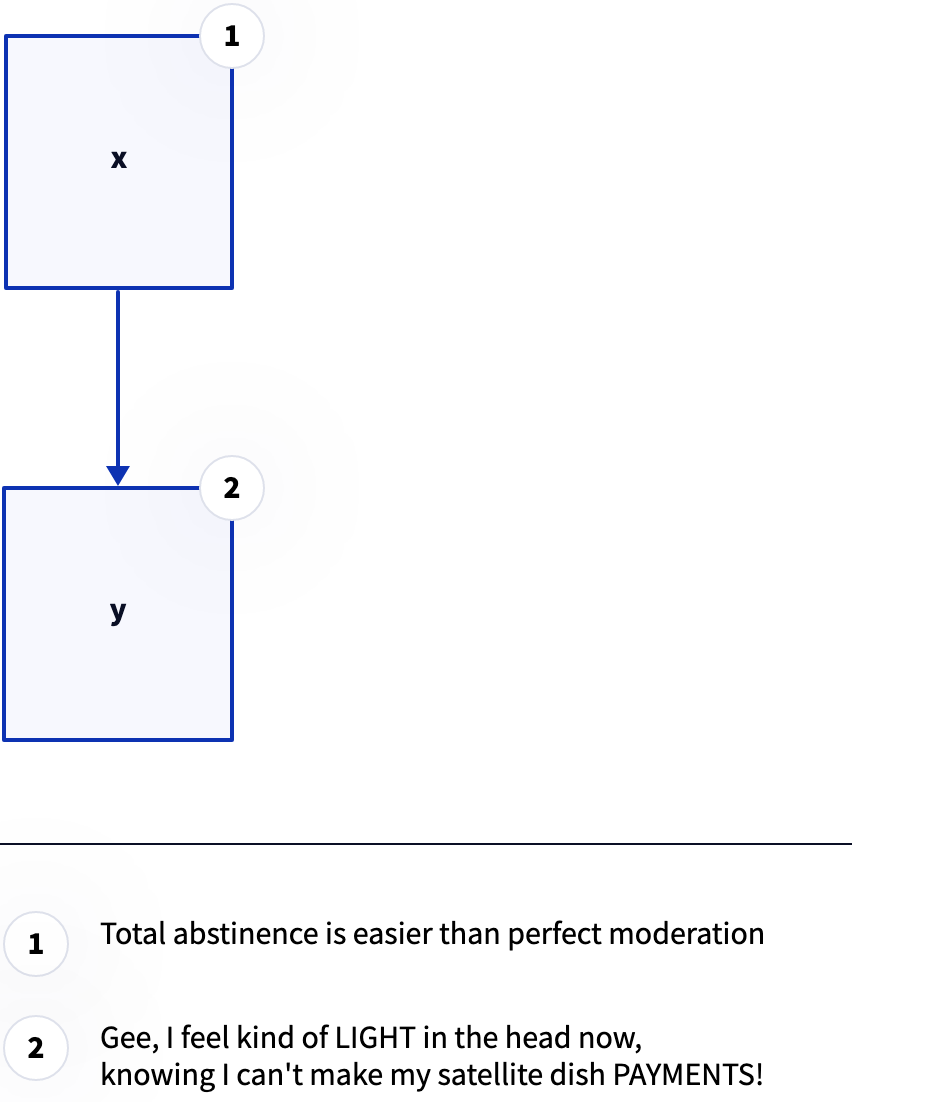
:::caution
Tooltips are implemented with HTML
[title](https://developer.mozilla.org/en-US/docs/Web/HTML/Global_attributes/title) tags,
which have basic support for text formatting. Markdown won't be rendered as expected in
tooltips.
:::
### Links
Links are like tooltips, except you click to go to an external link.
:::info
When the link contains the `#` character as part of a URI fragment, e.g.,
`https://example.com/page#fragment`, remember that the fragment will be
treated as a comment if unquoted and unescaped.
:::
```d2
x: I'm a Mac {
link: https://apple.com
}
y: And I'm a PC {
link: https://microsoft.com
}
x -> y: gazoontite {
link: https://google.com
}
```
Try clicking on each.
[links (SVG)](https://d2lang.com/img/generated/links.svg2)
---
## Layers
A "Layer" represents "a layer of abstraction". Each Layer starts off as a blank
board, since you're representing different objects at every level of abstraction.
Try clicking on the objects.
[tiktok (PDF)](https://d2lang.com/img/generated/tiktok.pdf)
```d2
explain: |md
This is the top layer, highest level of abstraction.
| {
near: top-center
}
Tik Tok's User Data: {
link: layers.tiktok
}
layers: {
tiktok: {
explain: |md
One layer deeper:
Tik Tok's CEO explained that user data is stored in two places currently.
| {
near: top-center
}
Virginia data center <-> Hong Kong data center
Virginia data center.link: layers.virginia
Hong Kong data center.link: layers.hongkong
layers: {
virginia: {
direction: right
explain: |md
Getting deeper into details:
TikTok's CEO explains that Virginia data center has strict security measures.
| {
near: top-center
}
Oracle Databases: {
shape: cylinder
style.multiple: true
}
US residents -> Oracle Databases: access
US residents: {
shape: person
}
Third party auditors -> Oracle Databases: verify
}
hongkong: {
direction: right
explain: |md
TikTok's CEO says data is actively being deleted and should be done by the end of the year.
| {
near: top-center
}
Legacy Databases: {
shape: cylinder
style.multiple: true
}
}
}
}
}
```
---
## Overview (3)
D2 supports using a variety of different layout engines. The choice of layout engines can
significantly influence your overall diagram. Each layout also has varying degrees of
support for certain keywords. Though we try our best to keep things consistent, ultimately
we have the most control over our custom-built layout engine and are limited by what the
other layout engines support.
### Layout engines
- [dagre](/tour/dagre/) (default): A fast, directed graph layout engine that produces
layered/hierarchical layouts. Based on Graphviz's DOT algorithm.
- [ELK](/tour/elk/): Also a directed graph layout engine. More mature than dagre, better
maintained (part-time academic research team working on it), with recent releases.
- [TALA](/tour/tala/): New layout engine designed specifically for software architecture
diagrams.
You can choose whichever layout engine you like and works best for the diagram you're
making. Each one has its tradeoffs, visit the individual pages to learn more.
To see available layouts on your machine, you can run `d2 layout`. Each layout engine can
also have specific configurable flags, which you can find by running `d2 layout [engine]`,
e.g. `d2 layout dagre`.
To specify the layout used, you can either set the flag `--layout=dagre` or set it as an
environment variable, `$D2_LAYOUT=dagre`.
#### Layout-specific functionality
Some keywords and functionality are only available for certain layout engines. We authored
and maintain TALA, so it is the only one we have full control over. We write shims for
Dagre and ELK, but some things are fundamental to the layout engines, and the only way to
support everything we want to do on those is to fork (which we may eventually do).
These are mentioned in other parts of the doc and aggregated here:
- `near` set to another object. `near` can be set to constants for all layout engines, but
only TALA can use it to set to objects.
- `width` and `height` on containers are supported by TALA and ELK. These keywords work on
non-containers in all layout engines.
- `top` and `left` to lock positions only work in TALA.
- Connections from ancestors to descendants (e.g. a container to its child) do not work in
Dagre.
### Direction
Set `direction` to one of the following to influence an explicit direction your diagram
flows towards.
:::info Options
- `up`
- `down`
- `right`
- `left`
:::
```d2
direction: right
x -> y -> z: hello
```
[direction right (SVG)](https://d2lang.com/img/generated/direction-right.svg2)
```d2
direction: up
x -> y -> z: hello
```
[direction up (SVG)](https://d2lang.com/img/generated/direction-up.svg2)
#### Directions per container (TALA only)
:::info
Directions can only be set at a global level for all the layout engines except TALA. This
is a limitation of their algorithms, which are hierarchical and only work in one
direction. We are investigating ways to hack it to work.
:::
```d2
vars: {
d2-config: {
layout-engine: tala
}
}
direction: down
a -> b -> c
b: {
direction: right
1 -> 2 -> 3
}
a: {
direction: left
foo -> bar
}
```
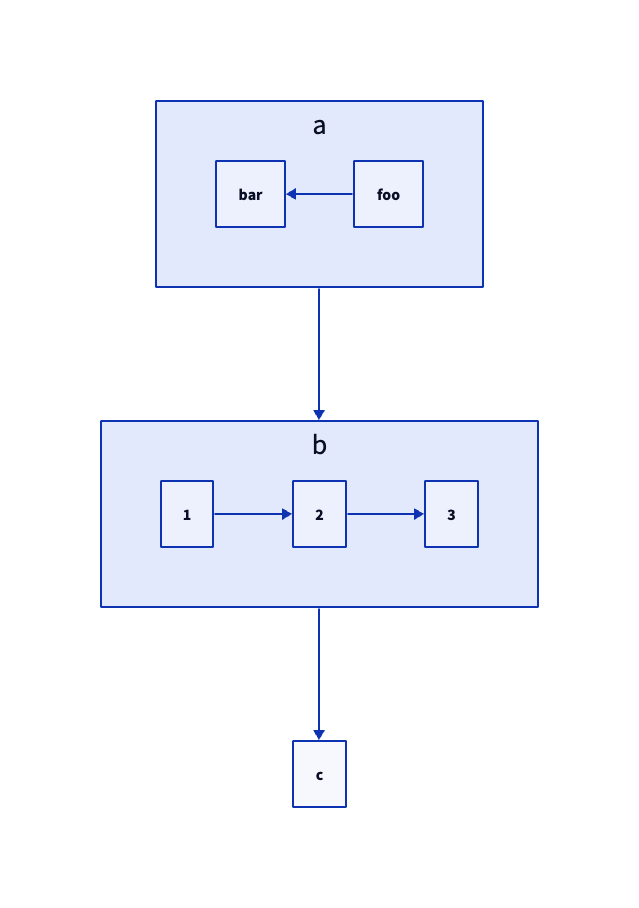
---
## Legend
Use a special variable, `d2-legend`, to declare a legend.
```d2
vars: {
d2-legend: {
a: {
label: Microservice
}
b: Database {
shape: cylinder
style.stroke-dash: 2
}
a <-> b: Good relationship {
style.stroke: red
style.stroke-dash: 2
style.stroke-width: 1
}
a -> b: Bad relationship
a -> b: Tenuous {
target-arrowhead.shape: circle
}
}
}
api-1
api-2
api-1 -> postgres
api-2 -> postgres
postgres: {
shape: cylinder
}
postgres -> external: {
style.stroke: black
}
api-1 <-> api-2: {
style.stroke: red
style.stroke-dash: 2
}
api-1 -> api-3: {
target-arrowhead.shape: circle
}
```
[legend (SVG)](https://d2lang.com/img/generated/legend.svg2)
### Hiding shapes
Since `a -> b` declares 3 things (1 connection and 2 shapes), 3 things will show up on the
legend. If you only intended to show the connection in the legend, you can set the opacity
of shapes to exclude them from the legend.
```d2
vars: {
d2-legend: {
a <-> b: Good relationship {
style.stroke: red
style.stroke-dash: 2
}
a.style.opacity: 0
b.style.opacity: 0
}
}
api-1 <-> api-2: {
style.stroke: red
style.stroke-dash: 2
}
api-1 -> api-3: {
target-arrowhead.shape: circle
}
```
[legend hidden (SVG)](https://d2lang.com/img/generated/legend-hidden.svg2)
### Rename "legend"
You may rename "legend" by simply giving it a label. This is particularly useful for
non-English diagrams.
```d2
vars: {
d2-legend: "凡例" {
# Legend items...
}
}
# Rest of diagram...
```
---
## Linking between boards
We've introduced `link` before as a way to jump to external resources. They can also be
used to create interactivity to jump to other boards. We'll call these "internal links".
Example of internal link:
```d2
how does the cat go?: {
link: layers.cat
}
layers: {
cat: {
meoowww
}
}
```
[cat (PDF)](https://d2lang.com/img/generated/cat.pdf)
:::info
If your board name has a `.`, use quotes to target that board.
For example:
```d2-incomplete
a.link: layers."2012.06"
layers: {
"2012.06": {
hello
}
}
```
:::
### Parent reference
The underscore `_` is used to refer to the parent scope, but when used in `link` values,
they refer not to parent containers, but to parent boards.
```d2
The shire
journey: {
link: layers.rivendell
}
layers: {
rivendell: {
elves: {
elrond -> frodo: gives advice
}
take me home sam.link: _
go deeper: {
link: layers.moria
}
layers: {
moria: {
dwarves
take me home sam.link: _._
}
}
}
}
```
[lotr (PDF)](https://d2lang.com/img/generated/lotr.pdf)
### Backlinks
Notice how the navigation bar at the top is clickable. You can easily return to the root
or any ancestor page by clicking on the text.
---
## CLI manual
This is the CLI manual for D2 v0.10.0. Run `man d2` to see the manual for your installed version.
To connect an AI client, see [MCP server](/tour/mcp/).
```text
NAME
d2 – compiles and renders d2 diagrams into svgs.
SYNOPSIS
d2 [--watch false] [--theme theme] [--salt string] file.d2
[file.svg | file.png | file.pdf | file.pptx | file.gif | file.txt]
d2 layout [name]
d2 fmt [--check] [--diff] file.d2 | file.md | - ...
d2 play file.d2
d2 validate file.d2
d2 lsp [--stdio]
d2 mcp [--root dir] [--no-ui] [--timeout seconds]
DESCRIPTION
d2 compiles and renders file.d2 to file.svg | file.png | file.pdf |
file.pptx | file.gif | file.txt.
It defaults to file.svg if no output path is passed.
Pass - to have d2 read from stdin or write to stdout.
PNG exports support up to 32768 pixels per dimension, subject to
rendering resource limits.
Never use the presence of the output file to check for success. Always
use the exit status of d2. This is because sometimes when errors occur
while rendering, d2 still write out a partial render anyway to enable
iteration on a broken diagram.
See more docs, the source code and license at
https://github.com/d2lang/d2.
Hosted icons at https://icons.d2lang.com.
Playground runner at https://play.d2lang.com.
OPTIONS
-w, --watch false
Watch for changes to input and live reload. Use $PORT and
$HOST to specify the listening address.
-h, --host localhost
Host listening address when used with watch.
-p, --port 0
Port listening address when used with watch.
-t, --theme theme
Set the diagram theme by ID or name. For example, 300 and
Terminal select the same theme. The default is 0 (Neutral
Default). Run d2 themes to list the available names and IDs.
--dark-theme theme
The theme ID or name to use when the viewer's browser is in
dark mode. The default of -1 leaves this option unset. When
left unset --theme is used for both light and dark mode. Be
aware that explicit styles set in D2 code will still be
applied and this may produce unexpected results. We plan on
resolving this by making style maps in D2 light/dark mode
specific. See https://github.com/d2lang/d2/issues/831.
-s, --sketch false
Renders the diagram to look like it was sketched by hand.
--center flag
Center the SVG in the containing viewbox, such as your
browser screen.
--scale -1 Scale the output. For example, 0.5 halves the default size.
The default of -1 fits SVGs to the screen and uses the
default render size for other exports. Use 1 for an SVG with
explicit dimensions. Set the scale in the diagram with vars:
{d2-config: {scale: 0.5}}. An explicit flag or SCALE
environment variable overrides the diagram..
--font-regular
Path to .ttf file to use for the regular font. If none
provided, Source Sans Pro Regular is used.
--font-italic
Path to .ttf file to use for the italic font. If none
provided, Source Sans Pro Regular-Italic is used.
--font-bold
Path to .ttf file to use for the bold font. If none provided,
Source Sans Pro Bold is used.
--font-semibold
Path to .ttf file to use for the semibold font. If none
provided, Source Sans Pro Semibold is used.
--font-mono
Path to .ttf file to use for the monospace font. If none
provided, Source Code Pro Regular is used.
--font-mono-bold
Path to .ttf file to use for the monospace bold font. If none
provided, Source Code Pro Bold is used.
--font-mono-italic
Path to .ttf file to use for the monospace italic font. If
none provided, Source Code Pro Italic is used.
--font-mono-semibold
Path to .ttf file to use for the monospace semibold font. If
none provided, Source Code Pro Semibold is used.
--pad 100 Pixels padded around the rendered diagram.
--animate-interval 0
Set the time each board is displayed in an animated SVG or
GIF. The flag takes milliseconds. Set the same interval in
D2 source with vars: {d2-config: {animate-interval: 800ms}}.
The source value accepts integer milliseconds or a duration
such as 1.5s. The flag takes precedence over
D2_ANIMATE_INTERVAL, which takes precedence over the file.
Zero selects ordinary SVG export or the default GIF interval
of 1000ms..
--animate-duration 0
Set the transition duration for changes to numeric
properties, colors, and grid layouts between steps. Changes
can be authored directly or through variables. Direct
numeric changes include opacity, stroke-width, stroke-dash,
border-radius, font-size, width, and height. Compatible
gradients have the same kind, direction, and number of stops.
Each stop interpolates its color and position. In grids,
cells with the same ID move to their new positions. New
cells grow in and removed cells shrink away. D2 also
animates complete row or column changes, replacements in a
fixed slot, and cells that expand or collapse a nested grid.
In TALA steps, connections can draw toward arriving nodes,
containers can form around their contents, and services can
move between containers. Appended SQL rows can drop into
place and sequence messages can trace from sender to
receiver. The flag takes milliseconds. The file also accepts
durations, for example vars: {d2-config: {animate-interval:
800ms; animate-duration: 300ms}}. All interpolated values
change together for 300ms, then hold their values for the
remaining 500ms. A longer transition extends the step to its
duration. The duration defaults to zero, which disables
interpolation, and accepts values up to ten minutes. The
flag takes precedence over D2_ANIMATE_DURATION, which takes
precedence over the file. Static exports show the authored
values..
--browser true
Browser executable that watch opens. Setting to 0 opens no
browser.
-l, --layout dagre
Set the diagram layout engine to the passed string. For a
list of available options, run layout.
--dagre-nodesep pixels
Set the spacing between nodes in a Dagre rank.
--dagre-edgesep pixels
Set the spacing between edges in a Dagre layout. Both Dagre
settings accept nonnegative whole pixels. Values in the
diagram take precedence over the corresponding flags, for
example vars: {d2-config: {data: {dagre-nodesep: 200;
dagre-edgesep: 30}}}.
--elk-algorithm algorithm
Select the ELK layout algorithm. The default is layered.
Other choices for connected diagrams are force, stress,
mrtree and radial.
--elk-forceModel model
Use the fruchterman_reingold (default) or eades force model.
--elk-forceRepulsion strength
Set repulsion between unconnected nodes in the eades force
model. The default is 5.
--elk-stressDesiredEdgeLength distance
Set the target center-to-center distance between connected
nodes in stress layout. The default is 100.
--elk-mrtreeSearchOrder order
Build the spanning tree depth-first (dfs, the default) or
breadth-first (bfs).
--elk-mrtreeWeighting order
Order sibling branches by model_order (the default),
descendants or fan.
--elk-radialRadius distance
Set the initial spacing between tree levels in radial layout.
The default, 0, chooses it automatically.
--elk-radialWedgeCriteria criterion
Divide angular space between radial branches by node_size
(the default) or leaf_number.
--elk-radialCompactor mode
Pack radial rings with radial_compaction or individual
branches with wedge_compaction. The default is none.
--elk-nodeNode, --elk-edgeNode, --elk-edgeEdge distance
Minimum spacing between nodes, between edges and nodes, or
between edges in the same ELK layer.
--elk-edgeRouting style
Route ELK edges with orthogonal or polyline segments.
--elk-wrappingStrategy strategy
Wrap a long ELK pipeline with single_edge or multi_edge. The
default is off.
--elk-forceNodeModelOrder
Preserve the declaration order of nodes within layers at the
root of the diagram.
--elk-feedbackEdges
Route backward connections around the main flow.
--elk-mergeEdges
Share attachment points for ordinary incoming or outgoing
edges. Set these options in a diagram with the flag name
inside vars.d2-config.data. Diagram settings take precedence
over the CLI. Set elk-layer-constraint on a shape to first,
last or none. These option values are case-insensitive.
-b, --bundle true
Bundle all assets and layers into the output svg.
--allow-private-network false
Allow remote image assets to access private, loopback, and
link-local networks. Only enable this for trusted diagrams.
--allow-local-files true
Allow the diagram to read local files: imports, and images
bundled into or rendered in the output. Disable it to render
untrusted diagrams.
--force-appendix false
Add a numbered appendix for tooltips and links to SVG
exports, including each frame of an animated SVG. PNG
exports include an appendix by default. Set the SVG
preference in the diagram with vars: {d2-config:
{force-appendix: true}}. An explicit flag or
D2_FORCE_APPENDIX environment variable overrides the
diagram..
--target Target board to render. Pass an empty string to target root
board. If target ends with '*', it will be rendered with all
of its scenarios, steps, and layers. Otherwise, only the
target board will be rendered. E.g. --target='' to render
root board only or --target='layers.x.*' to render layer 'x'
with all of its children.
-d, --debug
Print debug logs.
--img-cache true
In watch mode, images used in icons are cached for subsequent
compilations. This should be disabled if images might change.
--timeout 120
The maximum number of seconds that D2 runs for before timing
out and exiting. When rendering a large diagram, it is
recommended to increase this value.
--check false
With fmt, exit with status 1 if an input needs formatting.
--diff false
With fmt, print a unified diff instead of writing formatted
input. Combine with --check to fail if changes are needed.
--salt string
Add a salt value to ensure the output uses unique IDs. This
is useful when generating multiple identical diagrams to be
included in the same HTML doc, so that duplicate id's do not
cause invalid HTML. The salt value is a string that will be
appended to IDs in the output..
-h, --help Print usage information and exit.
-v, --version
Print version information and exit.
--stdout-format string
Set the output format when writing to stdout. Supported
formats are: png, svg, ascii, txt, pdf, pptx, gif. Only used
when output is set to stdout (-).
--no-xml-tag false
Omit XML tag () from output SVG files. Useful when
generating SVGs for direct HTML embedding.
--omit-version false
omit D2 version from generated image.
--ascii-mode extended
ASCII rendering mode for text outputs. Options: 'standard'
(basic ASCII chars) or 'extended' (Unicode chars).
SUBCOMMANDS
layout Lists available layout engine options with short help.
layout [name]
Display long help for a particular layout engine, including
its configuration options.
themes Lists available themes.
fmt file.d2 | file.md | - ...
Format D2 source files in place. For .md and .markdown
files, format only fenced code blocks marked d2. Pass - to
read D2 from stdin and always print the formatted source on
success.
play file.d2
Opens the file in playground, an online web viewer
(https://play.d2lang.com)
validate file.d2
Validates file.d2
lsp [--stdio]
Runs the D2 language server on standard input and output for
editors.
mcp Run a Model Context Protocol server on standard input and
standard output. AI clients can read the D2 language guide,
check diagrams for errors, and render PNG, SVG or text. The
server denies local file access by default. Use --root dir
or D2_MCP_ROOT to allow .d2 source files and local images
beneath that directory. Diagram paths and their symbolic
link targets must end in .d2. Use --no-ui or D2_MCP_NO_UI to
disable the inline diagram viewer. Set the per-call time
limit with --timeout seconds or D2_MCP_TIMEOUT. The default
is 60 seconds and the accepted range is 1 through 600. When
a call reaches its deadline, the server asks the renderer to
stop. If the renderer finishes successfully, the server
returns the completed diagram.
ENVIRONMENT VARIABLES
Many flags can also be set with environment variables.
D2_WATCH
See -w[atch] flag.
D2_LAYOUT
See -l[ayout] flag.
D2_THEME
See -t[heme] flag.
D2_DARK_THEME
See --dark-theme flag.
D2_PAD See --pad flag.
D2_CENTER
See --center flag.
D2_SKETCH
See -s[ketch] flag.
D2_BUNDLE
See -b[undle] flag.
D2_ALLOW_PRIVATE_NETWORK
See --allow-private-network flag.
D2_ALLOW_LOCAL_FILES
See --allow-local-files flag.
D2_FORCE_APPENDIX
See --force-appendix flag.
D2_FONT_REGULAR
See --font-regular flag.
D2_FONT_ITALIC
See --font-italic flag.
D2_FONT_BOLD
See --font-bold flag.
D2_FONT_SEMIBOLD
See --font-semibold flag.
D2_FONT_MONO
See --font-mono flag.
D2_FONT_MONO_BOLD
See --font-mono-bold flag.
D2_FONT_MONO_ITALIC
See --font-mono-italic flag.
D2_FONT_MONO_SEMIBOLD
See --font-mono-semibold flag.
D2_ANIMATE_INTERVAL
See --animate-interval flag.
D2_ANIMATE_DURATION
See --animate-duration flag.
D2_TIMEOUT
See --timeout flag.
D2_CHECK
See --check flag.
D2_ASCII_MODE
See --ascii-mode flag.
DEBUG See -d[ebug] flag.
IMG_CACHE
See --img-cache flag.
HOST See -h[ost] flag.
PORT See -p[ort] flag.
BROWSER
See --browser flag.
D2_STDOUT_FORMAT
See --stdout-format flag.
D2_NO_XML_TAG
See --no-xml-tag flag.
OMIT_VERSION
See --omit-version
AUTHORS
D2 contributors
```
---
## MCP server
[Install D2](/tour/install/) v0.10.0 or later to let your AI client look up D2
syntax, check diagrams for errors, and render them in chat.
Run the command for your client.
| Client | Command |
| --- | --- |
| Codex | `codex mcp add d2 -- d2 mcp` |
| Claude Code | `claude mcp add --transport stdio d2 -- d2 mcp` |
> Draw a left-to-right diagram of an API sending jobs to a queue and a worker consuming them.
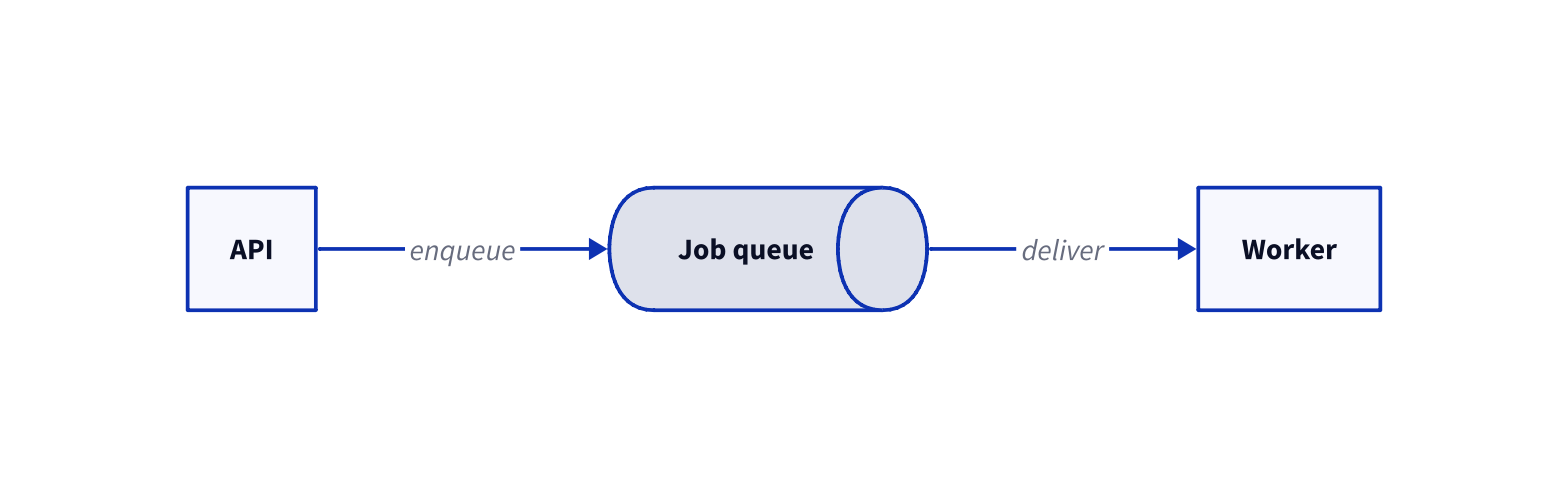
---
## Model-view
A popular pattern defines your models once, and then reuses it across a number of
different views.
### `models.d2`
```d2
postgres: {
shape: cylinder
icon: https://icons.d2lang.com/dev%2Fpostgresql.svg
icon.near: bottom-center
}
it: IT Guy {
shape: person
style: {
fill: maroon
}
}
vpn: {
style: {
shadow: true
}
tooltip: IP is 192.2.2.1
}
```
### `access-view.d2`
```d2
...@models
it -> vpn -> postgres
```
[imports mv access view (SVG)](https://d2lang.com/img/generated/imports-mv-access-view.svg2)
### `ssh-view.d2`
```d2
...@models
it -> postgres: ssh, bypassing VPN
```
[imports mv ssh view (SVG)](https://d2lang.com/img/generated/imports-mv-ssh-view.svg2)
---
## Models
Let's say you want to define all models and relationships between models once, then
display them in different ways.
First, let's define the models and relationships.
```d2
# -----
# Models
# -----
restaurants: Restaurants {
style.stroke-dash: 2
*.style.fill: "#66c4e3"
chip: Chipotle
cfa: Chick-Fil-A
bk: Burger King
chip -> bk: competes with
}
diners: Diners {
daniel
zack
}
# -----
# Model Relationships
# -----
diners -> restaurants: eat at
diners.daniel -> restaurants.chip: likes
diners.daniel -> restaurants.cfa: dislikes
diners.zack -> restaurants.bk: likes
diners.zack -> restaurants.chip: likes
```
[suspend (SVG)](https://d2lang.com/img/generated/suspend.svg2)
We will use this as the example for multiple views of the same model. How do we treat
these as models and not just ordinary shapes and connections? We use the following
keywords:
1. `suspend`: This marks the shape or connection for deletion
2. `unsuspend`: This restores the shape or connection
Since models are meant to be invisible until used, we define models at the top of our
diagram and `suspend` all of them with the following globs.
```d2
**: suspend
(** -> **)[*]: suspend
```
We then use globs to selectively `unsuspend` the models we want to show. Let's take a look
at some use cases.
:::info
If you haven't yet, please familiarize yourself with [globs](https://d2lang.com/tour/globs.md).
:::
### Show only top-level
```d2
# -----
# Models
# -----
restaurants: Restaurants {
style.stroke-dash: 2
*.style.fill: "#66c4e3"
chip: Chipotle
cfa: Chick-Fil-A
bk: Burger King
chip -> bk: competes with
}
diners: Diners {
daniel
zack
}
# -----
# Model Relationships
# -----
diners -> restaurants: eat at
diners.daniel -> restaurants.chip: likes
diners.daniel -> restaurants.cfa: dislikes
diners.zack -> restaurants.bk: likes
diners.zack -> restaurants.chip: likes
# Treat the above as models
**: suspend
(** -> **)[*]: suspend
# Display only top level
*: unsuspend
(* -> *)[*]: unsuspend
```
[suspend 2 (SVG)](https://d2lang.com/img/generated/suspend-2.svg2)
### Show only connection to X
```d2
# -----
# Models
# -----
restaurants: Restaurants {
style.stroke-dash: 2
*.style.fill: "#66c4e3"
chip: Chipotle
cfa: Chick-Fil-A
bk: Burger King
chip -> bk: competes with
}
diners: Diners {
daniel
zack
}
# -----
# Model Relationships
# -----
diners -> restaurants: eat at
diners.daniel -> restaurants.chip: likes
diners.daniel -> restaurants.cfa: dislikes
diners.zack -> restaurants.bk: likes
diners.zack -> restaurants.chip: likes
# Treat the above as models
**: suspend
(** -> **)[*]: suspend
# Display only models connected to bk and their relationships
(** -> **)[*]: unsuspend {
&dst: restaurants.bk
}
```
[suspend 3 (SVG)](https://d2lang.com/img/generated/suspend-3.svg2)
### Show only likes
```d2
# -----
# Models
# -----
restaurants: Restaurants {
style.stroke-dash: 2
*.style.fill: "#66c4e3"
chip: Chipotle
cfa: Chick-Fil-A
bk: Burger King
chip -> bk: competes with
}
diners: Diners {
daniel
zack
}
# -----
# Model Relationships
# -----
diners -> restaurants: eat at
diners.daniel -> restaurants.chip: likes
diners.daniel -> restaurants.cfa: dislikes
diners.zack -> restaurants.bk: likes
diners.zack -> restaurants.chip: likes
# Treat the above as models
**: suspend
(** -> **)[*]: suspend
# Display only who likes what
(** -> **)[*]: unsuspend {
&label: likes
}
```
[suspend 4 (SVG)](https://d2lang.com/img/generated/suspend-4.svg2)
### Utilizing imports
As you may have noticed, each of these examples repeated the initial models. You can
further apply the "one model" principle by defining models once in their own file and
importing them. See the [import model-view pattern](/tour/model-view/) for more.
---
## Modular classes
This pattern mirrors web development, separating HTML and CSS.
### `classes.d2`
```d2
classes: {
base: {
style: {
border-radius: 4
shadow: true
}
}
error: {
style.fill: pink
style.stroke: red
}
med: {
width: 200
height: 200
style.font-size: 24
}
large: {
width: 300
height: 300
style.font-size: 28
}
xlarge: {
width: 400
height: 400
style.font-size: 32
}
person: {
shape: person
style.stroke-dash: 3
}
}
```
### `main.d2`
```d2
...@classes
user.class: person
error.class: [base; error]
modal.class: [base; med]
user -> app.signup: click
app.signup -> error: invalid fields
app.signup -> modal: continue registration
```
[imports classes main (SVG)](https://d2lang.com/img/generated/imports-classes-main.svg2)
---
## Nested composition
Imports make large compositions much more manageable.
Large diagrams like the ones that take you from high-level overview to low-level details
becomes possible to cleanly construct.
Rendering `overview.d2` gives us a nested diagram while each file is kept flat and
readable.
#### `overview.d2`
```d2
serviceA -> serviceB
serviceB.link: layers.serviceB
layers: {
serviceB: @serviceB
}
```
#### `serviceB.d2`
```d2
aws vault: {
key
token
}
stripe: {
customer id
}
aws vault.key -> data
aws vault.token -> data
stripe.customer id -> data
data.link: layers.data
layers: {
data: @data
}
```
#### `data.d2`
```d2
users: {
shape: sql_table
id: int
token: string
customer_id: string
}
# Continue nesting as needed!
# layers: {
# ...
# }
```
### Render of `overview.d2`
[imports nested (PDF)](https://d2lang.com/img/generated/imports-nested.pdf)
---
## Obsidian plugin
D2 has an official plugin for Obsidian.
Currently it only supports rendering of D2 diagrams.
[obsidian (video)](https://d2lang.com/img/screenshots/obsidian.mp4)
**Github:**
[https://github.com/d2lang/d2-obsidian](https://github.com/d2lang/d2-obsidian)
---
## Overrides
If you redeclare a shape, the new declaration is merged with the previous declaration.
```d2
visual studio code text editor
visual studio code text editor: visual_studio_code_text_editor
# Remember that shape keys are case insensitive
visual studio CODE text editor: VisualStudioCodeTextEditor
visual studio code TEXT editor: Visual Studio Code Text Editor
visual STUDIO code text editor
```
[overrides 1 (SVG)](https://d2lang.com/img/generated/overrides-1.svg2)
The latest explicit setting of the label takes priority.
Here's a more complex example of overrides involving containers:
```d2
aws_s3: AWS S3 California {
Monitoring -> California
}
aws_s3: "AWS S3 San Francisco, California" {
California.San Francisco
}
# Equal to:
# aws_s3: "AWS S3 San Francisco, California" {
# Monitoring -> California
# California.San Francisco
# }
```
[overrides 2 (SVG)](https://d2lang.com/img/generated/overrides-2.svg2)
### Null
You may override with the value `null` to delete the shape/connection/attribute.
```d2
one
two
one: null
```
[null basic (SVG)](https://d2lang.com/img/generated/null-basic.svg2)
When is this useful?
- [Import](/tour/imports/) a diagram from a colleague and remove the things you don't want.
- [Multi-board compositions](/tour/composition/) where you inherit all the objects from a
board with some exceptions.
- Use [globs](/tour/globs/) to define connections between a batch of objects except one in
particular you want to leave out.
#### Nulling a connection
```d2
one -> two
(one -> two)[0]: null
```
[null connection (SVG)](https://d2lang.com/img/generated/null-connection.svg2)
#### Nulling an attribute
```d2
one: {
style: {
fill: pink
stroke: green
}
}
one.style.stroke: null
```
[null attribute (SVG)](https://d2lang.com/img/generated/null-attribute.svg2)
#### Implicit nulls
If you null a shape with connections, its connections are also nulled (since every
connection in D2 needs an endpoint).
```d2
one -> two
two: null
```
[null implicit connection (SVG)](https://d2lang.com/img/generated/null-implicit-connection.svg2)
If you null a shape with descendents, those descendants are also nulled.
```d2
one: {
two: {
three
}
}
one.two: null
```
[null implicit descendant (SVG)](https://d2lang.com/img/generated/null-implicit-descendant.svg2)
---
## Positions
In general, positioning is controlled entirely by the layout engine. It's one of the
primary benefits of text-to-diagram that you don't have to manually define all the
positions of objects.
However, there are occasions where you want to have some control over positions.
Currently, there are two ways to do that.
### Near
D2 allows you to position items on set points around your diagram.
:::info Possible values
`top-left`, `top-center`, `top-right`,
`center-left`, `center-right`,
`bottom-left`, `bottom-center`, `bottom-right`
:::
Let's explore some use cases:
#### Giving your diagram a title
```d2
title: |md
# A winning strategy
| {near: top-center}
poll the people -> results
results -> unfavorable -> poll the people
results -> favorable -> will of the people
```
[near constant (SVG)](https://d2lang.com/img/generated/near-constant.svg2)
#### Creating a legend
```d2
direction: right
x -> y: {
style.stroke: green
}
y -> z: {
style.stroke: red
}
legend: {
near: bottom-center
color1: foo {
shape: text
style.font-color: green
}
color2: bar {
shape: text
style.font-color: red
}
}
```
[near container (SVG)](https://d2lang.com/img/generated/near-container.svg2)
#### Longform description or explanation
```d2
explanation: |md
# LLMs
The Large Language Model (LLM) is a powerful AI\
system that learns from vast amounts of text data.\
By analyzing patterns and structures in language,\
it gains an understanding of grammar, facts,\
and even some reasoning abilities. As users input text,\
the LLM predicts the most likely next words or phrases\
to create coherent responses. The model\
continuously fine-tunes its output, considering both the\
user's input and its own vast knowledge base.\
This cutting-edge technology enables LLM to generate human-like text,\
making it a valuable tool for various applications.
| {
near: center-left
}
ML Platform -> Pre-trained models
ML Platform -> Model registry
ML Platform -> Compiler
ML Platform -> Validation
ML Platform -> Auditing
Model registry -> Server.Batch Predictor
Server.Online Model Server
```
[near explanation (SVG)](https://d2lang.com/img/generated/near-explanation.svg2)
### Label and icon positioning
The `near` can be nested to `label` and `icon` to specify their positions.
```d2
direction: right
x -> y
x: worker {
label.near: top-center
icon: https://icons.d2lang.com/essentials%2F005-programmer.svg
icon.near: outside-top-right
}
y: profits {
label.near: bottom-right
icon: https://icons.d2lang.com/essentials%2Fprofits.svg
icon.near: outside-top-left
}
```
[near label icon (SVG)](https://d2lang.com/img/generated/near-label-icon.svg2)
#### Outside and border
When positioning labels and icons, in addition to the values that `near` can take
elsewhere, an `outside-` prefix can be added to specify positioning outside the bounding
box of the shape.
`outside-top-left`, `outside-top-center`, `outside-top-right`,
`outside-left-center`, `outside-right-center`,
`outside-bottom-left`, `outside-bottom-center`, `outside-bottom-right`
Note that `outside-left-center` is a different order than `center-left`.
You can also add `border-x` prefix to specify the label being on the border.
```d2
style.fill: "#222a25"
env: Your environment {
# --- Outside label ---
label.near: outside-bottom-center
style.fill: "#222a25"
style.stroke-dash: 2
style.double-border: false
style.stroke: "#1e402d"
style.font-color: "#3ddb89"
app: Your applicaton {
# --- Border label ---
label.near: border-top-center
style.stroke: "#3d9069"
style.fill: "#222a25"
style.font-color: "#63c08c"
*.style.stroke: "#adf1c6"
*.style.fill: "#306a4a"
*.style.font-color: "#eef9f3"
Workflow
SDK
Workers
Workflow -> SDK: hello {
style.stroke: "#fbfdfd"
style.font-color: "#adf1c6"
}
}
}
```
[border label (SVG)](https://d2lang.com/img/generated/border-label.svg2)
### Tooltip near
Usually, `tooltip` is a on-hover effect. However, if you specify a `near` field, it will
permanently show.
```d2
ci-runner
codedeploy: {
tooltip: |md
God has abandoned this pipeline
|
tooltip.near: center-left
}
aws instance
ci-runner -> codedeploy -> aws instance: safe deploy
ci-runner -> aws instance: direct deploy
```
[tooltip near (SVG)](https://d2lang.com/img/generated/tooltip-near.svg2)
### Near objects
:::info
Works in TALA only. We are working on shims to make this possible in other layout engines.
:::
You can also set `near` to the absolute ID of another shape to hint to the layout engine
that they should be in the vicinity of one another.
```d2
vars: {
d2-config: {
layout-engine: tala
}
}
aws: {
load_balancer -> api
api -> db
}
gcloud: {
auth -> db
}
gcloud -> aws
explanation: |md
# Why do we use AWS?
- It has more uptime than GCloud
- We have free credits
| {
near: aws
}
```
Notice how the text is positioned near the `aws` node and not the `gcloud` node.
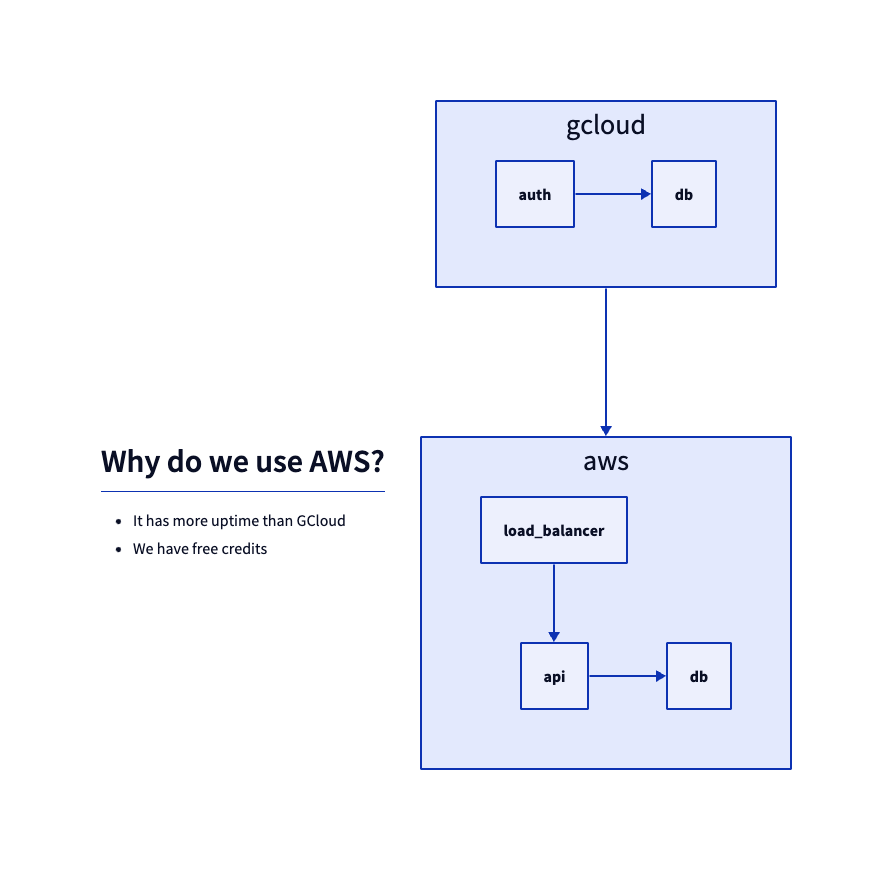
### Top and left
On the TALA engine, you can also directly set the `top` and `left` values for objects, and
the layout engine will only move other objects around it. Both values must be set together.
For example, this locks `x` in place while TALA positions `y` around it:
```d2
x: {
top: 100
left: 100
}
x -> y
```
Run with TALA:
```shell
d2 --layout=tala input.d2 output.svg
```
---
## Scenarios
A "Scenario" represents a different view of the base Layer.
Each Scenario inherits from its base Layer. Any new objects are added onto all objects in
the base Layer, and you can reference any objects from the base Layer to update them.
Notice that in the below Scenario, we simply turn some objects opacity lower, and define a
new connection to show an alternate view of the deployment diagram.
[animated (SVG)](https://d2lang.com/img/generated/animated.svg2)
```d2
direction: right
title: {
label: Normal deployment
near: bottom-center
shape: text
style.font-size: 40
style.underline: true
}
local: {
code: {
icon: https://icons.d2lang.com/dev/go.svg
}
}
local.code -> github.dev: commit
github: {
icon: https://icons.d2lang.com/dev/github.svg
dev
master: {
workflows
}
dev -> master.workflows: merge trigger
}
github.master.workflows -> aws.builders: upload and run
aws: {
builders -> s3: upload binaries
ec2 <- s3: pull binaries
builders: {
icon: https://icons.d2lang.com/aws/Developer%20Tools/AWS-CodeBuild_light-bg.svg
}
s3: {
icon: https://icons.d2lang.com/aws/Storage/Amazon-S3-Glacier_light-bg.svg
}
ec2: {
icon: https://icons.d2lang.com/aws/_Group%20Icons/EC2-instance-container_light-bg.svg
}
}
local.code -> aws.ec2: {
style.opacity: 0.0
}
scenarios: {
hotfix: {
title.label: Hotfix deployment
(local.code -> github.dev)[0].style: {
stroke: "#ca052b"
opacity: 0.1
}
github: {
dev: {
style.opacity: 0.1
}
master: {
workflows: {
style.opacity: 0.1
}
style.opacity: 0.1
}
(dev -> master.workflows)[0].style.opacity: 0.1
style.opacity: 0.1
style.fill: "#ca052b"
}
(github.master.workflows -> aws.builders)[0].style.opacity: 0.1
(local.code -> aws.ec2)[0]: {
style.opacity: 1
style.stroke-dash: 5
style.stroke: "#167c3c"
}
}
}
```
---
## Sequence Diagrams
Sequence diagrams are created by setting `shape: sequence_diagram` on an object.
```d2
shape: sequence_diagram
alice -> bob: What does it mean\nto be well-adjusted?
bob -> alice: The ability to play bridge or\ngolf as if they were games.
```
[sequence diagrams 1 (SVG)](https://d2lang.com/img/generated/sequence-diagrams-1.svg2)
### Rules
Unlike other tools, there is no special syntax to learn for sequence diagrams. The rules
are also almost exactly the same as everywhere else in D2, with two notable differences.
#### Scoping
Children of sequence diagrams share the same scope throughout the sequence diagram.
For example:
```d2
Office chatter: {
shape: sequence_diagram
alice: Alice
bob: Bobby
awkward small talk: {
alice -> bob: uhm, hi
bob -> alice: oh, hello
icebreaker attempt: {
alice -> bob: what did you have for lunch?
}
unfortunate outcome: {
bob -> alice: that's personal
}
}
}
```
[sequence diagrams scope (SVG)](https://d2lang.com/img/generated/sequence-diagrams-scope.svg2)
Outside of a sequence diagram, there would be multiple instances of `alice` and `bob`,
since they have different container scopes. But when nested under `shape:
sequence_diagram`, they refer to the same `alice` and `bob`.
#### Ordering
Elsewhere in D2, there is no notion of order. If you define a connection after another,
there is no guarantee is will visually appear after. However, in sequence diagrams, order
matters. The order in which you define everything is the order they will appear.
This includes actors. You don't have to explicitly define actors (except when they first
appear in a group), but if you want to define a specific order, you should.
```d2
shape: sequence_diagram
# Remember that semicolons allow multiple objects to be defined in one line
# Actors will appear from left-to-right as a, b, c, d...
a; b; c; d
# ... even if the connections are in a different order
c -> d
d -> a
b -> d
```
:::info
An actor in D2 is also known elsewhere as "participant".
:::
### Features
#### Sequence diagrams are D2 objects
Like every other object in D2, they can be contained, connected, relabeled, re-styled, and
treated like any other object.
```d2
direction: right
Before and after becoming friends: {
2007: Office chatter in 2007 {
shape: sequence_diagram
alice: Alice
bob: Bobby
awkward small talk: {
alice -> bob: uhm, hi
bob -> alice: oh, hello
icebreaker attempt: {
alice -> bob: what did you have for lunch?
}
unfortunate outcome: {
bob -> alice: that's personal
}
}
}
2012: Office chatter in 2012 {
shape: sequence_diagram
alice: Alice
bob: Bobby
alice -> bob: Want to play with ChatGPT?
bob -> alice: Yes!
bob -> alice.play: Write a play...
alice.play -> bob.play: about 2 friends...
bob.play -> alice.play: who find love...
alice.play -> bob.play: in a sequence diagram
}
2007 -> 2012: Five\nyears\nlater
}
```
[sequence diagrams 2 (SVG)](https://d2lang.com/img/generated/sequence-diagrams-2.svg2)
#### Spans
Spans convey a beginning and end to an interaction within a sequence diagram.
:::info
A span in D2 is also known elsewhere as a "lifespan", "activation box", and "activation bar".
:::
You can specify a span by connecting a nested object on an actor.
```d2
shape: sequence_diagram
alice.t1 -> bob
alice.t2 -> bob.a
alice.t2.a -> bob.a
alice.t2.a <- bob.a
alice.t2 <- bob.a
```
[sequence diagrams 3 (SVG)](https://d2lang.com/img/generated/sequence-diagrams-3.svg2)
#### Groups
Groups help you label a subset of the sequence diagram.
:::info
A group in D2 is also known elsewhere as a "fragment", "edge group", and "frame".
:::
We saw an example of this in an earlier example when explaining scoping rules. More
formally, a group is a container within a `sequence_diagram` shape which is not connected
to anything but has connections or objects inside.
```d2
shape: sequence_diagram
# Predefine actors
alice
bob
shower thoughts: {
alice -> bob: A physicist is an atom's way of knowing about atoms.
alice -> bob: Today is the first day of the rest of your life.
}
life advice: {
bob -> alice: If all else fails, lower your standards.
}
```
:::caution
Due to the unique scoping rules in sequence diagrams, when you are within a group, the
objects you reference in connections must exist at the top-level. Notice in the above
example that `alice` and `bob` are explicitly declared before group declarations.
:::
[sequence diagrams group (SVG)](https://d2lang.com/img/generated/sequence-diagrams-group.svg2)
#### Notes
Notes are declared by defining a nested object on an actor with no connections going to
it.
```d2
shape: sequence_diagram
alice -> bob
bob."In the eyes of my dog, I'm a man."
# Notes can go into groups, too
important insight: {
bob."Cold hands, no gloves."
}
bob -> alice: Chocolate chip.
```
[sequence diagrams note (SVG)](https://d2lang.com/img/generated/sequence-diagrams-note.svg2)
#### Self-messages
Self-referential messages can be declared from an actor to the themselves.
```d2
shape: sequence_diagram
son -> father: Can I borrow your car?
friend -> father: Never lend your car to anyone to whom you have given birth.
father -> father: internal debate ensues
```
[sequence diagrams self (SVG)](https://d2lang.com/img/generated/sequence-diagrams-self.svg2)
#### Customization
You can style shapes and connections like any other. Here we make some messages dashed and
set the shape on an actor.
```d2
shape: sequence_diagram
scorer: {shape: person}
scorer.t -> itemResponse.t: getItem()
scorer.t <- itemResponse.t: item {
style.stroke-dash: 5
}
scorer.t -> item.t1: getRubric()
scorer.t <- item.t1: rubric {
style.stroke-dash: 5
}
scorer.t -> essayRubric.t: applyTo(essayResp)
itemResponse -> essayRubric.t.c
essayRubric.t.c -> concept.t: match(essayResponse)
scorer <- essayRubric.t: score {
style.stroke-dash: 5
}
scorer.t -> itemOutcome.t1: new
scorer.t -> item.t2: getNormalMinimum()
scorer.t -> item.t3: getNormalMaximum()
scorer.t -> itemOutcome.t2: setScore(score)
scorer.t -> itemOutcome.t3: setFeedback(missingConcepts)
```
[sequence diagrams 4 (SVG)](https://d2lang.com/img/generated/sequence-diagrams-4.svg2)
Lifeline edges (those lines going from top-down) inherit the actor's `stroke` and
`stroke-dash` styles.
```d2
shape: sequence_diagram
alice -> bob: What does it mean\nto be well-adjusted?
bob -> alice: The ability to play bridge or\ngolf as if they were games.
alice.style: {
stroke: red
stroke-dash: 0
}
```
[sequence diagrams lifeline (SVG)](https://d2lang.com/img/generated/sequence-diagrams-lifeline.svg2)
### Glossary
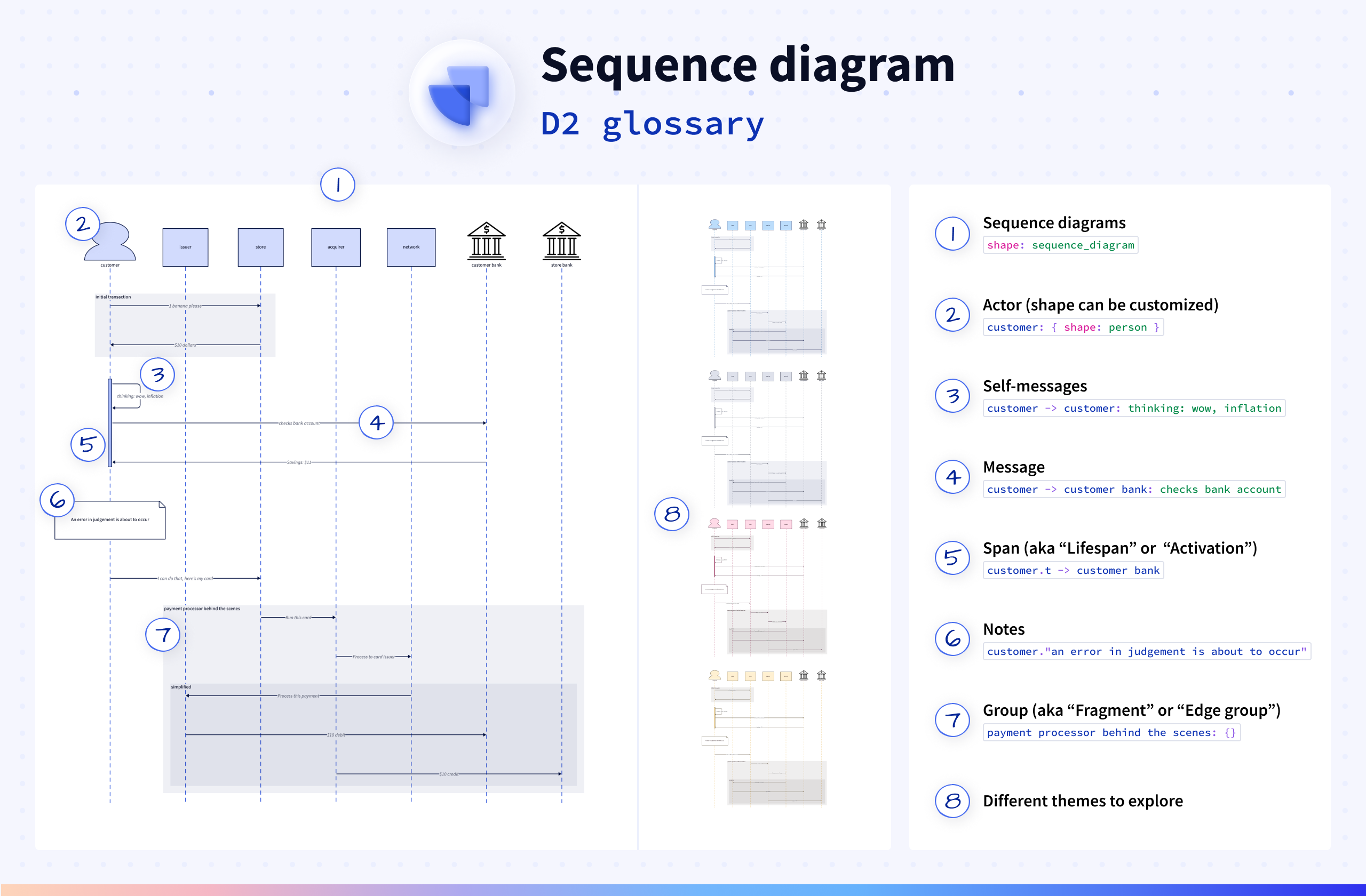
---
## Shapes
### Basics
You can declare shapes like so:
```d2
imAShape
im_a_shape
im a shape
i'm a shape
# notice that one-hyphen is not a connection
# whereas, `a--shape` would be a connection
a-shape
```
[shapes 1 (SVG)](https://d2lang.com/img/generated/shapes-1.svg2)
You can also use semicolons to define multiple shapes on the same line:
```d2
SQLite; Cassandra
```
By default, a shape's label is the same as the shape's key. But if you want it to be different, assign a new label like so:
```d2
pg: PostgreSQL
```
By default, a shape's type is `rectangle`. To specify otherwise, provide the field `shape`:
```d2
Cloud: my cloud
Cloud.shape: cloud
```
### Example
```d2
pg: PostgreSQL
Cloud: my cloud
Cloud.shape: cloud
SQLite
Cassandra
```
[shapes 2 (SVG)](https://d2lang.com/img/generated/shapes-2.svg2)
:::info
Keys are case-insensitive, so `postgresql` and `postgreSQL` will reference the same shape.
:::
:::info Shape catalog
[shapes 3 (SVG)](https://d2lang.com/img/generated/shapes-3.svg2)
There are other values that `shape` can take, but they're special types that are covered
in the next section.
:::
### 1:1 Ratio shapes
Some shapes maintain a 1:1 aspect ratio, meaning their width and height are always equal.
- `circle`
- `square`
For these shapes, if you have a long label that make the shape wider, D2 will also make
the shape taller to maintain the 1:1 ratio.
If you manually set `width` and `height` on a 1:1 ratio shape, both dimensions will be set
to the larger of the two values to maintain the aspect ratio.
---
## Sketch (Hand-drawn)
D2 can render diagrams to give the aesthetic of a hand-drawn sketch.
[animated (SVG)](https://d2lang.com/blog/sketch/animated.svg2)
- If you're using the CLI, enable this with the `--sketch` flag.
- [https://play.d2lang.com](https://play.d2lang.com/?script=qlDQtVOo5AIEAAD__w%3D%3D&sketch=1)
supports this as well.
:::info
See our [blog post](/blog/hand-drawn-diagrams) on sketch mode
:::
---
## SQL Tables
### Basics
You can easily diagram entity-relationship diagrams (ERDs) in D2 by using the `sql_table` shape. Here's a minimal example:
```d2
my_table: {
shape: sql_table
# This is defined using the shorthand syntax for labels discussed in the containers section.
# But here it's for the type of a constraint.
# The id field becomes a map that looks like {type: int; constraint: primary_key}
id: int {constraint: primary_key}
last_updated: timestamp with time zone
}
```
[tables 1 (SVG)](https://d2lang.com/img/generated/tables-1.svg2)
Each key of a SQL Table shape defines a row. The primary value (the thing after the colon)
of each row defines its type.
The constraint value of each row defines its SQL constraint. D2 will recognize and
shorten:
| constraint | short |
| ----------- | ----- |
| primary_key | PK |
| foreign_key | FK |
| unique | UNQ |
But you can set any constraint you'd like. It just won't be shortened if unrecognized.
:::info
You can also specify multiple constraints with an array.
```d2
x: int { constraint: [primary_key; unique] }
```
:::
:::info Escaping reserved keywords
If you'd like to use a reserved keyword, wrap it in quotes.
```d2
my_table: {
shape: sql_table
"label": string
}
```
:::
### Foreign Keys
Here's an example of how you'd define a foreign key connection between two tables:
```d2
objects: {
shape: sql_table
id: int {constraint: primary_key}
disk: int {constraint: foreign_key}
json: jsonb {constraint: unique}
last_updated: timestamp with time zone
}
disks: {
shape: sql_table
id: int {constraint: primary_key}
}
objects.disk -> disks.id
```
[tables 2 (SVG)](https://d2lang.com/img/generated/tables-2.svg2)
:::info
When rendered with the [TALA layout engine](/tour/tala/) or [ELK layout engine](/tour/elk/),
connections point to the exact row.
:::
### Example
Like all other shapes, you can nest `sql_tables` into containers and define edges
to them from other shapes. Here's an example:
```d2
cloud: {
disks: {
shape: sql_table
id: int {constraint: primary_key}
}
blocks: {
shape: sql_table
id: int {constraint: primary_key}
disk: int {constraint: foreign_key}
blob: blob
}
blocks.disk -> disks.id
AWS S3 Vancouver -> disks
}
```
[tables 3 (SVG)](https://d2lang.com/img/generated/tables-3.svg2)
---
## Steps
Use steps to show a diagram at successive moments.
### How steps inherit objects
The first step inherits from its parent board. Each later step inherits from
the one before it. Write only the changes in each step.
[chicken (SVG)](https://d2lang.com/img/generated/chicken.svg2)
```d2
Chicken's plan: {
style.font-size: 35
near: top-center
shape: text
}
steps: {
1: {
Approach road
}
2: {
Approach road -> Cross road
}
3: {
Cross road -> Make you wonder why
}
}
```
To animate a change between steps, see [Animation](https://d2lang.com/tour/animation.md).
---
## Strings
### Unquoted strings
You may have noticed by now that the examples thus far have not used any quotes. It's our
goal for D2 to be easy to use and quotes tend to get in the way of that.
Quotes add friction in several ways. First, you have to close opened quotes. Second, you
have to remember whether to use single or double quotes. Lastly, they add syntactical
noise.
That means for the most part, don't worry about quotes!
Leading and trailing whitespace is trimmed.
```d2
Office Bulb : Philips
Switch -> Office Bulb
```
[strings 1 (SVG)](https://d2lang.com/img/generated/strings-1.svg2)
Unquoted strings may not contain certain characters that are used elsewhere in the
language. The syntax highlighting will make it clear if you're using a forbidden symbol.
### Quoted strings
If you need to use such symbols, you can use single or double quoted strings:
```d2
'$$$' -> "###"
```
[strings 2 (SVG)](https://d2lang.com/img/generated/strings-2.svg2)
:::info
You would use double quotes if your text contains single quotes, and vice-versa. If it includes both, use double quotes and simply `\` escape as you would in other languages.
:::
### Autoformat
If your block string's indent is not sufficient, the autoformatter will correct it.
```d2
parent: {
example_code: |go
package fs
type FS interface {
Open(name string) (File, error)
}
type File interface {
Stat() (FileInfo, error)
Read([]byte) (int, error)
Close() error
}
var (
ErrInvalid = errInvalid() // "invalid argument"
ErrPermission = errPermission() // "permission denied"
ErrExist = errExist() // "file already exists"
ErrNotExist = errNotExist() // "file does not exist"
ErrClosed = errClosed() // "file already closed"
)
|
}
```
Will become:
```d2
parent: {
example_code: |go
package fs
type FS interface {
Open(name string) (File, error)
}
type File interface {
Stat() (FileInfo, error)
Read([]byte) (int, error)
Close() error
}
var (
ErrInvalid = errInvalid() // "invalid argument"
ErrPermission = errPermission() // "permission denied"
ErrExist = errExist() // "file already exists"
ErrNotExist = errNotExist() // "file does not exist"
ErrClosed = errClosed() // "file already closed"
)
|
}
```
Autoformat will check if there are any non empty lines with insufficient indent. If so, all
lines will be prepended with the correct amount of indent (while respecting existing
common indent). This way you don't have to fuss with your editor to get the indent right.
Just paste any code on the first column after starting a block string and autoformat will
correct it for you.
You can use tabs to indent block strings after indenting to the base block string indent
with two spaces. Any tabs in the base block string indent will be automatically converted
to two spaces.
---
## Styles
If you'd like to customize the style of a shape, the following reserved keywords can be
set under the `style` field.
Below is a catalog of all valid styles, applied individually to this baseline diagram.
[styles base (SVG)](https://d2lang.com/img/generated/styles-base.svg2)
:::note
The following SVGs are rendered with `direction: right`, but omitted from the shown scripts for
brevity.
:::
:::tip
Want to change the default styles for shapes and/or connections? See [globs to change defaults](/tour/globs/#changing-defaults).
:::
### Style keywords
- [opacity](#opacity)
- [stroke](#stroke)
- [fill](#fill) (shape only)
- [fill-pattern](#fill-pattern) (shape only)
- [stroke-width](#stroke-width)
- [stroke-dash](#stroke-dash)
- [border-radius](#border-radius)
- [shadow](#shadow) (shape only)
- [3D](#3d) (rectangle/square only)
- [multiple](#multiple) (shape only)
- [double-border](#double-border) (rectangles and ovals)
- [font](#font)
- [font-size](#font-size)
- [font-color](#font-color)
- [animated](#animated)
- [bold, italic, underline](#bold-italic-underline)
- [text-transform](#text-transform)
- [root](#root)
### Opacity
Float between `0` and `1`.
```d2
direction: right
x -> y: hi {
style: {
opacity: 0.4
}
}
x.style.opacity: 0
y.style.opacity: 0.7
```
[styles opacity (SVG)](https://d2lang.com/img/generated/styles-opacity.svg2)
### Stroke
CSS color name, hex code, or a subset of CSS gradient strings.
```d2
direction: right
x -> y: hi {
style: {
# All CSS color names are valid
stroke: deepskyblue
}
}
# We need quotes for hex otherwise it gets interpreted as comment
x.style.stroke: "#f4a261"
```
[styles stroke (SVG)](https://d2lang.com/img/generated/styles-stroke.svg2)
For `sql_table`s and `class`es, `stroke` is applied as `fill` to the body (since `fill` is
already used to control header's `fill`).
[styles table stroke (SVG)](https://d2lang.com/img/generated/styles-table-stroke.svg2)
### Fill
CSS color name, hex code, or a subset of CSS gradient strings.
```d2
direction: right
x -> y: hi
y -> z
x.style.fill: "#f4a261"
y.style.fill: honeydew
z.style.fill: "linear-gradient(#f69d3c, #3f87a6)"
```
[styles fill (SVG)](https://d2lang.com/img/generated/styles-fill.svg2)
For `sql_table`s and `class`es, `fill` is applied to the header.
[styles table fill (SVG)](https://d2lang.com/img/generated/styles-table-fill.svg2)
Want transparent?
```d2
x: {
y
y.style.fill: transparent
}
x.style.fill: PapayaWhip
```
[styles fill transparent (SVG)](https://d2lang.com/img/generated/styles-fill-transparent.svg2)
### Fill Pattern
Available patterns:
- `dots`
- `lines`
- `grain`
- `none` (for cancelling out ones set by certain themes)
```d2
direction: right
style.fill-pattern: dots
x -> y: hi
x.style.fill-pattern: lines
y.style.fill-pattern: grain
```
[styles fill pattern (SVG)](https://d2lang.com/img/generated/styles-fill-pattern.svg2)
### Stroke Width
Integer between `1` and `15`.
```d2
direction: right
x -> y: hi {
style: {
stroke-width: 8
}
}
x.style.stroke-width: 1
```
[styles stroke width (SVG)](https://d2lang.com/img/generated/styles-stroke-width.svg2)
### Stroke Dash
Integer between `0` and `10`.
```d2
direction: right
x -> y: hi {
style: {
stroke-dash: 3
}
}
x.style.stroke-dash: 5
```
[styles stroke dash (SVG)](https://d2lang.com/img/generated/styles-stroke-dash.svg2)
### Border Radius
Integer between `0` and `20`.
```d2
direction: right
x -> y: hi
x.style.border-radius: 3
y.style.border-radius: 8
```
[styles border radius (SVG)](https://d2lang.com/img/generated/styles-border-radius.svg2)
:::info
`border-radius` works on connections too, which controls how rounded the corners are. This
only applies to layout engines that use corners (e.g. ELK), and of course, only has effect
on connections whose routes have corners.
:::
Specifying a very high value creates a "pill" effect.
```d2
tylenol.style.border-radius: 999
```
[pill (SVG)](https://d2lang.com/img/generated/pill.svg2)
### Shadow
`true` or `false`.
```d2
direction: right
x -> y: hi
x.style.shadow: true
```
[styles shadow (SVG)](https://d2lang.com/img/generated/styles-shadow.svg2)
### 3D
`true` or `false`.
```d2
direction: right
x -> y: hi
x.style.3d: true
```
[styles 3d (SVG)](https://d2lang.com/img/generated/styles-3d.svg2)
### Multiple
`true` or `false`.
```d2
direction: right
x -> y: hi
x.style.multiple: true
```
[styles multiple (SVG)](https://d2lang.com/img/generated/styles-multiple.svg2)
### Double Border
`true` or `false`.
```d2
direction: right
x -> y: hi
x.style.double-border: true
y.shape: circle
y.style.double-border: true
```
[styles double border (SVG)](https://d2lang.com/img/generated/styles-double-border.svg2)
### Font
Currently the only option is to specify `mono`. More coming soon.
```d2
direction: right
x -> y: hi {
style: {
font: mono
}
}
x.style.font: mono
y.style.font: mono
```
[styles font (SVG)](https://d2lang.com/img/generated/styles-font.svg2)
### Font Size
Integer between `8` and `100`.
```d2
direction: right
x -> y: hi {
style: {
font-size: 28
}
}
x.style.font-size: 8
y.style.font-size: 55
```
[styles font size (SVG)](https://d2lang.com/img/generated/styles-font-size.svg2)
### Font Color
CSS color name, hex code, or a subset of CSS gradient strings.
```d2
direction: right
x -> y: hi {
style: {
font-color: red
}
}
x.style.font-color: "#f4a261"
```
[styles font color (SVG)](https://d2lang.com/img/generated/styles-font-color.svg2)
For `sql_table`s and `class`es, `font-color` is applied to the header text only (theme
controls other colors in the body).
[styles table color (SVG)](https://d2lang.com/img/generated/styles-table-color.svg2)
### Animated
`true` or `false`.
```d2
direction: right
x -> y: hi {
style.animated: true
}
x.style.animated: true
```
[styles animated (SVG)](https://d2lang.com/img/generated/styles-animated.svg2)
### Bold, italic, underline
`true` or `false`.
```d2
direction: right
x -> y: hi {
style: {
bold: true
}
}
x.style.underline: true
y.style.italic: true
# By default, shape labels are bold. Bold has precedence over italic, so unbold to see
# italic style
y.style.bold: false
```
[styles text decoration (SVG)](https://d2lang.com/img/generated/styles-text-decoration.svg2)
### Text transform
`text-transform` changes the casing of labels.
- `uppercase`
- `lowercase`
- `title`
- `none` (used for negating caps lock that special themes may apply)
```d2
direction: right
TOM -> jerry: hi {
style: {
text-transform: capitalize
}
}
TOM.style.text-transform: lowercase
jerry.style.text-transform: uppercase
```
[styles text transform (SVG)](https://d2lang.com/img/generated/styles-text-transform.svg2)
### Root
Some styles are applicable at the root level. For example, to set a diagram background
color, use `style.fill`.
Currently the set of supported keywords are:
- `fill`: diagram background color
- `fill-pattern`: background fill pattern
- `stroke`: frame around the diagram
- `stroke-width`
- `stroke-dash`
- `double-border`: two frames, which is a popular framing method
```d2
direction: right
x -> y: hi
style: {
fill: LightBlue
stroke: FireBrick
stroke-width: 2
}
```
[styles root (SVG)](https://d2lang.com/img/generated/styles-root.svg2)
:::info
All diagrams in this documentation are rendered with `pad=0`. If you're using `stroke` to
create a frame for your diagram, you'll likely want to add some padding.
:::
---
## TALA
**[🔗 Gallery](/examples/tala)**
A novel layout engine developed by Terrastruct, designed specifically for software
architecture diagrams.
### Pros
- As a general orthogonal layout engine, TALA is not constrained to one type like
hierarchies or trees or radial. For fundamentally non-hierarchical layouts, TALA can
produce diagrams like a human would on a whiteboard.
- `top` and `left` can be used to lock positions.
- Considers and prefers symmetry.
- First-class consideration for containers.
- `direction` can be set per-container.
- `near` can be specified to be to another shape.
- `sql_table` connections point to exact row.
- Dynamic label positioning to avoid obstructions.
- Connections for grid cells use TALA's routing engine instead of always straight lines.
### Cons
- Has randomness. A small change to a label can cascade into an
entirely different layout.
---
## Text
### Standalone text is Markdown
```d2
explanation: |md
# I can do headers
- lists
- lists
And other normal markdown stuff
|
```
[markdown (SVG)](https://d2lang.com/img/generated/markdown.svg2)
### Markdown label
If you want to set a Markdown label on a shape, you must explicitly declare the shape.
```d2
explanation: |md
# I can do headers
- lists
- lists
And other normal markdown stuff
|
# Explicitly declare, even though the default shape is rectangle
explanation.shape: rectangle
```
[markdown label (SVG)](https://d2lang.com/img/generated/markdown-label.svg2)
### Most languages are supported
D2 most likely supports any language you want to use, including non-Latin ones like
Chinese, Japanese, Korean, even emojis!
[unicode (SVG)](https://d2lang.com/img/generated/unicode.svg2)
### LaTeX
You can use `latex` or `tex` to specify a LaTeX language block.
```d2
plankton -> formula: will steal
formula: |latex
\lim_{h \rightarrow 0 } \frac{f(x+h)-f(x)}{h}
|
```
[text 2 (SVG)](https://d2lang.com/img/generated/text-2.svg2)
A few things to note about LaTeX blocks:
- LaTeX blocks do not respect `font-size` styling. Instead, you must style these inside
the Latex script itself with commands:
- `\tiny{ }`
- `\small{ }`
- `\normal{ }`
- `\large{ }`
- `\huge{ }`
- Under the hood, this is using [MathJax](https://www.mathjax.org/). It is not full LaTeX
(full LaTeX includes a document layout engine). D2's LaTeX blocks are meant to display
mathematical notation, but not support the format of existing LaTeX documents. See
[here](https://docs.mathjax.org/en/latest/input/tex/macros/index.html) for a list of all
supported commands.
:::caution
D2 runs on the latest version of MathJax, which has a lot of nice things but unfortunately
does not have linebreaks. You can kind of get around this with the `displaylines` command.
See below.
:::
### Code
Change `md` to a programming language for code blocks
```d2
explanation: |go
awsSession := From(c.Request.Context())
client := s3.New(awsSession)
ctx, cancelFn := context.WithTimeout(c.Request.Context(), AWS_TIMEOUT)
defer cancelFn()
|
```
[code 2 (SVG)](https://d2lang.com/img/generated/code-2.svg2)
:::info Supported syntax highlighting languages
See the [Chroma library](https://github.com/alecthomas/chroma?tab=readme-ov-file#supported-languages) for a full list of supported languages.
D2 also provides convenient short aliases:
- `md` → `markdown`
- `tex` → `latex`
- `js` → `javascript`
- `go` → `golang`
- `py` → `python`
- `rb` → `ruby`
- `ts` → `typescript`
If a language isn't recognized, D2 will fall back to plain text rendering without syntax highlighting.
:::
### Advanced: Non-Markdown text
In some cases, you may want non-Markdown text. Maybe you just don't like Markdown, or the
GitHub-styling of Markdown that D2 uses, or you want to quickly change a shape to text.
Just set `shape: text`.
```d2
title: A winning strategy {
shape: text
near: top-center
style: {
font-size: 55
italic: true
}
}
poll the people -> results
results -> unfavorable -> poll the people
results -> favorable -> will of the people
```
[non markdown text (SVG)](https://d2lang.com/img/generated/non-markdown-text.svg2)
### Advanced: Block strings
What if you're writing Typescript where the pipe symbol `|` is commonly used? Just add
another pipe, `||`.
```d2
my_code: ||ts
declare function getSmallPet(): Fish | Bird;
||
```
Actually, Typescript uses `||` too, so that won't work. Let's keep going.
```d2
my_code: |||ts
declare function getSmallPet(): Fish | Bird;
const works = (a > 1) || (b < 2)
|||
```
There's probably some language or scenario where the triple pipe is used too. D2 actually
allows you to use any special symbols (not alphanumeric, space, or `_`) after the first pipe:
```d2
# Much cleaner!
my_code: |`ts
declare function getSmallPet(): Fish | Bird;
const works = (a > 1) || (b < 2)
`|
```
### Advanced: LaTeX plugins
D2 includes the following LaTeX plugins:
```d2
grid-columns: 3
grid-gap: 100
*.style.fill: transparent
*.style.stroke: black
amscd plugin: {
ex: |tex
\begin{CD} B @>{\text{very long label}}>> C S^{{\mathcal{W}}_\Lambda}\otimes T @>j>> T\\ @VVV V \end{CD}
|
}
braket plugin: {
ex: |tex
\bra{a}\ket{b}
|
}
cancel plugin: {
ex: |tex
\cancel{Culture + 5}
|
}
color plugin: {
ex: |tex
\textcolor{red}{y} = \textcolor{green}{\sin} x
|
}
gensymb plugin: {
ex: |tex
\lambda = 10.6\,\micro\mathrm{m}
|
}
mhchem plugin: {
ex: |tex
\ce{SO4^2- + Ba^2+ -> BaSO4 v}
|
}
physics plugin: {
ex: |tex
\var{F[g(x)]}
\dd(\cos\theta)
|
}
multilines: {
ex: |tex
\displaylines{x = a + b \\ y = b + c}
\sum_{k=1}^{n} h_{k} \int_{0}^{1} \bigl(\partial_{k} f(x_{k-1}+t h_{k} e_{k}) -\partial_{k} f(a)\bigr) \,dt
|
}
asm: {
ex: |latex
\min_{ \mathclap{\substack{ x \in \mathbb{R}^n \ x \geq 0 \ Ax \leq b }}} c^T x
|
}
```
[latex (SVG)](https://d2lang.com/img/generated/latex.svg2)
---
## Themes
D2 comes with many themes that make your diagram look professional and ready to insert
into blogs and wikis.
Starting in v0.10.0, diagrams and CLI flags accept theme names as well as numeric IDs.
For example, `theme-id: Terminal` selects theme 300. Names are case-insensitive and
hyphens can replace spaces, so `dark-theme-id: dark mauve` and `--dark-theme Dark-Mauve`
both select theme 200.
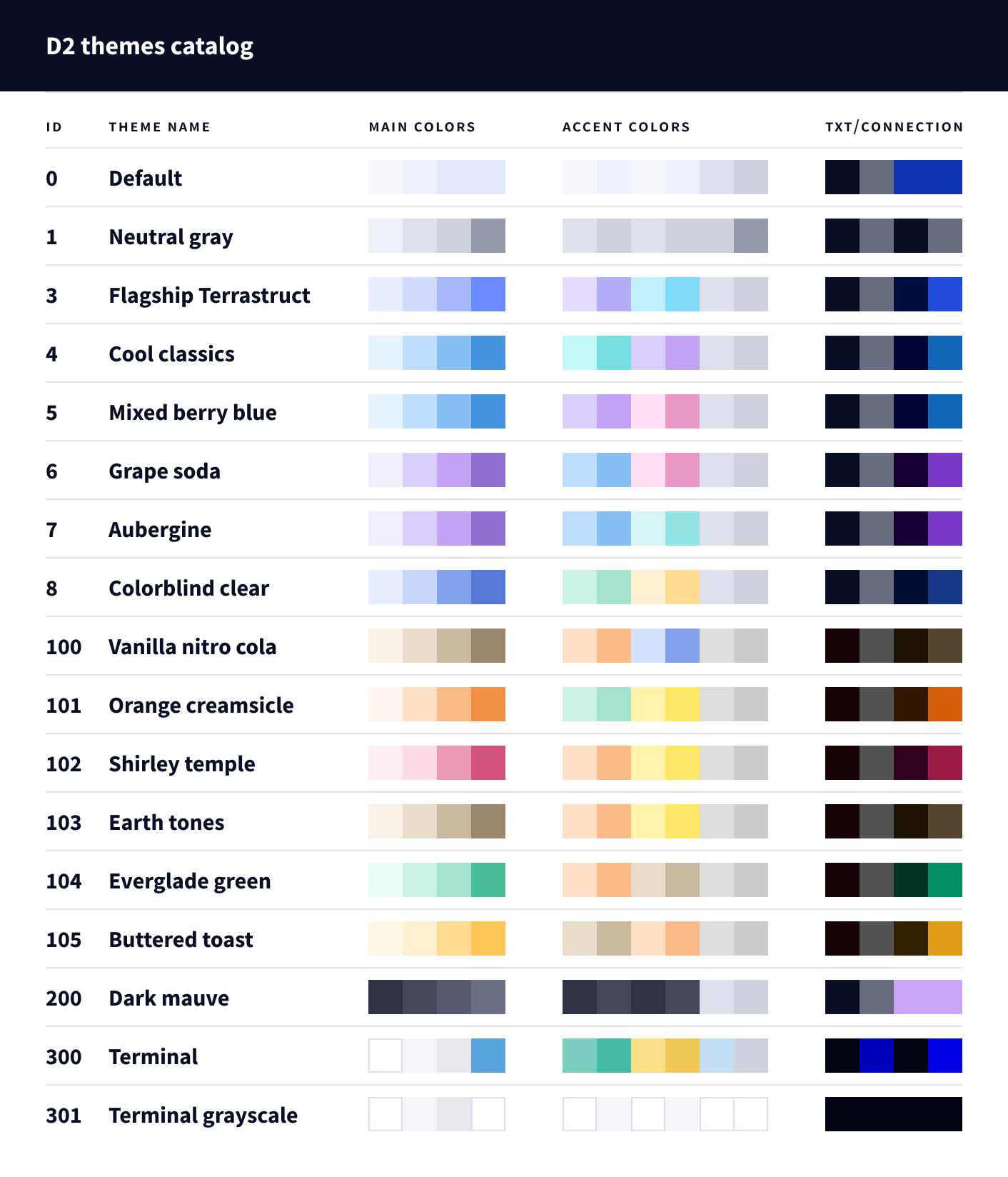
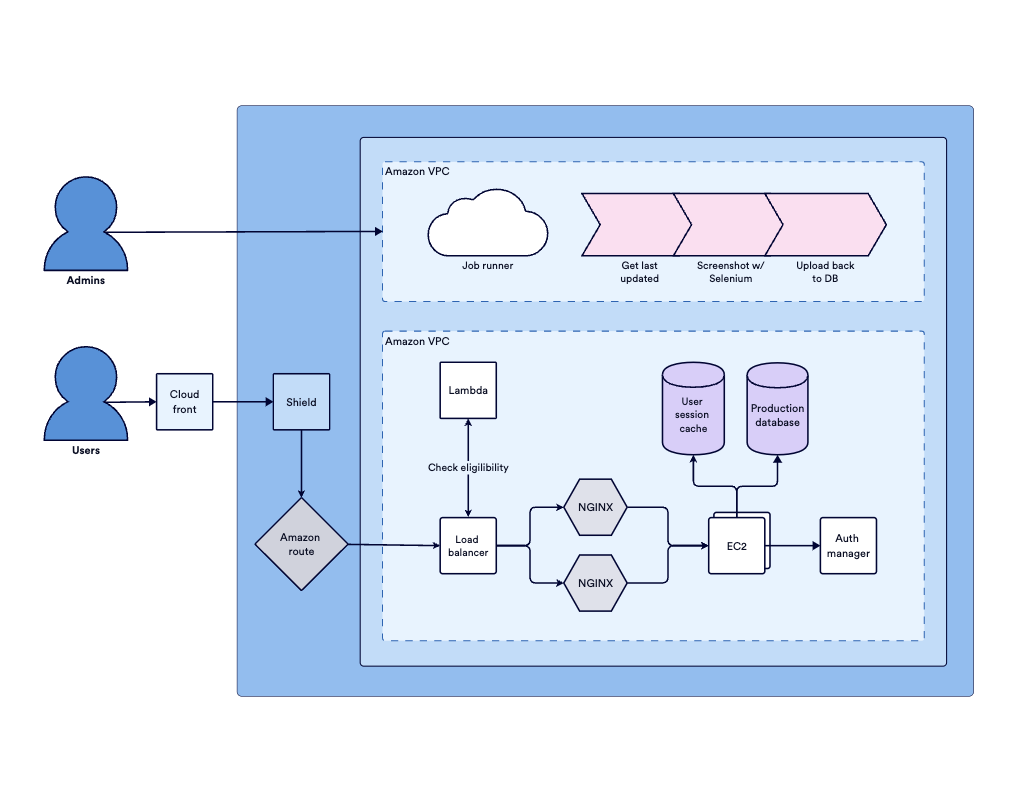
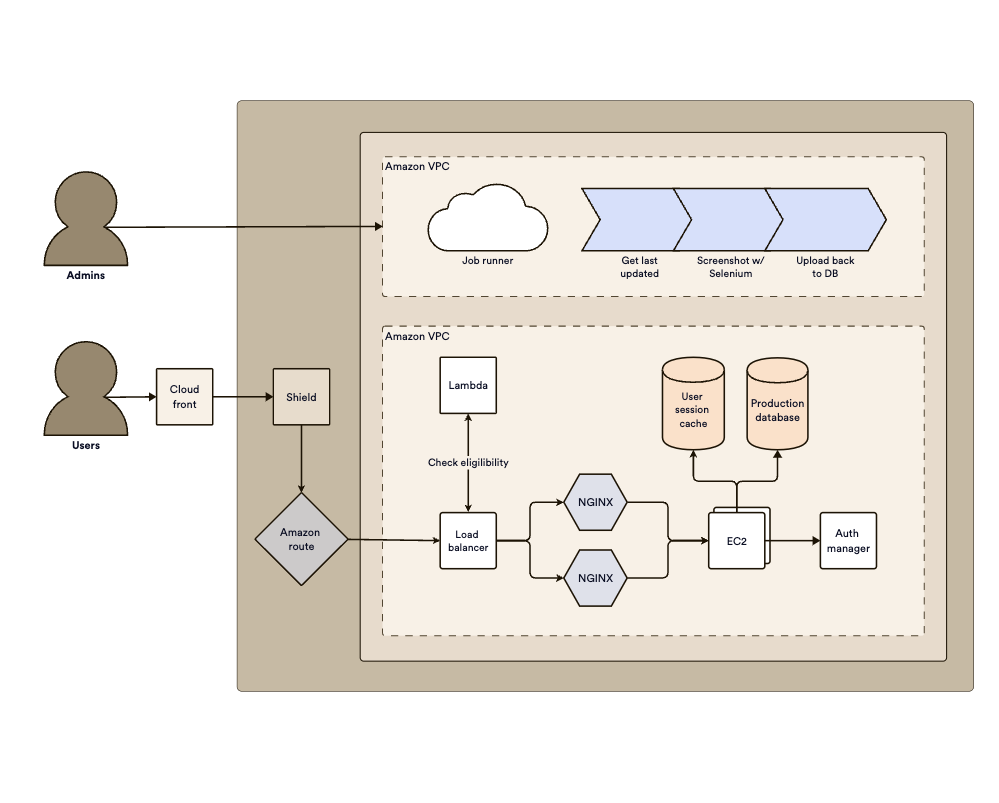
#### They apply to special shapes like tables too
## Rendered with theme "Grape soda"
[theme table (SVG)](https://d2lang.com/img/generated/theme-table.svg2)
## Rendered with theme "Vanilla nitro cola"
[theme table 2 (SVG)](https://d2lang.com/img/generated/theme-table-2.svg2)
### Setting theme on the CLI
To specify the theme used, you can set the flag `-t, --theme`.
```shell
d2 -t 101 input.d2
```
You can also use an environment variable.
```shell
D2_THEME=101 d2 input.d2
```
To see which themes are available, run
```shell
d2 themes
```
### Dark theme
Dark themes are not set by default, so your diagram will look the same regardless of
whether the user's system preferences are light or dark.
:::info
All diagrams in these docs have a dark theme. Try toggling your system preference between
light and dark and see how it changes.
:::
If you'd like your diagram to adapt and switch to a dark theme when the user's system
preference is dark, you can do so by specifying the following flag.
```shell
d2 --dark-theme 200 input.d2
```
Like regular themes, this can also be set with an environment variable.
```shell
D2_DARK_THEME=200 d2 input.d2
```
:::info
The themes are catalogued separately into light and dark, but there's nothing stopping you
from passing a dark theme ID to `theme` for your diagram to always be dark (or vice versa,
to give a surprise to dark mode users).
:::
An example of a dark theme (this one's an image not an SVG, so it won't change according
to your system preference).
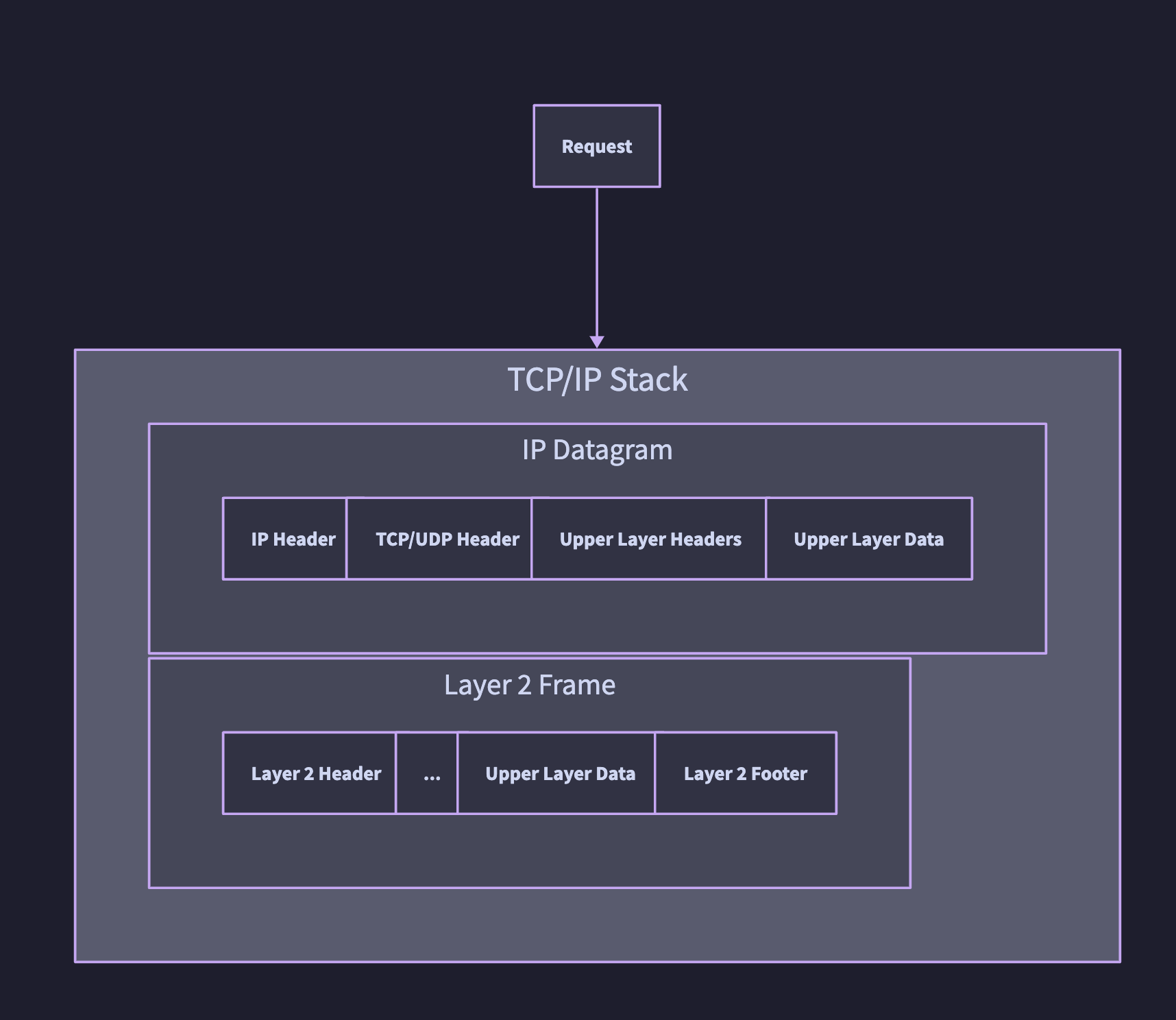
### Special themes
Certain, special themes do more than just color.
For example, when you apply the `Terminal` theme, the following attributes are set as
default:
- Caps lock on all labels
- No border radius
- Monospaced font
- `fill-pattern` set to `dots` for all containers
- Most outer container has `double-border` set to `true`
[terminal theme (SVG)](https://d2lang.com/img/generated/terminal-theme.svg2)
Source code for the above diagram (rendered with ELK) is as follows. Notice that many of
the properties apparent in the diagram do not appear in the source, such as the casing of
the labels, because the special theme uses different defaults.
```d2
vars: {
d2-config: {
layout-engine: elk
# Terminal theme code
theme-id: 300
}
}
network: {
cell tower: {
satellites: {
shape: stored_data
style.multiple: true
}
transmitter
satellites -> transmitter: send
satellites -> transmitter: send
satellites -> transmitter: send
}
online portal: {
ui: {shape: hexagon}
}
data processor: {
storage: {
shape: cylinder
style.multiple: true
}
}
cell tower.transmitter -> data processor.storage: phone logs
}
user: {
shape: person
width: 130
}
user -> network.cell tower: make call
user -> network.online portal.ui: access {
style.stroke-dash: 3
}
api server -> network.online portal.ui: display
api server -> logs: persist
logs: {shape: page; style.multiple: true}
network.data processor -> api server
```
### Customizing themes
You can override theme values to customize existing themes or replace them entirely with
your own theme.
This is controlled by two [configuration variables](/tour/vars/#configuration-variables):
- `theme-overrides`: replaces color codes for theme
- `dark-theme-overrides`: replaces color codes for dark theme
Adding this snippet to the above code results in the following diagram.
```d2-incomplete
vars: {
d2-config: {
theme-overrides: {
B1: "#2E7D32"
B2: "#66BB6A"
B3: "#A5D6A7"
B4: "#C5E1A5"
B5: "#E6EE9C"
B6: "#FFF59D"
AA2: "#0D47A1"
AA4: "#42A5F5"
AA5: "#90CAF9"
AB4: "#F44336"
AB5: "#FFCDD2"
}
}
}
```
[theme override (SVG)](https://d2lang.com/img/generated/theme-override.svg2)
#### Color codes
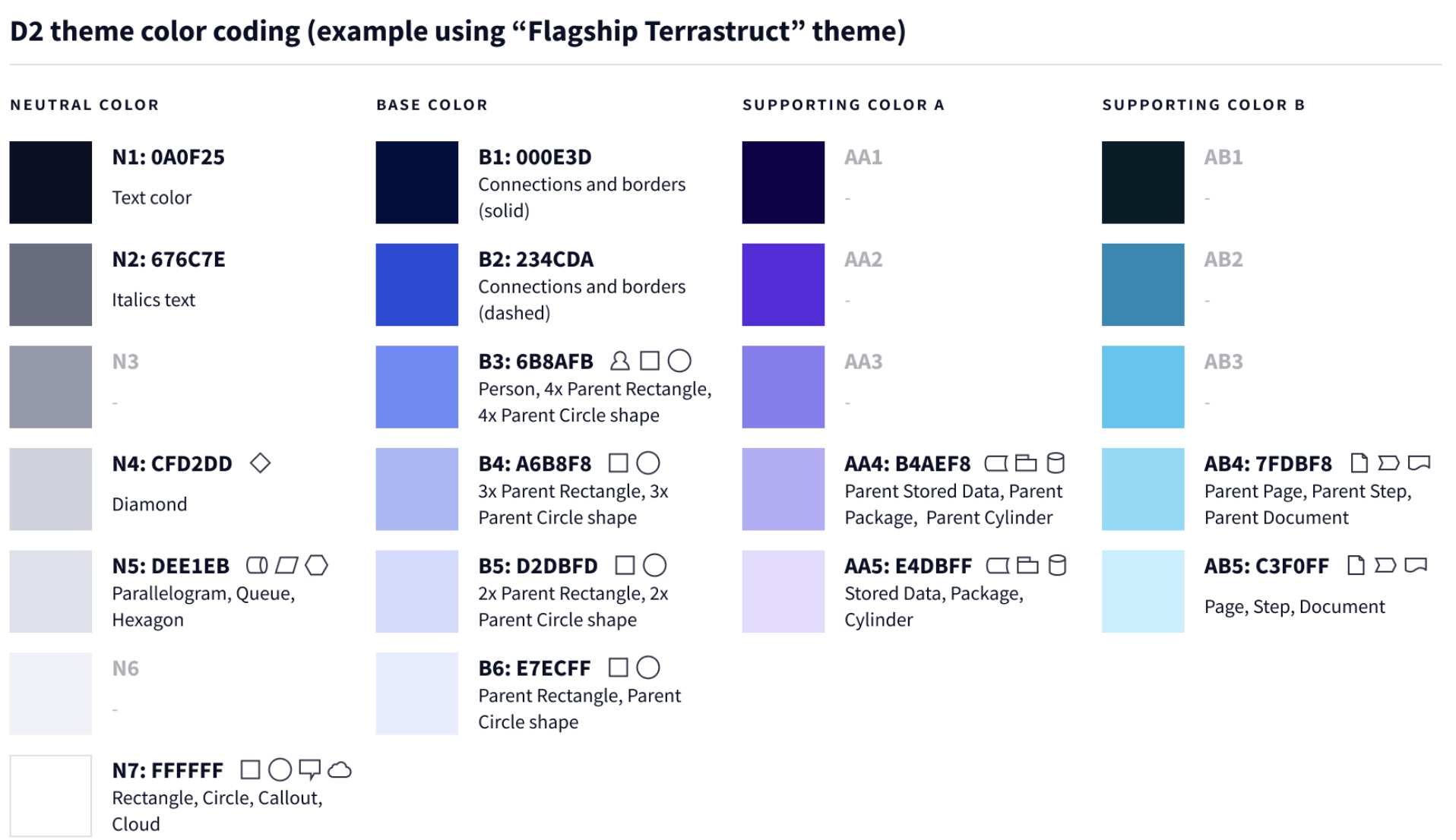
:::info
Not all color codes are currently used right now, but that may change in the future for
new things that come to D2.
:::
---
## Troubleshooting
* [It won't compile a specific label or value](#it-wont-compile-a-specific-label-or-value)
* [The text is rendered too wide/long](#the-text-is-rendered-too-widelong)
* [Connections look cluttered](#connections-look-cluttered)
* [Reserved keywords as regular keys](#reserved-keywords-as-regular-keys)
* [My diagram is breaking with HTML in Markdown](#my-diagram-is-breaking-with-html-in-markdown)
* [My SVG isn't interactive when I embed into HTML](#my-svg-isnt-interactive-when-i-embed-into-html)
* [Non-ASCII text breaks stuff](#non-ascii-text-breaks-stuff)
### It won't compile a specific label or value
It probably has some reserved characters, wrap it around `'` or `"`.
```d2
"x(int y)": "[]int"
'$dollarbills$'
```
### The text is rendered too wide/long
Add newlines.
```d2
x: When you go out to buy,\ndon't show your silver.
```
### Connections look cluttered
If you have a highly connected diagram with many connections on shapes with short labels,
you will get better results by manually settings widths and heights on them. By default,
D2 adds a minimal amount of padding to shapes past the label dimensions. When a shape has
many connections, increasing dimensions will give it more surface area for the connections
to route aesthetically to.
### Reserved keywords as regular keys
If you'd like to use a reserved keyword as a key, just quote it:
```d2
x: {
"width": width
}
```
### My diagram is breaking with HTML in Markdown
Your HTML must be semantic to be parsed in SVG XML correctly, e.g. use `
` instead of `
`.
### My SVG isn't interactive when I embed into HTML
There's a few different ways to embed SVG into HTML, each with tradeoffs. If you use plain
`![]() ` tags, interactivity is blocked. Here are two good resources to learn more:
1. tldr:
[https://docs.asciidoctor.org/asciidoc/latest/macros/image-svg/#options-for-svg-images](https://docs.asciidoctor.org/asciidoc/latest/macros/image-svg/#options-for-svg-images)
2. The official W3 spec:
[https://www.w3.org/Graphics/SVG/IG/resources/svgprimer.html#SVG_in_HTML](https://www.w3.org/Graphics/SVG/IG/resources/svgprimer.html#SVG_in_HTML)
### Non-ASCII text breaks stuff
D2 works with any language, but sometimes non-ASCII characters look like reserved characters when they're not.
```d2
hello世界:مرحبا بالعال
```
The character `:` is not the same as the ASCII `:`, and so it won't register as a label. For foreign language diagrams, please take care to use the ASCII versions of special characters like `:`, `;`, `.`, among others.
---
## UML Classes
### Basics
D2 fully supports UML Class diagrams. Here's a minimal example:
```d2
MyClass: {
shape: class
field: "[]string"
method(a uint64): (x, y int)
}
```
[classes 1 (SVG)](https://d2lang.com/img/generated/classes-1.svg2)
Each key of a `class` shape defines either a field or a method.
The value of a field key is its type.
Any key that contains `(` is a method, whose value is the return type.
A method key without a value has a return type of void.
:::info Escaping reserved keywords
If you'd like to use a reserved keyword, wrap it in quotes.
```d2
my_class: {
shape: class
"label": string
}
```
:::
### Visibilities
You can also use UML-style prefixes to indicate field/method visibility.
| visibility prefix | meaning |
| ----------------- | --------- |
| none | public |
| + | public |
| - | private |
| # | protected |
See https://www.uml-diagrams.org/visibility.html
Here's an example with differing visibilities and more complex types:
```d2
D2 Parser: {
shape: class
# Default visibility is + so no need to specify.
+reader: io.RuneReader
readerPos: d2ast.Position
# Private field.
-lookahead: "[]rune"
# Protected field.
# We have to escape the # to prevent the line from being parsed as a comment.
\#lookaheadPos: d2ast.Position
+peek(): (r rune, eof bool)
rewind()
commit()
\#peekn(n int): (s string, eof bool)
}
"github.com/terrastruct/d2parser.git" -> D2 Parser
```
[classes 2 (SVG)](https://d2lang.com/img/generated/classes-2.svg2)
### Full example
```d2
DebitCard: Debit card {
shape: class
+cardno
+ownedBy
+access()
}
Bank: {
shape: class
+code
+address
+manages()
+maintains()
}
ATMInfo: ATM info {
shape: class
+location
+manageBy
+identifies()
+transactions()
}
Customer: {
shape: class
+name
+address
+dob
+owns()
}
Account: {
shape: class
+type
+owner
}
ATMTransaction: ATM Transaction {
shape: class
+transactionId
+date
+type
+modifies()
}
CurrentAccount: Current account {
shape: class
+accountNo
+balance
+debit()
+credit()
}
SavingAccount: Saving account {
shape: class
+accountNo
+balance
+debit()
+credit()
}
WidthdrawlTransaction: Withdrawl transaction {
shape: class
+amount
+Withdrawl()
}
QueryTransaction: Query transaction {
shape: class
+query
+type
+queryProcessing()
}
TransferTransaction: Transfer transaction {
shape: class
+account
+accountNo
}
PinValidation: Pin validation transaction {
shape: class
+oldPin
+newPin
+pinChange()
}
DebitCard -- Bank: manages {
source-arrowhead: 1..*
target-arrowhead: 1
}
Bank -- ATMInfo: maintains {
source-arrowhead: 1
target-arrowhead: 1
}
Bank -- Customer: +has {
source-arrowhead: 1
target-arrowhead: 1
}
DebitCard -- Customer: +owns {
source-arrowhead: 0..*
target-arrowhead: 1..*
}
DebitCard -- Account: +provides access to {
source-arrowhead: *
target-arrowhead: 1..*
}
Customer -- Account: owns {
source-arrowhead: 1..*
target-arrowhead: 1..*
}
ATMInfo -- ATMTransaction: +identifies {
source-arrowhead: 1
target-arrowhead: *
}
ATMTransaction -> Account: modifies {
source-arrowhead: *
target-arrowhead: 1
}
CurrentAccount -> Account: {
target-arrowhead.shape: triangle
target-arrowhead.style.filled: false
}
SavingAccount -> Account: {
target-arrowhead.shape: triangle
target-arrowhead.style.filled: false
}
WidthdrawlTransaction -> ATMTransaction: {
target-arrowhead.shape: triangle
target-arrowhead.style.filled: false
}
QueryTransaction -> ATMTransaction: {
target-arrowhead.shape: triangle
target-arrowhead.style.filled: false
}
TransferTransaction -> ATMTransaction: {
target-arrowhead.shape: triangle
target-arrowhead.style.filled: false
}
PinValidation -> ATMTransaction: {
target-arrowhead.shape: triangle
target-arrowhead.style.filled: false
}
```
[classes 3 (SVG)](https://d2lang.com/img/generated/classes-3.svg2)
---
## Variables & Substitutions
`vars` is a special keyword that lets you define variables. These variables can be
referenced with the substitution syntax: `${}`.
```d2
direction: right
vars: {
server-name: Cat
}
server1: ${server-name}-1
server2: ${server-name}-2
server1 <-> server2
```
[vars intro (SVG)](https://d2lang.com/img/generated/vars-intro.svg2)
### Variables can be nested
Use `.` to refer to nested variables.
```d2
vars: {
primaryColors: {
button: {
active: "#4baae5"
border: black
}
}
}
button: {
width: 100
height: 40
style: {
border-radius: 5
fill: ${primaryColors.button.active}
stroke: ${primaryColors.button.border}
}
}
```
[vars nested (SVG)](https://d2lang.com/img/generated/vars-nested.svg2)
### Variables are scoped
They work just like variable scopes in programming. Substitutions can refer to variables
defined in a more outer scope, but not a more inner scope. If a variable appears in two
scopes, the one closer to the substitution is used.
```d2
vars: {
region: Global
}
lb: ${region} load balancer
zone1: {
vars: {
region: us-east-1
}
server: ${region} API
}
```
[vars scoped (SVG)](https://d2lang.com/img/generated/vars-scoped.svg2)
### Single quotes bypass substitutions
```d2
direction: right
vars: {
names: John and Joyce
}
a -> b: 'Send field ${names}'
```
[vars escaped (SVG)](https://d2lang.com/img/generated/vars-escaped.svg2)
### Spread substitutions
If `x` is a map or an array, `...${x}` will spread the contents of `x` into either a map
or an array.
```d2
vars: {
base-constraints: [NOT NULL; UNQ]
disclaimer: DISCLAIMER {
I am not a lawyer
near: top-center
}
}
data: {
shape: sql_table
a: int {constraint: [PK; ...${base-constraints}]}
}
custom-disclaimer: DRAFT DISCLAIMER {
...${disclaimer}
}
```
[vars spread (SVG)](https://d2lang.com/img/generated/vars-spread.svg2)
### Configuration variables
Some configurations can be made directly in `vars` instead of using flags or environment
variables.
```d2
vars: {
d2-config: {
theme-id: 4
dark-theme-id: 200
pad: 0
center: true
sketch: true
layout-engine: elk
}
}
direction: right
x -> y
```
This is equivalent to calling the following with no `vars`:
```shell
d2 --layout=elk --theme=4 --dark-theme=200 --pad=0 --sketch --center input.d2
```
[vars config (SVG)](https://d2lang.com/img/generated/vars-config.svg2)
:::info Precedence
For top-level settings such as `theme-id` and `pad`, flags and environment variables take precedence.
In other words, if you call `D2_PAD=2 d2 --theme=1 input.d2`, it doesn't matter what
`theme-id` and `pad` are set to in `input.d2`'s `d2-config`; it will use the options from
the command.
:::
`animate-interval` sets the playback interval for all boards.
`animate-duration` sets the transition time for steps. It also controls pencil shading
and text decorations between layers and scenarios. See the [animation configuration](https://d2lang.com/tour/animation.md#configuration).
#### Output scale and SVG appendix
On D2's development branch (`master`), you can set `scale` and `force-appendix`
in the diagram. These source options are available in D2 v0.10.0 and later.
```d2
vars: {
d2-config: {
scale: 0.5
force-appendix: true
}
}
checkout: Checkout API {
tooltip: Validates orders before payment
}
```
`scale: 0.5` renders at half size. Use `-1` for automatic sizing, which lets an SVG
fit its container. `force-appendix: true` adds numbered notes for links and tooltips
to SVG exports, including animated boards. PNG exports already include the notes.
To export the same diagram at its natural size without the SVG appendix, run
`d2 --scale=1 --force-appendix=false input.d2 output.svg`.
:::info `data`
`data` holds key-value pairs that applications embedding D2 can read. Starting in v0.10.0,
you can also set [Dagre](https://d2lang.com/tour/dagre.md#spacing) and [ELK](https://d2lang.com/tour/elk.md#algorithms) layout options here.
These values take precedence over the corresponding CLI flags. This example sets the space
between adjacent ELK layers to 100 pixels.
```d2
vars: {
d2-config: {
layout-engine: elk
data: {
elk-nodeNodeBetweenLayers: 100
}
}
}
a -> b
```
:::
---
## Version visualization
### History
You want to understand how the schema of a system has evolved over time. As long as the
diagram is modularized with imports, such a visualization is easy to whip up.
- `history.d2`
```d2
direction: right
Users 1: Users Table (v0.1) {
...@"users-v0.1"
}
Users 2: Users Table (current) {
...@users-current
}
Users 1 -> Users 2
```
- `users.d2` (latest version, 0.2)
```d2
users: {
shape: sql_table
id: int {constraint: primary_key}
email: int {constraint: foreign_key}
name: string
password: text
created_at: timestamp
last_updated: timestamp
}
emails: {
shape: sql_table
id: int {constraint: [primary_key; unique]}
local: string
domain: string
verified: boolean
}
users.email -> emails.id
```
- `users.d2` (0.1)
```d2
users: {
shape: sql_table
id: int {constraint: primary_key}
email: string
name: string
verified_email: boolean
password: string
created_at: timestamp
}
```
Since you want how `users.d2` looked like at `v0.1`, you use `git` to get that version:
```sh
cp users.d2 users-current.d2
git checkout tags/v0.1 users.d2
mv users.d2 users-v0.1.d2
```
[imports vv history (SVG)](https://d2lang.com/img/generated/imports-vv-history.svg2)
### Compare
You're a manager at Apple who has two teams secretly working on the same product for
multiple years. After years of iterating in their silos, you form a committee to compare
the two results. The evaluation starts by comparing their design decisions in an
overarching diagram projected in a dark room behind a closed door.
- `compare.d2`
```d2-incomplete
Team Alpha: {
Quick facts: |md
- 3 L6 engineers
|
Schema: {
...@alpha-schema
}
API: {
...@alpha-api
}
# etc etc
}
Team Charlie: {
Quick facts: |md
- 2 L5
- 5 L4
- 15 L3
|
Schema: {
...@charlie-schema
}
API: {
...@charlie-api
}
# etc etc
}
```
And then you checkout the corresponding diagrams from the different repositories.
```sh
gh repo clone apple/team-alpha
gh repo clone apple/team-charlie
cp apple/team-alpha/schema.d2 alpha-schema.d2
cp apple/team-charlie/schema.d2 charlie-schema.d2
cp apple/team-alpha/api.d2 alpha-api.d2
cp apple/team-charlie/api.d2 charlie-api.d2
```
The rendered diagram is left as an exercise to the reader.
---
## Vim plugin
D2 has an official, creator-maintained plugin for Vim. You can use any plugin manager to
include `d2lang/d2-vim`. For example:
```
Plug 'd2lang/d2-vim'
```
Automatic indentation and syntax highlighting are fully supported and make working with
the D2 language far more pleasant. Autoformat on each save is planned.
The syntax highlighting will even catch basic errors for you if your color theme
highlights illegal syntax.
**Github:**
[https://github.com/d2lang/d2-vim](https://github.com/d2lang/d2-vim)
---
## VS Code extension
[d2lang](https://marketplace.visualstudio.com/items?itemName=d2lang.d2lang) is the
official D2 extension for VS Code. You can also install it from the command line.
```shell
code --install-extension d2lang.d2lang
```
If you have the old `terrastruct.d2` extension, uninstall it when you switch.
VS Code treats the two listings as separate extensions.
[Install the D2 CLI](/tour/install/) and open a `.d2` file. Run **Show D2 Preview**
from the Command Palette to see the diagram beside your code. Use **Format Document**
to format the file.
For completions, diagnostics, go-to-definition, and rename, use a D2 CLI that
supports `d2 lsp`. If your CLI is installed outside your `PATH`, set `D2.execPath`
in VS Code to the D2 executable.
[Extension source on GitHub](https://github.com/d2lang/d2-vscode)
---
## D2 examples: Dagre layout
See [/tour/dagre](/tour/dagre/).
### Bank Securities
```d2
bank: {
style.fill: white
Corporate: {
style.fill: white
app14506: Data Source\ntco: 100,000\nowner: Lakshmi {
style: {
fill: '#fce7c6'
}
}
}
Equities: {
app14491: Risk Global\ntco: 600,000\nowner: Wendy {
style: {
fill: '#f6c889'
}
}
app14492: Credit guard\ntco: 100,000\nowner: Lakshmi {
style: {
fill: '#fce7c6'
}
}
app14520: Seven heaven\ntco: 100,000\nowner: Tomos {
style: {
fill: '#fce7c6'
}
}
app14522: Apac Ace\ntco: 400,000\nowner: Wendy {
style: {
fill: '#f9d8a7'
}
}
app14527: Risk Global\ntco: 900,000\nowner: Tomos {
style: {
fill: '#f4b76c'
}
}
}
Securities: {
style.fill: white
app14517: Zone out\ntco: 500,000\nowner: Wendy {
style: {
fill: '#f6c889'
}
}
}
Finance: {
style.fill: white
app14488: Credit guard\ntco: 700,000\nowner: India {
style: {
fill: '#f6c889'
}
}
app14502: Ark Crypto\ntco: 1,500,000\nowner: Wendy {
style: {
fill: '#ed800c'
}
}
app14510: Data Solar\ntco: 1,200,000\nowner: Deepak {
style: {
fill: '#f1a64f'
}
}
}
Risk: {
style.fill: white
app14490: Seven heaven\ntco: 0\nowner: Joesph {
style: {
fill: '#fce7c6'
}
}
app14507: Crypto Bot\ntco: 1,100,000\nowner: Wendy {
style: {
fill: '#f1a64f'
}
}
}
Funds: {
style.fill: white
app14497: Risk Global\ntco: 500,000\nowner: Joesph {
style: {
fill: '#f6c889'
}
}
}
Fixed Income: {
style.fill: white
app14523: ARC3\ntco: 600,000\nowner: Wendy {
style: {
fill: '#f6c889'
}
}
app14500: Acmaze\ntco: 100,000\nowner: Tomos {
style: {
fill: '#fce7c6'
}
}
}
}
bank.Risk.app14490 -> bank.Equities.app14527: client master
bank.Equities.app14491 -> bank.Equities.app14527: greeks {
style: {
stroke-dash: 5
animated: true
stroke: red
}
}
bank.Funds.app14497 -> bank.Equities.app14520: allocations {
style: {
stroke-dash: 5
animated: true
stroke: brown
}
}
bank.Equities.app14527 -> bank.Corporate.app14506: trades {
style: {
stroke-dash: 5
animated: false
stroke: blue
}
}
bank.Fixed Income.app14523 -> bank.Equities.app14491: orders {
style: {
stroke-dash: 10
animated: false
stroke: green
}
}
bank.Finance.app14488 -> bank.Equities.app14527: greeks {
style: {
stroke-dash: 5
animated: true
stroke: red
}
}
bank.Equities.app14527 -> bank.Equities.app14522: orders {
style: {
stroke-dash: 10
animated: false
stroke: green
}
}
bank.Equities.app14522 -> bank.Finance.app14510: orders {
style: {
stroke-dash: 10
animated: false
stroke: green
}
}
bank.Equities.app14527 -> bank.Finance.app14502: greeks {
style: {
stroke-dash: 5
animated: true
stroke: red
}
}
bank.Equities.app14527 -> bank.Risk.app14507: allocations {
style: {
stroke-dash: 5
animated: true
stroke: brown
}
}
bank.Securities.app14517 -> bank.Equities.app14492: trades {
style: {
stroke-dash: 5
animated: false
stroke: blue
}
}
bank.Equities.app14522 -> bank.Fixed Income.app14500: security reference
```
### Udp Tunnel
```d2
shape: sequence_diagram
backend_server
local_server
ssh_server
other_server
启动阶段: {
local_server->ssh_server:ssh_login
local_server<-ssh_server:ssh 登录成功
local_server->ssh_server:sftp_copy 辅助转发服务器
local_server->ssh_server:ssh 启动转发服务器
}
启动成功运行阶段:{
other_server->ssh_server.a:请求udp packet{
style.animated: true
style.stroke: red
}
ssh_server.a->local_server.a:udp forward 发送给 udp client {
style.animated: true
style.stroke: red
}
local_server.a->backend_server.a: "udp 转发给 udp server"{
style.animated: true
style.stroke: red
}
backend_server.b->local_server.b:发送ok字符串给 udp的请求端{
style.animated: true
style.stroke: green
}
ssh_server.b<-local_server.b: 发送给 ssh 所在的 udp forawrd {
style.animated: true
style.stroke: green
}
other_server<-ssh_server.b:返回udp 请求回复{
style.animated: true
style.stroke:green
}
other_server.一次交互完成
}
```
### Llm Framework Architecture
```d2
vars: {
d2-config: {
theme-id: 3 # terrastruct
sketch: true
layout-engine: elk
}
colors: {
c2: "#C7F1FF" # light turkuaz
c3: "#B5AFF6" # dark purple
c4: "#DEE1EB" # gray
c5: "#88DCF7" # turkuaz
c6: "#E4DBFE" # purple
}
}
LangUnits: {
style.fill: ${colors.c6}
RegexVal: {
ds
}
SQLSelect: {
ds
}
PythonTr: {
ds
}
langunit ₙ: {
style.multiple: true
style.stroke-dash: 10
style.stroke: black
style.animated: 1
"... ds"
}
}
LangUnits <- ExperimentHost.Dataset: "load dataset"
Dataset UI -> LangUnits: "manage datasets"
Dataset UI: {
style.fill: ${colors.c4}
}
ExperimentHost: {
style.fill: ${colors.c4}
Experiment: {
style.multiple: true
}
Dataset
# Experiment <-> Dataset
}
ExperimentHost.Experiment -> Experiment
Experiment.ModelConfigurations: {
style.multiple: true
}
Experiment.LangUnit
Experiment.ModelConfigurations -> ModelConfiguration
ModelConfiguration.Prompting
ModelConfiguration.Model
ModelConfiguration.LangUnit
```
### Terraform Resources
```d2
vars: {
d2-config: {
layout-engine: elk
}
}
*.style.font-size: 22
*.*.style.font-size: 22
title: |md
# Terraform resources (v1.0.0)
| {near: top-center}
direction: right
project_connection: {
style: {
fill: "#C5C6C7"
stroke: grey
}
}
privatelink_endpoint: {tooltip: Datasource only}
group
group_partial_permissions
service_token
job: {
style: {
fill: "#ACE1AF"
stroke: green
}
}
conns: Connections (will be removed in the future,\nuse global_connection) {
bigquery_connection
fabric_connection
connection
bigquery_connection.style.fill: "#C5C6C7"
fabric_connection.style.fill: "#C5C6C7"
connection.style.fill: "#C5C6C7"
}
conns.style.fill: "#C5C6C7"
env_creds: Environment Credentials {
grid-columns: 2
athena_credential
databricks_credential
snowflake_credential
bigquery_credential
fabric_credential
postgres_credential: {tooltip: Is used for Redshift as well}
teradata_credential
}
service_token -- project: can scope to {
style: {
stroke-dash: 3
}
}
group -- project
group_partial_permissions -- project
user_groups -- group
user_groups -- group_partial_permissions
project -- environment
project -- snowflake_semantic_layer_credential
job -- environment
job -- environment_variable_job_override
notification -- job
partial_notification -- job
webhook -- job: triggered by {
style: {
stroke-dash: 3
}
}
environment -- global_connection
environment -- conns
global_connection -- privatelink_endpoint
global_connection -- oauth_configuration
environment -- env_creds
conns -- privatelink_endpoint
project -- project_repository
lineage_integration -- project
project_repository -- repository
environment -- environment_variable
environment -- partial_environment_variable
environment -- extended_attributes
environment -- semantic_layer_configuration
model_notifications -- environment
project -- project_connection {
style: {
stroke: "#C5C6C7"
}
}
project_connection -- conns {
style: {
stroke: "#C5C6C7"
}
}
(job -- *)[*].style.stroke: green
(* -- job)[*].style.stroke: green
account_level_settings: "Account level settings" {
account_features
ip_restrictions_rule
license_map
partial_license_map
}
account_level_settings.style.fill-pattern: dots
```
### Game State Sequence
```d2
shape: sequence_diagram
User
Session
Lua
User."Init"
User.t1 -> Session.t1: "SetupFight()"
Session.t1 -> Session.t1: "Create clean fight state"
Session.t1 -> Lua: "Trigger OnPlayerTurn"
User.t1 <- Session.t1
User."Repeat"
User.mid -> Session.mid: "PlayerCastHand() etc."
Session.mid -> Lua: "Trigger OnDamage etc."
User.mid <- Session.mid
User.t2 -> Session.t2: "FinishPlayerTurn()"
Session.t2 -> Lua: "Trigger OnTurn"
Session.t2 -> Session.t2: "Update and remove status effects"
Session.t2 -> Lua: "Trigger OnPlayerTurn"
User.t2 <- Session.t2
```
### Golang Queue
```d2
direction: right
classes: {
base: {
style: {
bold: true
font-size: 28
}
}
person: {
shape: person
}
animated: {
style: {
animated: true
}
}
multiple: {
style: {
multiple: true
}
}
enqueue: {
label: Enqueue Task
}
dispatch: {
label: Dispatch Task
}
library: {
style: {
bold: true
font-size: 32
fill: PapayaWhip
fill-pattern: grain
border-radius: 8
font: mono
}
}
task: {
style: {
bold: true
font-size: 32
}
}
}
user01: {
label: User01
class: [base; person; multiple]
}
user02: {
label: User02
class: [base; person; multiple]
}
user03: {
label: User03
class: [base; person; multiple]
}
user01 -> container.task01: {
label: Create Task
class: [base; animated]
}
user02 -> container.task02: {
label: Create Task
class: [base; animated]
}
user03 -> container.task03: {
label: Create Task
class: [base; animated]
}
container: Application {
direction: right
style: {
bold: true
font-size: 28
}
icon: https://icons.d2lang.com/dev%2Fgo.svg
task01: {
icon: https://icons.d2lang.com/essentials%2F092-graph%20bar.svg
class: [task; multiple]
}
task02: {
icon: https://icons.d2lang.com/essentials%2F095-download.svg
class: [task; multiple]
}
task03: {
icon: https://icons.d2lang.com/essentials%2F195-attachment.svg
class: [task; multiple]
}
queue: {
label: Queue Library
icon: https://icons.d2lang.com/dev%2Fgo.svg
style: {
bold: true
font-size: 32
fill: honeydew
}
producer: {
label: Producer
class: library
}
consumer: {
label: Consumer
class: library
}
database: {
label: Ring\nBuffer
shape: cylinder
style: {
bold: true
font-size: 32
fill-pattern: lines
font: mono
}
}
producer -> database
database -> consumer
}
worker01: {
icon: https://icons.d2lang.com/essentials%2F092-graph%20bar.svg
class: [task]
}
worker02: {
icon: https://icons.d2lang.com/essentials%2F095-download.svg
class: [task]
}
worker03: {
icon: https://icons.d2lang.com/essentials%2F092-graph%20bar.svg
class: [task]
}
worker04: {
icon: https://icons.d2lang.com/essentials%2F195-attachment.svg
class: [task]
}
task01 -> queue.producer: {
class: [base; enqueue]
}
task02 -> queue.producer: {
class: [base; enqueue]
}
task03 -> queue.producer: {
class: [base; enqueue]
}
queue.consumer -> worker01: {
class: [base; dispatch]
}
queue.consumer -> worker02: {
class: [base; dispatch]
}
queue.consumer -> worker03: {
class: [base; dispatch]
}
queue.consumer -> worker04: {
class: [base; dispatch]
}
}
```
### Lambda Infra
````d2
direction: right
github: GitHub {
shape: image
icon: https://icons.d2lang.com/dev%2Fgithub.svg
style: {
font-color: green
font-size: 30
}
}
github_actions: GitHub Actions {
lambda_action: Lambda Action {
icon: https://icons.d2lang.com/dev%2Fgithub.svg
style.multiple: true
}
style: {
stroke: blue
font-color: purple
stroke-dash: 3
fill: white
}
}
aws: AWS Cloud VPC {
style: {
font-color: purple
fill: white
opacity: 0.5
}
lambda01: Lambda01 {
icon: https://icons.d2lang.com/aws%2FCompute%2FAWS-Lambda.svg
shape: parallelogram
style.fill: "#B6DDF6"
}
lambda02: Lambda02 {
icon: https://icons.d2lang.com/aws%2FCompute%2FAWS-Lambda.svg
shape: parallelogram
style.fill: "#B6DDF6"
}
lambda03: Lambda03 {
icon: https://icons.d2lang.com/aws%2FCompute%2FAWS-Lambda.svg
shape: parallelogram
style.fill: "#B6DDF6"
}
}
github -> github_actions: GitHub Action Flow {
style: {
animated: true
font-size: 20
}
}
github_actions -> aws.lambda01: Update Lambda {
style: {
animated: true
font-size: 20
}
}
github_actions -> aws.lambda02: Update Lambda {
style: {
animated: true
font-size: 20
}
}
github_actions -> aws.lambda03: Update Lambda {
style: {
animated: true
font-size: 20
}
}
explanation: |md
```yaml
deploy_source:
name: deploy lambda from source
runs-on: ubuntu-latest
steps:
- name: checkout source code
uses: actions/checkout@v3
- name: default deploy
uses: appleboy/lambda-action@v0.1.7
with:
aws_access_key_id: ${{ secrets.AWS_ACCESS_KEY_ID }}
aws_secret_access_key: ${{ secrets.AWS_SECRET_ACCESS_KEY }}
aws_region: ${{ secrets.AWS_REGION }}
function_name: gorush
source: example/index.js
```
| {near: bottom-center}
````
---
## D2 examples: ELK layout
See [/tour/elk](/tour/elk/).
### Bank Securities
```d2
bank: {
style.fill: white
Corporate: {
style.fill: white
app14506: Data Source\ntco: 100,000\nowner: Lakshmi {
style: {
fill: '#fce7c6'
}
}
}
Equities: {
app14491: Risk Global\ntco: 600,000\nowner: Wendy {
style: {
fill: '#f6c889'
}
}
app14492: Credit guard\ntco: 100,000\nowner: Lakshmi {
style: {
fill: '#fce7c6'
}
}
app14520: Seven heaven\ntco: 100,000\nowner: Tomos {
style: {
fill: '#fce7c6'
}
}
app14522: Apac Ace\ntco: 400,000\nowner: Wendy {
style: {
fill: '#f9d8a7'
}
}
app14527: Risk Global\ntco: 900,000\nowner: Tomos {
style: {
fill: '#f4b76c'
}
}
}
Securities: {
style.fill: white
app14517: Zone out\ntco: 500,000\nowner: Wendy {
style: {
fill: '#f6c889'
}
}
}
Finance: {
style.fill: white
app14488: Credit guard\ntco: 700,000\nowner: India {
style: {
fill: '#f6c889'
}
}
app14502: Ark Crypto\ntco: 1,500,000\nowner: Wendy {
style: {
fill: '#ed800c'
}
}
app14510: Data Solar\ntco: 1,200,000\nowner: Deepak {
style: {
fill: '#f1a64f'
}
}
}
Risk: {
style.fill: white
app14490: Seven heaven\ntco: 0\nowner: Joesph {
style: {
fill: '#fce7c6'
}
}
app14507: Crypto Bot\ntco: 1,100,000\nowner: Wendy {
style: {
fill: '#f1a64f'
}
}
}
Funds: {
style.fill: white
app14497: Risk Global\ntco: 500,000\nowner: Joesph {
style: {
fill: '#f6c889'
}
}
}
Fixed Income: {
style.fill: white
app14523: ARC3\ntco: 600,000\nowner: Wendy {
style: {
fill: '#f6c889'
}
}
app14500: Acmaze\ntco: 100,000\nowner: Tomos {
style: {
fill: '#fce7c6'
}
}
}
}
bank.Risk.app14490 -> bank.Equities.app14527: client master
bank.Equities.app14491 -> bank.Equities.app14527: greeks {
style: {
stroke-dash: 5
animated: true
stroke: red
}
}
bank.Funds.app14497 -> bank.Equities.app14520: allocations {
style: {
stroke-dash: 5
animated: true
stroke: brown
}
}
bank.Equities.app14527 -> bank.Corporate.app14506: trades {
style: {
stroke-dash: 5
animated: false
stroke: blue
}
}
bank.Fixed Income.app14523 -> bank.Equities.app14491: orders {
style: {
stroke-dash: 10
animated: false
stroke: green
}
}
bank.Finance.app14488 -> bank.Equities.app14527: greeks {
style: {
stroke-dash: 5
animated: true
stroke: red
}
}
bank.Equities.app14527 -> bank.Equities.app14522: orders {
style: {
stroke-dash: 10
animated: false
stroke: green
}
}
bank.Equities.app14522 -> bank.Finance.app14510: orders {
style: {
stroke-dash: 10
animated: false
stroke: green
}
}
bank.Equities.app14527 -> bank.Finance.app14502: greeks {
style: {
stroke-dash: 5
animated: true
stroke: red
}
}
bank.Equities.app14527 -> bank.Risk.app14507: allocations {
style: {
stroke-dash: 5
animated: true
stroke: brown
}
}
bank.Securities.app14517 -> bank.Equities.app14492: trades {
style: {
stroke-dash: 5
animated: false
stroke: blue
}
}
bank.Equities.app14522 -> bank.Fixed Income.app14500: security reference
```
### Udp Tunnel
```d2
shape: sequence_diagram
backend_server
local_server
ssh_server
other_server
启动阶段: {
local_server->ssh_server:ssh_login
local_server<-ssh_server:ssh 登录成功
local_server->ssh_server:sftp_copy 辅助转发服务器
local_server->ssh_server:ssh 启动转发服务器
}
启动成功运行阶段:{
other_server->ssh_server.a:请求udp packet{
style.animated: true
style.stroke: red
}
ssh_server.a->local_server.a:udp forward 发送给 udp client {
style.animated: true
style.stroke: red
}
local_server.a->backend_server.a: "udp 转发给 udp server"{
style.animated: true
style.stroke: red
}
backend_server.b->local_server.b:发送ok字符串给 udp的请求端{
style.animated: true
style.stroke: green
}
ssh_server.b<-local_server.b: 发送给 ssh 所在的 udp forawrd {
style.animated: true
style.stroke: green
}
other_server<-ssh_server.b:返回udp 请求回复{
style.animated: true
style.stroke:green
}
other_server.一次交互完成
}
```
### Llm Framework Architecture
```d2
vars: {
d2-config: {
theme-id: 3 # terrastruct
sketch: true
layout-engine: elk
}
colors: {
c2: "#C7F1FF" # light turkuaz
c3: "#B5AFF6" # dark purple
c4: "#DEE1EB" # gray
c5: "#88DCF7" # turkuaz
c6: "#E4DBFE" # purple
}
}
LangUnits: {
style.fill: ${colors.c6}
RegexVal: {
ds
}
SQLSelect: {
ds
}
PythonTr: {
ds
}
langunit ₙ: {
style.multiple: true
style.stroke-dash: 10
style.stroke: black
style.animated: 1
"... ds"
}
}
LangUnits <- ExperimentHost.Dataset: "load dataset"
Dataset UI -> LangUnits: "manage datasets"
Dataset UI: {
style.fill: ${colors.c4}
}
ExperimentHost: {
style.fill: ${colors.c4}
Experiment: {
style.multiple: true
}
Dataset
# Experiment <-> Dataset
}
ExperimentHost.Experiment -> Experiment
Experiment.ModelConfigurations: {
style.multiple: true
}
Experiment.LangUnit
Experiment.ModelConfigurations -> ModelConfiguration
ModelConfiguration.Prompting
ModelConfiguration.Model
ModelConfiguration.LangUnit
```
### Terraform Resources
```d2
vars: {
d2-config: {
layout-engine: elk
}
}
*.style.font-size: 22
*.*.style.font-size: 22
title: |md
# Terraform resources (v1.0.0)
| {near: top-center}
direction: right
project_connection: {
style: {
fill: "#C5C6C7"
stroke: grey
}
}
privatelink_endpoint: {tooltip: Datasource only}
group
group_partial_permissions
service_token
job: {
style: {
fill: "#ACE1AF"
stroke: green
}
}
conns: Connections (will be removed in the future,\nuse global_connection) {
bigquery_connection
fabric_connection
connection
bigquery_connection.style.fill: "#C5C6C7"
fabric_connection.style.fill: "#C5C6C7"
connection.style.fill: "#C5C6C7"
}
conns.style.fill: "#C5C6C7"
env_creds: Environment Credentials {
grid-columns: 2
athena_credential
databricks_credential
snowflake_credential
bigquery_credential
fabric_credential
postgres_credential: {tooltip: Is used for Redshift as well}
teradata_credential
}
service_token -- project: can scope to {
style: {
stroke-dash: 3
}
}
group -- project
group_partial_permissions -- project
user_groups -- group
user_groups -- group_partial_permissions
project -- environment
project -- snowflake_semantic_layer_credential
job -- environment
job -- environment_variable_job_override
notification -- job
partial_notification -- job
webhook -- job: triggered by {
style: {
stroke-dash: 3
}
}
environment -- global_connection
environment -- conns
global_connection -- privatelink_endpoint
global_connection -- oauth_configuration
environment -- env_creds
conns -- privatelink_endpoint
project -- project_repository
lineage_integration -- project
project_repository -- repository
environment -- environment_variable
environment -- partial_environment_variable
environment -- extended_attributes
environment -- semantic_layer_configuration
model_notifications -- environment
project -- project_connection {
style: {
stroke: "#C5C6C7"
}
}
project_connection -- conns {
style: {
stroke: "#C5C6C7"
}
}
(job -- *)[*].style.stroke: green
(* -- job)[*].style.stroke: green
account_level_settings: "Account level settings" {
account_features
ip_restrictions_rule
license_map
partial_license_map
}
account_level_settings.style.fill-pattern: dots
```
### Game State Sequence
```d2
shape: sequence_diagram
User
Session
Lua
User."Init"
User.t1 -> Session.t1: "SetupFight()"
Session.t1 -> Session.t1: "Create clean fight state"
Session.t1 -> Lua: "Trigger OnPlayerTurn"
User.t1 <- Session.t1
User."Repeat"
User.mid -> Session.mid: "PlayerCastHand() etc."
Session.mid -> Lua: "Trigger OnDamage etc."
User.mid <- Session.mid
User.t2 -> Session.t2: "FinishPlayerTurn()"
Session.t2 -> Lua: "Trigger OnTurn"
Session.t2 -> Session.t2: "Update and remove status effects"
Session.t2 -> Lua: "Trigger OnPlayerTurn"
User.t2 <- Session.t2
```
### Golang Queue
```d2
direction: right
classes: {
base: {
style: {
bold: true
font-size: 28
}
}
person: {
shape: person
}
animated: {
style: {
animated: true
}
}
multiple: {
style: {
multiple: true
}
}
enqueue: {
label: Enqueue Task
}
dispatch: {
label: Dispatch Task
}
library: {
style: {
bold: true
font-size: 32
fill: PapayaWhip
fill-pattern: grain
border-radius: 8
font: mono
}
}
task: {
style: {
bold: true
font-size: 32
}
}
}
user01: {
label: User01
class: [base; person; multiple]
}
user02: {
label: User02
class: [base; person; multiple]
}
user03: {
label: User03
class: [base; person; multiple]
}
user01 -> container.task01: {
label: Create Task
class: [base; animated]
}
user02 -> container.task02: {
label: Create Task
class: [base; animated]
}
user03 -> container.task03: {
label: Create Task
class: [base; animated]
}
container: Application {
direction: right
style: {
bold: true
font-size: 28
}
icon: https://icons.d2lang.com/dev%2Fgo.svg
task01: {
icon: https://icons.d2lang.com/essentials%2F092-graph%20bar.svg
class: [task; multiple]
}
task02: {
icon: https://icons.d2lang.com/essentials%2F095-download.svg
class: [task; multiple]
}
task03: {
icon: https://icons.d2lang.com/essentials%2F195-attachment.svg
class: [task; multiple]
}
queue: {
label: Queue Library
icon: https://icons.d2lang.com/dev%2Fgo.svg
style: {
bold: true
font-size: 32
fill: honeydew
}
producer: {
label: Producer
class: library
}
consumer: {
label: Consumer
class: library
}
database: {
label: Ring\nBuffer
shape: cylinder
style: {
bold: true
font-size: 32
fill-pattern: lines
font: mono
}
}
producer -> database
database -> consumer
}
worker01: {
icon: https://icons.d2lang.com/essentials%2F092-graph%20bar.svg
class: [task]
}
worker02: {
icon: https://icons.d2lang.com/essentials%2F095-download.svg
class: [task]
}
worker03: {
icon: https://icons.d2lang.com/essentials%2F092-graph%20bar.svg
class: [task]
}
worker04: {
icon: https://icons.d2lang.com/essentials%2F195-attachment.svg
class: [task]
}
task01 -> queue.producer: {
class: [base; enqueue]
}
task02 -> queue.producer: {
class: [base; enqueue]
}
task03 -> queue.producer: {
class: [base; enqueue]
}
queue.consumer -> worker01: {
class: [base; dispatch]
}
queue.consumer -> worker02: {
class: [base; dispatch]
}
queue.consumer -> worker03: {
class: [base; dispatch]
}
queue.consumer -> worker04: {
class: [base; dispatch]
}
}
```
### Lambda Infra
````d2
direction: right
github: GitHub {
shape: image
icon: https://icons.d2lang.com/dev%2Fgithub.svg
style: {
font-color: green
font-size: 30
}
}
github_actions: GitHub Actions {
lambda_action: Lambda Action {
icon: https://icons.d2lang.com/dev%2Fgithub.svg
style.multiple: true
}
style: {
stroke: blue
font-color: purple
stroke-dash: 3
fill: white
}
}
aws: AWS Cloud VPC {
style: {
font-color: purple
fill: white
opacity: 0.5
}
lambda01: Lambda01 {
icon: https://icons.d2lang.com/aws%2FCompute%2FAWS-Lambda.svg
shape: parallelogram
style.fill: "#B6DDF6"
}
lambda02: Lambda02 {
icon: https://icons.d2lang.com/aws%2FCompute%2FAWS-Lambda.svg
shape: parallelogram
style.fill: "#B6DDF6"
}
lambda03: Lambda03 {
icon: https://icons.d2lang.com/aws%2FCompute%2FAWS-Lambda.svg
shape: parallelogram
style.fill: "#B6DDF6"
}
}
github -> github_actions: GitHub Action Flow {
style: {
animated: true
font-size: 20
}
}
github_actions -> aws.lambda01: Update Lambda {
style: {
animated: true
font-size: 20
}
}
github_actions -> aws.lambda02: Update Lambda {
style: {
animated: true
font-size: 20
}
}
github_actions -> aws.lambda03: Update Lambda {
style: {
animated: true
font-size: 20
}
}
explanation: |md
```yaml
deploy_source:
name: deploy lambda from source
runs-on: ubuntu-latest
steps:
- name: checkout source code
uses: actions/checkout@v3
- name: default deploy
uses: appleboy/lambda-action@v0.1.7
with:
aws_access_key_id: ${{ secrets.AWS_ACCESS_KEY_ID }}
aws_secret_access_key: ${{ secrets.AWS_SECRET_ACCESS_KEY }}
aws_region: ${{ secrets.AWS_REGION }}
function_name: gorush
source: example/index.js
```
| {near: bottom-center}
````
---
## D2 examples
Here you will find a collection of examples of diagrams produced by D2.
The examples are split by layout engines. Each section features a set of diagrams which
are common among every layout engine. This makes it easy for you to toggle between each
page and see the differences. Each section may also have a set of diagrams which use
features from that layout engine specifically. These are placed after the common set. See
[the page on layouts](/tour/layouts/) for more information on differences in layout
engines.
There is no particular system to these examples. They may be written by various authors
from across the web in various styles, use different themes, be complex or simple. When a
source is publicly available, it is commented in the first line of the D2 code.
Note that this gallery is a collection of single files to single images. This serves to
demonstrate how easy it is to use D2 to make production-level aesthetics with simple
syntax. But it omits demonstration of several of the killer features: modularization
(importing from multiple files), composition (separating a diagram into multiple boards),
and more. Some of these examples originally were split into multiple files, and have been
combined for a simplified gallery.
We welcome contributions. These are all open-source; simply submit a PR
[here](https://github.com/d2lang/d2-docs/tree/master/ci/examples).
---
## D2 examples: TALA layout
See [/tour/tala](/tour/tala/).
### Bank Securities
```d2
bank: {
style.fill: white
Corporate: {
style.fill: white
app14506: Data Source\ntco: 100,000\nowner: Lakshmi {
style: {
fill: '#fce7c6'
}
}
}
Equities: {
app14491: Risk Global\ntco: 600,000\nowner: Wendy {
style: {
fill: '#f6c889'
}
}
app14492: Credit guard\ntco: 100,000\nowner: Lakshmi {
style: {
fill: '#fce7c6'
}
}
app14520: Seven heaven\ntco: 100,000\nowner: Tomos {
style: {
fill: '#fce7c6'
}
}
app14522: Apac Ace\ntco: 400,000\nowner: Wendy {
style: {
fill: '#f9d8a7'
}
}
app14527: Risk Global\ntco: 900,000\nowner: Tomos {
style: {
fill: '#f4b76c'
}
}
}
Securities: {
style.fill: white
app14517: Zone out\ntco: 500,000\nowner: Wendy {
style: {
fill: '#f6c889'
}
}
}
Finance: {
style.fill: white
app14488: Credit guard\ntco: 700,000\nowner: India {
style: {
fill: '#f6c889'
}
}
app14502: Ark Crypto\ntco: 1,500,000\nowner: Wendy {
style: {
fill: '#ed800c'
}
}
app14510: Data Solar\ntco: 1,200,000\nowner: Deepak {
style: {
fill: '#f1a64f'
}
}
}
Risk: {
style.fill: white
app14490: Seven heaven\ntco: 0\nowner: Joesph {
style: {
fill: '#fce7c6'
}
}
app14507: Crypto Bot\ntco: 1,100,000\nowner: Wendy {
style: {
fill: '#f1a64f'
}
}
}
Funds: {
style.fill: white
app14497: Risk Global\ntco: 500,000\nowner: Joesph {
style: {
fill: '#f6c889'
}
}
}
Fixed Income: {
style.fill: white
app14523: ARC3\ntco: 600,000\nowner: Wendy {
style: {
fill: '#f6c889'
}
}
app14500: Acmaze\ntco: 100,000\nowner: Tomos {
style: {
fill: '#fce7c6'
}
}
}
}
bank.Risk.app14490 -> bank.Equities.app14527: client master
bank.Equities.app14491 -> bank.Equities.app14527: greeks {
style: {
stroke-dash: 5
animated: true
stroke: red
}
}
bank.Funds.app14497 -> bank.Equities.app14520: allocations {
style: {
stroke-dash: 5
animated: true
stroke: brown
}
}
bank.Equities.app14527 -> bank.Corporate.app14506: trades {
style: {
stroke-dash: 5
animated: false
stroke: blue
}
}
bank.Fixed Income.app14523 -> bank.Equities.app14491: orders {
style: {
stroke-dash: 10
animated: false
stroke: green
}
}
bank.Finance.app14488 -> bank.Equities.app14527: greeks {
style: {
stroke-dash: 5
animated: true
stroke: red
}
}
bank.Equities.app14527 -> bank.Equities.app14522: orders {
style: {
stroke-dash: 10
animated: false
stroke: green
}
}
bank.Equities.app14522 -> bank.Finance.app14510: orders {
style: {
stroke-dash: 10
animated: false
stroke: green
}
}
bank.Equities.app14527 -> bank.Finance.app14502: greeks {
style: {
stroke-dash: 5
animated: true
stroke: red
}
}
bank.Equities.app14527 -> bank.Risk.app14507: allocations {
style: {
stroke-dash: 5
animated: true
stroke: brown
}
}
bank.Securities.app14517 -> bank.Equities.app14492: trades {
style: {
stroke-dash: 5
animated: false
stroke: blue
}
}
bank.Equities.app14522 -> bank.Fixed Income.app14500: security reference
```
### Udp Tunnel
```d2
shape: sequence_diagram
backend_server
local_server
ssh_server
other_server
启动阶段: {
local_server->ssh_server:ssh_login
local_server<-ssh_server:ssh 登录成功
local_server->ssh_server:sftp_copy 辅助转发服务器
local_server->ssh_server:ssh 启动转发服务器
}
启动成功运行阶段:{
other_server->ssh_server.a:请求udp packet{
style.animated: true
style.stroke: red
}
ssh_server.a->local_server.a:udp forward 发送给 udp client {
style.animated: true
style.stroke: red
}
local_server.a->backend_server.a: "udp 转发给 udp server"{
style.animated: true
style.stroke: red
}
backend_server.b->local_server.b:发送ok字符串给 udp的请求端{
style.animated: true
style.stroke: green
}
ssh_server.b<-local_server.b: 发送给 ssh 所在的 udp forawrd {
style.animated: true
style.stroke: green
}
other_server<-ssh_server.b:返回udp 请求回复{
style.animated: true
style.stroke:green
}
other_server.一次交互完成
}
```
### Llm Framework Architecture
```d2
vars: {
d2-config: {
theme-id: 3 # terrastruct
sketch: true
layout-engine: elk
}
colors: {
c2: "#C7F1FF" # light turkuaz
c3: "#B5AFF6" # dark purple
c4: "#DEE1EB" # gray
c5: "#88DCF7" # turkuaz
c6: "#E4DBFE" # purple
}
}
LangUnits: {
style.fill: ${colors.c6}
RegexVal: {
ds
}
SQLSelect: {
ds
}
PythonTr: {
ds
}
langunit ₙ: {
style.multiple: true
style.stroke-dash: 10
style.stroke: black
style.animated: 1
"... ds"
}
}
LangUnits <- ExperimentHost.Dataset: "load dataset"
Dataset UI -> LangUnits: "manage datasets"
Dataset UI: {
style.fill: ${colors.c4}
}
ExperimentHost: {
style.fill: ${colors.c4}
Experiment: {
style.multiple: true
}
Dataset
# Experiment <-> Dataset
}
ExperimentHost.Experiment -> Experiment
Experiment.ModelConfigurations: {
style.multiple: true
}
Experiment.LangUnit
Experiment.ModelConfigurations -> ModelConfiguration
ModelConfiguration.Prompting
ModelConfiguration.Model
ModelConfiguration.LangUnit
```
### Terraform Resources
```d2
vars: {
d2-config: {
layout-engine: elk
}
}
*.style.font-size: 22
*.*.style.font-size: 22
title: |md
# Terraform resources (v1.0.0)
| {near: top-center}
direction: right
project_connection: {
style: {
fill: "#C5C6C7"
stroke: grey
}
}
privatelink_endpoint: {tooltip: Datasource only}
group
group_partial_permissions
service_token
job: {
style: {
fill: "#ACE1AF"
stroke: green
}
}
conns: Connections (will be removed in the future,\nuse global_connection) {
bigquery_connection
fabric_connection
connection
bigquery_connection.style.fill: "#C5C6C7"
fabric_connection.style.fill: "#C5C6C7"
connection.style.fill: "#C5C6C7"
}
conns.style.fill: "#C5C6C7"
env_creds: Environment Credentials {
grid-columns: 2
athena_credential
databricks_credential
snowflake_credential
bigquery_credential
fabric_credential
postgres_credential: {tooltip: Is used for Redshift as well}
teradata_credential
}
service_token -- project: can scope to {
style: {
stroke-dash: 3
}
}
group -- project
group_partial_permissions -- project
user_groups -- group
user_groups -- group_partial_permissions
project -- environment
project -- snowflake_semantic_layer_credential
job -- environment
job -- environment_variable_job_override
notification -- job
partial_notification -- job
webhook -- job: triggered by {
style: {
stroke-dash: 3
}
}
environment -- global_connection
environment -- conns
global_connection -- privatelink_endpoint
global_connection -- oauth_configuration
environment -- env_creds
conns -- privatelink_endpoint
project -- project_repository
lineage_integration -- project
project_repository -- repository
environment -- environment_variable
environment -- partial_environment_variable
environment -- extended_attributes
environment -- semantic_layer_configuration
model_notifications -- environment
project -- project_connection {
style: {
stroke: "#C5C6C7"
}
}
project_connection -- conns {
style: {
stroke: "#C5C6C7"
}
}
(job -- *)[*].style.stroke: green
(* -- job)[*].style.stroke: green
account_level_settings: "Account level settings" {
account_features
ip_restrictions_rule
license_map
partial_license_map
}
account_level_settings.style.fill-pattern: dots
```
### Game State Sequence
```d2
shape: sequence_diagram
User
Session
Lua
User."Init"
User.t1 -> Session.t1: "SetupFight()"
Session.t1 -> Session.t1: "Create clean fight state"
Session.t1 -> Lua: "Trigger OnPlayerTurn"
User.t1 <- Session.t1
User."Repeat"
User.mid -> Session.mid: "PlayerCastHand() etc."
Session.mid -> Lua: "Trigger OnDamage etc."
User.mid <- Session.mid
User.t2 -> Session.t2: "FinishPlayerTurn()"
Session.t2 -> Lua: "Trigger OnTurn"
Session.t2 -> Session.t2: "Update and remove status effects"
Session.t2 -> Lua: "Trigger OnPlayerTurn"
User.t2 <- Session.t2
```
### Golang Queue
```d2
direction: right
classes: {
base: {
style: {
bold: true
font-size: 28
}
}
person: {
shape: person
}
animated: {
style: {
animated: true
}
}
multiple: {
style: {
multiple: true
}
}
enqueue: {
label: Enqueue Task
}
dispatch: {
label: Dispatch Task
}
library: {
style: {
bold: true
font-size: 32
fill: PapayaWhip
fill-pattern: grain
border-radius: 8
font: mono
}
}
task: {
style: {
bold: true
font-size: 32
}
}
}
user01: {
label: User01
class: [base; person; multiple]
}
user02: {
label: User02
class: [base; person; multiple]
}
user03: {
label: User03
class: [base; person; multiple]
}
user01 -> container.task01: {
label: Create Task
class: [base; animated]
}
user02 -> container.task02: {
label: Create Task
class: [base; animated]
}
user03 -> container.task03: {
label: Create Task
class: [base; animated]
}
container: Application {
direction: right
style: {
bold: true
font-size: 28
}
icon: https://icons.d2lang.com/dev%2Fgo.svg
task01: {
icon: https://icons.d2lang.com/essentials%2F092-graph%20bar.svg
class: [task; multiple]
}
task02: {
icon: https://icons.d2lang.com/essentials%2F095-download.svg
class: [task; multiple]
}
task03: {
icon: https://icons.d2lang.com/essentials%2F195-attachment.svg
class: [task; multiple]
}
queue: {
label: Queue Library
icon: https://icons.d2lang.com/dev%2Fgo.svg
style: {
bold: true
font-size: 32
fill: honeydew
}
producer: {
label: Producer
class: library
}
consumer: {
label: Consumer
class: library
}
database: {
label: Ring\nBuffer
shape: cylinder
style: {
bold: true
font-size: 32
fill-pattern: lines
font: mono
}
}
producer -> database
database -> consumer
}
worker01: {
icon: https://icons.d2lang.com/essentials%2F092-graph%20bar.svg
class: [task]
}
worker02: {
icon: https://icons.d2lang.com/essentials%2F095-download.svg
class: [task]
}
worker03: {
icon: https://icons.d2lang.com/essentials%2F092-graph%20bar.svg
class: [task]
}
worker04: {
icon: https://icons.d2lang.com/essentials%2F195-attachment.svg
class: [task]
}
task01 -> queue.producer: {
class: [base; enqueue]
}
task02 -> queue.producer: {
class: [base; enqueue]
}
task03 -> queue.producer: {
class: [base; enqueue]
}
queue.consumer -> worker01: {
class: [base; dispatch]
}
queue.consumer -> worker02: {
class: [base; dispatch]
}
queue.consumer -> worker03: {
class: [base; dispatch]
}
queue.consumer -> worker04: {
class: [base; dispatch]
}
}
```
### Lambda Infra
````d2
direction: right
github: GitHub {
shape: image
icon: https://icons.d2lang.com/dev%2Fgithub.svg
style: {
font-color: green
font-size: 30
}
}
github_actions: GitHub Actions {
lambda_action: Lambda Action {
icon: https://icons.d2lang.com/dev%2Fgithub.svg
style.multiple: true
}
style: {
stroke: blue
font-color: purple
stroke-dash: 3
fill: white
}
}
aws: AWS Cloud VPC {
style: {
font-color: purple
fill: white
opacity: 0.5
}
lambda01: Lambda01 {
icon: https://icons.d2lang.com/aws%2FCompute%2FAWS-Lambda.svg
shape: parallelogram
style.fill: "#B6DDF6"
}
lambda02: Lambda02 {
icon: https://icons.d2lang.com/aws%2FCompute%2FAWS-Lambda.svg
shape: parallelogram
style.fill: "#B6DDF6"
}
lambda03: Lambda03 {
icon: https://icons.d2lang.com/aws%2FCompute%2FAWS-Lambda.svg
shape: parallelogram
style.fill: "#B6DDF6"
}
}
github -> github_actions: GitHub Action Flow {
style: {
animated: true
font-size: 20
}
}
github_actions -> aws.lambda01: Update Lambda {
style: {
animated: true
font-size: 20
}
}
github_actions -> aws.lambda02: Update Lambda {
style: {
animated: true
font-size: 20
}
}
github_actions -> aws.lambda03: Update Lambda {
style: {
animated: true
font-size: 20
}
}
explanation: |md
```yaml
deploy_source:
name: deploy lambda from source
runs-on: ubuntu-latest
steps:
- name: checkout source code
uses: actions/checkout@v3
- name: default deploy
uses: appleboy/lambda-action@v0.1.7
with:
aws_access_key_id: ${{ secrets.AWS_ACCESS_KEY_ID }}
aws_secret_access_key: ${{ secrets.AWS_SECRET_ACCESS_KEY }}
aws_region: ${{ secrets.AWS_REGION }}
function_name: gorush
source: example/index.js
```
| {near: bottom-center}
````
### Stripe
```d2
👤 Customer -> US Company: '$'
Customer action: |md
*Customers buy iPhone cases\
from the US company*
| {
near: 👤 Customer
}
US Company -> Hong Kong Company: Royalties + price\n of cases
Hong Kong Company -> US Company: Cases, services,\n and IP
US and HK action: |md
*US company buys cases, services,\
and IP from Hong Kong company*
| {
near: Income (US)
}
US Company -> Expenses (US): '$'
US Company -> Income (US): '$'
Income (US) -> Tax (US): '$'
Income action: |md
*US Company pays\
taxes on US income*
| {
near: Income (US)
}
Hong Kong Company -> Expenses (HK): '$'
Hong Kong Company -> Wages: '$'
Hong Kong Company -> Income (Hong Kong): '$'
Income (Hong Kong) -> Tax (Hong Kong): '$'
style: {
fill: "#F6F9FC"
stroke: "#CBD6E0"
stroke-width: 2
border-radius: 12
}
US Company: {
style.fill: "#fff"
style.stroke-width: 0
style.border-radius: 6
style.shadow: true
style.font-color: "#6772E5"
}
Hong Kong Company: {
style.fill: "#fff"
style.stroke-width: 0
style.border-radius: 6
style.shadow: true
style.font-color: "#6772E5"
}
👤 Customer: {
style.fill: "#E6EBF1"
style.stroke-width: 0
style.border-radius: 20
style.font-color: "#525F7F"
}
Expenses (US): {
style.fill: "#FFE0F5"
style.stroke-width: 0
style.border-radius: 20
style.font-color: "#7939A8"
}
Wages: {
style.fill: "#FFE0F5"
style.stroke-width: 0
style.border-radius: 20
style.font-color: "#7939A8"
}
Expenses (HK): {
style.fill: "#FFE0F5"
style.stroke-width: 0
style.border-radius: 20
style.font-color: "#7939A8"
}
Income (Hong Kong): {
style.fill: "#FFF9C9"
style.stroke-width: 0
style.border-radius: 20
style.font-color: "#9D341E"
}
Income (US): {
style.fill: "#FFF9C9"
style.stroke-width: 0
style.border-radius: 20
style.font-color: "#9D341E"
}
Tax (US): {
style.fill: "#FFE7CB"
style.stroke-width: 0
style.border-radius: 20
style.font-color: "#9E2146"
}
Tax (Hong Kong): {
style.fill: "#FFE7CB"
style.stroke-width: 0
style.border-radius: 20
style.font-color: "#9E2146"
}
```
---
## Donors
Thank you, truly.
[Donate to D2](https://hcb.hackclub.com/donations/start/d2)
[How donations are used](https://d2lang.com/sponsor/)
[View the current donor list](https://d2lang.com/donors/)
---
## 0.0.13
##### Features 🚀
- Ability to export to PNG.
##### Improvements 🔧
- There is now equivalency between CLI flags and environment variables. For any option,
you can set either the flag or its equivalent environment variable (flags take
precedence). See `d2 --help` for more.
- Install script now uses `brew` for macOS machines with `brew` installed.
##### Bugfixes 🔴
- Labels for Image shapes in dagre and ELK are now placed above the shape, to not overlap
with the actual image.
---
## 0.1.0
When we launched D2 to open-source 2 weeks ago, we left the sprint after it a completely blank slate. Because, while we do have long-term goals, we wanted to make the first post-launch update focused 100% on addressing the biggest pain points that came up. Thank you so much to everyone who asked for or complained about something. Every item in this release was something that was posted on the D2 Discord, a GitHub issue/discussion, a comment on social media, or an email.
On top of the listed changes to core D2, we have been building out integrations, starting with [Obsidian](https://github.com/terrastruct/d2-obsidian). Work has also begun on the API and Playground.
If you want a fast way to check out what a change looks like, we put screenshots in the PRs when it's a visual change.
##### Features 🚀
- Windows support has landed! See [./docs/INSTALL.md](https://github.com/terrastruct/d2/blob/v0.1.0/docs/INSTALL.md#windows) for usage instructions. [#96](https://github.com/terrastruct/d2/issues/96)

- Sequence diagrams are now supported, experimentally. See [docs](https://d2lang.com/tour/sequence-diagrams/). [#99](https://github.com/terrastruct/d2/issues/99)
- Formatting of d2 scripts is supported on the CLI with the `fmt` subcommand. See `man d2` or `d2 --help`. [#292](https://github.com/terrastruct/d2/pull/292)
- LaTeX is now supported. See [docs](https://d2lang.com/tour/text/) for how to use. [#229](https://github.com/terrastruct/d2/pull/229)
- `direction` keyword is now supported to specify `up`, `down`, `right`, `left` layouts. See [docs](https://d2lang.com/tour/layouts/) for more.
[#251](https://github.com/terrastruct/d2/pull/251)
- Self-referencing connections are now valid. E.g. `x -> x`. Render will vary based on layout engine. [#273](https://github.com/terrastruct/d2/pull/273)
- Arrowhead labels are now supported. [#182](https://github.com/terrastruct/d2/pull/182)
- Support for `stroke-dash` on shapes. [#188](https://github.com/terrastruct/d2/issues/188)
- Support for `font-color` on shapes and connections. [#215](https://github.com/terrastruct/d2/pull/215)
- Support for `font-size` on shapes and connections. [#250](https://github.com/terrastruct/d2/pull/250)
- HTML IDs are now added in the SVG output. You can use this to query shapes and connections by ID post-render. [#218](https://github.com/terrastruct/d2/pull/218)
- `-b/--bundle` flag to `d2` bundles all image assets directly as base64 data urls. [#278](https://github.com/terrastruct/d2/pull/278)
- [install.sh](https://github.com/terrastruct/d2/blob/v0.1.0/docs/INSTALL.md) now accepts `-d` as an alias for `--dry-run`. [#266](https://github.com/terrastruct/d2/pull/266)
##### Improvements 🧹
- Local images can now be used for values to the `icon` keyword, e.g. `icon: ./my_img.png`. [#146](https://github.com/terrastruct/d2/issues/146)
- Connection labels no longer overlap other connections. [#332](https://github.com/terrastruct/d2/pull/332)
- ELK layout engine now defaults to top-down to be consistent with dagre. [#251](https://github.com/terrastruct/d2/pull/251)
- Container default font styling is no longer bold. Everything used to look too bold. [#358](https://github.com/terrastruct/d2/pull/358)
- `BROWSER=0` will disable opening a browser on `--watch`. [#311](https://github.com/terrastruct/d2/pull/311)
- [install.sh](https://github.com/terrastruct/d2/blob/v0.1.0/docs/INSTALL.md) prints the dry run message more visibly. [#266](https://github.com/terrastruct/d2/pull/266)
- `d2` now lives in the root folder of the repository instead of as a subcommand, making it directly installable from source with Go. [#290](https://github.com/terrastruct/d2/pull/290)
- `install.sh` defaults to installation to `/usr/local` as before but now if `/usr/local` is not accessible to the current user, it will use `~/.local` instead of prompting for sudo. You can pass `--prefix /usr/local` to force installation into `/usr/local` with a prompt for sudo. [#372](https://github.com/terrastruct/d2/pull/372)
##### Bugfixes ⛑️
- 3D style was missing border and other styles for its top and right faces. [#187](https://github.com/terrastruct/d2/pull/187)
- System dark mode was incorrectly applying to Markdown in renders. [#159](https://github.com/terrastruct/d2/issues/159)
- Fixes Markdown newlines created with a trailing double space or backslash. [#214](https://github.com/terrastruct/d2/pull/214)
- Fixes images not loading in PNG exports. [#224](https://github.com/terrastruct/d2/pull/224)
- Fixes label and icon overlapping each other in dagre and ELK layouts. [#343](https://github.com/terrastruct/d2/pull/343)
- No longer log benign file-watching errors. [#293](https://github.com/terrastruct/d2/pull/293)
- `$BROWSER` now works to open a custom browser correctly. For example, to open Firefox on macOS: `BROWSER='open -a Firefox'` [#311](https://github.com/terrastruct/d2/pull/311)
- Fixes numbered IDs being wrongly positioned in `dagre` [#321](https://github.com/terrastruct/d2/issues/321).
---
## 0.1.1
##### Improvements 🧹
- The Windows release binary is now suffixed correctly with `.exe` [#388](https://github.com/terrastruct/d2/issues/388)
##### Bugfixes ⛑️
- Fixed sequence diagram span size for self-edges [#397](https://github.com/terrastruct/d2/pull/397)
---
## 0.1.2
D2 now has an official playground site: [https://play.d2lang.com](https://play.d2lang.com). It loads and runs fast, works on all the major browsers and has been tested on desktop and mobile on a variety of devices. It's the easiest way to get started with D2 and share diagrams. The playground is all open source ([https://github.com/terrastruct/d2-playground](https://github.com/terrastruct/d2-playground)). We'd love to hear your feedback and feature requests.
Windows users, the install experience just got a whole lot better. Making D2 accessible and easy to use continues to be a priority for us. With this release, we added an MSI installer for Windows, so that installs are just a few clicks. An official Docker image has also been added.
##### Features 🚀
- Diagram padding can be configured in the CLI (default 100px). [https://github.com/terrastruct/d2/pull/431](https://github.com/terrastruct/d2/pull/431)
- Connection label backgrounds can be set with the `style.fill` keyword. [https://github.com/terrastruct/d2/pull/452](https://github.com/terrastruct/d2/pull/452)
- Adds official Docker image. See [./docs/INSTALL.md#docker](https://github.com/terrastruct/d2/blob/v0.1.2/docs/INSTALL.md#docker). [#76](https://github.com/terrastruct/d2/issues/76)
- Adds `.msi` installer for convenient installation on Windows. [#379](https://github.com/terrastruct/d2/issues/379)
##### Improvements 🧹
- `d2 fmt` preserves leading comment spacing. [#400](https://github.com/terrastruct/d2/issues/400)
- `stroke` and `fill` keywords work for Markdown text. [https://github.com/terrastruct/d2/pull/460](https://github.com/terrastruct/d2/pull/460)
- PNG export resolution increased by 2x to not be blurry exporting on retina displays. [https://github.com/terrastruct/d2/pull/445](https://github.com/terrastruct/d2/pull/445)
##### Bugfixes ⛑️
- Fixes crash when sequence diagrams has no messages. [https://github.com/terrastruct/d2/pull/427](https://github.com/terrastruct/d2/pull/427)
- Fixes `constraint` keyword setting label. [https://github.com/terrastruct/d2/issues/415](https://github.com/terrastruct/d2/issues/415)
- Fixes serialization affecting binary plugins (TALA). [https://github.com/terrastruct/d2/pull/426](https://github.com/terrastruct/d2/pull/426)
- Fixes connections in ELK layouts not going all the way to shape borders. [https://github.com/terrastruct/d2/pull/459](https://github.com/terrastruct/d2/pull/459)
- Fixes a connection rendering bug that could happen in Firefox when there were no connection labels. [https://github.com/terrastruct/d2/pull/453](https://github.com/terrastruct/d2/pull/453)
- Fixes a crash when external connection IDs were prefixes of a sequence diagram ID. [https://github.com/terrastruct/d2/pull/462](https://github.com/terrastruct/d2/pull/462)
---
## 0.1.3
Many have asked how to get the diagram to look like the one on D2's [cheat sheet](https://d2lang.com/tour/cheat-sheet/). With this release, now you can! See [https://d2lang.com/tour/themes/](https://d2lang.com/tour/themes/) for more.

This release also introduced the Slack app for D2.
Hope everyone is enjoying the holidays this week!
##### Features 🚀
- `sketch` flag renders the diagram to look like it was sketched by hand. [#492](https://github.com/terrastruct/d2/pull/492)
- `near` now takes constants like `top-center`, particularly useful for diagram titles. See [docs](https://d2lang.com/tour/text/#near-a-constant) for more. [#525](https://github.com/terrastruct/d2/pull/525)
##### Improvements 🧹
- Improved label placements for shapes with images and icons to avoid overlapping labels. [#474](https://github.com/terrastruct/d2/pull/474)
- Themes are applied to `sql_table` and `class` shapes. [#521](https://github.com/terrastruct/d2/pull/521)
- `class` shapes use monospaced font. [#521](https://github.com/terrastruct/d2/pull/521)
- Sequence diagram edge group labels have more reasonable padding. [#512](https://github.com/terrastruct/d2/pull/512)
- ELK layout engine preserves order of nodes. [#282](https://github.com/terrastruct/d2/issues/282)
- Non-markdown text (`shape: text` without language block) works with `bold`, `italic`, `underline`, and `font-size`. [#528](https://github.com/terrastruct/d2/pull/528)
- Markdown headings set font-family explicitly, so that external stylesheets with more specific targeting don't override it. [#525](https://github.com/terrastruct/d2/pull/525)
##### Bugfixes ⛑️
- `d2 fmt` only rewrites if it has changes, instead of always rewriting. [#470](https://github.com/terrastruct/d2/pull/470)
- Text no longer overflows in `sql_table` shapes. [#458](https://github.com/terrastruct/d2/pull/458)
- ELK connection labels are now given the appropriate dimensions. [#483](https://github.com/terrastruct/d2/pull/483)
- Dagre connection lengths make room for longer labels. [#484](https://github.com/terrastruct/d2/pull/484)
- Icons with query parameters are escaped to valid SVG XML. [#438](https://github.com/terrastruct/d2/issues/438)
- Connections at the boundaries no longer get part of its stroke clipped. [#493](https://github.com/terrastruct/d2/pull/493)
- Fixes edge case where `style` being defined in same scope as `sql_table` causes compiler to skip compiling `sql_table`. [#506](https://github.com/terrastruct/d2/issues/506)
- Fixes panic passing a non-string value to `constraint`. [#248](https://github.com/terrastruct/d2/issues/248)
- Fixes edge case where the key `null` was compiling wrongly. [#507](https://github.com/terrastruct/d2/issues/507)
---
## 0.1.4
This release introduces interactive diagrams. Namely, `tooltip` and `link` can now be set, which allows you to hover to see more or click to go to an external link. This small change enables many possibilities, including richer integrations like internal wiki's that can be linked together through diagrams. An icon will indicate that a shape has a tooltip that can be hovered over for more information, or a link. We have much more in store for interactivity, stay tuned!

Since interactive features obviously won't work on static export formats like PNG, they will be included automatically in an appendix when exporting to those formats, like so:

This release also gives more power to configure layouts. `width` and `height` are D2 keywords which previously only worked on images, but now work on any non-containers. Additionally, all the layout engines have configurations exposed. D2 sets sensible defaults to each layout engine without any input, so this is meant to be an advanced feature for users who want that extra control.
Happy new years!
##### Features 🚀
- Tooltips can be set on shapes. See [https://d2lang.com/tour/interactive/](https://d2lang.com/tour/interactive/). [#548](https://github.com/terrastruct/d2/pull/548)
- Links can be set on shapes. See [https://d2lang.com/tour/interactive/](https://d2lang.com/tour/interactive/). [#548](https://github.com/terrastruct/d2/pull/548)
- The `width` and `height` attributes are no longer restricted to images and can be applied to non-container shapes. [#498](https://github.com/terrastruct/d2/pull/498)
- Layout engine options are exposed and configurable. See individual layout pages on [https://d2lang.com/tour/layouts/](https://d2lang.com/tour/layouts/) for list of configurations. [#563](https://github.com/terrastruct/d2/pull/563)
##### Improvements 🧹
- Watch mode renders fit to screen. [#560](https://github.com/terrastruct/d2/pull/560)
##### Bugfixes ⛑️
- Fixes rendering `class` and `table` with empty headers. [#498](https://github.com/terrastruct/d2/pull/498)
- Fixes rendering of `sql_table` with no columns. [#553](https://github.com/terrastruct/d2/pull/553)
- Diagram bounding boxes account for stroke widths. [#574](https://github.com/terrastruct/d2/pull/574)
- Restricts where `near` key constant values can be used, with good error messages, instead of erroring (e.g. setting `near: top-center` on a container would cause bad layouts or error). [#538](https://github.com/terrastruct/d2/pull/538)
- Fixes panic when images with empty labels are rendered with ELK. [#555](https://github.com/terrastruct/d2/pull/555)
##### Breaking changes
- For usages of D2 as a library, `d2dagrelayout.Layout` and `d2elklayout.Layout` now accept a third parameter for options. If you would like to keep the defaults, please change your code to call `dagrelayout.DefaultLayout` and `d2elklayout.DefaultLayout` respectively.
---
## 0.1.5
##### Features 🚀
- Crow foot notation has been added for arrowheads. See [docs](https://d2lang.com/tour/connections/#arrowheads) for more. [#578](https://github.com/terrastruct/d2/pull/578).
- Exported SVGs fit to screen on open. [#601](https://github.com/terrastruct/d2/pull/601)
##### Improvements 🧹
- Dagre edges are spaced apart to prevent label overlap. [#618](https://github.com/terrastruct/d2/pull/618)
##### Bugfixes ⛑️
- Appendix separator line no longer added to PNG export when appendix doesn't exist. [#582](https://github.com/terrastruct/d2/pull/582)
- Watch mode only fits to screen on initial load. [#601](https://github.com/terrastruct/d2/pull/601)
- Dimensions (`width`/`height`) were incorrectly giving compiler errors when applied on a shape with style. [#614](https://github.com/terrastruct/d2/pull/614)
- `near` would collide with labels if they were on the diagram boundaries in the same position. [#617](https://github.com/terrastruct/d2/pull/617)
- Fixes routing between sql table columns if the column name is the prefix of the table name. [#615](https://github.com/terrastruct/d2/pull/615)
---
## 0.1.6
Many meaningful quality of life improvements and bug fixes, along with a few small features. Overall, a stabilizing set of changes, while some huge features are brewing in the background for the next release!
Thank you to the new contributors that have been joining us. If you want to get involved, there's lots of issues tagged with "good first issue" that are relatively easy to pick up. We're always around to lend a hand, and feel free to drop by our Discord if you're not sure where to start.
Have you enjoyed using D2? We're redesigning some of the site and will have a section for testimonials. If you'd like to be included with a few words alongside your name or public profile, please email us at hi@d2lang.com (or just post it somewhere and let us know)!
##### Features 🚀
- `animated` keyword implemented for connections. [#652](https://github.com/terrastruct/d2/pull/652)

- `border-radius` keyword implemented for squares/rectangles. [#688](https://github.com/terrastruct/d2/pull/688)
- `circle` arrowheads. [#634](https://github.com/terrastruct/d2/pull/634)
##### Improvements 🧹
- ELK layouts tuned to have better defaults. [#627](https://github.com/terrastruct/d2/pull/627)
- Code snippets of unrecognized languages will render (just without syntax highlighting). [#650](https://github.com/terrastruct/d2/pull/650)
- Adds sketched versions of arrowheads. [#656](https://github.com/terrastruct/d2/pull/656)
##### Bugfixes ⛑️
- Fixes code snippets not being tall enough with leading newlines. [#664](https://github.com/terrastruct/d2/pull/664)
- Opacity was not being applied to labels of shapes (and other edge cases). [#677](https://github.com/terrastruct/d2/pull/677)
- Fixes arrowheads sometimes appearing broken with sketch on. [#656](https://github.com/terrastruct/d2/pull/656)
- Fixes attributes being ignored for `sql_table` to `sql_table` connections. [#658](https://github.com/terrastruct/d2/pull/658)
- Icon URLs that needed escaping (e.g. with ampersands) are handled correctly by CLI. [#666](https://github.com/terrastruct/d2/pull/666)
- Fixes self-connections inside layouts when using ELK. [#676](https://github.com/terrastruct/d2/pull/676)
- Fixes inter-span messages between spans of the same actor in sequence diagrams. [#694](https://github.com/terrastruct/d2/pull/694)
- Fixes arrowheads sometimes appearing broken in Dagre layouts. [#649](https://github.com/terrastruct/d2/pull/649)
- Fixes tooltip/link attributes being ignored for `sql_table` and `class`. [#658](https://github.com/terrastruct/d2/pull/658)
- Bounding box was not accounting for dimensions added by `multiple` and `3d` keywords, which made them look cut off with 0 padding. [#684](https://github.com/terrastruct/d2/pull/684), [#685](https://github.com/terrastruct/d2/pull/685)
- Fixes markdown shapes being slightly too short for their text in some cases. [#665](https://github.com/terrastruct/d2/pull/665)
- Fixes panic when the only diagram object has `near` set to a constant. [#687](https://github.com/terrastruct/d2/pull/687)
---
## 0.10.0
AI is ripping. Finally got around to clearing out some long-standing issues, formalize a grammar (though it's still wip), fix a bunch of corner cases, tedious issues, etc. I'm focusing on 2 things:
1. Performance -- across size of build (mainly for client-side/JS use case), size of output, and speed. All 3 have advanced significantly in this release, somewhat near capabilities of public frontier models. We'll revisit when the Reimann Hypothesis-solving generation of models come out.
2. Animations. I make a lot of [3b1b-type explainer videos](https://github.com/d2lang/d2/pull/2986) to understand things in my day-to-day work and the quality is tempermental. There's a 3b1b library for their animations but it didn't work well for me and I've removed it from my prompts. I'm more motivated to do well here for my own use case, so I want to make animations in D2 really nice throughout the 0.10 series of releases.
I plan to cut a 1.0 soon finally. There'll be more one-time breaking changes like consolidating casing/hyphenation (e.g. `sequence_diagram` to `sequence-diagram`).
AI-generated changelog:
##### Features 🚀
- **Animated transitions.** Set `animate-duration` to animate styles, gradients, text decorations, grid edits, and sketch shading in SVG or GIF. It defaults to zero. `animate-interval` sets the minimum time per board. [Timing](https://d2lang.com/tour/animation.md#configuration) · [Grid examples](https://d2lang.com/tour/animation.md#grid-animations)
[](https://d2lang.com/img/generated/cache-stampede.svg)
[Cache stampede source](https://d2lang.com/tour/animation.md)
- **TALA step animations.** Small edits can preserve node positions and routes across steps and scenarios. Connections draw in, groups move between containers, trailing SQL rows slide in or out, and sequence messages travel to their receivers. [Animated steps and source](https://d2lang.com/tour/animation.md#animated-steps) · [Go API](https://github.com/d2lang/d2/blob/d70ec718/d2layouts/d2talalayout/README.md#L21-L33)
[](https://d2lang.com/img/animation/night-signal.svg)
:::warning
Animated transitions are in alpha. [Send feedback or suggestions](https://github.com/d2lang/d2/issues/new).
:::
- **Language server.** Run `d2 lsp` for live diagnostics, completion, and formatting in your editor. Go to definition, find references, and rename shapes across open diagrams and their imports. In VS Code, install the official extension with `code --install-extension d2lang.d2lang`. [VS Code guide](https://d2lang.com/tour/vscode.md) · [Other editors](https://github.com/d2lang/d2/blob/e53d964/docs/LSP.md)
- **MCP server.** Run `d2 mcp` to let an AI client look up D2 syntax, check diagrams, and render PNG, SVG, or text. Starting with v0.10.0, stable releases publish `io.github.d2lang/d2` to the official MCP Registry after the PyPI package ships. [Set up Codex or Claude Code](https://d2lang.com/tour/mcp.md) · [Registry listing manifest](https://github.com/d2lang/d2/blob/e53d964/server.json)
- **ELK.** Set `elk-algorithm` in the diagram. New options control edge routing, layer placement, tree ordering, and spacing. [Compare algorithms](https://d2lang.com/tour/elk.md#choose-an-algorithm) · [Layered options](https://d2lang.com/tour/elk.md#layered-layout-options) · [Run the radial example in the Playground](https://play.d2lang.com/?layout=elk&theme=3&script=PchBCsIwEEbh_Zziv0A2LrMQCm66E8QDDM2YDo1JSEehlNxdqOjue-_NbfXYCQgnN5X80PhNIPFWXuYkR83iIWk5dmBjj13S4jjF0tTmp0fjoJw6AZ06UdAmk2nJHk3jbHRTE7gzhlr_vpRppaHW41_HH-8jfQA%3D)
- **Configuration.** Set `scale` and `force-appendix` in `vars.d2-config`, and `dagre-nodesep` and `dagre-edgesep` in `vars.d2-config.data`. [Export options](https://d2lang.com/tour/vars.md#output-scale-and-svg-appendix) · [Dagre spacing](https://d2lang.com/tour/dagre.md#spacing)
- **Connections.** Crossing lines now leave a transparent gap in the back line where there’s room. [#3011](https://github.com/d2lang/d2/pull/3011)
- **Themes.** Select light and dark themes by name, for example `theme-id: Terminal` or `--dark-theme dark-mauve`. [Themes](https://d2lang.com/tour/themes.md)
- **Syntax.** Use unquoted labels like `cost $5` and `#oncall`, colors like `#abc`, and names like `R&D`. Variables can use keyword names, and nested shapes can be named `layers`, `scenarios`, or `steps`. [Punctuation](https://github.com/d2lang/d2/pull/3054) · [Hash-prefixed labels and keyword names](https://github.com/d2lang/d2/pull/3056)
- **Formatter.** `d2 fmt README.md` formats D2 fences in Markdown. Use `d2 fmt --check --diff README.md` to show a diff in CI. [Formatter options](https://github.com/d2lang/d2/pull/3052)
- **Installation.** Run the CLI with `uvx d2lang`, or install it in CI with `d2lang/setup-d2@v1`. Windows x64 now has a `-user.msi` installer for users without administrator rights. [uv and uvx](https://github.com/d2lang/d2/blob/d70ec718/docs/INSTALL.md#uv-and-uvx) · [GitHub Actions](https://github.com/d2lang/d2/blob/d70ec718/docs/INSTALL.md#github-actions) · [Windows](https://d2lang.com/tour/install.md#windows)
- **Linux packages.** Install a specific GitHub release with APT on Debian or Ubuntu (`amd64`, `arm64`) or DNF on Fedora or RHEL (`x86_64`, `aarch64`). Download the matching `.deb` or `.rpm` and pass its local path to the package manager. [Debian and Ubuntu](https://github.com/d2lang/d2/blob/e53d964/docs/INSTALL.md#debian-and-ubuntu) · [Fedora and RHEL](https://github.com/d2lang/d2/blob/e53d964/docs/INSTALL.md#fedora-and-rhel)
- **Language reference.** Explore the grammar with railroad diagrams, EBNF, and parser conformance cases. Download the docs as Markdown, by page or in one file. [Grammar reference](https://d2lang.com/tour/grammar.md) · [Conformance cases](https://github.com/d2lang/d2/tree/d70ec718/docs/grammar/testdata) · [Page index](https://d2lang.com/llms.txt) · [Full text](https://d2lang.com/llms-full.txt)
##### Improvements 🧹
**CLI export time** on an Apple M4, including startup, layout, and SVG output. Timings use [`d70ec718`](https://github.com/d2lang/d2/commit/d70ec718).
| Workload | v0.9.0 | v0.10.0 candidate | Speedup |
| --- | ---: | ---: | ---: |
| [3,000 rectangles in a grid](https://github.com/d2lang/d2/pull/2893) | 8.29 s | 159 ms | 52.1× |
| [Ten real-world diagrams](https://github.com/d2lang/d2/blob/d70ec718/e2etests/testdata/files/REAL_WORLD.md), sum of medians | 451 ms | 307 ms | 1.47× |
**Layout and rendering.** Native timings compare each optimization with its preceding implementation. Engine rows total layout time across the test suite. [Layout benchmarks](https://github.com/d2lang/d2/pull/2999)
| Workload | Before | After |
| --- | ---: | ---: |
| Dagre | 298 ms | 22.9 ms |
| ELK | 190 ms | 28.1 ms |
| TALA, one seed, including routing | 11.47 s | 3.08 s |
| [Choose grid row breaks](https://github.com/d2lang/d2/pull/3036), 100 cells in 10 rows | 27.94 ms | 11.38 µs |
| [Compile two SQL tables with a global edge style declared first](https://github.com/d2lang/d2/pull/2979) | 936 µs | 73 µs |
| [Re-render a 1,000-message sequence after a label edit](https://github.com/d2lang/d2/pull/2995) | 24.4 ms | 16.3 ms |
| [Write a 30-slide PowerPoint deck](https://github.com/d2lang/d2/pull/3000) | 3.3 ms | 2.1 ms |
**SVG output size.** Each file uses gzip level 9. The two candidate builds produced identical SVGs for all 16 fixtures with version metadata omitted. [SVG changes](https://github.com/d2lang/d2/pull/3030)
| Diagram | v0.9.0 | v0.10.0 candidate | Reduction |
| --- | ---: | ---: | ---: |
| [Links example](https://github.com/d2lang/d2-docs/blob/03e8b5f0/static/d2/links.d2) with forced appendix | 274.6 KB | 117.8 KB | 57.1% |
| Five [multiboard animations](https://github.com/d2lang/d2-docs/tree/03e8b5f0/static/bespoke-d2) | 37.9 KB | 30.4 KB | 19.6% |
| Ten real-world diagrams | 200.8 KB | 198.9 KB | 1.0% |
**CLI and Docker sizes.** The macOS candidate was built at [`e53d9644`](https://github.com/d2lang/d2/commit/e53d9644).
| Artifact | Before | After | Change |
| --- | ---: | ---: | ---: |
| [Docker layers](https://github.com/d2lang/d2/pull/3003), Linux x86-64, before/after deduplication | 92.16 MB | 54.60 MB | −41% |
| Docker layers, Linux arm64, same change | 86.55 MB | 52.16 MB | −40% |
| macOS arm64 CLI, v0.9.0 → candidate | 40.04 MB | 39.28 MB | −1.9% |
| Linux x86-64 CLI, [PowerPoint writer change alone](https://github.com/d2lang/d2/pull/3000) | 43.47 MB | 40.42 MB | −7% |
- **TALA** aligns connections across containers, centers parallel branches, packs hierarchies more tightly, and routes larger diagrams. [#3034](https://github.com/d2lang/d2/pull/3034) · [#2986](https://github.com/d2lang/d2/pull/2986) · [#3025](https://github.com/d2lang/d2/pull/3025)
- **Grids** balance row widths with `grid-rows` alone and column heights with `grid-columns` alone. [Grid layouts](https://d2lang.com/tour/grid-diagrams.md)
- **Exports.** Repeated renders reuse bundled font measurements and subsets. Animated SVG connections respect `prefers-reduced-motion`. Multiboard exports preserve user edits, roll back on failure, and give reserved or nonportable board names hashed filenames. Links between boards follow the new paths. [Font caching](https://github.com/d2lang/d2/pull/2992) · [#2976](https://github.com/d2lang/d2/pull/2976) · [#2900](https://github.com/d2lang/d2/pull/2900)
- **File and image access.** Exports validate image contents and sizes. Use `--allow-private-network` for trusted internal images or `--allow-local-files=false` to disable local reads by diagrams. Go callers must set `CompileOptions.FS` to enable imports. Image access is configured separately. [Go import options](https://github.com/d2lang/d2/blob/d70ec718/d2lib/d2.go#L45-L53) · [Image options](https://github.com/d2lang/d2/blob/d70ec718/lib/imageasset/imageasset.go#L368-L376)
- **Watch mode** authenticates browser sessions through the URL printed by `d2 --watch`. [#2910](https://github.com/d2lang/d2/pull/2910)
- **Installation.** Standalone installs verify SHA-256 checksums. Add `--verify-provenance` to verify signed builds locally. Source builds require Go 1.27.4 or newer. Go module installs report the installed D2 version in the CLI, LSP, and MCP server. [Installer verification](https://github.com/d2lang/d2/blob/d70ec718/docs/INSTALL.md#security) · [Build from source](https://github.com/d2lang/d2/blob/d70ec718/docs/INSTALL.md#from-source)
##### Bugfixes ⛑️
- **CLI exports.** Navigating the watch preview keeps the complete export on disk. Watch resolves Windows imports relative to their diagram. Links open boards with dotted names in SVG, PDF, and PowerPoint. The CLI preserves the source when input and output identify the same file. Text export honors source-selected TALA, and `D2_STDOUT_FORMAT` selects the format for stdout. [#3076](https://github.com/d2lang/d2/pull/3076)
- **Dagre.** Containers keep the same dimensions across runs. Nested diagrams with connections between sibling containers can now render when Dagre previously failed during ordering or edge routing. [Deterministic layouts](https://github.com/d2lang/d2/pull/3066) · [Nested diagrams](https://github.com/d2lang/d2/pull/3070)
- **ELK.** Force, stress, and Mr. Tree route labeled self-loops. These layouts and radial attach cross-container edges to the correct shape or SQL column. Loop labels clear rounded bends where space permits. Mr. Tree routes avoid crossing intervening nodes. [#3016](https://github.com/d2lang/d2/pull/3016) · [#3017](https://github.com/d2lang/d2/pull/3017) · [#3018](https://github.com/d2lang/d2/pull/3018) · [#2981](https://github.com/d2lang/d2/pull/2981)
- **TALA.** Fixed overlapping nodes and captions, reversed dependencies, and misplaced endpoint labels. Chains of `step` shapes retain connection order and annotations. Pinned junctions stay in place. SQL edges attach to the correct row, and routes stay attached when containers move. [#3032](https://github.com/d2lang/d2/pull/3032) · [#3022](https://github.com/d2lang/d2/pull/3022) · [#3028](https://github.com/d2lang/d2/pull/3028) · [#3031](https://github.com/d2lang/d2/pull/3031) · [#2889](https://github.com/d2lang/d2/pull/2889)
- **Grids.** Grids with only `grid-rows` or `grid-columns` finish laying out even when one cell is much larger than the others. Cells keep their order through imports and variable spreads. Circles stay round, nested content fits, and routes retain SQL row targets and make room for self-loops. TALA routes around intervening cells and accepts grid containers as `near` targets. [Grid connections](https://d2lang.com/tour/grid-diagrams.md#connections) · [#3036](https://github.com/d2lang/d2/pull/3036)
- **Sequence diagrams.** A nested group containing only a note now renders. Notes after messages between spans on the same actor leave room for the preceding group. [Sequence groups](https://d2lang.com/tour/sequence-diagrams.md#groups) · [#3035](https://github.com/d2lang/d2/pull/3035) · [#2940](https://github.com/d2lang/d2/pull/2940)
- **SVG.** Stroke gradients continue through arrowheads. Link and tooltip numbering matches the appendix, including in animated frames. Board changes switch the drawing, links, and keyboard targets together. Scaled exports retain their size with footnotes. SVG text, attributes, links, paint values, and IDs are validated or escaped as appropriate. [#3020](https://github.com/d2lang/d2/pull/3020) · [#2962](https://github.com/d2lang/d2/pull/2962) · [#2964](https://github.com/d2lang/d2/pull/2964) · [#2919](https://github.com/d2lang/d2/pull/2919)
- **Native exports.** SVG icons render with gradients, masks, and blur. PDF backgrounds fill the margins on pages without navigation. PNG watch previews embed local images and show placeholders for missing images. [#2982](https://github.com/d2lang/d2/pull/2982) · [#2932](https://github.com/d2lang/d2/pull/2932) · [#2980](https://github.com/d2lang/d2/pull/2980)
- **Labels.** SQL and class members retain types that match their names. Rounded tables and classes clip their contents to the outline. Fixed LaTeX font colors, paired delimiters, and `bigtimes`. ASCII fixes spacing for single-column multibyte characters such as Vietnamese letters and keeps arrowheads visible under long labels. [SQL tables](https://d2lang.com/tour/sql-tables.md) · [UML classes](https://d2lang.com/tour/uml-classes.md) · [ASCII export](https://d2lang.com/tour/exports.md#ascii)
- **Syntax.** Unquoted reserved keys ignore case. Quote `"STYLE"` for an object name. Labels like `10${unit}` interpolate correctly. Undirected edges require `--`, block fences must match, and invalid groups, indices, filters, and paths report errors. `d2 fmt` preserves board order, import filename case, escapes, and empty maps. `d2 fmt -` writes already-formatted stdin to stdout. [Formatter](https://d2lang.com/tour/auto-formatter.md) · [Syntax fixes](https://github.com/d2lang/d2/pull/3043)
- **Board globs.** Globs apply once to each matching layer, scenario, or step, including imported boards. In a `scenarios` map, `*.style.fill: red` sets each scenario’s background. Use `**.style.fill: red` to fill its objects. Glob connections pair endpoints within the same board. [Board glob fixes](https://github.com/d2lang/d2/pull/3071)
- **Variables.** Map spreads apply where they appear, so later assignments win. Templates keep their declaration scope and can style existing connections. Forward references resolve fully, glob filters see substituted values, and Markdown uses the nearest variable binding, including in link URLs and titles. [Markdown variables](https://github.com/d2lang/d2/pull/3057) · [Variable fixes](https://github.com/d2lang/d2/pull/3060) · [Spread substitutions](https://d2lang.com/tour/vars.md#spread-substitutions) · [#3044](https://github.com/d2lang/d2/pull/3044)
- **Compiler and API.** Parsing and compilation honor cancellation, including before `d2 fmt` writes. A step with a map can follow one without a map. Glob connections whose shared path matches nothing now compile, and invalid connection endpoints report errors. Cyclic variables, oversized expansions, invalid board trees, and oversized grids return errors. Go callers can configure expansion budgets. Each graph passed to Dagre or ELK is limited to 1,024 objects and 1,024 edges. LaTeX labels are limited to 4 KiB and 128 nested groups. [Compiler and renderer limits](https://github.com/d2lang/d2/blob/d70ec718/ci/release/changelogs/next.md#L108-L158)
- **Windows and standalone installs.** Nested imports resolve relative to the importing file, including on UNC shares. Git Bash can acquire the installer lock. Failed upgrades preserve the existing install. [#2993](https://github.com/d2lang/d2/pull/2993) · [#3026](https://github.com/d2lang/d2/pull/3026) · [#3024](https://github.com/d2lang/d2/pull/3024)
- **Formatter and Go editor.** `d2 fmt` preserves names and labels split across lines. The Go editor distinguishes quoted shape names from properties and keeps label capitalization.
- **Dotted boards and arrays.** Dotted steps and scenarios inherit shapes, connections, and rules. Array spreads preserve declaration order and later entries.
- **Selected imports.** Imported values keep their module bindings and can use caller variables as fallbacks. Variables required only by unselected exports can be omitted.
- **Filters.** Edge filters use each endpoint’s effective label and shape. Class filters accept lists and variables. Nesting depth is correct for shapes named `root`.
- **Animation and Markdown variables.** Numeric variables with metadata interpolate across steps. Templates keep their declaration scope. Markdown substitutions preserve escaped placeholders, shortcut links, and variable names containing Markdown punctuation. [#3063](https://github.com/d2lang/d2/pull/3063)
##### Breaking Changes
- **Quote shape names that match keywords.** To keep a child named `STYLE`, change `service.STYLE: notes` to `service."STYLE": notes` and use `api -> service."STYLE"` in connections. Unquoted `LABEL` now sets a label, so an existing diagram can render differently even if it still compiles.
- **Check large generated diagrams.** Dagre and ELK accept up to 1,024 objects and 1,024 edges per layout graph. A flat inventory of 1,025 independent services can use `grid-columns: 32`. For connected diagrams, split the drawing into [boards](https://d2lang.com/tour/composition.md).
- **Layout plugins and postprocessing.** D2 no longer loads external `d2plugin-*` executables. Use a built-in engine. The Go packages `d2plugin` and `d2layouts/d2layoutfeatures` were removed. Drop the plugins argument when calling `d2cli.LayoutResolver` or `d2cli.RouterResolver`. To replace `PostProcess`, modify the bytes returned by `d2svg.Render`. [Layout engines](https://d2lang.com/tour/layouts.md#layout-engines) · [Go example](https://github.com/d2lang/d2/blob/d70ec718/docs/examples/lib/1-d2lib/d2lib.go#L28-L35)
- **Go struct changes.** If you set ELK graph options directly, use `EdgeEdgeSpacing` (`*int`) for spacing between edges on adjacent layers. `EdgeNode` now takes a `*float64`. `d2scenebuild.AssetOptions` and `d2themes.ThemableElement` contain slice or map fields. Code that compares them with `==` or uses them as map keys must compare or key on the fields it needs.
##### D2.js 0.2.0 {#d2js}
The `@d2lang/d2` package runs in browsers and Node.js.
- **Command line.** Run `npx @d2lang/d2 input.d2 output.svg` to render a single file. Omit the output path to write an SVG beside the input, or pipe source to the command for SVG on stdout. After `npm install @d2lang/d2`, npm scripts can run `d2-svg input.d2 output.svg`. Use the native `d2` CLI for PNG, PDF or local imports. [CLI usage](https://github.com/d2lang/d2/tree/master/d2js/js#command-line)
- **API.** `d2.renderSVG()` renders a D2 string or a multi-file project in one call. `d2.format()` formats a source file. TypeScript now covers theme overrides and the Playground helpers `d2.encode()` and `d2.decode()`. Decoded source is limited to 16 MiB. [JavaScript API](https://github.com/d2lang/d2/tree/e53d9644/d2js/js#api-reference)
- **Animations and fonts.** Set `animateDuration` for step transitions. Use `forceAppendix` with `animateInterval` to show each board’s links and tooltips in its frame. Custom TrueType fonts supplied as `Uint8Array` now render correctly. Compiled diagrams retain their fonts when another diagram uses a different family or a saved diagram is rendered in a fresh worker. [Animation options](https://d2lang.com/tour/animation.md#configuration)
- **Browser workers.** Call `new D2()` inside a dedicated worker, or pass `{ workerURL }` to load a self-hosted worker. Safari 27.2 workers start correctly. The SDK surfaces startup errors and releases the embedded worker URL after startup, including on failure. [Worker options](https://github.com/d2lang/d2/blob/e53d9644/d2js/js/README.md#L119-L139)
- **Nightlies.** Install the latest nightly with `npm install @d2lang/d2@nightly`.
**Package size.** Removing the goroutine scheduler and deduplicating fonts and tables cut the WebAssembly module by 53% compared with the preceding build. It still includes all three layout engines. All 24,824 outputs matched in the 519-script comparison. Building from source requires D2’s TinyGo fork. Sizes were measured at `e53d9644`. [Build instructions](https://github.com/d2lang/d2/tree/d70ec718/d2js/js#development) · [Build changes and comparison](https://github.com/d2lang/d2/pull/3046)
| Artifact | 0.1.34 (npm) | Before #3046 | 0.2.0 candidate | Reduction vs. 0.1.34 |
| --- | ---: | ---: | ---: | ---: |
| npm download | 31.66 MB | 13.65 MB | 8.28 MB | 73.8% |
| Unpacked npm package | 95.88 MB | 30.41 MB | 15.85 MB | 83.5% |
| WebAssembly, uncompressed | 42.12 MB | 22.49 MB | 10.59 MB | 74.8% |
| WebAssembly, Brotli-compressed inside browser module | 8.50 MB | 5.58 MB | 3.58 MB | 57.9% |
| Complete browser module, HTTP Brotli quality 5 | 8.52 MB | 5.64 MB | 3.65 MB | 57.1% |
**Chrome performance.** Median times on an Apple M4 at [`d70ec718`](https://github.com/d2lang/d2/commit/d70ec718), with the browser module served from localhost. WebAssembly now decompresses in the worker, freeing the main thread during startup. The first SVG uses a fresh worker. The ten-diagram run reuses one worker for all ten compiles and renders. [Benchmark diagrams](https://github.com/d2lang/d2/blob/d70ec718/e2etests/testdata/files/REAL_WORLD.md)
| Workload | 0.1.34 (npm) | Before #3046 | 0.2.0 candidate | Speedup vs. 0.1.34 |
| --- | ---: | ---: | ---: | ---: |
| First two-node SVG, including module download and import | 765 ms | 296 ms | 191 ms | 4.00× |
| First two-node SVG, after module import | 714 ms | 262 ms | 167 ms | 4.27× |
| [Main-thread delay during startup](https://github.com/d2lang/d2/pull/2984) (zero-delay timer) | 501 ms | 1.9 ms | 1.5 ms | — |
| Ten real-world diagrams, warm worker | 748 ms | 310 ms | 208 ms | 3.59× |
---
[Install D2](https://d2lang.com/tour/install.md) · [All changes since v0.9.0](https://github.com/d2lang/d2/compare/v0.9.0...v0.10.0)
---
## 0.2.0
Here's what a D2 diagram looks like in 0.1 (left) vs 0.2 (right):

Much more legible, especially in larger diagrams! This upgrade trims a lot of the excess whitespace present before and makes diagrams more compact. We've also combed through each shape to improve their label and icon positions, paddings, and aspect ratios at different sizes. Example of icons and labels avoiding collisions:

We've also put up a hosted icon site for you to conveniently find common software architecture icons to include in your D2 diagrams. [https://icons.terrastruct.com](https://icons.terrastruct.com)

There's also been a major compiler rewrite. It's fixed many minor compiler bugs, but most importantly, it implements multi-board diagrams. Stay tuned for more as we write docs and make this accessible in the next release!
##### Features 🚀
- `double-border` keyword implemented. [#565](https://github.com/terrastruct/d2/pull/565)
- The [Dockerfile](https://github.com/terrastruct/d2/blob/master/docs/INSTALL.md#docker) now supports rendering PNGs [#594](https://github.com/terrastruct/d2/issues/594)
- There was a minor breaking change as part of this where the default working directory of the Dockerfile is now `/home/debian/src` instead of `/root/src` to allow UID remapping with [`fixuid`](https://github.com/boxboat/fixuid).
- `d2 fmt` accepts multiple files to be formatted [#718](https://github.com/terrastruct/d2/issues/718)
- `font-size` works for `sql_table` and `class` shapes [#769](https://github.com/terrastruct/d2/issues/769)
- You can now use the reserved keywords `layers`/`scenarios`/`steps` to define diagrams with multiple levels of abstractions. Coming soon. [#714](https://github.com/terrastruct/d2/pull/714)
##### Improvements 🧹
- Reduces default padding of shapes. [#702](https://github.com/terrastruct/d2/pull/702)
- Ensures labels fit inside shapes with shape-specific inner bounding boxes. [#702](https://github.com/terrastruct/d2/pull/702)
- dagre container labels changed positions to outside the shape. Many previously obscured container labels are now legible. [#788](https://github.com/terrastruct/d2/pull/788)
- Container icons are placed top-left instead of center, to ensure no collisions with children. [#806](https://github.com/terrastruct/d2/pull/806)
- Code snippets use bold and italic font styles as determined by highlighter [#710](https://github.com/terrastruct/d2/issues/710), [#741](https://github.com/terrastruct/d2/issues/741)
- Improves package shape dimensions with short height. [#702](https://github.com/terrastruct/d2/pull/702)
- Sequence diagrams are rendered more compacted, both vertically and horizontally. [#796](https://github.com/terrastruct/d2/pull/796)
- Keeps person shape from becoming too distorted. [#702](https://github.com/terrastruct/d2/pull/702)
- Keeps oval shape from becoming too thin. [#807](https://github.com/terrastruct/d2/pull/807)
- Ensures shapes with icons have enough padding for their labels. [#702](https://github.com/terrastruct/d2/pull/702)
- `--force-appendix` flag adds an appendix to SVG outputs with tooltips or links. [#761](https://github.com/terrastruct/d2/pull/761)
- `d2 themes` subcommand to list themes. [#760](https://github.com/terrastruct/d2/pull/760)
- `sql_table` header left-aligned with column [#769](https://github.com/terrastruct/d2/pull/769)
- Sequence diagram edge group labels are clearer [#782](https://github.com/terrastruct/d2/pull/782)
##### Bugfixes ⛑️
- Fixes groups overlapping in sequence diagrams when they end in a self loop. [#728](https://github.com/terrastruct/d2/pull/728)
- Fixes dimensions of unlabeled squares or circles with only a set width or height. [#702](https://github.com/terrastruct/d2/pull/702)
- Fixes scaling of actor shapes in sequence diagrams. [#702](https://github.com/terrastruct/d2/pull/702)
- Sequence diagram note ordering was sometimes wrong. [#796](https://github.com/terrastruct/d2/pull/796)
- Images can now be set to sizes smaller than 128x128. [#702](https://github.com/terrastruct/d2/pull/702)
- Tooltips with ampersand would result in invalid SVGs. [#798](https://github.com/terrastruct/d2/pull/798)
- Fixes class height when there are no rows. [#756](https://github.com/terrastruct/d2/pull/756)
- Border radius was not firefox-compatible. [#799](https://github.com/terrastruct/d2/pull/799)
##### Breaking changes
- You can no longer use keywords intended for use under `style` outside and vice versa. e.g. `obj.style.shape` and `obj.double-border` are now illegal. The correct usages have always been `obj.shape` and `obj.style.double-border`; it just wasn't enforced until now.
---
## 0.2.1
Dark mode support has landed! Thanks to https://github.com/vfosnar for such a substaintial first-time contribution to D2. Only one dark theme option accompanies the support, so if you have a dark theme you like, please feel free to submit into D2!
https://user-images.githubusercontent.com/3120367/221057628-e474b040-4ecb-4177-bb81-a04c95a4648f.mp4
D2 is now usable in non-Latin languages (and emojis!), as the font-measuring accounts for multi-byte characters. Thanks https://github.com/bo-ku-ra for keeping this top of mind.
D2 0.2.0 vs 0.2.1:

Sketch mode's subtle hand-drawn texture adapts to background colors. Previously the streaks were too subtle on lighter backgrounds and too prominent on darker ones.

This release also fixes a number of non-trivial layout bugs made in v0.2.0, and has better error messages.
##### Features 🚀
- Dark theme support! See [docs](https://d2lang.com/tour/themes/#dark-theme). [#613](https://github.com/terrastruct/d2/pull/613)
- Many non-Latin languages (e.g. Chinese, Japanese, Korean) are usable now that multi-byte characters are measured correctly. [#817](https://github.com/terrastruct/d2/pull/817)
- Dimensions can be set on containers (layout engine dependent). [#845](https://github.com/terrastruct/d2/pull/845)
##### Improvements 🧹
- Sketch mode's subtle hand-drawn texture adapts to background colors. [#613](https://github.com/terrastruct/d2/pull/613)
- Improves label legibility for dagre containers by stopping container edges early if they would run into the label. [#880](https://github.com/terrastruct/d2/pull/880)
- Cleaner watch mode logs without timestamps. [#830](https://github.com/terrastruct/d2/pull/830)
- Remove duplicate success logs in watch mode. [#830](https://github.com/terrastruct/d2/pull/830)
- CLI reports when a feature is incompatible with layout engine, instead of silently ignoring. [#845](https://github.com/terrastruct/d2/pull/845)
- `near` key set to direct parent or ancestor throws an appropriate error message. [#851](https://github.com/terrastruct/d2/pull/851)
- Dimensions and positions are able to be set from API. [#853](https://github.com/terrastruct/d2/pull/853)
##### Bugfixes ⛑️
- Fixes edge case where layouts with dagre show a connection from the bottom side of shapes being slightly disconnected from the shape. [#820](https://github.com/terrastruct/d2/pull/820)
- Bounding boxes weren't accounting for icons placed on the boundaries. [#879](https://github.com/terrastruct/d2/pull/879)
- Sequence diagrams using special characters in object IDs could cause rendering bugs. [#856](https://github.com/terrastruct/d2/issues/856)
- Fixes rare compiler bug when using underscores in edges to create objects across containers. [#824](https://github.com/terrastruct/d2/pull/824)
- Fixes rare possibility of rendered connections being hidden or cut off. [#828](https://github.com/terrastruct/d2/pull/828)
- Creating nested children within `sql_table` and `class` shapes are now prevented (caused confusion when accidentally done). [#834](https://github.com/terrastruct/d2/pull/834)
- Fixes graph deserialization bug. [#837](https://github.com/terrastruct/d2/pull/837)
- `steps` with non-map fields could cause panics. [#783](https://github.com/terrastruct/d2/pull/783)
---
## 0.2.2
`style` keywords now apply at the root level, letting you style the diagram background and frame like so:

[playground link](https://play.d2lang.com/?script=tFRdaxs7EH3fXzEP15cErry-GwJFlIC9cdJAXIL9kJeCUbSTtchacqVZ56P4v5eRd9d2k9LkofjFGs3HOXPOKnaR8CMB4G1KGKEpMQHYzpNwrvzDqKp3oS0ECZ8SgAPNJJCvMdkkCRlqm8bFSvhiygVUuMYKjL33KpCvNdU-tuWNSSB8ogSA1yyB3EpotIQ-zu0wAnRCSjg9TQA2PFA9Bgl1EKgCif9j5mFRpEZe2bBSHi3F6N6mJWx7JQB55eri3jtLbTWbRcKCaBVkmvIp9Al9y6Kv3TJVjyH9ivTo_IOxZS8b_NvLBrmzhJZ62eAcK7NG_5wOl-rFWRGHXPCQecV-FHdlP6zLBtYe8jdQNjgBbocXu7T3gpyhrr2h5_962eCqQEvN_y3e5aoyympMh7czcTu8eI1u83pPIM5govwDkrElBEPI93-KcFU-ncRW00lLpDHDAp9U6exuH_2TovFXM3528lF5ZuS8KrGVYHYiLiulDfpfSb5Bj6cFUmQ0qBCQAqdgdSdhfD2Co2unCrhTFa_OH_8F24wrFchowYPEKA4ythTj69G8KRcVX7UY3kEpoh_eXIHH7zWGjhLfjfOMT-M863Q5NGX7KHaabI3xftLzS-_qFXuQU9JxngljAzF4oZ0lZexvWAxrWsAM_dro6CqP8UGrJEyQ1Bp9QJg2MTj69g__jhs2zK3N3wuxupdIoGviNx3jKnKlF_ghj73UHtM5f0TKGgzpkAOsJ3fqZYMpFib0ssGNd0WtWV9utPvut9Y3S1V2Lm_BwmdxBpr7sEg6oj5YxCZJ4vnGu7Up0If4KPb3c7qaXc7PAAAA__8%3D&sketch=1&)
(also showcases a little 3d hexagon, newly supported thanks to our newest contributor @JettChenT !)
PDF is also now supported as an export format:
[demo.pdf](https://github.com/terrastruct/d2/files/10846644/demo.pdf)
##### Features 🚀
- PDF exports. See [docs](https://d2lang.com/tour/exports/#pdf). [#120](https://github.com/terrastruct/d2/issues/120)
- Diagram background and frame can be added and styled. See [docs](https://d2lang.com/tour/style/#root). [#910](https://github.com/terrastruct/d2/pull/910)
- `3d` works on `hexagon` shapes. [#869](https://github.com/terrastruct/d2/issues/869)
- The arm64 docker container supports rendering diagrams to PNGs. [#917](https://github.com/terrastruct/d2/pull/917)
##### Improvements 🧹
- `near` key set to sequence diagram children get an appropriate error message. [#899](https://github.com/terrastruct/d2/pull/899)
- `class` and `sql_table` shape respect `font-color` styling as header font color. [#899](https://github.com/terrastruct/d2/pull/899)
- SVG fits to screen by default in both watch mode and as a standalone SVG (this time with just CSS, no JS). [#725](https://github.com/terrastruct/d2/pull/725)
- Only chromium is installed when rendering png diagrams instead of also installing webkit and firefox. [#835](https://github.com/terrastruct/d2/issues/835)
- Multiboard output is now self-contained and less confusing. See [#923](https://github.com/terrastruct/d2/pull/923)
##### Bugfixes ⛑️
- Error reported when no actors are declared in sequence diagram. [#886](https://github.com/terrastruct/d2/pull/886)
- Fixes img bundling on image shapes. [#889](https://github.com/terrastruct/d2/issues/889)
- `class` shape as sequence diagram actors had wrong colors. [#899](https://github.com/terrastruct/d2/pull/899)
- Fixes regression in last release where some hex codes were not working. [#922](https://github.com/terrastruct/d2/pull/922)
---
## 0.2.3
Diagrams that link between objects and the source they represent are much more integrated into your overall documentation than standalone diagrams. This release brings the linking feature to PDFs! Try clicking on "GitHub" object in the following PDF:
[linked.pdf](https://github.com/terrastruct/d2/files/10889489/scratch.pdf)
Code blocks now adapt to dark mode:

Welcome new contributor @donglixiaoche , who helps D2 support border-radius on connections!

##### Features 🚀
- PDF exports support linking [#891](https://github.com/terrastruct/d2/issues/891), [#966](https://github.com/terrastruct/d2/pull/966)
- `border-radius` is supported on connections (ELK and TALA only, since dagre uses curves). [#913](https://github.com/terrastruct/d2/pull/913)
##### Improvements 🧹
- Code blocks adapt to dark mode [#971](https://github.com/terrastruct/d2/pull/971)
- SVGs are fit to top left by default to avoid issues with zooming. [#954](https://github.com/terrastruct/d2/pull/954)
- Person shapes have labels below them and don't need to expand as much. [#960](https://github.com/terrastruct/d2/pull/960)
##### Bugfixes ⛑️
- Fixes a regression where PNG backgrounds could be cut off in the appendix. [#941](https://github.com/terrastruct/d2/pull/941)
- Fixes zooming not working in watch mode. [#944](https://github.com/terrastruct/d2/pull/944)
- Fixes insufficient vertical padding in dagre with direction: right/left. [#973](https://github.com/terrastruct/d2/pull/973)
---
## 0.2.4
ELK layout has been much improved by increasing node dimensions to make room for nice even padding around ports:

Do you use ELK more than dagre? We're considering switching d2's default layout engine to ELK, so please chime in to this poll if you have an opinion! https://github.com/terrastruct/d2/discussions/990
##### Improvements 🧹
- ELK nodes with > 1 connection grow to ensure padding around ports [#981](https://github.com/terrastruct/d2/pull/981)
- Using a style keyword incorrectly in connections returns clear error message [#989](https://github.com/terrastruct/d2/pull/989)
- Unsemantic Markdown returns clear error message [#994](https://github.com/terrastruct/d2/pull/994)
##### Bugfixes ⛑️
- Accept absolute paths again on the CLI (regression from previous release). [#979](https://github.com/terrastruct/d2/pull/979)
- Fixes some rare undefined behavior using capitalized reserved keywords [#978](https://github.com/terrastruct/d2/pull/978)
- Fixes an error rendering when links contained `&` characters [#988](https://github.com/terrastruct/d2/pull/988)
---
## 0.2.5
Customizations and layouts take a big leap forward with this release! Put together, these improvements make beautiful diagrams like these possible:

> [Playground link](https://play.d2lang.com/?script=rJLRasMwDEXf_RX6gYWNvnmwXxkiEampaxlLXVdK_n3IidekHfRlT8GxonvvuUmkZy4HD1cH0FOMoHymMp8BBJViDErS3gDUhB5EudDwOaBiuzBHXePlQcuJ6tXk6kMLJjkGK9DdbYeXj_W1B6E0_ONMdcDJYkPmohhbnlPwcF0i7ekbR05T-8CyQS7ckwjfmCgXHOkBSH-Jwdg-p7Gsv-HuVp4twla4-1XMe04EkUdxk3MnaUUtDjIV4eQAarUe3navbc62Ll1365qPeCDoMcaHqQ2tzjBhb35mwRpu9at62JkU5gBC5evZqiFIjni5m7dgc4og6uZT6ybjSO9_Qp2ca0JbbrbyJuB-AgAA__8%3D&theme=300&sketch=0&layout=elk&)
##### Features 🚀
- New class of special themes, starting with `Terminal`, and `Terminal Grayscale`. See [docs](https://d2lang.com/tour/themes/#special-themes). [#1040](https://github.com/terrastruct/d2/pull/1040), [#1041](https://github.com/terrastruct/d2/pull/1041)
- `style.font: mono` to use a monospaced font for the text/label. See [docs](https://d2lang.com/tour/style/#font). [#1010](https://github.com/terrastruct/d2/pull/1010)
- `border-radius` is supported for both `class` and `sql_table` shapes. Thanks to second-time contributor @donglixiaoche ! [#982](https://github.com/terrastruct/d2/pull/982)
- Implements `style.fill-pattern`. See [docs](https://d2lang.com/tour/style/#fill-pattern). [#1024](https://github.com/terrastruct/d2/pull/1024), [#1041](https://github.com/terrastruct/d2/pull/1041)
##### Improvements 🧹
- `dagre` layouts that have a connection where one endpoint is a container is much improved. [#1011](https://github.com/terrastruct/d2/pull/1011)
- `elk` layouts have less bends in the routes. [#1033](https://github.com/terrastruct/d2/pull/1033)
- `elk` layouts center nodes better. [#1028](https://github.com/terrastruct/d2/pull/1028)
- `elk` layouts have nicer margins between node boundaries and edges. [#1028](https://github.com/terrastruct/d2/pull/1028)
- `elk` layouts container contents are centered within. [#1038](https://github.com/terrastruct/d2/pull/1038)
- `elk` layouts container dimensions fit label. [#1038](https://github.com/terrastruct/d2/pull/1038)
- `sketch` draws connections with less roughness, which especially improves look of corner bends in ELK. [#1014](https://github.com/terrastruct/d2/pull/1014)
- CSS in SVGs are diagram-specific, which means you can embed multiple D2 diagrams on a web page without fear of style conflicts. [#1016](https://github.com/terrastruct/d2/pull/1016)
##### Bugfixes ⛑️
- Fixes `d2` erroring on malformed user paths (`fdopendir` error). [util-go#10](https://github.com/d2lang/util-go/pull/10)
- Arrowhead labels being set without maps wasn't being picked up. [#1015](https://github.com/terrastruct/d2/pull/1015)
- Fixes a `dagre` layout error with connections to a container shape with a blockstring label. [#1032](https://github.com/terrastruct/d2/pull/1032)
---
## 0.2.6
##### Features 🚀
- `--center` flag centers the SVG in the containing viewbox. [#1056](https://github.com/terrastruct/d2/pull/1056)
- Strikethrough in Markdown with `~~`. [#1059](https://github.com/terrastruct/d2/pull/1059)
##### Improvements 🧹
- `elk` layout containers no longer overlap the label with children. [#1055](https://github.com/terrastruct/d2/pull/1055)
- `--browser` flag on CLI controls `BROWSER` environment variable for not opening browser in watch mode. [#1052](https://github.com/terrastruct/d2/pull/1052)
- Message emitted by CLI when a particular stage is taking a long time. [#1058](https://github.com/terrastruct/d2/pull/1058)
- `` attribute of HTML in watch mode is the base file name, instead of the whole path. [#1054](https://github.com/terrastruct/d2/pull/1054)
##### Bugfixes ⛑️
- Code blocks are not affected by uppercasing from special themes like Terminal. [#1053](https://github.com/terrastruct/d2/pull/1053)
- Fixes `fill-pattern` replacement in the API. [#1051](https://github.com/terrastruct/d2/pull/1051)
- Fixes multiple `<br/>` elements in a row being mismeasured in Markdown blocks. [#1060](https://github.com/terrastruct/d2/pull/1060)
---
## 0.3.0
D2 0.3 is here!
### Major updates:
- SVG sizes are ~**5%** of what they were in D2 0.2.
- The disproportionately largest contributor to this size was the font. Instead of encoding the entire font, D2 now only bundles only the used part of it (e.g. if you don't use the letter "b", the font encoding for "b" won't be included).
- The first practical applications of multi-board compositions are here: animations. Composition is among D2's most powerful features, and these first applications are just the tip of the iceberg. Stay tuned for more in upcoming 0.3.x releases. See [docs](https://d2lang.com/tour/composition/).

- Customizable fonts. You can pass in whatever you want to use through the command line.

#### Other
- New "Origami" theme

##### Features 🚀
- Flags to set a custom font are supported. See [docs](https://d2lang.com/tour/fonts/). [#1108](https://github.com/terrastruct/d2/pull/1108)
- `--animate-interval` can be passed as a flag to animate multi-board diagrams. See [docs](https://d2lang.com/tour/composition/). [#1088](https://github.com/terrastruct/d2/pull/1088)
- New `fill-pattern`: `paper` [#1070](https://github.com/terrastruct/d2/pull/1070)
- Fonts are subsetted to only include what's necessary [#1089](https://github.com/terrastruct/d2/pull/1089)
- New theme: Origami [#1110](https://github.com/terrastruct/d2/pull/1110)
##### Improvements 🧹
- Prevent `tooltip` being set to a URL when `link` is already set (for security) [#1091](https://github.com/terrastruct/d2/pull/1091)
- Scale arrowhead sizes appropriately to `stroke-width`. [#1101](https://github.com/terrastruct/d2/pull/1101)
##### Bugfixes ⛑️
- Prevents an object's `near` from targeting another object with `near` set to a constant [#1100](https://github.com/terrastruct/d2/pull/1100)
- Fixes inaccurate bold edge label padding [#1108](https://github.com/terrastruct/d2/pull/1108)
- Prevents LaTeX blocks from being uppercased in special themes [#1111](https://github.com/terrastruct/d2/pull/1111)
---
## 0.4.0
Major updates in 0.4.0:
- `classes` and `class` are finally here. No more repeating styles!
- Introducing Grid diagrams. A very popular form of diagramming software architecture.
To showcase both of these, here's a demo with a link to the source code below:

- [Playground link to source code](https://play.d2lang.com/?script=nJRPbvMgEMX3nGIU6Vt-zp82bcoBeg-Mpw4yBhdD0qjK3SvAJMENatWFF8zDjx9vRlwyo7Al4bjKt4FCLRnvCJk6TuGTABz3wiKM744ZjBWAkCqFxSKsgieF9WYVlsEw7QSIzsFlqsQbU-DaqDepj2hq6XLxf_KMlmcSv1pq3iXr2Tl5BhTcMKDhbEzG14HKaSJfw0zHT0zNEGMgV4QzIZ54XYWIaBZOUDZF5aGoPBaVbVF5KirPRWVXVF7uKqRhbYsGULVCTUlPfdmtfGOmn0JXyKwh00ChaJHcJpoFfduTywzkE7BLuTN1gkbzDg1w3Q_MiloiGKes6P8GJ_2DcWH5BWCahXuEAP7pobC3dhjpculXY2XRGDZa47ituO6XDR7-bV7jNarx0KaLcRHRfoZutWwy3p4Zrb_T3pTvB3oUyr9qVXakFMp95KWecT3b1bkajUKLs_pXAAAA__8%3D&sketch=1&)
Bunch of other features, improvements, and bug fixes too. Make sure to check out the updated docs for how to use these new features!
##### Features 🚀
- Classes are implemented. See [docs](https://d2lang.com/tour/classes/). [#772](https://github.com/terrastruct/d2/pull/772)
- Grid diagrams are implemented. See [docs](https://d2lang.com/tour/grid-diagrams/). [#1122](https://github.com/terrastruct/d2/pull/1122)
- Container with constant key near attribute now can have descendant objects and connections (thank you @donglixiaoche) [#1071](https://github.com/terrastruct/d2/pull/1071)
- Multi-board SVG outputs with internal links go to their output paths [#1116](https://github.com/terrastruct/d2/pull/1116)
##### Improvements 🧹
- Labels on parallel `dagre` connections include a gap between them [#1134](https://github.com/terrastruct/d2/pull/1134)
- Sequence diagram lifelines inherit the actor's `stroke` and `stroke-dash` [#1140](https://github.com/terrastruct/d2/pull/1140)
- Add `text-transform` styling option (thank you @alexstoick for these 2) [#1118](https://github.com/terrastruct/d2/pull/1118)
##### Bugfixes ⛑️
- Fix inheritance in scenarios/steps [#1090](https://github.com/terrastruct/d2/pull/1090)
- Fix a bug in 32bit builds [#1115](https://github.com/terrastruct/d2/issues/1115)
- Fix a bug in ID parsing [#322](https://github.com/terrastruct/d2/issues/322)
- Fix a bug in watch mode parsing SVG [#1119](https://github.com/terrastruct/d2/issues/1119)
- Namespace transitions so that multiple animated D2 diagrams can exist on the same page [#1123](https://github.com/terrastruct/d2/issues/1123)
- Fix a bug in vertical alignment of appendix lines [#1104](https://github.com/terrastruct/d2/issues/1104)
- Fix precision difference for sketch mode running on different architectures [#921](https://github.com/terrastruct/d2/issues/921)
- Fix an issue where markdown fonts weren't being applied correctly [#1132](https://github.com/terrastruct/d2/issues/1132)
##### Breaking changes
- `class` and `classes` are now reserved keywords.
- `text-transform` is now a reserved keyword.
---
## 0.4.1
Multi-board D2 compositions now get 2 more useful formats to export to: PowerPoint and GIFs.
### Powerpoint example
Make sure you click present, and click around the links and navigations!
- Download: [wcc.pptx](https://github.com/terrastruct/d2/files/11256733/wcc.pptx)
- Google Slides: [https://docs.google.com/presentation/d/18rRh4izu3k_43On8PXtVYdqRxmoQJd4y/view](https://docs.google.com/presentation/d/18rRh4izu3k_43On8PXtVYdqRxmoQJd4y/view)
- Source code: [https://github.com/terrastruct/d2/blob/master/docs/examples/wcc/wcc.d2](https://github.com/terrastruct/d2/blob/master/docs/examples/wcc/wcc.d2)
### GIF example
This is the same diagram as one we shared when we announced animated SVGs, but in GIF form.

##### Features 🚀
- Export diagrams to `.pptx` (PowerPoint) [#1139](https://github.com/terrastruct/d2/pull/1139)
- Export diagrams to `.gif` [#1200](https://github.com/terrastruct/d2/pull/1200)
- Customize gap size in grid diagrams with `grid-gap`, `vertical-gap`, or `horizontal-gap` (see [docs](https://d2lang.com/tour/grid-diagrams/#gap-size)) [#1178](https://github.com/terrastruct/d2/issues/1178)
- New dark theme "Dark Terrastruct Flagship" with the theme ID of `201` [#1150](https://github.com/terrastruct/d2/issues/1150)
##### Improvements 🧹
- `font-size` works with Markdown text [#1191](https://github.com/terrastruct/d2/issues/1191)
- SVG outputs for internal links use relative paths instead of absolute [#1197](https://github.com/terrastruct/d2/pull/1197)
- Improves arrowhead label positioning [#1207](https://github.com/terrastruct/d2/pull/1207)
##### Bugfixes ⛑️
- Fixes grid layouts not applying on objects with a constant near [#1173](https://github.com/terrastruct/d2/issues/1173)
- Fixes Markdown header rendering in Firefox and Safari [#1177](https://github.com/terrastruct/d2/issues/1177)
- Fixes a grid layout panic when there are fewer objects than rows/columns [#1189](https://github.com/terrastruct/d2/issues/1189)
- Fixes an issue where PNG exports that were too large were crashing [#1093](https://github.com/terrastruct/d2/issues/1093)
---
## 0.4.2
This release improves on the features introduced in 0.4, with `class` keyword now accepting multiple class values with an array, and grid diagrams becoming faster and more robust.
Multiple classes example:

```d2
classes: {
base: {
style: {
stroke-dash: 2
border-radius: 5
font: mono
text-transform: uppercase
}
}
error: {
style.fill: "#e07d7d"
style.stroke: "#a60c0c"
style.font-color: white
}
success: {
style.fill: "#86f499"
style.stroke: "#017f07"
style.font-color: black
}
}
server-1.class: [base; error]
server-2.class: [base; success]
```
##### Features 🚀
- `class` field now accepts arrays. See [docs](https://d2lang.com/tour/classes/#multiple-classes). [#1256](https://github.com/terrastruct/d2/pull/1256)
- Pill shape is implemented with rectangles of large border radius. See [docs](https://d2lang.com/tour/style/#border-radius). Thanks @Poivey ! [#1006](https://github.com/terrastruct/d2/pull/1006)
##### Improvements 🧹
- ELK self loops get distributed around the object instead of stacking [#1232](https://github.com/terrastruct/d2/pull/1232)
- ELK preserves order of objects in cycles [#1235](https://github.com/terrastruct/d2/pull/1235)
- Improper usages of `class` and `style` get error messages [#1254](https://github.com/terrastruct/d2/pull/1254)
- Improves scaling of object widths/heights in grid diagrams [#1263](https://github.com/terrastruct/d2/pull/1263)
- Enhance Markdown parsing error message by appending link to docs [#1269](https://github.com/terrastruct/d2/pull/1269)
##### Bugfixes ⛑️
- Fixes an issue with markdown labels that are empty when rendered [#1223](https://github.com/terrastruct/d2/issues/1223)
- ELK self loops always have enough space for long labels [#1232](https://github.com/terrastruct/d2/pull/1232)
- Fixes panic when setting `shape` to be `class` or `sql_table` within a class [#1251](https://github.com/terrastruct/d2/pull/1251)
- Fixes rare panic exporting to gifs [#1257](https://github.com/terrastruct/d2/pull/1257)
- Fixes bad performance in large grid diagrams [#1263](https://github.com/terrastruct/d2/pull/1263)
- Fixes bug in ELK when container has ID "root" [#1268](https://github.com/terrastruct/d2/pull/1268)
- Fixes edge case panic with invalid CLI arguments [#1271](https://github.com/terrastruct/d2/pull/1271)
---
## 0.5.0
There are three important features that were in the initial design of D2 that have not been done and hold it back from 1.0: globs, imports, and vars. This release brings imports.
Imports open up a world of possibilities and works beautifully to modularize diagrams. See the new docs to try it out today.
As usual, many improvements and bug fixes accompany this release. D2 0.5 produces more legible diagrams by masking obstructions (e.g. arrow going through a label), has better error messages to guide you, is faster at certain tasks, and addresses many issues brought by community bug reports.
##### Features 🚀
- D2 files have the ability to import from other D2 files. See [docs](https://d2lang.com/tour/imports/). [#1371](https://github.com/terrastruct/d2/pull/1371)
- `sql_table` alternatively takes an array of constraints instead of being limited to a single one. Thanks @satoqz ! [#1245](https://github.com/terrastruct/d2/pull/1245)
##### Improvements 🧹
- Use shape-specific sizing for grid containers [#1294](https://github.com/terrastruct/d2/pull/1294)
- Grid diagrams support nested shapes or grid diagrams [#1309](https://github.com/terrastruct/d2/pull/1309)
- `grid-gap`, `vertical-gap`, and `horizontal-gap` apply to padding on grid diagrams [#1309](https://github.com/terrastruct/d2/pull/1309)
- Watch mode browser uses an error favicon to easily indicate compiler errors. Thanks @sinyo-matu ! [#1240](https://github.com/terrastruct/d2/pull/1240)
- Grid layout performance improved when there are many similarly sized shapes [#1315](https://github.com/terrastruct/d2/pull/1315)
- Connections and labels are adjusted for shapes with `3d` or `multiple` [#1340](https://github.com/terrastruct/d2/pull/1340)
- Constraints in `sql_table` render even if they have no matching abbreviation [#1372](https://github.com/terrastruct/d2/pull/1372)
- Constraints in `sql_table` sheds their excessive letter-spacing and is padded from the end consistently [#1372](https://github.com/terrastruct/d2/pull/1372)
- Duplicate image URLs in icons are only fetched once [#1373](https://github.com/terrastruct/d2/pull/1373)
- In watch mode, images are cached by default across compiles. Can be disabled with flag `--img-cache=0`. [#1373](https://github.com/terrastruct/d2/pull/1373)
- Common invalid array separator `,` usage in class arrays returns a helpful error message [#1376](https://github.com/terrastruct/d2/pull/1376)
- Invalid `constraint` usage is met with an error message, preventing a common mistake of omitting `shape: sql_table` [#1379](https://github.com/terrastruct/d2/pull/1379)
- Connections no longer obscure outside labels [#1381](https://github.com/terrastruct/d2/pull/1381)
- Container connections in `dagre` are more balanced [#1384](https://github.com/terrastruct/d2/pull/1384)
- Connections that go through shape labels are now masked translucently [#1383](https://github.com/terrastruct/d2/pull/1383)
##### Bugfixes ⛑️
- Shadow is no longer cut off when `--pad` is 0. Thank you @LeonardsonCC ! [#1326](https://github.com/terrastruct/d2/pull/1326)
- Fixes grid layout overwriting label placements for nested objects [#1345](https://github.com/terrastruct/d2/pull/1345)
- Fixes fonts not rendering correctly on certain platforms. Thanks @mikeday for identifying the solution. [#1356](https://github.com/terrastruct/d2/pull/1356)
- Fixes folders not rendering in animations (`--animate-interval`) [#1357](https://github.com/terrastruct/d2/pull/1357)
- Fixes panic using reserved keywords as containers [#1358](https://github.com/terrastruct/d2/pull/1358)
- When multiple classes are change different attributes of arrowheads, they are
all applied instead of only the last one [#1362](https://github.com/terrastruct/d2/pull/1362)
- Prevent empty block strings [#1364](https://github.com/terrastruct/d2/pull/1364)
- Fixes `dagre` mis-aligning a nested shape's connection [#1370](https://github.com/terrastruct/d2/pull/1370)
- Fixes a bug in grids sometimes putting a shape on the next row/column [#1380](https://github.com/terrastruct/d2/pull/1380)
##### Breaking changes
- `@xyz` is now reserved as a pattern for imports. If you previously had a key that started like that, it must either be renamed or quoted like `"@xyz"`.
- Likewise with `...@xyz` (spread operator import)
---
## 0.5.1
This is a hotfix to 0.5.0, imports weren't working on Windows.
##### Improvements 🧹
- Improves compiler's tooltip URL check. [#1390](https://github.com/terrastruct/d2/pull/1390)
---
## 0.6.0
D2 v0.6 introduces variable substitutions and globs. These two were the last of the features planned in the initial designs for D2, and v1 is now very close!
The power of variables and globs in a programming language need no introduction, so here's two minimal examples to get started:
**Variables**:
```d2
vars: {
color: aquamarine
}
x.style.fill: ${color}
```
**Globs**:
```d2
x
y
z
*.style.fill: aquamarine
```
Both are live on [D2 Playground](https://play.d2lang.com) so give it a try! Looking forward to your issues and iterating
Layout capability also takes a subtle but important step forward: you can now customize the position of labels and icons.
##### Features 🚀
- Variables and substitutions are implemented. See [docs](https://d2lang.com/tour/vars/). [#1473](https://github.com/terrastruct/d2/pull/1473)
- Configure timeout value with D2_TIMEOUT env var [#1392](https://github.com/terrastruct/d2/pull/1392)
- Scale renders and disable fit to screen with `--scale` flag [#1413](https://github.com/terrastruct/d2/pull/1413)
- `null` keyword can be used to un-declare. See [docs](https://d2lang.com/tour/overrides/#null) [#1446](https://github.com/terrastruct/d2/pull/1446)
- Develop multi-board diagrams in watch mode (links to layers/scenarios/steps work in `--watch`) [#1503](https://github.com/terrastruct/d2/pull/1503)
- Glob patterns have been implemented. See [docs](https://d2lang.com/tour/globs/). [#1479](https://github.com/terrastruct/d2/pull/1479)
##### Improvements 🧹
- Display version on CLI help invocation [#1400](https://github.com/terrastruct/d2/pull/1400)
- Improved readability of connection labels when they overlap another connection [#447](https://github.com/terrastruct/d2/pull/447)
- Error message when `shape` is given a composite [#1415](https://github.com/terrastruct/d2/pull/1415)
- Improved rendering and text measurement for code shapes [#1425](https://github.com/terrastruct/d2/pull/1425)
- The autoformatter moves board declarations to the bottom of its scope [#1424](https://github.com/terrastruct/d2/pull/1424)
- All font styles in sketch mode use a consistent font-family [#1463](https://github.com/terrastruct/d2/pull/1463)
- Tooltip and link icons are positioned on shape border [#1466](https://github.com/terrastruct/d2/pull/1466)
- Tooltip and link icons are always rendered over shapes [#1467](https://github.com/terrastruct/d2/pull/1467)
- Boards with no objects are considered folders [#1504](https://github.com/terrastruct/d2/pull/1504)
- `DEBUG` environment variable ignored if set incorrectly [#1505](https://github.com/terrastruct/d2/pull/1505)
##### Bugfixes ⛑️
- Fixes edge case in compiler using dots in quotes [#1401](https://github.com/terrastruct/d2/pull/1401)
- Fixes grid label font size for TALA [#1412](https://github.com/terrastruct/d2/pull/1412)
- Fixes person shape label positioning with `multiple` or `3d` [#1478](https://github.com/terrastruct/d2/pull/1478)
---
## 0.6.1
The globs feature underwent a major rewrite and is now almost finalized.
#### Before
Previously, globs would evaluate once on all the shapes and connections declared above it. So if you wanted to set everything red, you had to add the line at the bottom.
```d2
x
y
*.style.fill: red
```
#### Now
```d2
*.style.fill: red
x
y
```
We still have one more release in 0.6 series to add filters to globs, so stay tuned.
You might also be interested to know that grid cells can now have connections between them! Source code for this diagram [here](https://github.com/terrastruct/d2/blob/master/e2etests/testdata/files/simple_grid_edges.d2).

##### Features 🚀
- UTF-16 files are automatically detected and supported [#1525](https://github.com/terrastruct/d2/pull/1525)
- Grid diagrams can now have simple connections between top-level cells [#1586](https://github.com/terrastruct/d2/pull/1586)
##### Improvements 🧹
- Globs are lazily-evaluated [#1552](https://github.com/terrastruct/d2/pull/1552)
- Latex blocks includes Mathjax's ASM extension [#1544](https://github.com/terrastruct/d2/pull/1544)
- `font-color` works on Markdown [#1546](https://github.com/terrastruct/d2/pull/1546)
- `font-color` works on arrowheads [#1582](https://github.com/terrastruct/d2/pull/1582)
- CLI failure message includes input path [#1617](https://github.com/terrastruct/d2/pull/1617)
##### Bugfixes ⛑️
- `d2 fmt` formats all files passed as arguments rather than just the first non-formatted (thank you @maxbrunet) [#1523](https://github.com/terrastruct/d2/issues/1523)
- Fixes Markdown cropping last element in mixed-element blocks (e.g. em and strong) [#1543](https://github.com/terrastruct/d2/issues/1543)
- Adds compiler error for non-blockstring empty labels [#1590](https://github.com/terrastruct/d2/issues/1590)
- Prevents multiple constant nears overlapping in some cases [#1591](https://github.com/terrastruct/d2/issues/1591)
- Fixes crash from empty nested grid [#1594](https://github.com/terrastruct/d2/issues/1594)
- `d2fmt` with variable substitution mid-string is formatted correctly [#1611](https://github.com/terrastruct/d2/issues/1611)
- Fixes certain shape IDs not working with dagre [#1610](https://github.com/terrastruct/d2/issues/1610)
- Fixes font-size adjustments missing from rendered code shape [#1614](https://github.com/terrastruct/d2/issues/1614)
---
## 0.6.2
D2 0.6.2 makes grid diagrams significantly more powerful. Namely, connections can now be made from grid elements to other grid elements. This enables diagrams like the following.
> [Source code](https://github.com/terrastruct/d2/blob/master/docs/examples/vector-grid/vector-grid.d2)
> [Playground link](https://play.d2lang.com/?script=xFVNb9swDL37VxDqTgVs-CMfjTAMaJt5p12GYXfFVhOjthTIzNKuyH8fLEu27DpYGxTYoaj5KJHUI_mSlayueU3hxQPg1R6f20-Akm14SYEQbdX4XHLrAngoypICKibqPVNcoMFrVPKR-8cixx2FUKMnr_1D_oQ2wgeEy8pDjVxdFjFn9Y7CbABSIFf3i3WyTskg0VYVuQ3cfPuZLA-VqClEbyXquCuQv-FNSh4HmZQ8vifNewg8ed5vpkzjS_6A_ohQm0_4dfGH5_CLZyhVm11PDbUt0FB4HeiagrYUcrVOv6bpLRk6LdObkmWP0-_UwJbtbbm6jkBwpijIA9ZFzn2Ue7-p2dMnSBgsYmI_o3n7qYc5Ckyp2tK4sFAzj_3J-PVJEgarqIs7uyGekwM--yDA_9Kf0g0struzTFYXMrmM03ma_lcmn3GCyerjmKxGTJ48z3lO7HlNnd12mPhKHq1ojVO2oBn7KArDJuEPJnJZwXeGqniCb1xwxVB2bTKnk7Bla8ebXlKIlmG_ccGDFKjbSCEe4KZXt8u7u_vU2dGJRrX4RqqcK1-xvDg0LQvtwzcSUVZnXqs31VUk422gltSIwqcXd6FPGo6n4WQKPjWRcol-JgWyQvSj_KqzU4J4bvNyiRTWEmGvZH7IsFOv8RgBZIXKGn0jpDsEUO_YnlPj61GH_57jMf9DCXTaHfeI7XgHncz_qcUxXcq4sHvbMVfpAbuQvPYyhZ9MbTlCXlRc1IUUxtHRcW6ZnYIGkjBzIUcUAK67PQl7qJt-BxtOehqli3RFRt7X096ufER6I4kdY-UaUWKUQVvLmeuaO8Y8cYw4ci-tlo5r5l6K3BrCuXtp4bqWboT5yjFuEjLs9IT2dD8C_17SwY-Fs6UTeDKJT05bo6R9BY2gGO0Mzuhfc6HXnGAczwDe3wAAAP__&sketch=1&)
> Credit: this diagram is based off of a manually-drawn one from a [blog post](https://github.com/terrastruct/d2/issues/1299)
In addition, another significant feature is that using the ELK layout engine will now route SQL diagrams to their exact columns.

> [Playground link](https://play.d2lang.com/?script=pI9BroMwDAX3PsW7wOcAWfyrIJdYYDUJaWxaIcTdKyrYV-rS0jzNeJjNlywWsBFgE1cJsEfqnW9JCNAYoMWxDXMxb6zFA2rTzG3t77Lux0xT0iJmH5SAfLDSrjOxeb_UyC4xwDWLOedKO9FJ_ubP81OPmTctIwEv0XHyL-zX992Zgb__q906jfQOAAD__w%3D%3D&sketch=1&layout=elk&)
**Note** that all previous playground links will be broken given the encoding change. The encoding before 0.6.2 used the keyword set as compression dictionary, but it no longer does, so this will be the last time playground links break.
##### Features 🚀
- ELK routes `sql_table` edges to the exact columns (ty @landmaj) [#1681](https://github.com/terrastruct/d2/pull/1681)
- Unfilled triangle arrowhead is available. [#1711](https://github.com/terrastruct/d2/pull/1711)
- Grid containers customize label positions. [#1715](https://github.com/terrastruct/d2/pull/1715)
- A single board from a multi-board diagram can be rendered with `--target` flag. [#1725](https://github.com/terrastruct/d2/pull/1725)
##### Improvements 🧹
- Grid cells can contain nested edges [#1629](https://github.com/terrastruct/d2/pull/1629)
- Edges can go across constant `near`s, sequence diagrams, and grids, including nested ones. [#1631](https://github.com/terrastruct/d2/pull/1631)
- All vars defined in a scope are accessible everywhere in that scope, i.e., an object can use a var defined after itself. [#1695](https://github.com/terrastruct/d2/pull/1695)
- Encoding API switches to standard zlib encoding so that decoding doesn't depend on source. [#1709](https://github.com/terrastruct/d2/pull/1709)
- `currentcolor` is accepted as a color option to inherit parent colors. (ty @hboomsma) [#1700](https://github.com/terrastruct/d2/pull/1700)
- Grid containers can be sized with `width`/`height` even when using a layout plugin without that feature. [#1731](https://github.com/terrastruct/d2/pull/1731)
- Watch mode watches for changes in both the input file and imported files [#1720](https://github.com/terrastruct/d2/pull/1720)
##### Bugfixes ⛑️
- Fixes a bug calculating grid height with only grid-rows and different horizontal-gap and vertical-gap values. [#1646](https://github.com/terrastruct/d2/pull/1646)
- Grid layout accounts for each cell's outside labels and icons [#1624](https://github.com/terrastruct/d2/pull/1624)
- Grid layout accounts for labels wider or taller than the shape and fixes default label positions for image grid cells. [#1670](https://github.com/terrastruct/d2/pull/1670)
- Fixes a panic with a spread substitution in a glob map [#1643](https://github.com/terrastruct/d2/pull/1643)
- Fixes use of `null` in `sql_table` constraints (ty @landmaj) [#1660](https://github.com/terrastruct/d2/pull/1660)
- Fixes ELK growing shapes with width/height set [#1679](https://github.com/terrastruct/d2/pull/1679)
- Adds a compiler error when accidentally using an arrowhead on a shape [#1686](https://github.com/terrastruct/d2/pull/1686)
- Correctly reports errors from invalid values set by globs. [#1691](https://github.com/terrastruct/d2/pull/1691)
- Fixes panic when spread substitution referenced a nonexistant var. [#1695](https://github.com/terrastruct/d2/pull/1695)
- Fixes incorrect appendix icon numbering. [#1704](https://github.com/terrastruct/d2/pull/1704)
- Fixes crash when using `--watch` and navigating to an invalid board path [#1693](https://github.com/terrastruct/d2/pull/1693)
- Fixes edge case where nested edge globs were creating excess shapes [#1713](https://github.com/terrastruct/d2/pull/1713)
- Fixes a panic with a connection to a grid cell that is a container in TALA [#1729](https://github.com/terrastruct/d2/pull/1729)
- Fixes incorrect grid cell positioning when the grid has a shape set and fixes content sometimes escaping circle shapes. [#1734](https://github.com/terrastruct/d2/pull/1734)
- Fixes content sometimes escaping cloud shapes. [#1736](https://github.com/terrastruct/d2/pull/1736)
- Fixes panic using a glob filter (e.g. `&a`) outside globs. [#1748](https://github.com/terrastruct/d2/pull/1748)
- Fixes glob keys with import values (e.g. `user*: @lib/user`). [#1755](https://github.com/terrastruct/d2/pull/1755)
---
## 0.6.3
D2 0.6.3 allows you to make your own and customize existing D2 themes. Here's an example with some random color codes.

> See [docs](https://d2lang.com/tour/themes/#special-themes)
> [Playground link](https://play.d2lang.com/?script=rJLNjqM6EIX3fopS7joo4S8KVxqJBHiNkYVrwIpjW7aTTNTi3UcGDEn3SL2ZBQt_Ltepc4o7NbaADwLA4m2r5C_eTUcA1-MVt-qOxnCGNmCA076AzX9xfaiSeBNY7Fmen055ubDEszKr8vKwsNSzc1bvy2xhmWd1XtfH88Jyz5qmyY7VhsywLEeVXZUeyv1mgWPLNC6zJlvh2PO4O5fNcX0_qTdpmiT5UjrJN825qmY7A_HfQCS6hzKXyXmLQoBTDzQhCUsdCsHdaza2pxoLsE4ZZD8ZdTRcuKfA6HoTjmuBBThzw1lsSttQaa_cOTTkU3fY_ni9LsCiZP-wZpxAScElglbGURH83HgBH7OlHn_TTskhPPDeQBvVorVqzcQpQzv8Ekj7FFwyNN-nMbdf445eZvYW3oWjRVH3SiII1VkyEHKzYVHzBBqNVZIAPDhzfQH7ZBfqfNd519Hrmq_0gtBSIb5UvaUV-Zho6-eZBEdz1hl1wS2jti8g8VJUc7Bo7t-1YtxqQZ-f6r2xyQW3jkynsBtNO_z_r6EOJPzF0XtuvuUqQP4EAAD__w%3D%3D&layout=elk&theme=1&)
##### Features 🚀
- Themes can be customized via `d2-config` vars. [#1777](https://github.com/terrastruct/d2/pull/1777)
##### Improvements 🧹
- Icons can be added for special objects (sql_table, class, code, markdown, latex). [#1774](https://github.com/terrastruct/d2/pull/1774)
##### Bugfixes ⛑️
- Fix importing files that override an existing value with an array. [#1762](https://github.com/terrastruct/d2/pull/1762)
- Fixes missing unfilled triangle arrowheads when sketch flag is on. [#1763](https://github.com/terrastruct/d2/pull/1763)
- Fixes a bug where the render target could be incorrect if the target path contains "index". [#1764](https://github.com/terrastruct/d2/pull/1764)
- Fixes ELK layout with outside labels/icons. [#1776](https://github.com/terrastruct/d2/pull/1776)
- Fixes a bug where an edge could become disconnected with dagre layout and direction right. [#1778](https://github.com/terrastruct/d2/pull/1778)
---
## 0.6.4
##### Features 🚀
- `style.underline` works on connections [#1836](https://github.com/terrastruct/d2/pull/1836)
- `none` is added as an accepted value for `fill-pattern`. Previously there was no way to cancel the `fill-pattern` on select objects set by a theme that applies it (Origami) [#1882](https://github.com/terrastruct/d2/pull/1882)
##### Improvements 🧹
- Dimensions can be set less than label dimensions [#1901](https://github.com/terrastruct/d2/pull/1901)
- Boards no longer inherit `label` fields from parents [#1838](https://github.com/terrastruct/d2/pull/1838)
- Prevents `near` targeting a child of a special object like grid cells, which wasn't doing anything [#1851](https://github.com/terrastruct/d2/pull/1851)
##### Bugfixes ⛑️
- Theme flags on CLI apply to PDFs [#1894](https://github.com/terrastruct/d2/pull/1894)
- Fixes styles in connections not overriding styles set by globs [#1857](https://github.com/terrastruct/d2/pull/1857)
- Fixes `null` being set on a nested shape not working in certain cases when connections also pointed to that shape [#1830](https://github.com/terrastruct/d2/pull/1830)
- Fixes edge case of bad import syntax crashing using d2 as a library [#1829](https://github.com/terrastruct/d2/pull/1829)
- Fixes `style.fill` not applying to markdown [#1872](https://github.com/terrastruct/d2/pull/1872)
- Fixes compiler erroring on certain styles when the shape's `shape` value is not all lowercase (e.g. `Circle`) [#1887](https://github.com/terrastruct/d2/pull/1887)
---
## 0.6.5
D2 0.6.5 has a hotfix for 0.6.4 breaking plugin compatibility. Also includes 2 compiler fixes regarding substitutions/vars.
##### Bugfixes ⛑️
- Fix executable plugins that implement standalone router [#1910](https://github.com/terrastruct/d2/pull/1910)
- Fix compiler error with multiple nested spread substitutions [#1913](https://github.com/terrastruct/d2/pull/1913)
- Fix substitutions from imports into different scopes [#1914](https://github.com/terrastruct/d2/pull/1914)
---
## 0.6.6
##### Features 🚀
- Glob inverse filters are implemented (e.g. `*: {!&shape: circle; style.fill: red}` to turn all non-circles red) [#2008](https://github.com/terrastruct/d2/pull/2008)
- Globs can be used in glob filter values, including checking for existence (e.g. `*: {&link: *; style.fill: red}` to turn all objects with a link red) [#2009](https://github.com/terrastruct/d2/pull/2009)
##### Improvements 🧹
- Opacity 0 shapes no longer have a label mask which made any segment of connections going through them lower opacity [#1940](https://github.com/terrastruct/d2/pull/1940)
- Bidirectional connections are now animated in opposite directions rather than one direction [#1939](https://github.com/terrastruct/d2/pull/1939)
##### Bugfixes ⛑️
- Local relative icons are relative to the d2 file instead of CLI invoke path [#1924](https://github.com/terrastruct/d2/pull/1924)
- Custom label positions weren't being read when the width was smaller than the label [#1928](https://github.com/terrastruct/d2/pull/1928)
- Using `shape: circle` for arrowheads no longer removes all arrowheads along path in sketch mode [#1942](https://github.com/terrastruct/d2/pull/1942)
- Globs to null connections work [#1965](https://github.com/terrastruct/d2/pull/1965)
- Edge globs setting styles inherit correctly in child boards [#1967](https://github.com/terrastruct/d2/pull/1967)
- Board links imported with spread imports work [#1972](https://github.com/terrastruct/d2/pull/1972)
- Fix importing a file with nested boards [#1998](https://github.com/terrastruct/d2/pull/1998)
- Fix importing a file with underscores in links [#1999](https://github.com/terrastruct/d2/pull/1999)
- Replace a panic with an error message resulting from invalid `link` usage [#2011](https://github.com/terrastruct/d2/pull/2011)
- Fix globs not applying to scenarios on keys that were applied in earlier scenarios [#2021](https://github.com/terrastruct/d2/pull/2021)
- Fix edge case of invalid SVG from code blocks [#2031](https://github.com/terrastruct/d2/pull/2031)
---
## 0.6.7
##### Features 🚀
- Vars: Variable definitions can refer to other variables in the current scope [#2052](https://github.com/terrastruct/d2/pull/2052)
- Composition: Imported boards can use underscores to reference boards beyond its own scope (e.g. to a sibling board at the scope its imported to) [#2075](https://github.com/terrastruct/d2/pull/2075)
- Autoformat: Reserved keywords are formatted to be lowercase [#2098](https://github.com/terrastruct/d2/pull/2098)
- Misc: support for characters in the Latin-1 and geometric shapes unicode range [#2100](https://github.com/terrastruct/d2/pull/2100)
- Imports: can now import from absolute file paths [#2113](https://github.com/terrastruct/d2/pull/2113)
- Render: linear and radial gradients are now available for `fill`, `stroke` and `font-color` [#2120](https://github.com/terrastruct/d2/pull/2120)
##### Improvements 🧹
- Sequence diagram: edge groups account for edge label heights [#2038](https://github.com/terrastruct/d2/pull/2038)
- Sequence diagram: self-referential edges account for edge label heights [#2040](https://github.com/terrastruct/d2/pull/2040)
- Sequence diagram: The spacing between self-referential edges and regular edges is uniform [#2043](https://github.com/terrastruct/d2/pull/2043)
- Compiler: Error on multi-line labels in `sql_table` shapes [#2057](https://github.com/terrastruct/d2/pull/2057)
- Sequence diagram: Image shape actors can use spans and notes [#2056](https://github.com/terrastruct/d2/issues/2056)
- Globs: Filters work with default values (e.g. `&opacity: 1` will capture everything without opacity explicitly set) [#2090](https://github.com/terrastruct/d2/pull/2090)
- Render: connection label fills have a bit of padding and border-radius for better aesthetics [#2094](https://github.com/terrastruct/d2/pull/2094)
- Sequence diagram: the padding between message labels and message endpoints are slightly increased [#2096](https://github.com/terrastruct/d2/pull/2096)
- Render: code syntax highlighter dependency upgrade caused some slight subtle color changes in code snippets [#2119](https://github.com/terrastruct/d2/pull/2119)
##### Bugfixes ⛑️
- Sequence diagram: multi-line edge labels no longer can collide with other elements [#2049](https://github.com/terrastruct/d2/pull/2049)
- Sequence diagram: long self-referential edge labels no longer can collide neighboring actors (or its own) lifeline edges [#2050](https://github.com/terrastruct/d2/pull/2050)
- Sequence diagram: fixes layout when sequence diagrams are in children boards (e.g. a layer) [#1692](https://github.com/terrastruct/d2/issues/1692)
- Globs: An edge case was fixed where globs used in edges were creating nodes when it shouldn't have [#2051](https://github.com/terrastruct/d2/pull/2051)
- Render: Multi-line class labels/headers are rendered correctly [#2057](https://github.com/terrastruct/d2/pull/2057)
- CLI: Watch mode uses correct backlinks (`_` usages) [#2058](https://github.com/terrastruct/d2/pull/2058)
- Vars: Spread variables are inserted in place instead of appending to end of scope [#2062](https://github.com/terrastruct/d2/pull/2062)
- Imports: fix local icon imports from files that are imported [#2066](https://github.com/terrastruct/d2/pull/2066)
- CLI: fixes edge case of watch mode links to nested board that had more nested boards not working [#2070](https://github.com/terrastruct/d2/pull/2070)
- CLI: fixes theme flag not being passed to GIF outputs [#2071](https://github.com/terrastruct/d2/pull/2071)
- CLI: fixes scale flag not being passed to animated SVG outputs [#2071](https://github.com/terrastruct/d2/pull/2071)
- CLI: pptx exports use theme flags correctly [#2099](https://github.com/terrastruct/d2/pull/2099)
- Imports: importing files with url links is fixed [#2105](https://github.com/terrastruct/d2/pull/2105)
- Composition: linking to invalid boards no longer produces an invalid link [#2118](https://github.com/terrastruct/d2/pull/2118)
---
## 0.6.8
##### Features 🚀
- Render: SVG files render in non-browser contexts (e.g. Inkscape, LaTeX) [#2147](https://github.com/terrastruct/d2/pull/2147)
##### Improvements 🧹
- Lib: removes a dependency on external slog that was causing troubles with installation [#2137](https://github.com/terrastruct/d2/pull/2137)
- CLI: attempts writing to path atomically, falling back to non-atomic if failed [#2141](https://github.com/terrastruct/d2/pull/2141)
- Export: pptx has "created at" metadata removed, so successive runs yield the same result [#2169](https://github.com/terrastruct/d2/pull/2160)
- Formatter: empty board keywords (e.g. `layers`) are removed [#2178](https://github.com/terrastruct/d2/pull/2178)
- Render: a tooltip or link by itself will not expand width of shape [#2183](https://github.com/terrastruct/d2/pull/2183)
##### Bugfixes ⛑️
- Render: fixes edge case of a 3d shape with outside label being cut off [#2132](https://github.com/terrastruct/d2/pull/2132)
- Composition: labels for boards set with shorthand `x: y` was not applied [#2182](https://github.com/terrastruct/d2/pull/2182)
- Globs: double globs (`**`) were erroring when used with multiple scenario boards [#2195](https://github.com/terrastruct/d2/pull/2195)
---
## 0.6.9
##### Features 🚀
- Animations: `style.animated: true` is supported on shapes [#2250](https://github.com/terrastruct/d2/pull/2250)
- Connections now support `link` [#1955](https://github.com/terrastruct/d2/pull/1955)
- Vars: vars in markdown blocks are substituted [#2218](https://github.com/terrastruct/d2/pull/2218)
- Markdown: Github-flavored tables work in `md` blocks [#2221](https://github.com/terrastruct/d2/pull/2221)
- Render: adds box arrowheads [#2227](https://github.com/terrastruct/d2/issues/2227)
- `d2 fmt` now supports a `--check` flag [#2253](https://github.com/terrastruct/d2/pull/2253)
- CLI: PNG output to stdout is supported using `--stdout-format png -` [#2291](https://github.com/terrastruct/d2/pull/2291)
- Globs: `&connected` and `&leaf` filters are implemented [#2299](https://github.com/terrastruct/d2/pull/2299)
- CLI: add --no-xml-tag for direct HTML embedding [#2302](https://github.com/terrastruct/d2/pull/2302)
- CLI: `play` cmd added for opening d2 input in online playground [#2242](https://github.com/terrastruct/d2/pull/2242)
##### Improvements 🧹
- Composition: links pointing to own board are purged [#2203](https://github.com/terrastruct/d2/pull/2203)
- Syntax: reserved keywords must be unquoted [#2231](https://github.com/terrastruct/d2/pull/2231)
- Latex: Backslashes in Latex blocks do not escape [#2232](https://github.com/terrastruct/d2/pull/2232)
- This is a breaking change. Previously Latex blocks required escaping the backslash. So
for older D2 versions, you should remove the excess backslashes.
- Links: non-http url scheme links are supported (e.g. `x.link: vscode://file/`) [#2237](https://github.com/terrastruct/d2/issues/2237)
- Compiler: reserved keywords with missing values error instead of silently doing nothing [#2251](https://github.com/terrastruct/d2/pull/2251)
- Render: SVG outputs conform to stricter HTML standards, e.g. no duplicate ids [#2273](https://github.com/terrastruct/d2/issues/2273)
- Themes: theme names are consistently cased [#2322](https://github.com/terrastruct/d2/pull/2322)
- Nears: constant nears avoid collision with edge routes [#2327](https://github.com/terrastruct/d2/pull/2327)
##### Bugfixes ⛑️
- Imports: fixes using substitutions in `icon` values [#2207](https://github.com/terrastruct/d2/pull/2207)
- Markdown: fixes ampersands in URLs in markdown [#2219](https://github.com/terrastruct/d2/pull/2219)
- Globs: fixes edge case where globs with imported boards would create empty boards [#2247](https://github.com/terrastruct/d2/pull/2247)
- Sequence diagrams: fixes alignment of notes when self messages are above it [#2264](https://github.com/terrastruct/d2/pull/2264)
- Null: fixes `null`ing a connection with absolute syntax [#2318](https://github.com/terrastruct/d2/issues/2318)
- Gradients: works with connection fills [#2326](https://github.com/terrastruct/d2/pull/2326)
- Latex: fixes backslashes doubling on successive parses [#2328](https://github.com/terrastruct/d2/pull/2328)
##### D2.js
The first public D2.js package brought D2 to browsers and Node.js. [`@terrastruct/d2@0.1.0`](https://github.com/d2lang/d2/blob/v0.6.9/d2js/js/README.md) was published on January 12, 2025.
---
## 0.7.0
##### Features 🚀
- Icons:
- connections can include icons [#12](https://github.com/terrastruct/d2/issues/12)
- Syntax:
- `suspend`/`unsuspend` to define models and instantiate them [#2394](https://github.com/terrastruct/d2/pull/2394)
- Globs:
- support for filtering edges based on properties of endpoint nodes (e.g., `&src.style.fill: blue`) [#2395](https://github.com/terrastruct/d2/pull/2395)
- `level` filter implemented [#2473](https://github.com/terrastruct/d2/pull/2473)
- Render:
- markdown, latex, and code can be used as object labels [#2204](https://github.com/terrastruct/d2/pull/2204)
- `shape: c4-person` to render a person shape like what the C4 model prescribes [#2397](https://github.com/terrastruct/d2/pull/2397)
- Icons:
- border-radius should work on icon [#2409](https://github.com/terrastruct/d2/issues/2409)
- Misc:
- Diagram legends are implemented [#2416](https://github.com/terrastruct/d2/pull/2416)
##### Improvements 🧹
- CLI:
- Support `validate` command. [#2415](https://github.com/terrastruct/d2/pull/2415)
- Watch mode ignores backup files (e.g. files created by certain editors like Helix). [#2131](https://github.com/terrastruct/d2/issues/2131)
- Support for `--omit-version` flag. [#2377](https://github.com/terrastruct/d2/issues/2377)
- Casing is ignored for plugin names [#2486](https://github.com/terrastruct/d2/pull/2486)
- Compiler:
- `link`s can be set to root path, e.g. `/xyz`. [#2357](https://github.com/terrastruct/d2/issues/2357)
- When importing a file, attempt resolving substitutions at the imported file scope first [#2482](https://github.com/terrastruct/d2/pull/2482)
- validate gradient color stops. [#2492](https://github.com/terrastruct/d2/pull/2492)
- Parser:
- impose max key length. It's almost certainly a mistake if an ID gets too long, e.g. missing quotes [#2465](https://github.com/terrastruct/d2/pull/2465)
- Render:
- horizontal padding added for connection labels [#2461](https://github.com/terrastruct/d2/pull/2461)
##### Bugfixes ⛑️
- Compiler:
- fixes panic when `sql_shape` shape value had mixed casing [#2349](https://github.com/terrastruct/d2/pull/2349)
- fixes panic when importing from a file with spread substitutions in `vars` [#2427](https://github.com/terrastruct/d2/pull/2427)
- fixes support for `center` in `d2-config` [#2360](https://github.com/terrastruct/d2/pull/2360)
- fixes panic when comment lines appear in arrays [#2378](https://github.com/terrastruct/d2/pull/2378)
- fixes inconsistencies when objects were double quoted [#2390](https://github.com/terrastruct/d2/pull/2390)
- fixes globs not applying to spread substitutions [#2426](https://github.com/terrastruct/d2/issues/2426)
- fixes panic when classes were mixed with layers incorrectly [#2448](https://github.com/terrastruct/d2/pull/2448)
- fixes panic when gradient colors are used in sketch mode [#2481](https://github.com/terrastruct/d2/pull/2487)
- fixes panic using glob ampersand filters with composite values [#2489](https://github.com/terrastruct/d2/pull/2489)
- fixes leaf ampersand filter when used with imports [#2494](https://github.com/terrastruct/d2/pull/2494)
- Formatter:
- fixes substitutions in quotes surrounded by text [#2462](https://github.com/terrastruct/d2/pull/2462)
- CLI:
- fetch and render remote images of mimetype octet-stream correctly [#2370](https://github.com/terrastruct/d2/pull/2370)
- Composition:
- spread importing scenarios/steps was not inheriting correctly [#2460](https://github.com/terrastruct/d2/pull/2460)
- imported fields were not merging with current fields/edges [#2464](https://github.com/terrastruct/d2/pull/2464)
- Markdown:
- fixes nested var substitutions not working [#2456](https://github.com/terrastruct/d2/pull/2456)
##### D2.js 0.1.23
- D2.js reads `vars.d2-config` and accepts `themeID`, `darkThemeID`, `center`, `pad`, `scale`, `forceAppendix`, `target`, `animateInterval`, `salt`, and `noXMLTag`. [#2343](https://github.com/d2lang/d2/pull/2343)
- Added TypeScript declarations, relative imports, clearer ELK errors, and custom fonts through `fontRegular`, `fontItalic`, `fontBold`, and `fontSemiBold`. [Imports and errors](https://github.com/d2lang/d2/pull/2382) · [Fonts](https://github.com/d2lang/d2/pull/2384)
---
## 0.7.1
##### Features 🚀
- ASCII renders. Output `txt` for d2 to render diagrams as ASCII art [#2572](https://github.com/d2lang/d2/pull/2572)
- `cross` arrowhead shape is available [#2190](https://github.com/d2lang/d2/pull/2190)
- `style.underline` support for class fields and methods [#2544](https://github.com/d2lang/d2/pull/2544)
- markdown, latex, and code can be used as edge labels [#2545](https://github.com/d2lang/d2/pull/2545)
- border-x label positioning functionality [#2549](https://github.com/d2lang/d2/pull/2549)
- tooltips with `near` set always show even without hover [#2564](https://github.com/d2lang/d2/pull/2564)
- CLI supports customizing monospace fonts with `--font-mono`, `--font-mono-bold`, `--font-mono-italic`, and `--font-mono-semibold` flags [#2590](https://github.com/d2lang/d2/pull/2590)
##### Improvements 🧹
- labels on scenario/step boards can be set with primary value (like layers) [#2579](https://github.com/d2lang/d2/pull/2579)
- autoformatter preserves order of boards [#2580](https://github.com/d2lang/d2/pull/2580)
- rename "Legend" with a title/label of your choosing (especially useful for non-English diagrams) [#2582](https://github.com/d2lang/d2/pull/2582)
- sketch mode fonts will use custom fonts if provided [#2582](https://github.com/d2lang/d2/pull/2591)
##### Bugfixes ⛑️
- actors in sequence diagrams with labels and icons together no longer overlap, position keywords now work too [#2548](https://github.com/d2lang/d2/pull/2548)
- fix double glob behavior in scenarios (wasn't propagating correctly) [#2557](https://github.com/d2lang/d2/pull/2557)
- fix diagram bounding box not accounting for legend in some cases [#2584](https://github.com/d2lang/d2/pull/2584)
##### Breaking Changes
- If you are using D2 as a library/API, passing in a FontFamily with `sketch` renders will now use the font, instead of previously ignoring it.
##### D2.js 0.1.33
- Use `d2.encode()` and `d2.decode()` to share diagram source in Playground links. [#2604](https://github.com/d2lang/d2/pull/2604)
- The browser bundle is smaller. This release also fixes TypeScript declarations, theme overrides, and grids in ELK layouts.
---
## 0.8.2
##### Features 🚀
- exports: gif exports work with `animate: true` keyword [#2663](https://github.com/d2lang/d2/pull/2663)
##### Improvements 🧹
- releases: strip native binaries, build and smoke-test all six archives in CI, produce reproducible archives with checksums, signed provenance, and SBOM attestations, and verify standalone downloads when GitHub provides a digest
- plugins: make render post-processing optional and deprecate it for removal after one protocol compatibility cycle; legacy external `postprocess` commands remain supported during the transition
- api: deprecate legacy layout-feature constants, raw-WASM ELK/object-order bridges, unused public wrappers, and test-only comparison, validation, and logging helpers; compatibility entry points remain callable for one release while in-repository callers use supported or internal replacements
- maintenance: update the Go toolchain to 1.27.0 and refresh Go, d2.js, CI, release dependencies, and compression-sensitive snapshots
- renders: update syntax highlighting and migrate archived font and PDF dependencies to maintained replacements
- d2dagre: replace the embedded JavaScript runtime with native Go Dagro and update its D2-used layout surface from Dagre 0.8.5 to Dagre 3.1.1 behavior. This intentionally changes node ordering and coordinates, edge routes, self-loops, and compound sizing in some diagrams; regenerate and review stored SVG or board-JSON snapshots
- d2sketch: update the native rough-go renderer from Rough.js 4.0.4 to 4.6.6 behavior. Seeded sketch strokes, fills, arrowheads, and SVG paths may change; regenerate and review stored sketch SVG snapshots
- d2elk: replace the embedded ELK.js 0.8.2 runtime with native Go elk-go and update D2's ELK layout profile to ELK.js 0.12.0 behavior. This is a layout-behavior update, not an output-compatible runtime swap:
- existing ELK diagrams may receive different node coordinates and ordering, edge and label routes, and component packing; regenerate and review stored SVG or board-JSON snapshots
- children of nested compound graphs may be reordered because ELK 0.12 cannot safely apply D2's previous nested model-order profile
- non-default `--elk-algorithm` modes may also produce different geometry; the optional DisCo algorithm is removed because upstream no longer bundles it
- d2latex: replace the embedded MathJax JavaScript runtime with the native Go mathjax-go port without changing rendered formulas
- performance: native Go engine migrations substantially reduce median end-to-end D2-to-SVG conversion time in Apple M4 benchmarks:
- Dagre is 7–9× faster
- ELK is 40–53× faster
- LaTeX is 21.6× faster on a four-formula diagram
- performance: remove superlinear compiler and layout bottlenecks in large globs, repeated imports, nested diagrams, compound Dagre graphs, bend-heavy ELK layouts, and style-only scenario/step boards [#2827](https://github.com/d2lang/d2/pull/2827). Median Apple M4 single-CPU synthetic stress benchmarks for these targeted cliffs, rather than corpus-wide conversion averages, improve by:
- leading glob applied to 1,000 fields: 1.59s to 12ms (~133× faster)
- 100 references into the same 100-field import file: 54ms to 12ms (~4.6× faster)
- 4,000 flat fields: 67ms to 7ms (~9.6× faster)
- 3,200 distinct edges: 200ms to 19ms (~10.6× faster)
- 32-node base with 8 style-only scenarios and 8 steps (17 boards total): 40ms to 7.3ms (~5.5× faster)
- 340-object nested D2 Dagre layout: 1.30s to 0.88s (~32% faster)
- Dagro depth-100 compound layout: 3.60s to 0.90s (~4× faster)
- 250-node, 1,000-edge ELK layout: 337ms to 238ms (~30% faster)
- d2ascii:
- sql_table and uml class shapes are supported [#2623](https://github.com/d2lang/d2/pull/2623)
- newlines are handled [#2626](https://github.com/d2lang/d2/pull/2626)
- empty left columns are cropped [#2626](https://github.com/d2lang/d2/pull/2626)
- exports:
- Chromium download through CLI for PNG exports is prompted [#2655](https://github.com/d2lang/d2/pull/2655)
- `animate-interval` is no longer required, defaults to 1000ms for gifs [#2663](https://github.com/d2lang/d2/pull/2663)
- renders:
- remote images are fetched more reliably [#2659](https://github.com/d2lang/d2/pull/2659)
##### Bugfixes ⛑️
- d2dagre: keep same-direction parallel edges and self-loop routes finite when using Dagre 3.1.1 behavior
- d2svg: reject padding that would produce invalid negative SVG dimensions
- d2elk: route ancestor-to-descendant connections around intermediate containers
- d2elk: prevent labels on multiple self-loops from overlapping in right-directed layouts, including the `ent2d2_right` regression case
- d2svg: render one-stop gradients with finite SVG offsets
- compiler: make suffix globs match only names with the requested suffix
- compiler: reject non-finite opacity values with a source diagnostic
- d2svg: preserve connection links on LaTeX, Markdown, and code labels
- d2lib: preserve caller-supplied light and dark theme overrides over source configuration
- compiler: index equivalent connections consistently when endpoint notation is reversed
- exports: pptx follows standards more closely, addressing warnings from some Powerpoint software [#2645](https://github.com/d2lang/d2/pull/2645)
- d2sequence: fix edge case of invalid sequence diagrams [#2660](https://github.com/d2lang/d2/pull/2660)
- d2svg: Text may overflow legend bounds when monospace font is used [#2674](https://github.com/d2lang/d2/pull/2674)
##### D2.js 0.1.33
The npm package moved from `@terrastruct/d2` to [`@d2lang/d2`](https://www.npmjs.com/package/@d2lang/d2/v/0.1.33). Update your install command and imports to use the new scope.
---
## 0.9.0
##### Features 🚀
- TALA is now open source and bundled with D2, including the JavaScript/WASM package. Select it with `d2 --layout=tala`, `D2_LAYOUT=tala`, or `vars.d2-config.layout-engine: tala`. No separate plugin installation or license key is required.
- tala: configure layout attempts with `--tala-seeds`, `D2_TALA_SEEDS`, or `vars.d2-config.data.tala-seeds`.
- exports: render PNG, GIF, PDF, and PPTX with the built-in renderer
##### Improvements 🧹
- performance: reduce repeated work in Dagre ranking, text measurement, SVG preparation, and PNG encoding
- performance: reduce repeated work in selective imports, dynamic grid layout, and PNG connection rendering
- exports: reduce PNG memory usage and support images above the previous 67-megapixel limit
- performance: SVG rendering is approximately 10× faster across the E2E corpus. Real-world diagrams compile, lay out, and render approximately 3× faster at the median.
- renders: SVG exports are approximately 24% smaller across the E2E corpus and 18% smaller across real-world fixtures, with unchanged appearance.
- renders: render Markdown labels as native SVG instead of HTML `foreignObject` content
##### Bugfixes ⛑️
- install: reject the obsolete `--tala` installer flag with migration guidance before installing, instead of incorrectly claiming that older D2 releases bundle TALA
- sequence diagrams: keep synthetic lifeline endpoint IDs stable across architectures
- exports: honor `D2_TIMEOUT` during PNG and GIF rendering
- compiler: keep recursive globs out of class and variable definitions and report class reference cycles instead of overflowing the stack
- renders: decode gzip, Brotli, and deflate remote images before embedding them
##### D2.js 0.1.34
- Set `layout: "tala"` to use the bundled TALA layout engine, including configurable seeds.
- Call `await d2.dispose()` to terminate the worker. Concurrent calls on one instance and editor completions after Unicode characters now work correctly.
- The raw `getELKGraph` and `getObjOrder` exports are deprecated. Each emits a migration warning on its first call.
---
## Overview (Releases)
:::info Latest
Version: [0.10.0](/releases/0.10.0) (released November 27, 2026)
Downloads: [Assets](https://github.com/d2lang/d2/releases/tag/v0.10.0)
:::
D2.js changes are listed under **D2.js** in the corresponding D2 release, with the npm package version. You can also read these notes on [GitHub Releases](https://github.com/d2lang/d2/releases).
D2 launched to open-source on version 0.0.12, so the changelogs start 0.0.13 and on.
---
## Sponsor D2
{
"D2 is fiscally sponsored by The Hack Foundation, the 501(c)(3) nonprofit behind Hack Club. Donations made without receiving goods or services are tax-deductible in the United States."
}
[Donate to D2](https://hcb.hackclub.com/donations/start/d2)
[View fund](https://hcb.hackclub.com/d2)
### Where the money goes
Thank you to [our donors](/donors/) for supporting D2.
D2 is free and open source.
Donations support:
- Keeping d2lang.com, the Playground, icons, and other public tools online.
- Maintaining build, package, and distribution infrastructure.
- Paying contributors for approved project work.
- Supporting open-source projects that D2 depends on.
Fund usage is transparent. D2 was created by Anmol Sethi and me at Terrastruct. In August
2026, I [donated D2 to Hack Club](/blog/d2-non-profit/) so it could continue as an
independent nonprofit project. I still lead development, but neither Anmol nor I will
receive money from the fund.
Donations are subject to Hack Club's 7% fiscal-sponsorship fee, which includes payment
processing.
### How the fund works
The [D2 fund](https://hcb.hackclub.com/d2) is public: you can see its balance and every
transaction. Hack Club handles the fund and nonprofit administration.
Sponsoring D2 does not affect its roadmap, governance, or license. D2 remains open source
under the
[Mozilla Public License 2.0](https://github.com/d2lang/d2/blob/master/LICENSE.txt), and
development happens in public on [GitHub](https://github.com/d2lang/d2).
### Companies
If your company uses D2, it can donate through the same fund. Want to make a larger
donation or contribute infrastructure or services? Email me at
[alex@d2lang.com](mailto:alex@d2lang.com).